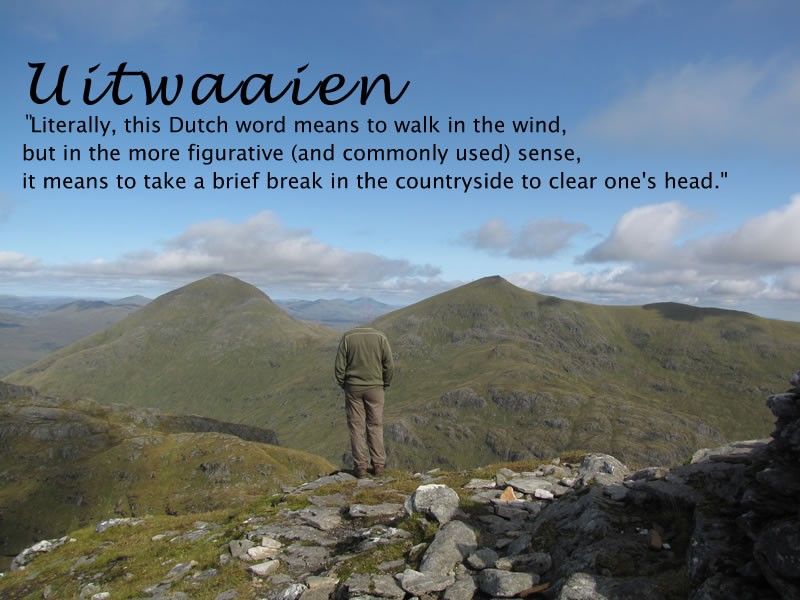
These are the slides I used at TeachMeetPerth Last week. You can see the images on a flickr set. The VoiceThread above is a work in progress, I’ll probably re record the audio with a quieter computer and a script.

I first got the idea for OpensourceCPD from teachmeet at the Scottish Learning Festival in 2007. Ollie Bray is widely quoted as saying that teachMeet was his best CPD experience. This had me thinking about Teachers as providers of CPD I also talked to Con Morris of LTS’s CPD Scotland team, he mentioned that reading my blog could be a cpd opportunity for someone!

My favourite learning experiences at conferences and inset have always been the ones presented by teachers. I include in this the more informal teachmeets and the social continuation in the pub or restaurant afterwards.

I’ve also been aware of the open source movement as a great deal of the software I use day to day is open source software, this blog, firefox, Vienna and many more. this got me wondering if this might be a useful model for distribution of cpd material by teachers, material that is not locked into a Local Authority, business or agency. Teachers as providers and consumers. The CPD material would be freely available and could be used by individuals or presented by a provide, the teachers supplying the material on the wiki could be providers/consultants. Of course because the material is freely available it can be supplied as CPD by anyone.

So the idea came together based on a casual reading of the Open Source Definition

  1. Free Redistribution: the software cpd materials can be freely given away or sold. (This was intended to expand sharing and use of the software on a legal basis.)
  2. Source Code: the source code must either be included or freely obtainable. (Without source code, making changes or modifications can be impossible.) this might be a little more difficult, hopefully it will not mean that folk would be put off uploading a pdf which is hard to edit, but more the spirit that material shared here is for mashing up.
  3. Derived Works: redistribution of modifications must be allowed. (To allow legal sharing and to permit new features or repairs.)

The Open Source Definition has a lot more, but you get the idea. This project will probably follow the Open Content model more closely:

Technically, it is royalty free, share alike and may or may not allow commercial redistribution. Content can be either in the public domain or under an open license like one of the Creative Commons licenses.

but at this time I thought that Open Source CPD was a snappy title

So I have started a wiki OpenSourceCPD to support this idea. I hope it is going to be connected to CPDFind in some way. At the moment the site is sitting on a temporary server and I probably will not get a lot of work done until the spring break. Several scottish educational bloggers have added Profiles and there seem to be a far bit of approval at TeachMeetPerth.

The focus to start with will be Social Media or Web 2.0 in teaching and learning.

Nothing is set in stone (it is a wiki) but I’ve begun three main sections:

  • CPD Materials A basic outline of various social media tools that can be used in teaching.
  • Cpd Opportunities CPD courses for self study or to be used as a skeleton for leading cpd.
  • Profiles A list of practitioners that could lead such cpd (this could be on a paid or free, online or face2face basis).

If this idea appeals please get in touch, if you want a password to edit the wiki leave a comment or send me a mail.
If you have some material you want hosted on the wiki but have not the time or inclination to edit it get in touch and I’ll be happy to post it for you.

So have a look at OpenSourceCPD.

P2190023.JPG

Yesterday evening I was in Perth courtesy of Krysia who kindly give me a lift to and from Glasgow through a fair amount of fog.
We were there for TeachMeet 08 North. T oget the idea of how good teachMeet is think how far you would go for some cpd on a Tuesday Night. The ScotsEduBlogoSphere had come from far and wide. None further than Ian Stuart of Isly High school who had set off at 8:30 am to get there.

As the event was set up the Sandaig macbook was pressed into service to run the flashmeeting which brought in an audience from further afield, I think I spotted Sinclair and Joe Dale in there. Flashmeeting is an amazing service, it is increadable that with a standard macbook and a wifif connection you can broadcast watch-able quality video and sound. The macbook was attached to Mr W’s snowball mic, I think it could get used to having such a great piece of kit attached to it. This meant that I could not tweet microblog the presentations which on a little refection was probably a blessing for my followers.

The meat of the event were the Seven minute micropresentations chosen as is becoming traditional by electronic fruit machine. The presentations were great, it always shocks me finding out how much I do not know about teaching with technology.

Ian Stuart kicked off telling us what’s been happening in Islay High School. I heard Ian at the SLF where I was amazed at the radical way the school is transforming teaching.

At teachmeet Ian focused more on the umpc technology the children are using, the power of these tiny devices is amazing. Small devices were a bit of theme at the meet, Asus minibooks, PSPs and other wee computers dotted the audience and dinner table.
I was lucky enough to be sitting with Bob Hill who leant me (or did I just borrow) his Eee PC with which I could watch the flashmeeting meaning Tess Watson‘s voice was in sterio until I found how to mute the sound.
These small pcs look like being the vanguard of a realistic one2one program. (and according to Robert Jones a possibility of getting Linux into schools). I would take a very long blog post to cover all of the ideas that came out of the 2 and a half hours of presentations. Hopefully the presenters will take a leaf from Nick Hood and blog their presentations, Nick’s is unusually in the comments to his teachMeet post. It is a great comment, (and one of the few where I’ve felt Snap shots has been useful rather than annoying) well worth following the links.
I would be great if the presetator tweeted there posts @TeachMeetPerth which would provide a nice aggregation..

A presentation I really enjoyed was Sarah Duffy‘s talk about her class’s http://midsummerdreaming.wikispaces.com a great project. But I really enjoyed them all and await the blog posts..

I talked about OpenSourceCPD more of which when I have more time at the weekend. for now I’ve put my comicLife slides, OpenSourceCPD on flickr. My TeachMeetPerth set is up too.

All in all another great teachMeet well up to the high standards set by previous events, all credit to Neil for organising, arranging and MCing.

Blogged from tm

There has been hardly a tweet from me this weekend, not because I’ve been away from the box but because I’ve been too busy in front of it. Apart from working on a non educational site and doing a bit of editing on the second edtechroundup podcast (this is not quite ready yet but will be out soon), I’ve been playing with a couple of new bits of the Sandaig Website.

Screenshot of sandaig jukebox

Firstly I, created a new section to show off the children’s garageband productions. I blogged some GarageBand Plans a while back and since then I’ve been working with some children at the computer club, some from the Primary Six classes and got our music teacher involved with other classes. They have been making quite a few short songs. The Sandaig Jukebox is a work in progress, but it allows you to choose a playlist and listen to the songs. I hope to replace the Quicktime player with a flash one, have a comment or rating system and a few other goodies figured out at some time in the future. It might not work for everyone at the moment, I’ve not bypassed the click here to allow active x stuff on some windows systems, but you can get the idea.


The other thing I’ve been preparing is the Sandaig Wiki this will be my first venture into using a wiki with children. I choose PmWiki mainly because it seems easy to configure and install. I had already briefly tested it and it seems to work very well, I am especially interested in the fact that you can add features from the cookbook for example I’ve tried some Media Tests and even managed to adapt the Yuan.CC Flickr Experiments.

Anyway I hope to start work on two sections with the children this week: Sound and light where Primary six T, who I take for Science, will record there Science topic. and the Primary 6 Project which is for a group of primary 6 children who are learning to work together and cooperate. At the moment these children are involved in a Garageband task; creating music, designing CD covers and doing some psd work. The children will have a page each on the wiki to display some mindmaps, embed their music and art work.

Well that is the plan anyway, but we know where the best laid ones go. Hopefully I’ll have some success to report soon.


TextMate icon with blogged from TextMate text

As the year draws to a close I’ve been egoistically surfing my own blog to see what I got up to over the last year or so. Last December I collected some of the posts I’d made over the year, and I am doing so again, although I’ll limit myself to one post this time. It is an interesting exercise and one I’d recommend to other teacher bloggers. One of the nice things about blogging with a class is looking back over the previous entries and noting that you have done quite a lot.

I started making a month by month list same as last year, but it is maybe more interesting to group some of my old post thematically.

Blogging (and social media) tools

This year I branched off and tried some other blog tools:

Twitter Icon The microblogging tool twitter is pretty interesting. I signed up and though about uses an mashups in August. Had some fun in October. More seriously I’ve set up twitter accounts to use with twitterfeed.com: ScotEdublogs on twitter which tweets links to all the ScotEdublog’s posts and one teachmeet07 which collects posts from technorati tagged teachmeet07. There are a lot of very interesting twitter mashups (collected at Twitter Fan Wiki ), I’ve played with the twitter API (in an amateurish way) and it is pretty nice.

Tumbler Icon Tumblr I thought about it and then got a Tumbelog I’ve really been enjoying tumblr which is a great way to quickly blog about something in a more visually appealing way that twitter. I also got a kick out of refashioning my del.icio.us links into a kind of tumblelog: A Tasty Tumble (sort of).

These alternative type of blogs (harking back to the original style of weblog, e.g. robot wisdom, broken link, see the robot wisdom weblog or How Jorn Barger Invented Blogging | First Site Guide hat-tip to Ogi) are pretty handy tools for storing or sharing ideas and links.

del.icio.us for structural storage, twitter for chatter and tumblr for sharing and storing text images, video and links in a very accessible way (I love the Archive).

A couple of days ago I found kwout (Through a tweet and a post, see the post) which is a brilliant addition to tumblr (or other webpages/blogs). Kwout lets you take a screen shot of a webpage and clip and post it to your blog/tumble, it also creates an image map producing links for the links on the original page in effect letting you embed a bit of a webpage in your blog.

I am looking forward to using these tool in the coming year and seeing how they develop and how they might be mashedup.

2007 was of course the year when the ScotsEduBloggers started facingbooking, I tagged along but am not convinced that it is the place for me (I I still didn’t really get it in October).

Tools for School

I looked at toondoo which is a fantastic tool, and used it with my class but there are to many sweary words in the cartoons and comments to keep using it.
We joined Voices Of The World. VOTW kepts us busy trying new tools in class. Voki in September’s Task,was difficult as was October’s Task using Animoto. I had already played with animoto and decided it was lacking in creativity. The October Task proved me wrong the tool matched the task well. The problem with these tools was that we can’t use them in school, the flash upload is based on the RTMP protocol and that is stopped by the network in school. I had also tested voicethread during the summer and though it had great potential for use in class, but it didn’t work on the school network either.

Comic Life Thumb

The problem of using new social media tools in the class room should not be underestimated, time invested in testing at home often backfires on school networks and network admins can pull or change access.

For this reason I tend to favour keeping things desktop based then publishing to the blog. This year I’ve started using garageband, made a lot of use of comic life on Sandaig Otters and developing ways of posting wee movies made with iMovie.
I puttogether a simple page to produce code for posting movies to the blogs: weemovies, it will also let Sandaig Pupils upload movies to the site and produce code for the blog.
I also like the opportunity of using home made hacks that allow me rather than the pupils some creativity.

Mashups

Googlemaps Thumb

I played with the google and flickr APIs quite a bit this year: My Maps, lickr maps mashing and some GPS questions and Maps Again. I have all my geotagged flickr photos on a map and have started mapping the voices of the world participants: Where are the Voices of the World.

I also enjoyed playing with rss and the del.icio.us API. I messed about with the twitter API too, automating posting and tried to sort followers and following.

Moaning

I did a fair bit of this for example: This week we have been mostly 403ed, moblogging as a solution to technical problems and Errors & Frustrations.

ScotEdublogs

I posted about SEB nearly every month:Scotedublogs – A New Hub for Scottish Educational Blogs or have a look at the my scotedublogs tag cloud!
ScotEduBlogs news: index is as near to a homepage as I have and a constant source of good thing. The mix of Scots Education blogging, from movers and shakers to infants in primary schools (movers and shakers too) never stops educating and entertaining me. I am really looking forward to seeing ScotEduBlogs expand over the next year.

Conclusions?

Bin

Having taken the bet part of a week to get this post into its current form I should have come to some sort of conclusion.

Well I seem to have had a lot of fun playing with the toys, frustration with things beyond my control (along with some within it) and kept up with lots of friends.

I imagine that next year will bring more of the same, and I am afraid that the frustrations will keep these tools out of the hands of children in a lot of classes. I count myself as quite savvy for a teacher but still bumped my head more than is good for it this year.

While I am typing this two things I read struck home:

  1. Nick Hood commenting on Ewan‘s post and warning that glow is still a long way from being a mainstay in the classroom. Until it is (and I hope afterwards) we need better access in our classrooms. If the children had the same sort of tools and toys we enjoyed at TeachMeet07 and are enjoyed by educators across the continents, what would happen?
  2. Tom Barrett’s post on enjoying the thinking time that holiday’s bring, to exploit the social web, it might be that teachers need a bit more thinking time?

Happy New Year

Pmwiki 32

I’ve spent sometime messing around with PmWiki

PmWiki is written in PHP and distributed under the General Public License. It is designed to be simple to install, customize, and maintain for a variety of applications.

PmWiki seems very east to install, only requires php, no database is needed and is easily skin-able. here is my test install.

One nice idea behind pmWiki is that the core is kept small and lots of features are available as add-ons. For example, I’ve tested the quicktime recipe and the rss one. There are a pile of interesting looking recipes on the PmWiki Cookbook.

I am thinking of installing this on the Sandaig Website firstly as a tool for myself, but perhaps as an alternative way for pupils to contribute to the website. I am not too sure how they would get on with wiki style markup, but I am sure they could manage the simpler stuff. I need to play around with the configuration and user authentication before I think about that.

Somewhat unbelievably, I am watching Ewan give a presentation via twitter!

He is at ULearn07 giving a Keynote.

nope commenting on Helen Baxter’s, I checked New Zealand current local time from WorldTimeServer.com (Ewan’s was yesterday)

notes from Ewan:

There’s no such thing as School 2.0
It implies this global classroom stuff, where we are all the same and facing the same challenges – what about cultures?

Careers 2.0: the global microbrand. Anyone with a blog can become an employer and entrepreneur. No cost, no risk, nothing to lose

Global Microbrands are what Career 2.0 is all about: edublogs: Global Microbrands for professionals

Career 2.0 or Exploitation 2.0: we need to educate the process, too or this happens: Ogre to Slay? Outsource It to Chinese – New York Times

Weirdest live blog I’ve ever done, maybe I do not need to leave the couch ever again. I am not sure if i know what Helen Baxter was talking about, but I got interesting stuff through Ewan‘s and Paul‘s twits, Paul seems to be linked up to some NZ twitters. Tweets keep everyting short and sweet, perfect for sound-bite nation or media snackers.

I think you could use twitter and some scripting to present, forget powerpoint, maybe filter tweets through some css to fill up a screen.

I had a great day yesterday. I stared off blogging Ewan‘s We’re Adopting! An Adoption Strategy for Social Media in Education which I really enjoyed, it is very tempting to move to east Lothian for the support of David Gilmore and the great blogging community they have put together.

After that I chatted to a few folk and walked around nervously before my spot. I accually sort of enjoyed my self and the audience seemed happy enough, I posted a few links and hope I’ll put the presentation up at the weekend.

After that I tried to blog both In the Wild (Glasgow) and Stephen Heppell

I didn’t do a very good job of it so didn’t post anything, both INW and Mr Heppell were really interesting, but I didn’t type anything worth posting, David was typing away and I guess he will have done the job when they arrive on Connected Blog

teach meet audiance

At 6:00pm we dashed back across to the science centre for TeachMeet07. Previous events have been describes as “My best continuing professional development” by no less than Ollie Bray, who is often described as one of the best cpd providers so a lot to live upto.
This time we had a huge space in the science center and the biggest ever crowd, hopefully someone else will estimate, but 200 bottles of beer didn’t last long.
About 25 people had volunteered to present, most offering seven minute micropresentations and some two minute nano-presentations. This time Ewan had organised a virtual lottery to choose the next presenter and explained that folk should fell free to chat if the presentations did not interest them (it is an un-conference). He had also organised some excellent audio so even in the huge space everyone was clearly heard.
I was delighted to be pulled out the virtual hat first and raced through a quick intro and guide to scotedublogs.org.uk, trying both to explain what it is good for and to get the bloggers in the room to link to scotedublogs.org.uk (this might mean you). It seemed to go down well, the audience was very friendly and encouraging. Maybe because I only took five of my seven minutes.

teachmeet screen

After that it really was the best cpd in the world, speaker after speaker produced wonderful ideas, the audience cheered and wooted and before you knew it it was 8:30. One or two folk did not get to present, but we managed to here most of the list. I could not pick out anyone particular, but was sorry Ian Stuart and Theo Kuechel were not heard. I had an idea about what they would be talking about and it sounded great.

The atmosphere in the room was amazing, teachers are not always the most cheerful of folk when they are getting after hours training. I do not think I have been in such an open and friendly crowd.

After that it was off to Khublai Khan’s for some food and more excellent cpd. A vote of thanks to Softease who sponsored the weird and wonderful menu.
I probably got more ict teaching tips and great links and ideas than in the rest of my years cpd put together.

I have no idea how this event could have been improved but I am really looking forward to the next one.

Blogged from tm

I am typing this as I wait to do my turn. For what it is worth I hope to have the slides up over the weekend, I’ve nearly finished recording the audio in keynote.
Here are the web pages that I refer to in my presentation.

UpdateI posted these links and they were all broken, I’ve fixed them now.Sandaig Otters – The Weblog of Sandaig Primary School in Glasgow
Sandaig Otters » Primary 6 Bio poems
Sandaig Poets – Poems from Sandaig Primary School
» Our Bio Poems – Thanks Sandaig Primary 🙂 Primary 7v Class Blog
Sandaig Television – A Video blog from Sandaig Primary in Scotland
Netherlands 2007 – Sandaig Primary Visit the Netherlands 2007
Eco Otters – The Weblog of the Sandaig Eco committee
Snakes and Ladders   
Sandaig Otters » Twin Castles
Sandaig Otters » our record
Sandaig Otters » P6 TO P7
Sandaig Otters » First Circut Movie
Sandaig Otters » Flick Flacks
Sandaig Otters » Gears
Sandaig Otters » Dancing
Sandaig Otters » Name Art
Sandaig Poets » bio poem by Kimberley-Jayne
Nicole – Sandaig Primary 6 SJ
Tasks – Blogging Tasks For Primary Six
Radio Sandaig
John @ Sandaig Primary – mostly what we are doing with ict in class and some links
John @ Sandaig Primary » Starting Blogging in the Classroom

Since the last post I’ve continued to messing around with twitter.
My facebook and twitter script has stopped working, due I think to changes on facebook, but I’ve become more interested in twitter. It is not much use in school, because it is blocked in Glasgow primaries, but it has been interesting watching the tweets spring up when I am at home. I’ve installed Twitterrific a sweet, free, desktop app, to view and post to twitter. I am beginning see the use for firing off quick informal questions but even more interesting are some mashups.

The most educational of these is twitterlearn :: micro language-learning from the Radio Lingua Network. Basically you can follow learnitalian on Twitter, it will give you tweets of short phrases to translate into italian and a link to provide the answer in a blog post. So in the twitter feed you see:

Translate into Italian: “I’ve already visited Rome” http://tinyurl.com/2osa6g

Clicking on the link will take you to the answer.

twittermap

The nice thing about twitterlearn is that it uses another service twitterfeed.com which posts RSS to twitter automatically. so the questions are produced automatically from the blog posts that combine questions and answers.

I’ve used twitterfeed.com to post this blog to my Twitter and created a new twitter account for scotedublogs.org.uk : ScotEdublogs on twitter, if you follow the ScotEdublogs tweets you will know when new posts arrive at SEB. (there is one for teachmeet07 too).

I’ve also looked at twittermap which allows you to set your location in a tweet and places you on a google map, via the google maps api. This is connect to twittervision which show tweets poping up all over the place and provides pages for users showing where they are: twittervision: johnjohnston

I am still unsure where twitter would fit into a primary pupil’s learning but there are lots of interesting things being done with twitter now.

The questions are at the end feel free to skip down there if you know anything about gps.

I spent quite a while over a year ago messing with the google maps api. eventually I made an interface for creating maps, uploading photos and placing them on the map. This gave me a lot of fun, but I found it too time consuming for children to use.
The earlier this year Google My Maps came out which was a lot neater than my effort, and I’ve used it a few times, mostly pasting in the links flickr provides to add photos.

Cort-ma-Law from Lecket hill This week I stared another one with a few photos from a walk.
I was a bit frustrated about placing the photos on the map as I found it hard to figure out where place where in the rather featureless Campsies.

Flickr map Sorry

I switched to using flickr own maps but found them it a bit slow (that might be my aging mac).
I found it even more difficult to get the photos placed with any accuracy on flickr maps, although the interface for adding and looking at the photos is very slick, especially when you grab a bunch of pictures and throw them on a single spot.
Perhaps I just do not go far enough so need to much detail on a map to make my walk look like a walk rather than a spot.

All this made me think about my previous experiments, especially as there was an article in macuser about using the flickr and google maps apis combined. I had just finished using phpflickr to make a community gallery so though this might be quite quick.

Unfortunately the macuser article relies on a flickr api flickr.photos.geo.getLocation which depends on you having placed the photo on the flickr map (I was beginning to go round in circles).

Then I remembered Adam Burt‘s Applescript for getting geo tags from Google Earth ready for pasting into flickr. Adam does amazing things with blogs, google Earth/maps and geoblogging.
The appleScript copies to the clipboard geo tags of the location showing on google earth at that time.
It is much easier to figure out where you are on google earth, it has a smoother gui than google maps and a better resolution (of where I was at least). so I geotagged a bunch of photos, grabbed a new google maps API key and got busy.

Flickr googlemap mashup

Of course at that time I didn’t know about flickr.photos.geo.getLocation depending on flickr maps.And I didn’t know a tag geo:lon=-4.704382114809 would be returned from the API as machine_tags=”geo:lon=4704382114809 geo:lat=56258859999999″ ie without the minus sign or point so I spent a fair bit of time staring at a blank map, as the google maps API didn’t understand what I was sending to it. Anyway to cut a very long afternoon short, I delved deeper than I had been before into the data returned from flickr.photos.getInfo and finally clunked together a couple of files, the first uses phpflickr to grab the info from flickr and store it in a file, the second pulls that info using the google maps api and create a map.
I did try pulling the information and creating the map all at once, but that took too long. The data from flickr obviously does not need to be updated very often so that job was hived off, speeding up the maps creation. The unfinished product is here: John’s Flickr Map Mashup.

This is just scratching the surface of what could be done, it would be better maybe to create different maps for different days or for particular tags. if all of my tagged photos go on the same map it might eventually be too crowded and need some pagination.

Help wanted: I’d like to know a bit more about geo tagging and perhaps GPS:

  1. Would it be possible to get data from a GPS device and add it to the EXIF data of a photo before uploading it?
  2. Does Flickr undersatand embeded gps data?
  3. Is there a cheap enough GPS device that would work with a mac?

I am thinking of a work flow that includes the tagging of photos before uploading, maybe in iphoto with AppleScript or a SuperCard project, I think I’ve done some EXIF data extracting so imagine that adding can’t be that much harder.

Any ideas that do not involve a lot of expense gratefully received.