Now the term is over. Time to look back. This is one of a set of notes about my experience of teaching recently. This was going to be that amazing post that pulled it all together. After a week 10 days into the holiday it turns out is more an inconclusive ramble😀.
The results, (I am not sure stats like this tell me much):
24 pupils from composite p4-7
- 20 Pupils in my class made 381 Blog posts
- We had 38 Conferences in Teams, maximum 17 pupils average 10
- 26 Minecraft sessions 17 pupils at least once (6 of which only used Minecraft once or twice)
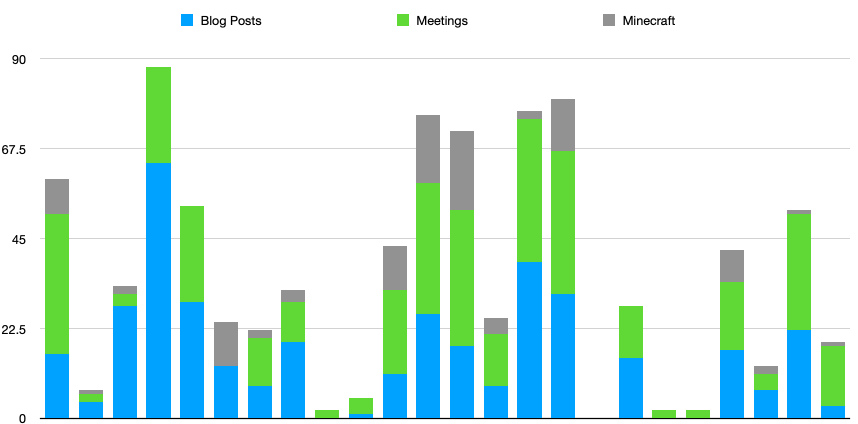
4 pupils never posted to their blogs
2 pupils never participated in a conference a couple more never stayed for more than a few minutes.
There was not a complete overlap.
I am quite please with the engagement. Given the short notice I was aiming for engagement as opposed to achievement.
The schools SMT were in touch with parents and we had no worries around pupils who did not show up online.
Previous Posts made During Lockdown
The above posts are a series of notes taken at the time. Musings and mumblings as opposed to anything well though out. Writing them helped me think through things and will help look back and learn over the coming years. What follows is more of the same.
Learning Tasks
Over the weeks I posted one big blog post a week with ideas for the week. These were all linked from a featured post on the blog: Home Learning – Banton Biggies
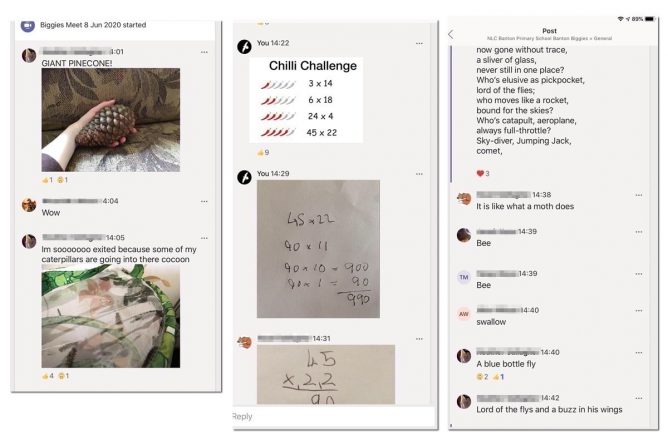
I was quite surprised that the take up of what I though of more creative and fun tasks were not taken up as much as some of the more basic stuff. Sumdog, which enjoyed in class was much less used than expected. I think I’ve underestimated the community aspect of a class in sparking ideas and encouraging children. Perhaps more show and tell about learning in Teams would help. One problem with that was the understandable uneven attendance in meetings. This made it hard to move on through the week.
Blogs
Blogs are, imo, very good at sending information out. The combination of media, the ability to make the information publicly available and the way it can be organised are useful. I recorded the text as audio and pupils told me they found this useful.
The incorporation of posts allowed by the display posts plugin allows you to repeatedly add regular information simply. I’ve used Display Post plugin to list my lockdown posts above, but it is a lot more powerful that this simple example.
Blogs are not, imo, the best way to collect and review pupil ‘work’ on a day to day basis. But the pupils were familiar with them and they worked well for me in the short term. Using OneNote would have been better if I could have avoided previous problems. I didn’t feel the effort to get pupils using OneNote when they had not before would have worked. If I had had a straight p6 or 7 or even a composite 6/7 I would have done so, but felt it best to stick to what we knew.
Still some of the blog posts are valuable beyond the “handing in” aspect. first as evidence of learning and second a record of these unusual times. Making 380 comments wore out my emojis and kept me in touch with my pupils.
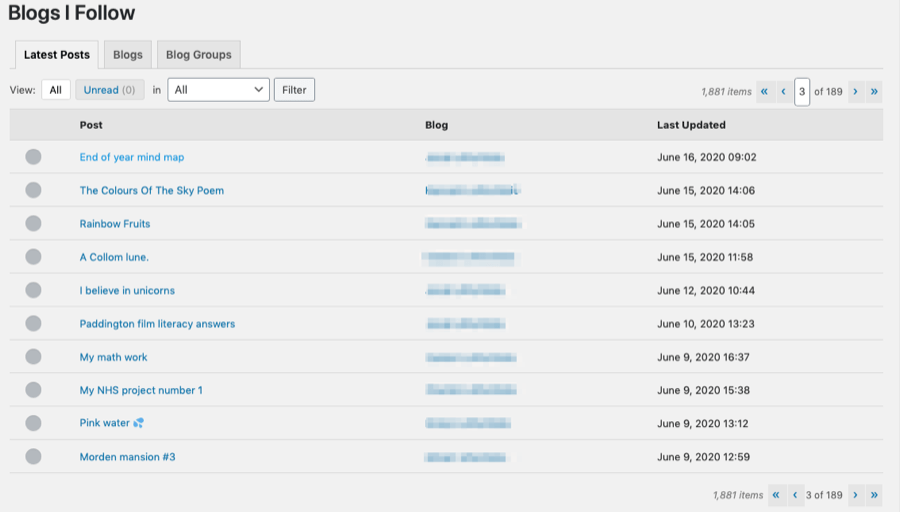
The Glow Blog reader plugin made checking the pupils posts really simple. I can’t recommend it enough.
Teams
I didn’t follow ‘best practise’ for my meetings. I worked it out as I went along. Each meeting had several shorter elements including:
- round the room, to let everyone tell news, raise issues etc;
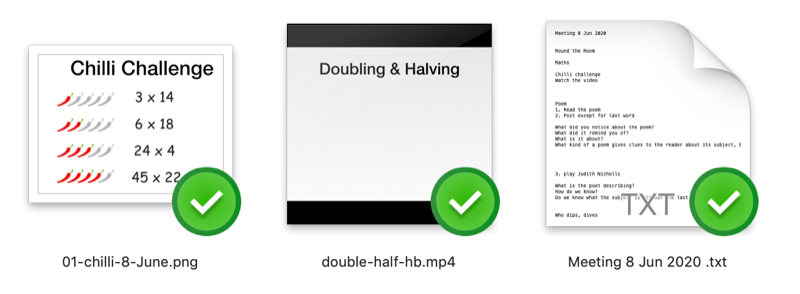
- number talks, often supported by videos to watch beforehand;
- quizzes
- poetry, we looked at a different poem every week, exploring different aspects daily, usually ending with some writing on Friday.
My first method of organising the meetings involved a new presentation every day. Toward the end I stopped doing that. Pupils often saw nothing or didn’t see slides at the right time. I probably stuck in that rut, spending most of the morning making slides for far too long. Eventually I ‘presented’ by using the chat. Adding text, pictures and video as I went. Keeping the videos very small <2mbs meant this didn’t interrupt the flow.( Simpler Meet)
I used a fair bit of audio in the meets. Splicing together snippets from Farrago via loopback with my mic as input in Teams. This allowed me to ‘play’ poets reading their work and music. I used this to play bits of music as a timer when I gave the pupils time to work on something. (Lockdown Learning 18 May 2020 – virtual devices).
Having periods, 2-5 minutes of silence or music might seem a bit daft but I found the pupils enjoyed it and produced some good work. We used it for drawing, number talks, writing and brainstorming. I imagine it is even harder to respond immediately in Teams than it is in a classroom, so thinking time.
I ended up making quite a few short < 1.5 minute videos to explain things. At first I uploaded them to Teams well before the meets and asked for them to be watched, flipped style. As it became obvious that the class didn’t all watch them I continued but then uploaded them into the chat during the meet and gave time to watch them. This got round the problem of live explanations involving visuals synchronising. None of these videos were things of beauty. Earlier ones took time but I cut down and down in both size and speed of production. Either using the built in screen recording on iPad or recorded voice over for Keynote slides on Mac. In the later I used Screenflow to add audio for its better editing. In both cases reduced dimensions and quality of videos in HandBrake.
I found a few things irritating in Teams. The differing UI on different devices made it hard for some of my pupils, especially the younger ones. I would have loved a sticky post effect for announcements. I believe this is in the works but my pupils regularly missed announcements as they were pushed up the stream. I did have a channel just for announcements, but I don’t think the pupils visited that much.
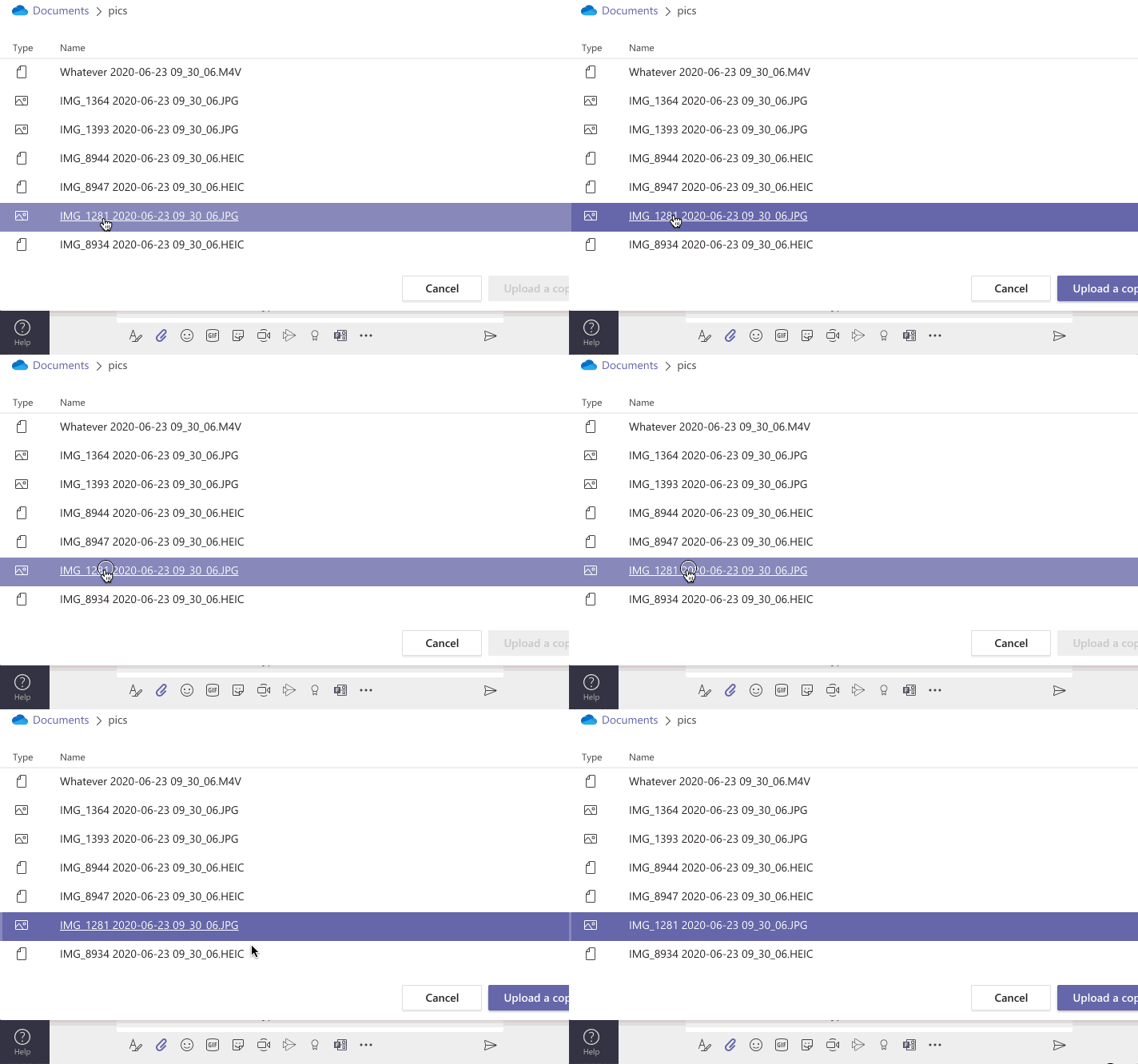
The file dialogues in teams drove me mad. Years of selecting files and then double clicking or hitting return/enter to open got me every time. Files from the desktop were fine as it then used the system dialogue. Ones from OneDrive or the teams files area, bleh.
Closing a document you had opened from a folder in the files area didn’t as I’d expect leave you in the folder but put you back to the top level of files. Again not a big deal but it slows down a workflow. I guess this is to do with Teams being a cross platform app built on electron.
The ability to edit a document in Teams was turned off due to high demand but I think it would be a killer feature. I did work with older pupils a little in shared word docs. The whole bouncing back and forth between different apps seemed too complex to start using with my younger pupils. Being able to do this in Teams would have been great.
We had not used assignments. I did try a few but they did not get completed by many in the class even with gentle nagging in meetings. I can’t say I was particularly disappointed. I found the marking and returning over complicated with a confusing UI. The Team I had set up was set up a few years ago, leavers removed and new addition to the class added. I noticed that the leavers were not removed from the OneNote classroom. I’ll be setting up a fresh team next session.
The way we used Teams was very much down to having a mixed age class on a multitude of devices and Operating systems.
I didn’t find Glow’s restriction on pupil cameras a problem. I suspect it saved us some bandwidth. It also removed any source of embarrassment.
Minecraft
We had used Minecraft (and the open source Minetest) a bit in class before lockdown. We tried some of the worlds created for maths activities and around creative tasks.
Once I found I could run a server from home]
I though it would be a good additional space for the class. I set it up and said to the class I would like a virtual Banton, with a school and roads to let me find other things they built.
I was quite surprised that the whole class didn’t jump in, but some of the ones that did were there every day. The created, to my mind, a amazing place, expanding and following their whims. It also provided the opportunity for some of them to teach me how to do a few things in Minecraft. I choose not to set up any of the learning worlds, thinking of it as more of a playtime experience.
Personally
During lockdown I was in a particularly favourable place. I’ve no children to look after and was totally supported by my wife. I have no idea how teachers with children of their own or other family to look after managed.
Still this was an intense experience. My days were very much taken up by school stuff.
I got a bit obsessed with keep contact with pupils. A few less in a meeting or posting to their blogs got me worried. This despite the fact that I knew that they all were in quite different situations and had different needs from school.
I also got into the habit of responding very quickly. This meant I was on constant alert to teams and new blog posts.
Blended Thoughs
As we got to the end of term it looked as if we were going back to some sort of blended learning situation. The rooms in school were prepared . I was feeling that this term had prepared me to prepare for a term or more of blended learning. My ideas centred round:
- H&WB focus. Or making sure everyone is feeling good
- Outdoor Learning. Start this straight away
- OneNote start straight away. Main way of handing in work possibly.
- Flip, short videos for home,
- Reading Books and other resources, wondering how this would work as we were not supposed to have materials going back and forth.
- Micro:bits in class as can have one each in tray for day. Can create code at home and use in school? Onedrive.
I was quite looking forward to getting this started before the change of plan at the end of my term.
Uncertainty
Of course things have changed now, it looks like we will be back to a normal attendance pattern in August. I am also wondering about my OneNote plan, some of Nick Hood’s concerns echo my experience. But if we are to prepare for the chance of further lockdown I think it is my only choice. The temptation to fall back on AirDrop in the class will be strong.
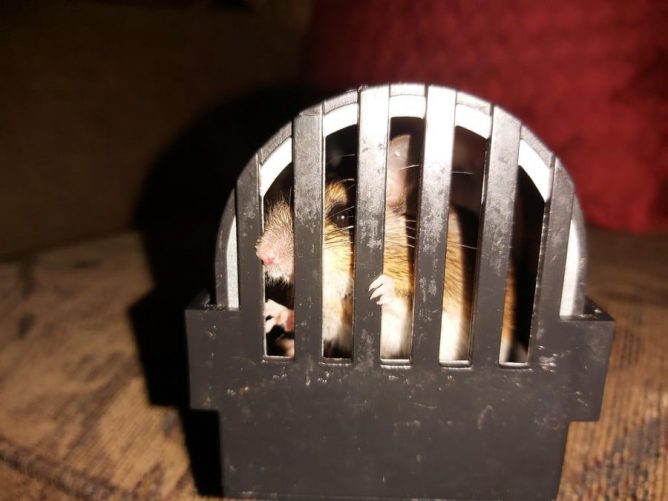
The featured image on this post was taken by one of my pupils, used with permission. They shared it in our Team, I loved it & though it appropriate (I’ve used it before).