


Since I been trying out my.wordpress.net I’ve been thinking a lot about this.
Of course Alan has been there first: This is Not a Blog | wordpress as the new hypercard?
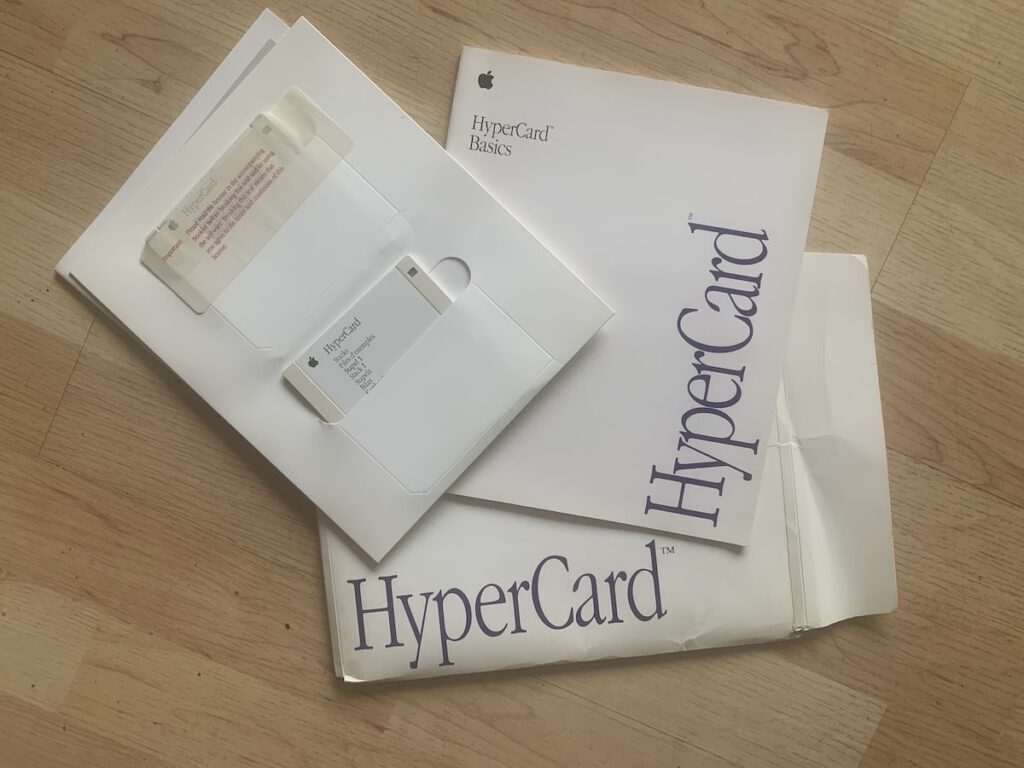
I spent a lot of time with HyperCard over the years1. Described as a “software erector set” and “programming for the rest of us” it was one of the inspirations for the web.
I used it for toys, tools and fun for pupils at school. I also made many utilities for myself. These did not need to be polished, just fit closely to my needs and tweak-able. For many years I used HC every day.
HyperCard could make mac application, but you could also run stacks (documents) in the application by itself.
Over the last few days I’ve been playing with my.wordpress.net which is a complete private WordPress in your browser. One of the limitations, at the moment, is that you get 1 instance per device/browser. I found that using Safari’s Add to Dock… feature, which gives you a single site application you can click and launch from the dock, allowed me to have several copies of WordPress that ran with a click. It began to feel a bit like HyperCard.
Like HyperCard you can edit the code while running. I mentioned here I was able to swap out the lyrics of the hello dolly plugin in a minute. Of course more complex things would need more skills, and php & javascript seem a lot more complex than HyperTalk to me.
The other thing HyperCard was great at was sharing ‘extensions’ external functions (XFCN) and commands (XCMD), similar to WordPress plugins.
At the moment My WordPress feels as it if useful for playing around, testing things quickly & safely and maybe making utilities for yourself.
I’ve already used it to explore a problem I didn’t understand, made a couple of test utilities and experimented with a them or two. This was much quicker than using the web.
I suspect that a ‘real’ single site generator app might give more options than Safari. One of the annoying things for me was that the open in New Tabs links in WordPress spawned windows all over the place. Switching from other apps became difficult. I got round that problem by asking claude.ai to create a simple plugin that switch all the links to same window. This now really reminds me of stacks.
Wondering
My WordPress makes it really easy to edit all of the WordPress files. That feels a little dangerous to me. I wonder if a better approach might be to have a wee plugin to add code when you need too. Sort of like functions.php in a child theme but theme independent. A system for JavaScript files could site in that plugin folder too? Both could be easily edited in the browser and keep me away from more risky files. I am pretty sure there are already plugins out there that do this.
Another application this reminds me of is TiddyWiki which I use to keep various notes. TiddyWikis are single html files. I have multiple wikis that run from the TiddlyDesktop: A custom desktop browser for TiddlyWiki 5 and TiddlyWiki Classic. I could imaging something similar for My WordPress.
Other things in the mix include:
- WordPress Playground which I’ve not used for more than a few minute, I am not sure what the differences between the playground and my wordpress are? It looks like my WordPress is for longer term ideas.
- Blueprints Blueprints are json files used to set up a WordPress Playground instance. I briefly tried Pootle Playground – WordPress Blueprint Configurator which easily produced a blueprint linked to playground and when opened started WordPress installed the themes and plugins I had added like magic. I think this would be a great way to share apps. Not sure if you can use it with My WordPress? yet?
- Playground has a setting to set up a multi-site. That might be interesting in My WordPress…
- Telex, Describe your idea. Telex will build a WordPress block or theme for you.
Finally:
Next up, we’re going to add peer-to-peer sync, version control integration, and cloud publishing so other people can access it.
WordPress Everywhere | Matt Mullenweg
Featured image Tinker Toys by Flood CC-BY-NC-ND
- My favourite piece of software, followed closely by SuperCard. ↩︎
 admin
admin Someone has archived the