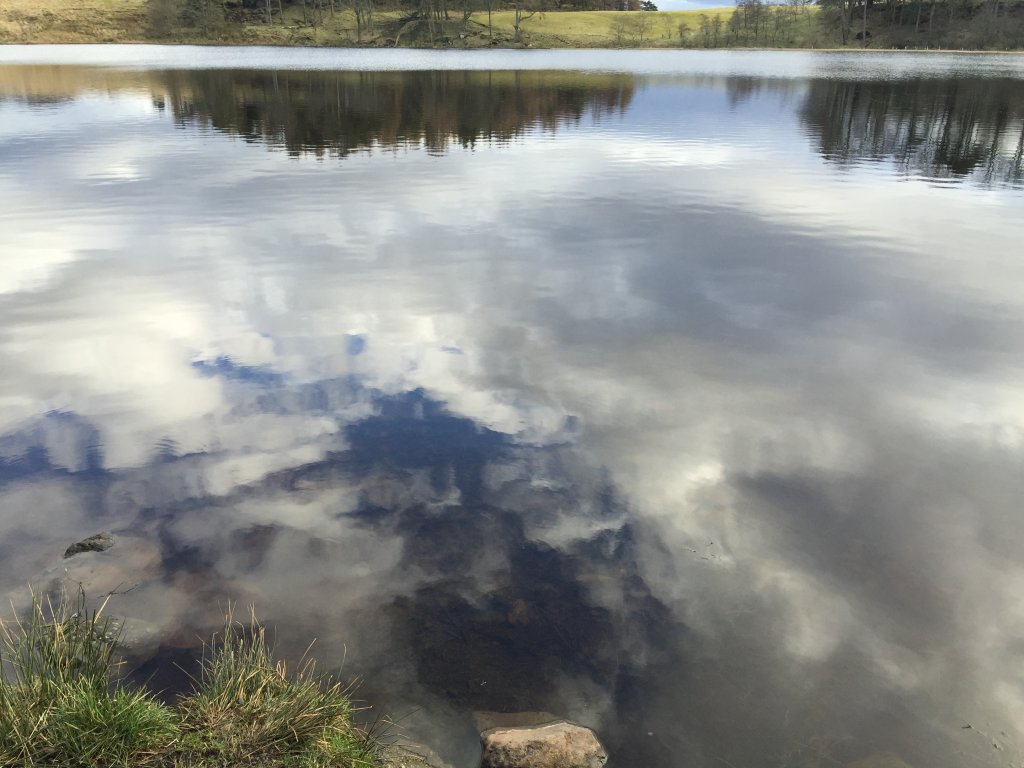
Yesterday’s stillness was to pick one of 75 pleasures and

take time to enjoy it. Show us in a photo

Well I did a few of those things yesterday, but I don’t think I paid much heed. I had a better chance this afternoon. A walk, a seat beside the loch, a wee bit of stillness.

I have become a bit more aware about how I am skipping by these chances too quickly.

I am finding the daily stillness almost always interesting. I don’t always respond publicly, sometimes I am too busy, sometimes I want to keep my response to myself. I am particularly enjoying the recycling of the exercises.

I am reminded of Jin Shengtan’s list of 33 happy moments, I’ve just found these on tumblr but I read them in an old secondhand book many years ago.

13.

It has been raining for a whole month and I lie in bed in the morning like one drunk or ill, refusing to get up. Suddenly I hear a chorus of birds announcing a clear day. Quickly I pull aside the curtain, push open a window and see the beautiful sun shining and glistening and the forest looks like it has had a bath.

Ah, is this not happiness?

from: 33 Happy Moments, 13.
Take 10 minutes to enjoy the ‘ephemeral absolute’ today. Could you just sit back and enjoy? Did you find yourself getting impatient and wanted to see the next painting and the next and the…? Did you want to break the artist’s intent and get a screenshot of that favourite painting to keep (Disclosure: we nearly took a screenshot for this daily)? So many lessons about how we relate to the impermanence of life in such a simple artistic idea.

from: Ephemeral art for stillness | The Daily Stillness

Géneration …Etc…  This is great. Even before I had got through reading the daily post I was thinking screenshot.Â

This is exactly the sort of thing that makes my mind race.

Before I have watched three images stream by: how is this done, can I do something like it, let’s look at the source.Â

Not stilling my mind. I pop down to the bins and the newsagents. I am excited, gifs, servers, writing this response. I love being excited by a stream of thoughts and ideas.Â

Half way through the hundred yards to the shop I remember that this should be about stillness. Feel my feet, watch my step, breath, follow a crow, smile. A few seconds later I am thinking about thinking, and this post, and my neighbour who passes…

Back in the flat I watch the webpage while coffee boils. Not exactly stillness, but absorbing. Are there patterns? or am I making them up. I like this stuff, maybe I can get it on the big screen at work…

I could save any image by pressing and holding on the iPad. I don’t.Â

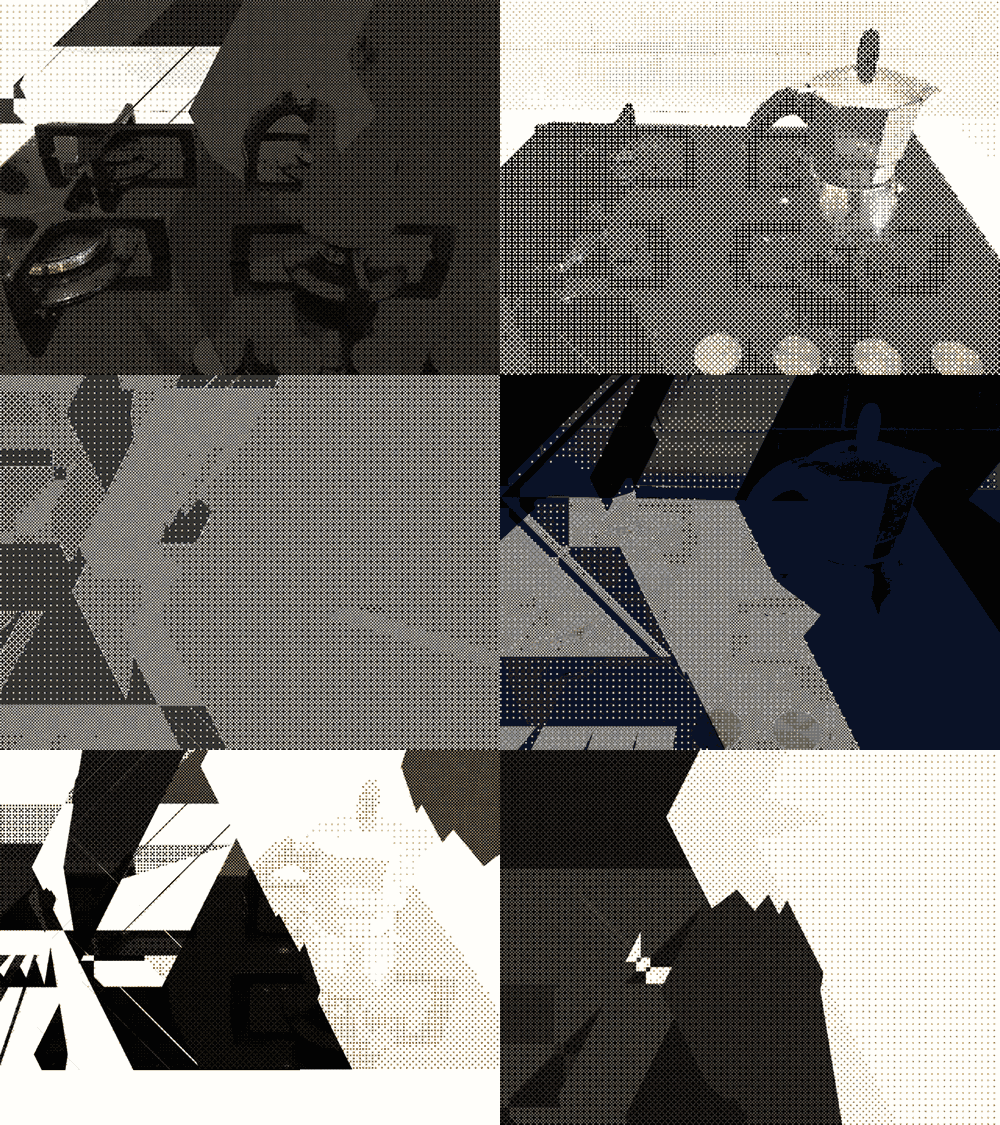
The image with this post is a gif made from a string of imaged generated by Decim8 on my phone. Giffed with a reduction of colours in fireworks. Sort of inspired by the images from Géneration …Etc…

I am really excited about this one.
Radio #EDUtalk will be at #oer16

OER16: Open Culture
19th & 20th April 2016, University of Edinburgh, UK
The 7th Open Educational Resources Conference, OER16: Open Culture, will be held on the 19th-20th April 2016 at the University of Edinburgh.

OER16 will focus on:

  •    The strategic advantage of open and creating a culture of openness.
  •    Converging and competing cultures of open knowledge, open source, open content, open practice, open data and open access.
  •    Hacking, making and sharing.
  •    The reputational challenges of openwashing.
  •    Openness and public engagement.
  •    Innovative approaches to opening up cultural heritage collections for education.

from: OER16

I am not sure what we will be broadcasting but I hope it might include conversations between various speakers and attendees.


I didn’t make it very far through this video but I got further than I though I would. There is something nice about watching the world come towards you and pass by.

I didn’t learn to drive until I was 24 and got my first car at 49 so I’ve spent a fair bit of time as a passenger. This is quite reminiscent of that. The track, like the road markings at night focus and slightly hypnotise your attention.

I am finding the recycled dailies from @livedtime a very nice thing. Often I read these in the morning but don’t follow through, it is good to get another chance. They are also the kind of exercise that can take a bit of repetition.

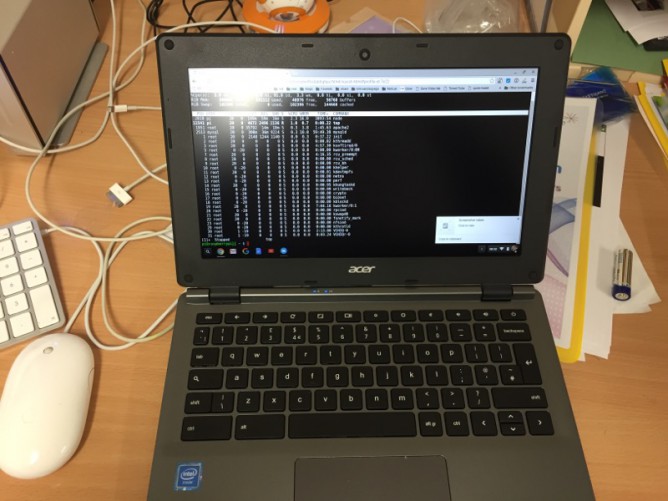
Last week I spent some time with a chromebook. It was the cheapest one on the Scottish procurement. I was surprised how responsive it was, quick to start up, reasonable trackpad and OK keyboard.

It seemed to be that if you were mostly using the web or if your needs were met by web browser applications that it would do quite a lot. I was reminded of Clarence Fisher talking about using a raspberry pi and finding it could meet a lot of his needs.

Personally I’ll stick to my MacBook for as long as I can afford to. I’ve got a lot of muscle memory, customisation and spent a fair bit on applications over the years. Along with the long life of Apple computers I don’t think I pay too much for what I get. I was interested in exploring how to do some things with a chromebook and the raspberry pi connection got me googling.

It seems you can connect to a raspberry pi in the same way I do from Mac and iOS devices, via ssh.

According to various sites and posts I found there is a built in terminal in the chrome browser that supports ssh.

So I hit control-alt-t to open the wheel and typed in ssh username@pi.johnj.info
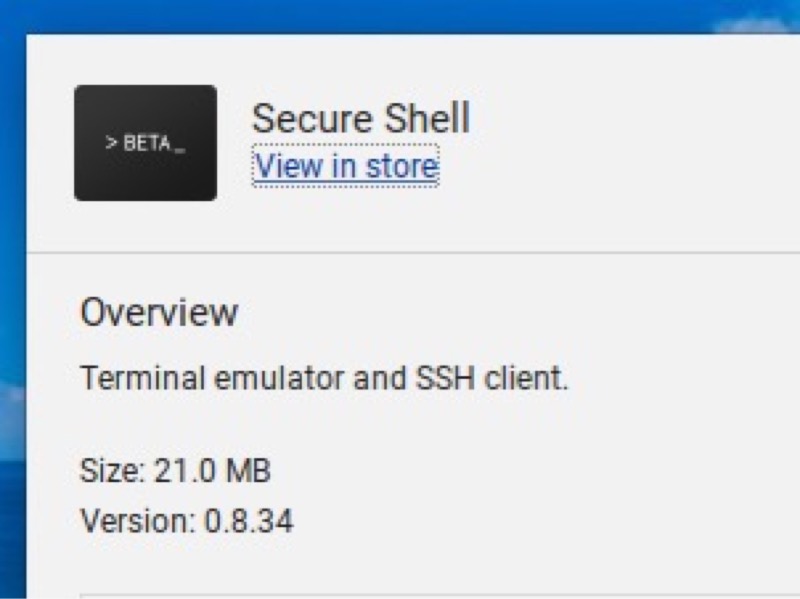
At that point I got a message saying that the built in tool was no longer there and I needed to install an app. This I did.
secure she'll app

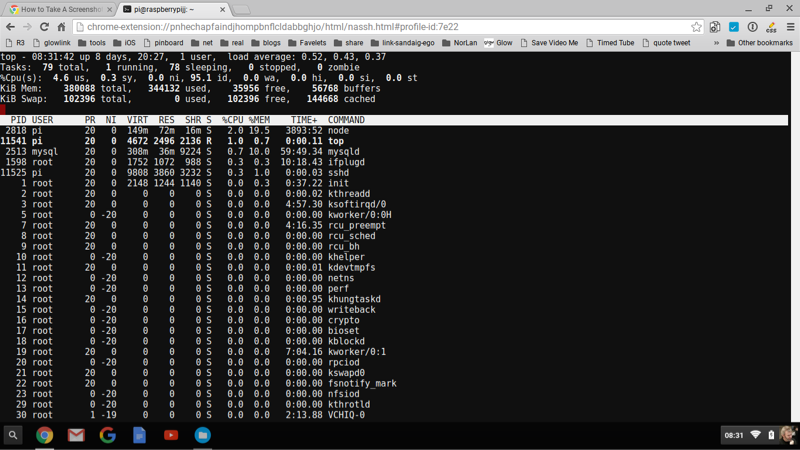
I’ve now got the secure shell app. This lets me easily connect to and work/play on the pi in the same way I already do from Mac or iOS.
top on the pi

For a dabbler like myself this is a pretty nice setup. Especially at less than £200.

I am just kicking tyres on the pi without any depth of knowledge but it already is running:

Quite a lot for such a wee box and there are tons of other things I could add given a bit of reading.

I think this points to the possibilitys of two small cheap devices adding value to each other and opening up some possibilities.

Starting by listening to the video in one window while doing something else in another with 30 odd tabs open was probably not the best start:-)

I never did get to one tab. I did pay a wee bit more attention to how many tabs I have open and why.

Some tabs are open because I’ll come back to them.

Some tabs I have open because I want to collect a bunch of links and I have a script for that.

Sometime (quite a lot) I have more than one tab open because I am copying something, like the code for the tweet above into a post.

I am logged into a service I know I’ll need later on. I am actioning the mail in one tab in another. I need to read both.

Preview!

I don’t think I’ll be giving up my tabs too soon, but I found thinking about it interesting.

Command-Shift-\ is a useful safari shortcut:


The audio on this post was recorded and uploaded with the Workflow.app on my phone. The images were too. The posts was written in drafts and posted from there with a Workflow action.

Yesterday’s post was just about using workflow.app to post to a blog in a way that other tools can do. The method might suit some people’s needs better than using the WordPress app or the browser. It could be altered and improved too. But essentially it is just another way of doing something. I think this next step is a much bigger deal.

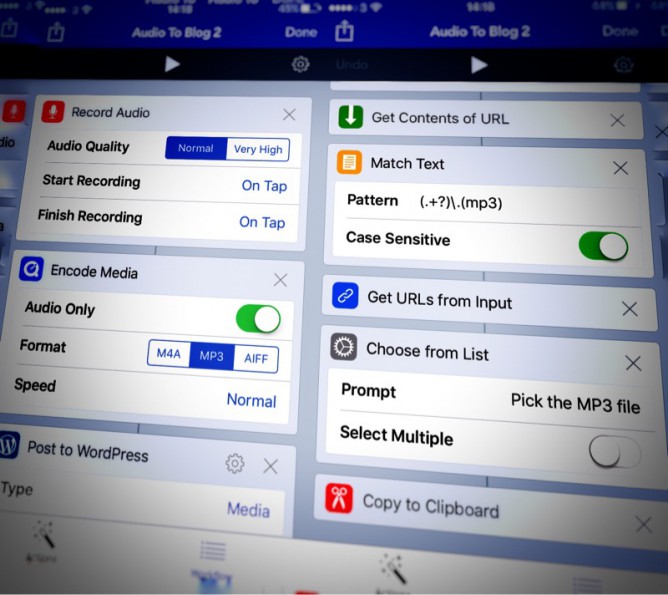
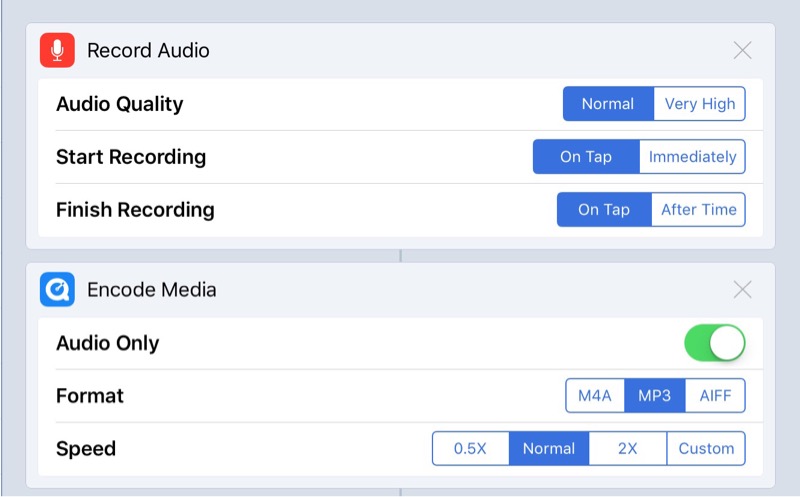
Workflow has actions that allow you to record audio or take video. It also has an encode media action.

record-encode-screenshot

This looked promising. I have now got a workflow that will record audio, encode to MP3 and upload to my blog.

I will end up with the link to the MP3 on the clipboard ready to paste into a post.

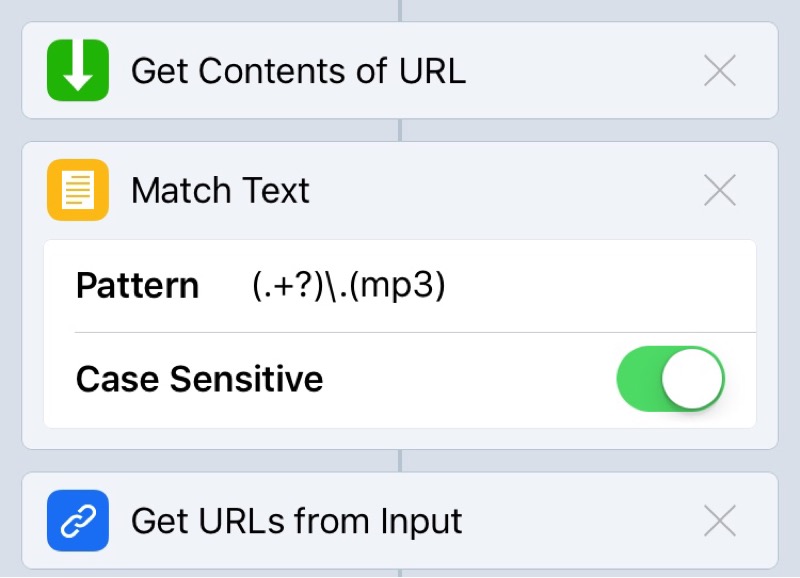
Getting the url to the MP3 took me a while to figure out. The action returns the url to the attachment page. I had to uses a few more actions to get the content of that page and then get the url to the MP3 with a regular expression. I don’t know much about regEx and less about the flavour used by Worpflow.app. I got there in the end.

workflow-regEx

A couple of OSs ago this seemed impossible on iOS. Now you can save an MP3 created with one of the myriad of audio apps to Dropbox, iCloud, one drive ect and upload through mobile safari.

I like to think this is a bit better. It is certainly a wee bit quicker if you do not need to edit the audio.

There were always apps that would record and publish audio to the Internet. What I like about this method is it goes along with the idea of owning your own data, posting to your own domain and having a little more control.

I am now wondering if it would be worthwhile seeing if you can trigger workflows from a draft.app custom script. This post on the drafts blog: Drafts 4.1.2 – Workflow Integration | Agile Tortoise makes it look as if that would be possible. This would turn the drafts app into a WordPress editor. One could upload images and audio directly from drafts, perhaps inserting the image or audio code at the insertion point.

Posting to WordPresss is pretty simple on the go. Recent versions of WordPress have a fairly good performance on Mobile Safari. the WordPress app performs a little better the body field is less ‘jumpy’ and uploading photos a little simpler.

There are a few other blogging apps but I’ve not stuck with any.

I tend to write posts in drafts as there is even less chrome and more space to type. It also has some clever shortcuts, helps with markdown and can do cleaver stuff with text and scripts.

A while back I noticed that the new version of Workflow had actions for posting to WordPress. I made some quick tests sand it seemed to do the trick.

Today I started thinking about it again. Workflow allows you to make posts, pages and media. When I tried uploading media I was disappointed that uploading an image returns the url to the attachment webpage rather than the attachment itself.

I’ve tried to extract the url form the page but the best I have is to extract all of the urls on the page and present this as a list to choose from. This is copied to the clipboard.

image upload

So I have an workflow that is an action extension. This allow me to pick a photo then run the workflow. It is presented as a document picker in other apps, for example pixelmator. When this workflow runs it resizes the image and uploads it to my blog. It then grabs the attachment page and pulls a list of links out of that. I can pick a link to copy to the clipboard.

Making a post

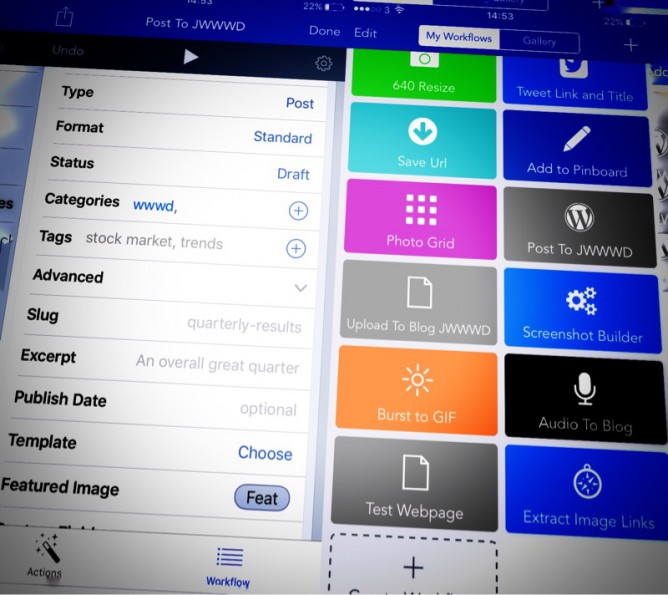
The next workflow I have is one for making a post. This runs from drafts.
It first set a variable to the draft. Then it shows the photo library. When a phot is picked it uploads the photo to the blog. As in the first script it downloads the attachment page, extracts the urls and let’s me pick one. This time the one picked is put in another variable.

The workflow then get the first variable, and posts it to the blog as a draft. It asks for a title and used the url to the uploaded image as the posts featured image.

It also asks for tags when it runs.

The featured image for this post is a couple of screenshots taken on my phone. They were stitched together with workflow and the result edited a bit in snapseed.

I’ve had a lot interesting audio interactions this week.

A couple of weeks ago I mention Anchor and I’ve continued to play with that. Simon Thomson (@digisim) invited me to participate in a storytelling idea, folk just take turns to record the next short segment. It is only Simon and me at the moment but I am sure he would be happy to hear from others:

On Wednesday evening Joe Dale was my guest on Edutalk. Joe discussed iOS audio apps. He also provided a marvellous set of links for the show notes: Radio Edutalk 17-02-2016 Joe Dale iOS Audio Apps.

Joe also tweeted a link to Tabletop Audio – Ambiences and Music for Tabletop Role Playing Games which has a collection of 90 atmospheric sounds that you can play or download. Each is 10 minutes long. You can play the audio live or download it to your computer.

The sounds are available under a Creative Commons — Attribution-NonCommercial-NoDerivatives 4.0 International — CC BY-NC-ND 4.0 license. The sounds could also be used to provide atmosphere in the classroom, perhaps during a writing task.

Back on the anchor beat I tried a few times to record a trafficjam anchor, I’ve not quite managed to make them loud enough yet or avoid running over but I did post this weeks review after I parked.

There are a lot of nice things about Anchor and it will be interesting to see where it goes. I think it is going to be one of those apps where you need pals on the same platform, at the moment the twitter search brings back very few folk for me. Hopefully this will grow, the anchor folk are intending to add an android app into the mix.

Taste Meditation #tds232 The Daily StillnessWednesday’s task was pretty simple. Or so I though. I read it at breakfast where I didn’t really feel ready to close my eyes. I should have done so as it is the only meal I usually eat alone.

The next time I though about it was looking at my clean plate at the end of dinner. So much for my intention to attention.

Yesterday evening, Friday. I spend a good bit more attention on cooking.

I don’t close my eyes. I do notice the taste to the food, the texture in my mouth, the way flavours mixed, how the wine tasted, the light in the kitchen, the colours of the food, wine, bottle. I listened and watched myself listening and watching my wife.

Number 4 in the list was easy. It does not get better than this.