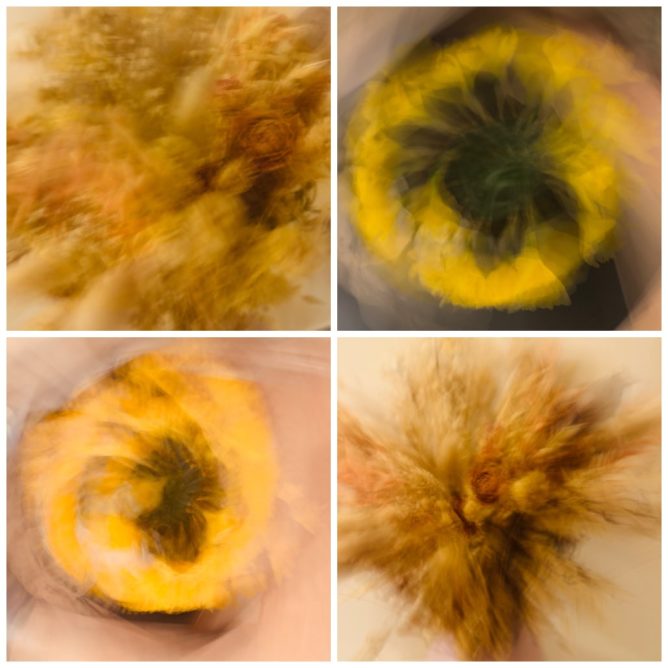
grid of four abstract images of flowers with swirling blurs of yellow, orange, and brown, created by deliberate camera movements

So yesterday evening I was waiting for my wife to join me to watch the TV. Earlier in the day I’d looked at the Daily Create. This was a challenge to use ICM. I read the suggested information on Intentional camera movement and realised I had none of the suggested equipment. A quick search found several articles about using the Slow Shutter app on an iPhone. I not only had my phone in my hand, I already had the app.

As it was dark outside and I only had a few minutes, I played around with a vase of daffodils and a bunch of dried flowers in the living room. I can’t say I was completely enamoured with the results, but could see it might be fun to play around some more.

I thought to share one of the photos on Mastodon in response to the Daily Create. Looking at the pictures I’d taken I thought a grid of four might be nice. I could have just uploaded four photos to a toot, but decided to run a shortcut to combine the images. It then turned out the shortcut was broken. I had a quick look and it seems okay, but it was old. I’d not used it for a few years. Not being one for shortcuts I didn’t think I could fix it in the couple of minutes before my wife arrived and we would start watching.

If I’d been on my Mac I’ve got many ways of doing this in less than a minute, but I am on my phone. I briefly thought of combining in Keynote and exporting but that would be a faff on the phone.

I then thought Claude AI could probably make an artefact that I could use. Of course I could have just asked Claude to make me a combined image, but that, for some reason, didn’t cross my mind. I guess there are a myriad of websites that would do the same too.

Can you make a one-page website that will allow a user to select images and turn them into a grid to download

After that, I had to report the download didn’t work on my phone, twice, before the working webpage was made. I used the artefact to make my wee grid and popped it onto Mastodon.

It took me a couple more minutes to copy the code and add it to my Raspberry Pi, without leaving my chair. The Termius app let me connect to the Pi, create a new file, and paste in the code. Image Grid Creator.

I guess in a few more minutes of internet time, this sort of ridiculous workflow will be simplified and everywhere.

Like everyone else, I’ve been reading a lot for and against AI. I think it is very hard for most of us to know where this is going. I’ve not really dived in, but I’ve not ignored it. I’ve not paid for it either.

I’ve used AI to help think through options for buying a car, made a few web pages, and consulted it on shell commands and regex. I’ve enjoyed using it most when I’ve made something myself, but discussed approaches, asked for code snippets, or syntax checking of my own failed snippets.

The latter is where I’ve enjoyed it most. There is a lot of satisfaction in getting markup or simple JavaScript to work. It is not work for me but a wee hobby. Handing over to AI completely would not be much fun and would have a lot less satisfaction.

I’ve also enjoyed using telex.ai to make simple WordPress blocks. This process would be beyond my skills, but I can act as a product owner. I also know enough to stop telex running in circles.

Where this leaves us, I’ve no idea. Watching politics live on the BBC this lunchtime, I was not impressed with any of the politicians’ responses to questions around getting AI to pay for creative content it has scraped. I can’t say I’ve a better idea or understanding. Certainly interesting as well as ridiculous times!
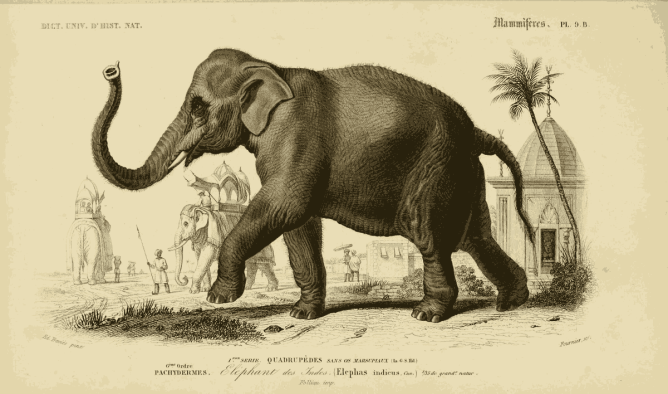
sepia Illustration of an Indian elephant with background structures and a smaller scene with another elephant and men. t from Dictionnaire universel d'histoire naturelle 1847

I used to love Martin Hawksey’s tweet archive which I used for quite a while and mirrored on the web.

Yesterday I was reading Alan’s post: My Digital Cleanup: IFTTT – CogDogBlog which explains how he now archives toots with make.com a sort of ifttt replacement. This sounds very useful. I’ve quite often failed looking for old toots with the mastodon interface.

This made me think a bit. I’d been playing with json to sqlite for my flickr photos, On this Flickr Day. I wondered if I could do this with my toots too.

Turns out I could take a very similar approach:

  1. A bash script pulls down all my previous toots to a sqlite database.
  2. Another script updates the database.
  3. A php file provides a search and display.
  4. The search can be viewed in the browser using a simple php server.

There are a few things that could be improved.

  • I’ve not used any authentication. So I just get public toots and boosts. That is all I want.
  • The web page produced is pretty simple, if there is no search it shows all my toots. This is just over 1000 I probably need some pagination.

I’ve a version running on my raspberry pi. Search Toots this is organised slightly differently from the one I run locally on my mac. The scripts & database are not directly in the public_html directory.

I’ve put the files on github: troutcolor/localtoots in case anyone is interested.

I had a bit of AI help, bouncing ideas, tidying things up & especially all of the getting the files on git hub. I’ve done this so rarely I’d no recall of how to do it.

Featured Image: n92_w1150 | Dictionnaire universel d’histoire naturelle :. P… | Flickr Public domain by Biodiversity Heritage Library

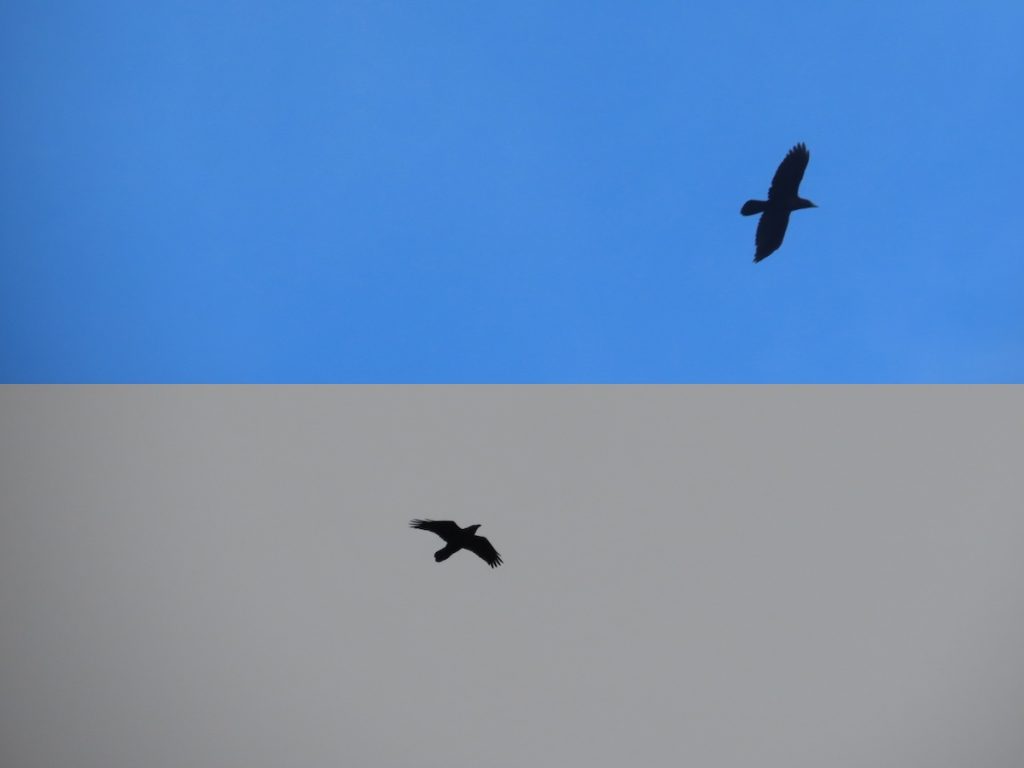
John Johnston has a Raspberry Pi collecting skies for him. Not all of us have that luxury but we can all take a Pi Sky for inspiration. Take a photo of your sky today. Extra internet points for a gif, of course!

My Pi is no longer taking photo every 15 minutes, but I still love how the sky here changes. This photo combines two taken 6 minutes apart:

montage of two photos combined vertically. Both show a raven flying. The top over blue sky the lower uniform grey clouds.

I’ve been thinking of my approach to the daily create. At the start of the month I was loosely connected to the Reclaim Open 2025 conference via Combobulating where a few of my posts here were combobulated with others as a way of talking about ds106 as part of a wild web.

I didn’t manage to take part as much as I liked, but had some fun, and thought a bit about the daily create. I don’t take the daily part very seriously at the moment. My contributions are often old things I’ve had on my hard drive or recycled attempts at creates gone by.

Strangely this week I’ve done more than usual. But two were recycled, one was a photo and one was a quick image edit.

Today I made more of an effort, I’d looked at the prompt in the morning and it didn’t click with me. Then I saw Kevin’s toot:

dial in a daily call us and we will inspire you to create or to remix; or maube it will be an invitation to write a story or a poem; or perhaps a call to share a photo or a piece of art. the unexpected is part of the appeal.
call today to get inspired.

Which made me think. I wonder if I could do something like the original project without any of the really hard or expensive bits. Maybe a webpage that would speak a random Daily Create? I did a bit of combobulating of some ideas and things I’d found and stored.

  • I knew that the daily create runs on WordPress and that you can access WordPress posts via an api. I’ve played with that before. So I just tested the endpoint to the posts in Firefox as it renders json nicely.
  • I thought I recalled that JavaScript can do text to speech so I searched for more information and found a nice, simple example.
  • I copied a very simple php cache I used a while back and adapted it to pull down the posts from the daily create.
  • I copied some code from an example from Tom Woodward to get me started. Pointing it at the php which would get the daily’s once a day and hence be less of a strain on that site and speed things up.
  • After looking for some phone images I decided to go mobile with a crude div with rounded corners.
  • Working on my raspberry pi meant I could edit and update quickly so just bashed through, borrowing and adapting some JavaScript from the speech example and Tom’s code. Some css from the speech example. The meta tags from a previous daily create. Since I had got the content of the daily posts I added a view of those too.

I came up with this: TDC 5054 Phone DS106, which reads out a random daily create challenge.

Given I’d already run way over the idea of doing tdc is 15 minutes I stopped quite quickly. There are a lot of things I could improve.

  • Proper colour change on the button, handing up a call you do not like.
  • Not loading another till the first was finished or hung up.
  • And maybe a text button to reply to the create on mastodon.
  • Some error checking & tidy code 😉
  • A calendar view of the creates would have been cool.
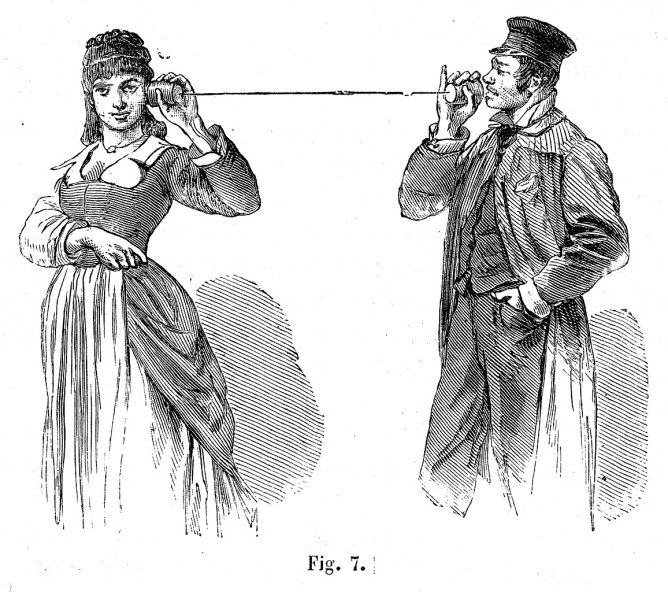
  • Make it nicer looking, maybe go with a tin can telephone metaphor.
  • Is a nicer voice possible?

But life is short, I’ve learnt a bit, had some fun and perhaps I’ll get a like or two.

This sort of thing, where I take the daily create in a different direction, make it into a couple of hours play, practise some “skills” and think a bit, is my favourite type of daily create. And because the rules of DS106 are flexible & porous I feel “successful”.

Update, while I was writing this Alan added it to the Daily Create site menus. Adds a bit of pressure to keep the pi running and maybe tackle some of the improvements.

Featured image public’s domain from Wikimedia Commons.

Mostly AI and weird audio

AI Fact Checker

Deep Background GPT Released – by Mike Caulfield

I just released a (largely) non-hallucinating1 rigorous AI-based fact-checker that anyone can use for free. And I don’t say that lightly: I literally co-wrote the book on using the internet to verify things. All you do is log into ChatGPT, click the link below, and put in a sentence or paragraph for it to fact check.

https://chatgpt.com/g/g-684fa334fb0c8191910d50a70baad796-deep-background-fact-checks-and-context?model=o3


Radio is a Foreign Country

THE RADIO DIAL IS A COMPASS; THE ANTENNA A DIVINING ROD*
Welcome to RADIO IS A FOREIGN COUNTRY!, an endless stream of obscure (and mostly retro) global music and audio ephemera rarely heard outside their home region.

Curated by humans not algorithms, our livestream follows a unique mixtape format where just about anything can happen and features cut-ups of international radio broadcasts (am, fm & shortwave), field recordings, ethnographic film, vintage records & cassettes, and digital ephemera from the far reaches of the internet. Our mission is to explore forgotten and new ways of making radio and to facilitate greater access and exposure to sounds and music not sufficiently documented by the commercial music industry.

Radio is a Foreign Country

via restlesslens


Halloween is Coming

Bob Dylan, Theme Time Radio Hour on SoundCloud

I’ll be missing the halloween activity in school this year this year.


Pootle Playground

Introducing Pootle Playground — My Experimental WordPress Blueprint Builder – Pootlepress

Uses AI to build a WordPress site that opens in the playground


Wiki Radio

The thrilling sound of random Wikimedia
Inspired by WikiTok, I thought I’d make something to discover sounds uploaded to Wikimedia. From political speeches and bird noises to genuine bangers, it’s mostly wholesome, though I cant guarantee it won’t play you something horrible once in a while.

Wiki Radio 📻

Hot Pi

Struggling to heat your home? Try 500 Raspberry Pi units • The Register

montage of six webpages listed in article

Craig Mod on The Talk Show

Interesting take on the morality of using AI

But I have a hard time parsing out what is moral or amoral about how this stuff is being used, or how the information’s been gleaned, or whatever it’s been sucked up from.

-✂️ snip-

00:03:25 ◼ ► I don’t use any of the photo generation crap or whatever.

00:03:28 ◼ ► What I do think is profound, and I feel like it’s way more morally defensible, is the code generation stuff, just because of all the open source stuff, yada, yada

The Talk Show ✪: Ep. 421, With Craig Mod

The Sea

▶︎ The Sea | Francisco del Pino/Charlotte Mundy | Notice Recordings


wilding.radio

From the famous Knapp estate via Joe

we have installed a solar-powered, quadrophonic live audio feed just north of the dam: A pair of hydrophones brings us closer to the sounds of the water itself and reveals the tiny sounds of fresh-water organisms. A pair of microphones in a fallen willow tree let us get to know the birds and mammals that live near and visit the water and hear the play of weather in the trees.

wilding.radio

Organic Maps

I’ve installed this on my phone with the intention of giving it a shot for recording walks.

Organic Maps is a privacy-focused offline maps & GPS app for hiking, cycling, biking, and driving. Absolutely free. No ads. No tracking. Developed with love by the open-source community. Powered by OpenStreetMap data.

Organic Maps is one of the few applications nowadays that supports 100% of features without an active Internet connection. Install Organic Maps, download maps, throw away your SIM card, and go for a weeklong trip on a single battery charge without any byte sent to the network.

Organic Maps: Offline Hike, Bike, Trails and Navigation

Poetry on the line

Quite delightful raspberry pi project.

 a vintage phone brought to life with Raspberry Pi

Poetry on the line: a vintage phone brought to life with Raspberry Pi – Raspberry Pi

My ‘secret strings’ game to unlock ‘texts’ 

Looks like a good classroom activity.I’ve done similar occasionally but the prompt is much better than mine.

 You tell the children/students that they are going to be poem or story ‘detectives’ and their job is find the ‘secret strings’ in a poem or story – or play or any ‘text’.

Secret strings run within texts linking words, phrases, sentences and pictures or ‘images’. The students’ job is to find them. 

Sometimes the link is to do with sound – eg alliteration, assonance, rhythm, rhyme, repetition, long phrases, short phrases. 

Michael Rosen: My ‘secret strings’ game to unlock ‘texts’ (stories, poems, plays, non-fiction etc)

Listened to How I view WordPress

A podcast by Dave Winer tangentially discussing the WordPress drama. I’ve been testing his WordLand editor for posting to WordPress. It was especially interesting to hear Dave talking about the need of a range of different editors. He sees a need for a variety to suit different writers.

I’ve used a variety of Dave’s products and have always enjoyed using them. Dave’s products are opinionated in a thoughtful way that makes me think about what I want and need from software.

WordLand encourages me to think about the features I need and features I want. As I understand it, WordLand was based on an earlier blogging system, 1999 which I really enjoyed using.

I think my favourite way of blogging was when I used TextMate. Unfortunately TextMate & the blogging bundle has not been updated for years. Although TM supported quite a few WordPress features it lacks some I now use.

Like TextMate WordLand only support a subset of WP features. It certainly is nice to use for short status posts. Partially because it simplified all the boxes and features in the WordPress. I am continuing to use it to post to a WordPress.com site, for testing and nonsense and my local Raspberry Pi for short notes.

Liked Scripting News: Sunday, November 12, 2023 (Scripting News)
Some news. I've been working with Automattic for most of this year on a new version of FeedLand that runs in their cloud. The advantage is it will scale like the most popular websites in the world do, as WordPress does. It's meant a lot of internal changes in the software, but at the same time, it still runs on a Digital Ocean server, and on desktops as well. The next FeedLand works at all these levels, for a person, a workgroup and the world. Obviously, lots more to say about all this.

This looks like really interesting news. I’ve been using FeedLand , for a while, even had it running on a Raspberry Pi until I got into a snarl with domains.

Looking forward to the lots more Dave has to say.