You provide an interesting reflection on workflows Ton.
Personally, I spend so much of my writing of late on my Nexus 6P. For longer posts, I still often start in Trello using Markdown, however for my collected posts I utilise the post editor. Although I have tinkered with Indigenous, I have become …

Reply: On mobile blogging

I’ve thought about mobile quite a lot of the years1, played with different types of postings.

My class post to their e-portfolio blogs and class blog using iPads, which give an ok but not great experience. We usually write in the notes app, paste over and add media. I am worried, still, about the transition to Gutenberg.

As an apple user lot of the friction, for me has been solved by micro.blog. I mostly posts photos on the go. It is harder to write IndieWeb replies, bookmarks etc. while mobile. Adding a footnote is easy on my laptop, but I wouldn’t want to try on my phone.

There is certainly room of an app or WordPress plugin that would give a very cutback experience. One of the great things about micro.blog is that posting images does not fill up your editor screen and make text harder to add in the way the WordPress editor does.

1. Since 2007 with my class on a 2g phone
Replied to a tweet by ds106 Daily Create (Twitter)

#tdc2747 #ds106 Online Communities https://daily.ds106.us/tdc2747/

I’ve been enjoying micro.blog. it is a community of disparate bloggers, writing in their own spaces. A sort of community RSS reader that smooths out the process of blogging & commenting without being a silo. An example of ideal community technology.

Carol Dweck: where growth mindset went wrong | Tes News

There is an interesting twitter thread started by the tes author Jon Severs.

Somewhat worrying that this is not only being introduced to schools but that a wee industry is being built up before implementation is properly understood.

“Teachers have to ask, what exactly is the evidence suggesting?” she explains. “They have to realise it takes deep thought and deep experimentation on their part in the classroom to see how best the concept can be implemented there.

Not something that can be done after a few sessions of in-service then?

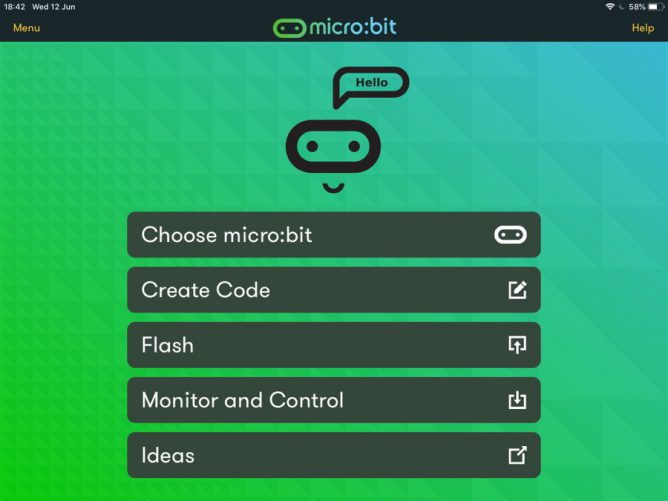
Screenshot of microbit app

Since returning to the classroom I’ve been using micro:bits with my class of 8-11 year olds. We have had a deal of fun with them, some of this is on the class blog.

We normally use pc laptops and chrome to access the MakeCode editor. In the second year I tried using the iOS app but out of a class only one or two children managed to get their micro:bits connected. At the time I put this down to multiple micro:bits and iPads in close proximity.

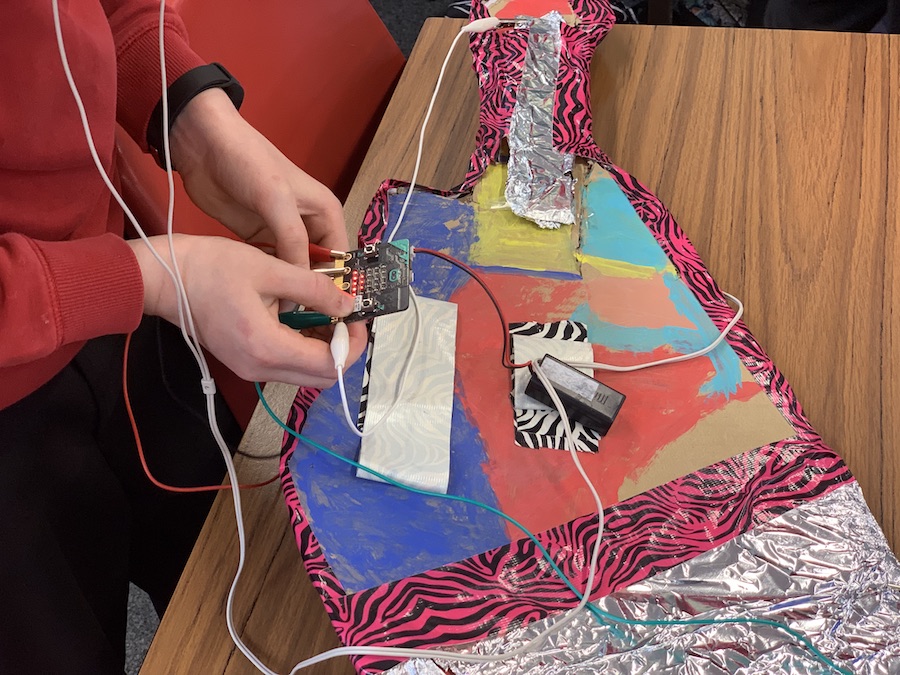
I have occasionally tested new versions of the app and the most recent one seemed a lot better. It displayed the webpage code editor in app and flashing seemed simpler. Today wanting to move our micro:bit guitar project on when the PCs were in use elsewhere in the school I decided to give the app another run. I am very glad I did. Everything about the app seemed to be better. I think that coding and flashing to the micro:bit for an iPad is simpler than using a pc. We had no problems in getting code written and flashed to the micro:bits.

I’d highly recommend the app if you have both iPads and micro:bits in your classroom.

I’d also recommend the Microsoft MakeCode Guitar project. I’ve been working with a mixed age group class and the mix of tech and ‘art’ fits very well. Some of the younger children are getting their first experience with coding and the art and construction can keep them motivated when the coding concepts get tough.

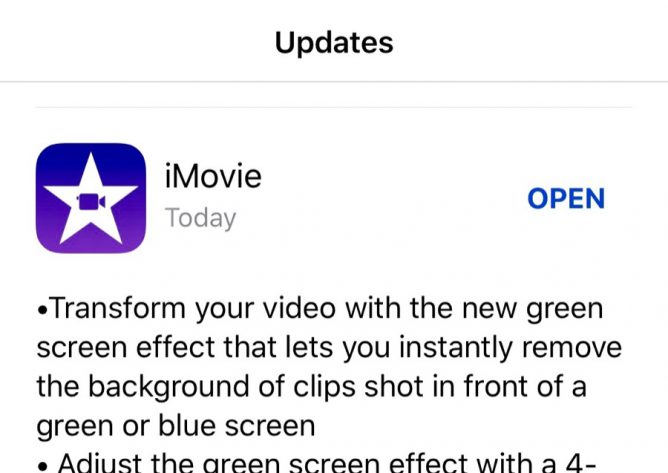
iMovie update notes iOS

I was delighted to see this update coming to iMovie.

I had a very quick play, simple and seemed to work very well. Perfect timing for our micro:bit project.


Screenshots of pl@nt app

Pl@ntNet is the world’s best social network is an interesting article and leads to a useful looking app.

Pl@ntNet is a plant identifier that combines algorithmic and social tools to identify plants.

An algorithm matches the digital image against a massive plant database and presents its best guesses as to what type of plant it is. The user who submitted the original image picks from a list of the most likely candidates, and ranks the probability the image is a match on a five-star scale. The community then vets each image, validating the identification or suggesting a new one.

The post has lots of interesting angles on the possible future of social networks, the indieweb and a nice personal touch. Highly recommended.

Last week I crowd sourced a flower identification, I ran the same image through Pl@ntNet this morning and had confirmation of the conclusion ‘we’ had reached1.

I made a couple more tests on the app and it seems to work really well. My one problem was that submitting photos uses the location you are at at the time of submission, not where I took the image (as far as I can see). Often I want to take a picture and bring it home to identify. I don’t want to give the impression that a Scottish hill flower is at home in Glasgow city! I can of course just id flowers without uploading them but the organisation wants people to add to the collection in the name of citizen science.

I’d recommend the app itself too, it seems to work very well, could be useful for outdoor learning and Pl@ntNet’s practices and principles sound great: open and thoughtful.

fn1. It took me a long time to get to the obvious, Wood Sorrel, as I found them half way up a mountain and couldn’t see the giveaway leaves.
Replied to Kenny Pieper on Twitter: "I use G**gle Classroom and MS OneNote but should we not be more concerned that these huge multinational tech companies are seeping in to our every day classrooms? Always at the back of my mind." by @kennypieper (twitter.com)

I wonder if we should spend some time explaining to pupils why we choose the tools we use, the affordances of said tools and the drawbacks. In the case of “free” tools why companies give them away. I don’t believe we think about these reasons in enough depth.