I spent Thursday and Friday at the Stirling Management Centre learning about Glow Learn. This is just my first reaction to the training, my own opinion which will probably change once I’ve had a chance to discuss and think a bit more.
Back in Glasgow I had been a Glow mentor but as the Glow roll out hadn’t started before I left my experience limited to a couple of pilots when I spent a fair bit of time testing glow. I’ve never used glow in a teaching situation and it now feels peculiar that I will not be doing so.
In North Lanarkshire we have just started rolling out glow accounts to mentors and only had our mentor training a couple of weeks ago so it is a bit of a jump going straight into glow learn. The in-school mentors will have a wee while longer before they get to the Learn training but it might have been better if we could have had a bit of time to embed glow before getting into learn, unfortunately this is not possible.
Most of the time over the two days was spent in a mix of instruction and practical activity. The group I was in was lead by Karen-Ann MacAlpine, Ian Hoffman, Lorna Murray all of RM Glow Team, Lorna is the RM contact for North Lanarkshire. The pacing and delivery of the material was excellent, lots of time to practice and chat and ask questions.
Pictures from Glow Learn Training are on the New North Lanarkshire Glow Blog which is being developed by the Glow Development officers.
Glow Learn is a VLE (virtual learning environment) within glow. I’ve never taught with a vle and have only come across them by accessing a Moodle course or two. Glow learn allows teachers to gather objective and learning resources together into courses, present them to pupils and follow those pupils tracks recording and assessing their progress.
Glow learn also allows the organising an sharing of resources and courses with other glow users. It allows teacher to search for courses and resources and use these.
Finally it allows the courses created to be added to a Glow group in a learning space sitting along site discussion boards and other resources.
The practical job of all of this organisation, sharing and presentation is necessarily complex. Even after two days I was struggling to hold a consistent overview of how all the bits fitted together in my head.
The learn section allows you to collect resources of several types, files, links and tests. You can make your own or search for them in resources that are available above you in the hierarchy, that is, resources at the national level or your school level are available to you. Resources (and courses) created can pushed up the hierarchy to make the available for more users. The organisation of this becomes interesting when you start to think about who has permission to edit resources and how that will effect other users. Various safeguards are in place to prevent other teachers changing courses.
Once you have created some resources and added them to a course you can add students/pupils and assign them work. Glow learn is flexible enough to allow work by pupils to be a quiz/test answered online or submission of any sort of file. I like the idea of allowing pupils to answer or record their learning in different ways.
It seems that glow learn is adaptable enough to use in different ways, you could just create the resources and use that as a whole class teaching tool, or you could have a class access differentiated resources and complete assignments online.
Back in glow itself glow learn resources can be presented through a learning space which in this case is a specialised web-part that can be added to a glow page. Although this looks like a good idea it also adds to a teachers workload as pupils need to be added to both the course in glow learn and the learning space.

Good Things About Glow Learn:
- Potential of Creating Courses for reuse.
- Sharing and using other courses.
- Collaborative building of courses and schemes of work.
- Widen range of children’s work & Choices.
- Combine with other resources in Glow, discussions, video conferences etc.
Possible Drawbacks
- Fairly steep learning curve.
- Some of Glow’s GUI is confusing, I think learn is better than glow itself in this respect.
The advantages that glow learn has over other online tools such as blogs and wiki are the potential for sharing of resources with other Scottish teachers, the archiving and tracking of pupil learning over the pupils whole career. This will depend on the willingness of Local Authorities and teachers to share and on their skill in describing and tagging their resources.
It is early days for glow learn and I understand that it is still in development,the team spoke about the fact that they did not know how the VLE was going to be used and how it would develop in practise. This could be a very positive thing if glow learn will be actively developed to accommodate the users.
As some of us come late to the glow party there are already signs of glow 2, I noticed this tweet from Laurie O’Donnell:
“@JConnell @jayerichards Just like Glow 1 the plan for Glow 2 is go public with a draft spec and seek suggestions to make it better.”
Although I made a fair number of suggestions for the improvement of glow one during the pilot I am only now figuring out what could be the best thing about glow 2.0, keep it in beta.
Instead of designing a spec which is fixed in stone I hope glow 2 like most of the Web 2.0 applications we now use will be in perpetual beta. Think about how much the google services have changed in the last few years, look at posterous adding features as users suggest them, keeping ease of use at the top of the agenda. The definition of Perpetual beta at Wikipedia would be a good starting place for glow 2.



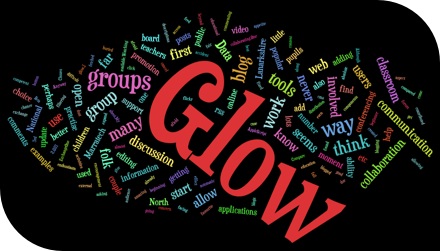
 The vision of a national collaboration and communication space for education..
  When the dust settles we have the best tools for the job, and tools that we can swap at will as better ones come along..