

This audio file was orginally posted to AudioBoo(m) with the mobile app. It has been downloaded and posted here since audioboom no longer supports free accounts.
More #DS106: Camp Magic MacGuffin

At the start of this year I became involved with DS106 an open online course on Digital Storytelling. I posted 20 or 30 articles here categorised as DS106
This summer I have signed up again for the DS106 summer Camp Magic MacGuffin but will be posting at a new blog I’ve set up here: 106 drop in. This is a wordpress blog, which plays better with the DS106 aggregation scheme and will allow me to play a bit with WordPress.
There will be a minecraft element to the course this time, I’ve paid for the software but have only manages very short times on the server before being killed. A whole new world in may ways.
I recommend DS106 if you are interest in playing with digital media, it is easy to join in and you can do as little or as much as you like.
25 years of HyperCard—the missing link to the Web
This month, I glanced at my historical watch. HyperCard will soon be 25, I noticed. What ever happened to it? I searched around and found venture entrepreneur and coder Tim Oren’s 2004 eulogy for the program, written the week that Apple withdrew the software from the market. HyperCard’s problem, he argued, was that Apple never quite figured out what the software was for.
“What was this thing?” Oren wrote. “Programming and user interface design tool? Lightweight database and hypertext document management system? Multimedia authoring environment? Apple never answered that question.”
from: 25 years of HyperCard—the missing link to the Web | Ars Technica
Perhaps software with purpose that no one really know is what we need in education.
I loved HyperCard, the first thing I used on a computer that felt compelling and magical. The web is still full of HyperCard references. How could you not love:
on mouseUp
  visual effect wipe left
  go next card
end mouseUp
For a short time HyperCard made me feel as if I could program and I spent countless hours playing with all sorts of stuff, making resources for school, fun and even sold a few stacks. I hope the various efforts to teach pupils programming (scratch, hackasaurus) provides half as much fun.
Hat tip: Jacquetta
A Great Question
I want to help empower our learning community to design, hack, build, collaborate, remix, share and explore in all sorts of ways. In essence, I strive to contribute toward building a learning community that is open-source, accessible and inspired by principles of DIY. Is the iPad the best platform for cultivating such an ideal?
from: The Digital Down Low: Some critical questions about iPads and 1-1 learning
Along with some other interesting other ones questioning the idea that ipad 1-2-1 is a good idea.
I do not think that we, in the UK, are yet in a position where there is an overwhelming belief in the iPads as a good thing in the classroom.
I do think that iPads are a good tool for some aspects of collaboration, remixing, sharing and exploring. They are, in my opinion, excellent digital story telling devices.
I wonder how many school with more open devices are doing much in the way of DIY hacking and building. There is a lot of online discussion: eduHacking · linkli.st but I don’t think much penetration into mainstream has happened yet.
I do believe that we are seeing some extraordinary effects in iPad 1-2-1s. Some of this my be the novelty effect, but there seems to be something special by having ubiquitous instant on, easy to access computer power in everyones hands.
It may be that the collaborative and creative environment that 1-2-1 ipad use seems to foster will grow into a desire for the complex making that Matt Montagne wishes to foster. This may lead to interesting apps or a demand for more open devices.
EDUtalk @agarwal to the rescue
A couple of weks ago I had posted More Posterous Worries I had tweeted to @posterous and mailed the help to no avail. Then a week ago I tweeted to Sachin Agarwal @agarwal and got this response :
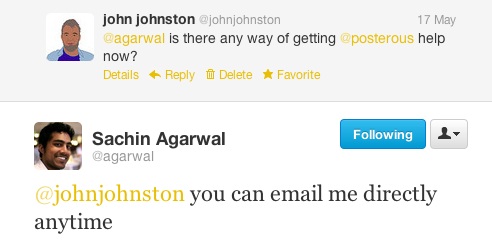
Sachin was a founder and CEO of @posterous. I had amazing support from him at the start of EDUtalk but was surprised he had time for a few emails. Not only that, the missing player for mp3 urls that was troubling us was fixed. (I still need to update all those post but new ones are fine).
API 2
Happy with this, today I though I’d update the script that posts audioBoo to posterous. Unfortunately there seems to be a problem with curl and the current version of php running here. Rather than try to work around that I’ve changed track and created an AppleScript that:
- Downloads the rss feed from http://audioboo.fm/tag/edutalk.rss
- Loops through it checking for new boos
- Posts these to EDUtalk, marking them private.
- Keeps a list of published boos so that I’ll later be able to download for the Radio EDUtalk AutoDJ archive.
I plan to have the script running all the time and checking each hour for new boos. It seems to work fine, not that it does anything clever like error checking, but given a bit of time I can fix that.
Glew, get Stuck in
Lots of information about glow and glow2 trickling through twitter recently. There seems to be a change in timescale for Glow2. This was discovered: View Notice – Public Contracts Scotland which is a strange way to find out about the change, especially after Mike Russell’s initial announcement how Glow will be developed in September 2012 on YouTube. That announcement and the following summit last October lead me to expect more regular and open engagement.
Glew
On monday Charlie Love sent me an interesting link and which I then discussed tonight on Radio EDUtalk, after which Charlie tweeted:

What is Glew
Glew is beta software of a single sign-on framework which can be used to integrate Google Apps for Education and other services such as WordPress Blogs, Media Wiki, Moodle and many more. This is a test site so please accept that authentication and users may be removed during testing.
So pretty much a glow 2 style site with a lot of tools I’d expect from Glow 2. Although a Beta you get a really good idea of how this would work. The most interesting feature, to me was the expandability of the site, I asked Charlie about the possibility of adding a wiki to the feature set, in 15 minutes he had added a MediaWiki (the software used in Wikipedia!)
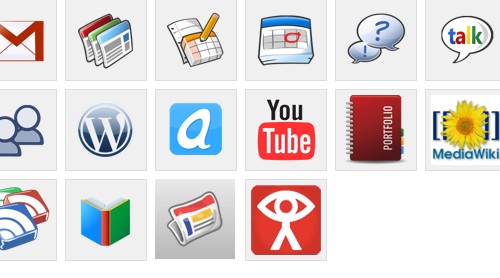
I highly recommend you pop over to Glew and have a look around.
Hopefully the 15 months that the Government have to work on glow will let them build something like this, if I was the Cabinet Secretary I’d give Charlie a call.
More Posterous Worries
I’ve been a big posterous fan since June 29, 2008 since then I’ve blog with and about posterous a lot.
More importantly it is at the heart of EDUtalk where there are over 600 posts of educational podcast episodes of course Radio Edutalk.
Six weeks ago posterous was aquired by twitter and I had some Posterous Worries. I am now more worried as a few things have happened.
- The stuff that makes the edutalk.info domain work with our edutalk posterous site broke. A bit of reading and guess work got it fixed. The real worry was that both a tweet and email to posterous got no response. In the past I have been amazed at the quick reaction by the posterous team to both problems and suggestions, to help with SLFtalk, the precursor to EDUtalk they added a feature to their API overnight.
- Over the last couple of weeks the posterous API 1 for posting seems to have broken. AudioBoos tagged edutalk are normally posted to edutalk via the api by a script. This has stopped working, admittedly I am still using the depreciated API 1 rather than the new one, but as far as I know, the old one was just meant to keep working.
- When posting audioboos and phlogs to edutalk we relied on the fact that a url to an mp3 file would result in the posterous player being used to allow the audio to be played. This seems to have stopped working.
I know that we have been lucky to have a wonderful tool like posterous for free. I expected it to go pro at some point and would have been more than happy to pay for the service. I pay for hosting for this and other sites, I pay for flickr…
I am not sure where to go for this, in the last Posterous Worries post I listed the features that we need. I’ve asked the question on Quora: Is there another service like posterous which allows anyone to email content and has an API? – Quora. I’ve still not got an idea.
Some of this I guess we could sort with wordpress and some plugins. The disk space for large files will be a problem. The submit audio via email will be a problem. I am open to ideas?
I have found Posterous Backup Tool for Mac and spent the £2.49 in the mac app store. This worked a treat and I now have 600 odd posts and the audio that was posted to edutalk (not audioboo or ipadio files) in a >1GB backup, I just need to figure out what to do with it.
Making Waves
I’ve been aware of Radiowaves for a long time, it was one of the inspirations for Radio Sandaig and started me podcasting. I have not followed the development of the site with a great deal of attention but have been aware that it has been evolving in interesting ways. This is what they say about themselves:
Radiowaves is the social learning environment that provides social media for education. It enables schools to create and safely share videos, podcasts and blogs. With a free Radiowaves website you can easily start school blogging, join national campaigns and develop digital literacy skills.
…
Over 50,000 pupils use Radiowaves regularly to broadcast their school podcasts and videos to friends and family via the safe social network.
I’ve also met Mark Riches CEO at Radiowaves (and founding director of NUMU which looks interesting too) a few times over the years and he talked about RadioWaves on EDUtalk at BETT. At that point he told me that they were working on an iOS app and I asked him to let me know when it came out. On Friday he did. I am really impressed with this free app.
I’ve not really got my head round the Radiowaves site, its features and how teacher and pupils sites work together, but I love the app and though it worth posting some information about it.
You can get a free account at Radiowaves, this allows unlimited blogging for a school but you are limited to 30 minutes of audio and video. I created a free account to test this app. I didn’t read any of the help or explanations either in the app or online, just clicked around.
Makewaves
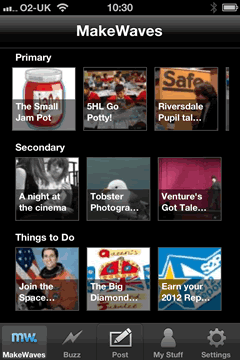
The app is called Makewaves (iTunes link) and is free. It runs on an iPhone, iPod touch or iPad. On the ipad it runs as an iphone sized app but can be used at 2x size to fill the screen.
I really like the look and feel of this application. Simple and straightforward.A lot of recent apps that I’ve downloaded seem to be simpler and cleaner looking, less 3d drop shadows and gradients, more space and less colour.
The app is split into 5 main sections accessed through the toolbar along the bottom:MakeWaves, Buzz, Post, My Stuff and Settings.
The MakeWaves screens shows three streams of posts from the site, primary, secondary and Things to Do. Clicking on thumbnails lets you access the content on the app.
The section I was really interested in was the Post one, but before I went there I need to visit the Settings and add my account details, this was straightforward although I didn’t notice the setting for default item which was story rather than blog. I am still not too sure of the difference between the two.
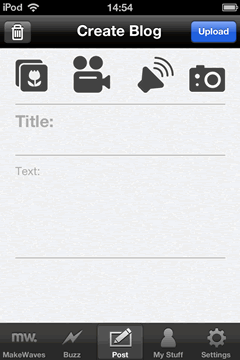
As soon as I saw the Post screen I liked it. 4 simple buttons at the top to upload media, Pictures from the camera roll, video, audio and the camera. The video button lets you choose from the camera roll or take a new video.
In seconds I had taken screenshot, used the Photo button to choose it, written a line of text and posted it.
I followed by testing the audio button, the app lets you record a sound and upload it, again a very straightforward process.
I then tested Video, and used an iPad and iPod Touch as well. All preformed beautifully.
Later on I used 3g to post a short audio file from outside. It worked a treat, uploading quickly.
An interesting feature of the app and radiowaves generally is the teacher approval. I was acting, I think, as both teacher and pupil so had to approve my own posts. The process is pretty simple on the radiowaves site and there is a in app purchase (£1.49) that lets you approve your pupils on the Buzz screen.
The My Stuff screen gives you a view of your stories and blogs, lets yuo know the ones that are still awaiting approval and the work of others in your station. You can also see if anyone liked your work.
The setting screen is straightforward, the place you can log in, easy too to log out and allow the same device to be used by more than one pupil.
I am extremely impressed with this app. It is the first one I have seen that allows posting of images, video and sound. (When I saw the posterous app I immediately put in a feature request for audio recording).
The application, when used on an iphone or ipod touch, is not built for long form blogging, but it is ideal for the much more interesting, in my opinion, mobile and group publishing of rich media. This is done in a way that minimises the technical barriers allowing users to concentrate on digital storytelling.
This could be an amazing tool for trip blogging. It should even be possible to have, say, several ipod touch out on a trip using one iphone’s tethering to allow mobile blogging by a group.
Finally having struggled and mostly failed to find a simple mobile blogging method for glow blogs it would be great to have a similar app in he new glow.
so beautiful it still makes me cry
HyperCard a tool so beautiful it still makes me cry. Although I say “used”… Sam, Richard, Kris and Stephen were our proper programmers… I tended to join in excitedly, but mainly made black & white graphics or icons.
By 1997 we’d made what you’d call a CMS ( Content Management System ) in HyperCard. It made making web sites easy. So easy that school kids did it, in their Mosaic browsers and even won awards. I remember one class project that was a site about World War II, that just grew and grew. You could start to see what all the fuss about HyperText was
from: Prograph – Back in the Day | Tom Smith’s: theOTHERblog Gone so archive link
Tom Smith’s post is mostly about Prograph, which I know nothing about. I still use SuperCard, a HyperCard clone, most days.
HyperCard keeps popping up in unexpected places. It is the reason I got interested in ICT (other than producing worksheets that pupils could actually read in the age of bandas).
The idea of a “Programming for Poets” application is still very attractive. There have been a few tries, TileStack was an attempt to recreate HyperCard online with JavaScript. I still wonder why Apple, 1. abandoned HyperCard and 2. have not made a HyperCard for either OSX or iOS. Maybe this Apple Patents A Tool Allowing Non-Developers To Build Apps | TechCrunch will come to fruition.
Wack a #DS106 Mole
A few days ago I noticed that Alan Levine is mashing up ds106 assignments withThe ds106 Remix Machine. This, briefly, allows you to take an assignment from DS106 and add a filter. Shades of John Davit’s Learning Event Generators.
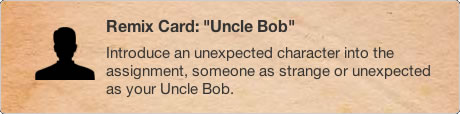
For example this remix: stop frame photography [remixed]: Uncle Bob — Remix Machine takes this original assignment stop frame photography and adds this remix card:
Use Existing Media
Remix is using the created media of others – it does not count as a remix if you use your own assignment work. As raw material for your remix, use media from examples created by other ds106 participants for this assignment.
I’ve not ds106ed for a while so, just for fun (is there another reason?), I took one of a series of images from here: ds106: Stop frame photography by Rowan Peter and did this:
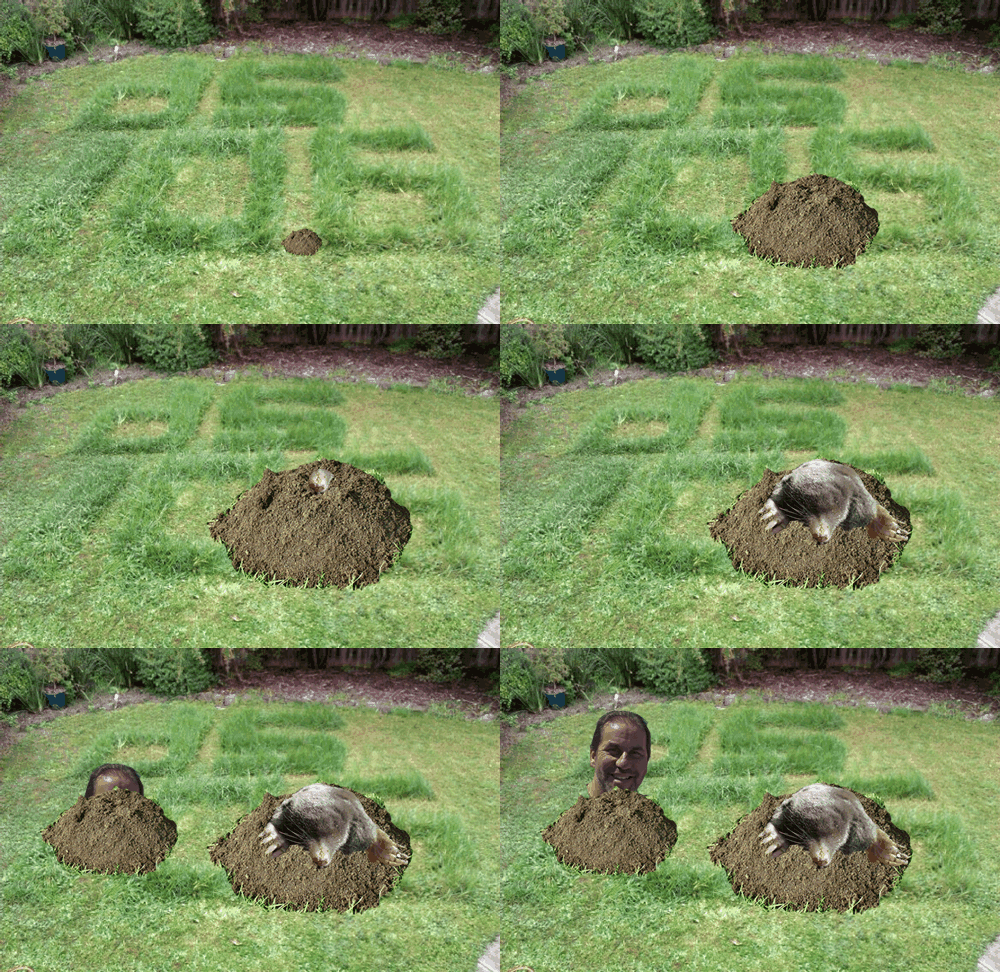
Mole photo from Mole Flickr Attribution-NonCommercial-ShareAlike 2.0 Generic (CC BY-NC-SA 2.0)
This could be a lot better, but it didn’t take long. I am tempted to dust off a copy of flash and make a wack a ds106 mole game .
.
DS106 has been looking very interesting of late, especially the Kickstarter project which has gathered a pile of money for developing DS106 in lots of interesting ways. (I am in for a t-shirt). This looks like making ds106 increasingly interesting as time goes on.
Next time ds106 runs I am going to give it another shot, set up wordpress blog to make my tagging work a bit better. and have some more fun.