Rss From Noun

A while back I noticed More Code Fun: Reading (or ‘to Read’) List – CogDogBlog which pointed to Reading: keeping on top of stuff I save | Helpful Technology The site has a nice byline Digital innovation for people with more sense than money when I grabbed the code to create my reading list.

My reading list pulls together various RSS feeds: my delicious, things live starred in google reader, instapaper & instapaper. I read my google reader and twitter on my phone. I don’t always want to follow the links so star or favourite them for later consumption. The reading list. pulls all of these together. Easy to use and I like the way it combines existing services rather than needing a new one. I’ll easily be able to add other feeds if I want to later on.

This week’s harvest

  • Print With Any Printer From iPad, iPhone – Wired How-To Wiki
    Which I am keeping for later reference. I’ve not felt the need to print from my iPhone in over 2 years of use or from an iPad. In fact I got rid of my home printer a couple of weeks ago (still networked to my wife’s B&W one) because it was gathering dust.
  • I registered for Skype Education as it looks as if it might be interesting.
  • Of the many What to do when you can’t get to school for pupils blog posts Primary Bits and Bytes » Blog Archive » Snow Place Like Home was my favourite, probably because of

    “REMEMBER! Real snow is the best! You should only really be here if you get too cold or fed up with playing out, snowballing or building snowmen!”

  • OOo4Kids looks like it will be worth checking out at work.
  • My Adobe Connect Recipe – CogDogBlog looks very useful for the time that Glow moves to Adobe Connect for video conferencing.
  • I am having an interesting conversation in the glow forums (login required) about video in glow blogs, this provides some food for thought: HTML5 Video Player | VideoJS it amazes me how complicated getting video onto the web is, formats, browsers etc. As someone who doesn’t understand these things it seems to me that the new html5 video tag could surely support more than one video format per browser and clean the whole thing up.
  • yesterday I linked to the NounProject on twitter this collects, organises and adds to the highly recognisable symbols that form the world’s visual language, so we may share them in a fun and meaningful way. The symbols on this site are and always will remain free.

RSS image from used under NounProject Creative Commons — Attribution 3.0 Unported

Another positive of being an airhead was that one or two folk noticed my site was down.

tombarrett
tombarrett

@johnjohnston Flickr CC is down
Thu Dec 02 17:26:13 +0000 2010 from TweetDeck captured: Sun, 05 Dec 10 18:14:33 +0000

And when it came back, in particular A flickr CC search toy, tombarrett tweeted it again with the usual effect, including this one:

xlearn
xlearn

@johnjohnston @tombarrett looks good! Have you seen http://bit.ly/hevGEF It’s what we use in FE and HE.
Sat Dec 04 08:35:34 +0000 2010 from Echofon captured: Sun, 05 Dec 10 18:16:31 +0000

Silverlining

I think I had seen Xpert Attribution tool before but it was not at the front of my mind. Looking at it reminded me of the nice way they add attribution by padding the image at the bottom rather than the way I was doing it (stamping over the image). I had tried to work out how to pad an image before but failed. This morning I spent a wee bit of time digging around the PHP: Function Reference and managed to figure out a couple of things, padding the image, and wrapping the text when it is too wide for the image.

Like the rest of A flickr CC search toy the code is surely pretty horrible, but it seems to work.

I also looked over the How do I properly attribute a Creative Commons licensed work? on the FFAQ – CC Wiki again just to make sure I am keeping within the guidelines.

Stamp icons

THe other thing that I’ve changes is to add a 3rd size to the stamped images. I’d avoided the small size as the attribution rarely fitted on the images, now I am padding them they do not present the problem.

Using the stamped image has the advantage of the attribution sticking to the image where ever it goes and as far as online use goes keeping the image under your control an avoilding problems if a user deletes their image when you hot link to flickr.

As always I am interested in any suggested improvements I can make to A flickr CC search toy the idea is still to provide pupils a practical way to use and attribute Creative Commons images from flickr.

face made of 2 green apples, an orange & a banana

Smile at a stranger by Nina Matthews Photography
Attribution License

A couple of folk might have noticed that this blog and site was down for the last couple of days. The first day or two was a problem with the host who fixed things last night. At about the same time as johnjohnston.info came back up I was checking to see if ftp was still working, unfortunately as it turned out, it was.

Somehow while using Cyberduck to browse the site I managed to drag the public_html folder inside another folder. I was intending to download as a backup, I turned round to speak to my wife and when I looked back I could not see the folder. I presumed I must have deleted it, even though Cyberduck asks for confirmation to delete. At that point the site came back up and of course everything was 404. I quickly contacted by host again and asked him to restore from backup. When I woke this morning the backup seemed to have taken place, but the site was missing except for 2 folders.

Again I contacted my host. Having a last look round the site for some reason I opened up the ruby folder, there was my public_html folder safe & sound. I’ve moved it back and all seems fine.

I have done daft things on web servers before this, but this is the silliest I think. Hopefully a lesson learnt.

It also makes me consider my rather haphazard backup strategy. Recently I’ve been editing html etc directly on the server which means no local backups. I download by blogs database occasionally but often images are uploaded while blogging and deleted from my desktop, I guess I should start using flickr all of the time for image storage.

It has also made me realise how much I value this site, mostly for the time spent on various web experiment which never see the light of day but I would not like to lose. I have a fairly robust desktop backup system, Time Machine and SuperDuper! the later has saved me a couple of times. I need something equally robust and idiot-proof for this website.

As I wonderd if schools were open this morning I checked the North Lanarkshire Council : Winter schools daily update webpage which was down so turned to nlcwinter (nlcwinter) on Twitter there were no new updates at that time so I tweeted:

johnjohnston
john johnston

@nlcwinter http://www.northlanarkshire.gov.uk/winter is down?
Tue Nov 30 07:14:02 +0000 2010 from web captured: Tue, 30 Nov 10 01:59:51 -0600

Very quickly I got this mention:

Intregued I went to isdown (isdown) on Twitter where the profile weblink lead to this tweet:

GuyKawasaki
Guy Kawasaki

Learning from first hand experience this is an interesting search on Twitter: http://tinyurl.com/57fzra
Sat Nov 22 18:24:21 +0000 2008 from TweetDeck captured: Tue, 30 Nov 10 08:01:21 +0000

I am guessing someone is using something like twitterfeed.com : feed your blog to twitter to auto tweet the rss for the twitter search (probably using advanced to skip too much recusion by getting @isdown’s tweets?)

I’ve used twitterfeed.com to post my blog posts to twitter and for @scotedublogs to tweet all the new ScotEdublogs posts but this takes it a bit further, I guess they use the syntax for not including tweets from @isdown itself.

Anyway an interesting way of using twitter that has me thinking a wee bit. I’ve not tried any simpe twitter stuff since the OAuth authentication came in, might be time to have a wee look at it.

A while back I blogged about a simple iPod touch/iPhone web app I was working on for creating images with lunes tamped on them (iPod Touch Poems). Over the last week or two I’ve seen a couple of classes using it:

Both classes had a little problem with the app working properly when add to the iPod Touch home screen. It seems that:

<meta name="apple-mobile-web-app-capable" content="yes" />

Had crept back into the html. I’d found earlier that if this is present it stops he download of an image, and hence the poem, to an iPhone or iPod Touch’s Photos.

Please let me know if you use the lunes app and any problems (or success) you have. leave a comment here or tweet @johnjohnston.

This post is the third in an attempted series about getting started blogging loosely linked to the launch of glow blogs.

Conversation by Rishi Menon
Attribution-NonCommercial-NoDerivs License

I’e always considered blogging to be 3 pronged activity, providing purpose, gaining an audience and starting a conversation. All of these factors can motivate pupils. Blogging can be seen as a ‘real’ activity, writing for a world outside the classroom. It has a real audience who may start a conversation through comments.

Back in the day when I first started blogging at Sandaig there was not a lot of other classroom blogging going on, none at all in Scotland. This gave my class a bit of an advantage in gaining comments and we picked up a few folk who my class felt they had a relationship to. ‘Andy from Aberdeen’ who regularly added a good number of comments to our new blog and after a while Carol Fuller who became our fairy blogmother!

Comments added a lot to our blogging and podcasting in those days. Now with blogs popping up all over the place, the landscape has changed a bit. One one hand there is a bigger potential audience than before but that audience has more choice.

For a teacher who is already active online gaining an audience is not to difficult, they can publish links and requests for comments on their own blog or through twitter. If you get picked up by the right folk you can gather a lot of comments, i recently and responded to a twitter request for comments on a pupil blog as did many others, in a couple of days the pupils 68 word post had 45 comments!

A lot of the new blogs that are popping up now are not necessarily being run by teachers who have spent a lot of time in creating an online network so how do they get comments for their class? I’d suggest a few basic ideas:

  • In the process of explaining blogs to the class visit other blogs and as a class make comments.
  • Once your class are blogging confidently have them individually comment on other blogs.
  • As a teacher visit a couple of class blogs every week, leave a comment or two. Think of this as a sort of cross marking exercise.
  • As a class visit a particular blog regularly, find one that ‘fits’ in with your class and perhaps some sort of regular commenting will build up.
  • If something on another blog stimulates your pupils curiosity , ask questions, try out the activity, blog about it( example).
  • Respond to comments on your own blog. Often this will provide a useful learning activity and some fun.
  • Get in touch with another blogging teacher, do some lightly joined up planning.

In all of this commenting activity leave the url to your blogs in the URL field of the comment form. Teach the children to copy and paste this rather than typing it in, it is easy to make a typo, or put a semi colon instead of a colon and break the link.

Don’t assume that because children find the technology simple that they will write good comments, in the same way as with blog posts, they need advice and modelling. Some teachers might like to provide rules or a check list:

  1. Is the comment relevant? is it worth saying? (just cool is probably not).
  2. Is it generally positive & friendly? I suggest 2 stars and a wish for classmates work.
  3. Would you like a comment like this?
  4. Is the spelling and punctuation a good reflection on the commenter?

Anne Davis provides some comment starters: EduBlog Insights » Blog Archive » Thinking about the teaching of writing which are well worth sharing with pupils, I think I used to have them displayed on the wall.

If you are looking for somewhere to find blogs ScotEduBlogs aggregates blogs from across Scotland.
Glow blog list can be found for each local authority, for example the url for North Lanarkshire is: https://blogs.glowscotland.org.uk/nl/ each of the other LAs has its own initials at the end of the url (full list).
Further Afield Tom Barrett has be collecting primary class blogs on delicious which provides a great list.

If you know of other ways to encourage commenting you could leave me a comment;-)


Technologies for Learning Workshop

Yesterday I attend the Technologies for Learning Workshop which was intended to

form part of the initial exploration work contributing to the potential development of a Scottish Government Technologies for Learning Strategy.

The invite came out of the blue a couple of weeks ago and I was unsure what to expect. As I approached the venue Twitter let me know that I would see quite a few folk from the ScotEdublog world and when I arrived It looked like a TeachMeet crowd. The event was nicely organised by the IFF folk who started off three main segments of the day. The discussion was more wide-ranging than I expected and there was less nitty gritty about the workings and interface of glow than I expected and a good deal more looking at larger questions. Thankfully there was not the expectation that conclusions were made as I left with questions rather than answers.

Fearghal Kelly, Technologies for Learning Strategy, Andrea Reid, Trust « Interim reports and Neil Winton, #ediff « If You Don’t Like Change…, have already blogged some reflections and David Gilmour has posted photos of the whiteboards on flickr Technologies for Learning Strategy Workshop

I am certainly the wrong person to try and give an overview of the day. I usually find myself focusing on trees rather than the woods and this workshop was viewing the forrest.

Tweeting

One of the trees was related to both the workshop and the wider online community. Near the end of the day a lady, whose name I didn’t catch but was someone from the government end rather than an educator, expressed doubts to the value of twitter. During the day a lot of tweeting using the #ediff had gone on. It was suggested that this was rude, to the presenters and of little real value, due to the quality of some of the tweets. Con Morris, CPDScotsman, robustly defended twitter explaining how it saved a stream of links, pass references to other participants and allowed people to join in from a distance. There were a few folk who did join in from afar so I think Con proved his point.

I didn’t tweet much during the day, but one I was struck enough by some thing Pat Kane was talking about to fire out a tweet:

johnjohnston
john johnston

@playethic hacking&play good. Facebook&gaming less so #ediff
Fri Oct 15 11:59:03 +0000 2010 from Twitter for iPad captured: Sat, 16 Oct 10 14:40:29 +0100

Pat caught my attention by talking about the difference between facebook (“relentless processes of inclusion, exclusion and meritocratic struggle”) and the hacker culture (“subverting technology till it breaks, so that better tech can be built”) which he compared with the difference between gaming and playing. Quotes from Pat Kane’s CalMerc column at Thoughtland.

This caught my attention because I’d been reading Charlie Love’s post: A social network for Education?. I liked this post so much I’d read it 3 times and nearly printed it out to take to the workshop. I’ve had a long standing dislike/distrust of facebook and a preference for a loose network (delicious, flickr, blogs, RSS) and this post started me thinking that I have missed a lot of goodness that could be gathered from a social network for Education. Pat’s points were a interesting take on this.

I am not reaching any conclusion just mulling over, so was surprised by this tweet from Derek:

@derekrobertson
Derek P Robertson

johnjohnston @playethic Please clarify what you mean by gaming not being good. In what educational context is this being framed? #ediff
Fri Oct 15 11:59:03 +0000 2010 from web captured: Sat, 16 Oct 10 15:47:40 +0100

given Derek’s role as Guardian of Games Based Learning in Scotland I suppose it was easy for him to reach the conclusion that some games bashing was going on.

@derekrobertson
Derek P Robertson

johnjohnston Yes hopefully. Disconcerting to see such tweets from this event. Clarification would be very helpfu as gbl good in Scottish ed 15 Oct

to which I replied:

johnjohnston
john johnston

@derekrobertson sorry to disconcert. Struck me as interesting pt. Game are subset of play?
Fri Oct 15 14:23:10 +0000 2010 from Twitter for iPad captured: Sat, 16 Oct 10 17:27:59 +0100

The conversation then continued through the evening:

theplayethic
pat kane

@ewanmcintosh @johnjohnston @derekrobertson Play‚?Game. Play’s more than contestation/teamwork. It’s mess, mocking, mimicry, free ideation
Fri Oct 15 20:17:56 +0000 2010 from Twitter for iPhone captured: Sat, 16 Oct 10 17:30:00 +0100

@derekrobertson
Derek P Robertson

@theplayethic @ewanmcintosh @johnjohnston Agreed but contestation can be with oneself and not with others – a self-improvement agenda.

and again this morning:

fkelly
Fearghal Kelly

The message I took from it [not sure if intended one] was that we need to think carefully about the learning not just the game? #gbldebate
Sat Oct 16 09:47:16 +0000 2010 from web captured: Sat, 16 Oct 10 17:35:07 +0100

And many more.

Interesting (to me) points about twitter:

  • Even experienced tweeters can misunderstand each other/
  • I probably got a better discussion than I intended by my tweet being seen a critical of games (it was not intended to be).
  • Tweets can really stimulate discussion and thought.
  • As the conversation goes on, loses tags and become more distributed it is harder to follow, I stopped getting included in replies and the gag dropped off.

At the meeting yesterday one of the ideas was to challenge all preconceptions, eg does Scotland need an intranet?, will we need classrooms and more. Having Pat Kane speak and Ewan take part provided some vital/interesting disruption. Challenging games based learning or any other type of learning went with the flow of the day. I can see how it might be if you look at it through a games visor. Pat’s idea of play gives us an ideal of learning that we will almost always fall short of.

Some Gaming Thoughts

A lot of games in school are used for drill & practise and there is a place for that, other uses embed gaming in a more complex learning scene (Endless Ocean using the Wii for example). Derek has provided us with lots of examples of all sorts.

The other aspect of gaming that I’ve found more interesting is game making, this might give more opportunity for Pat’s play than playing games. Derek’s consolerium team have been providing a ton of resources for this It could be seen as hacking (in Pat’s positive sense) which I find compelling. In own learning the things I’ve enjoyed most (? most productive) have been amateur attempts at hacking.

An amateur hack

While thinking about this post I realised that I wanted to quote quite a few tweets. Twitter provides a tool to do this: Blackbird Pie – Twitter Media I was under the (wrong) impression that this used iframes (I was wrong) and the live tweet and I wanted static html, so I made my own I also figured out how to make a javascript bookmarklet for the first time.

To my mind spontaneous self directed play is an ideal to keep in the back of our minds while we do a bit of drill & practice and muddle towards CfE.

Thoughts from the day

Important questions raised:

  1. Do we need an intranet/use google apps
  2. Security (a lot of the current came from LAs) can we have a sliding scale. IMO the recent additions to glow are addressing this
  3. How does Scotland organise training/CPD

Questions I though could have done with more coverage:

There was talk of the need for better broadband across Scotland, but I feel hardware is more of a problem. until recently I would have agreed with the general opinion in the room that we will end up using the pupils own devices, but I’ve recently read: Fraser Speirs – Blog – Run What Ya Brung which raises a lot of questions perhaps the most important being: It (the idea of pupils using their own devices) assumes that teachers will be aware of the differences between devices and able and willing to plan around or overcome them. . I’ve seen examples of ‘byo’ working, but wonder if it is scalable in the light of the varying skills of teachers.

There was the assumption that glow 2 would work better than glow 1, I would have liked to discuss how this would be done. not necessarily in nit picking detail (I’ve done a bit of that ) but on how the nit picking would be organised. with glow one there was no mechanism for feedback to be taken into account quickly, or for detailed beta testing. I hope glow 2 will have perpetual beta built in.

Links

I am afraid the above is a bit of a muddle that does not reflect much of Friday. I’d recommend interested folk to read:

and check the #ediff twitter search.

Update 18 Oct 2010

Talking about it isn’t good enough / But quoting from linking to it at least demonstrates / The virtue of an art that knows its mind. // Seamus Heaney : Squarings (edited for post;))


Sugata Mitra Slf10

Just back from this years SLF which proved to be a interesting couple of days.

Arriving on Wednesday, I spent the morning taking a turn round the hall and the serendipitous catching up with various folk to swap information. This is one of the best parts of a large meeting although there were several regular attendees who did not show up and were missed. There was also the usual failures to see folk I was looking for or passing them with a ‘see you shortly’ which was not achieved.

I did get my usual wake up call from Nick Hood (always taking an interesting angle), and Joe Dale put up with my ‘ipod touchs are the best thing since sliced bread’ speech with patience.

I met up with David Noble for a wee bit of last minute planning of our EDUtalk presentation. This was titled:

Sharing Curriculum Change through the EDUtalk Project

Sharing Curriculum Change through the EDUtalk Project was a look at the EDUtalk mobile podcasting project that David and I have been running after last years successful SLFtalk. We are both pleased with the way I went. As part of the presentation we asked the audience to record and post some audio, as we did this I suddenly became rather nervous in case the audience balked, luckily they did not. A fair bit of credit should go to Doug Belshaw who immediately, in a clear voice, started interviewing his neighbours. Hopefully we got across how easy and powerful mo-blogging is and the potential it has for CPD and classroom use.

Hardware & Software

I didn’t see a lot of exciting new things but met with a few of my favourite things and folk on the floor:

  • TTS continue to supply inexpensive and simple to use hardware, TTS: Easi-Speak MP3 Mics look a wee bit plastic, but are being used very effectively in a lot of classrooms. I saw a nice wireless Easi-Scope Microscope and was told a mac driver was in the works for their inexpensive visualiser.
  • I had a brief chat to Alan Yeoman of 2 simple, purple mash is a great addition to glow and I liked the look of a beta of a simple 3d game creator.
  • In innovation alley I had a chat with video conference guru Tom Kane and brief look of some of his recent projects. Tom is an inspiring guy and I think full video conferencing can be a powerful tool in the classroom, Tom helped me have a lot of fun at Sandaig.

Keynote fatigue and its cure

I went to a few of the keynote speeches, I find with successive SLFs I am less and less impressed with most of these, often seem to be about buzzwords wrapped in anecdotal stories and entertaining jokes. Luckily this year I went to the last one, featuring Sugata Mitra talking about his “Hole in the wall” experiments and more. I tweeted:

Http://sugatam.wikispaces.com faith in keynotes restored #slf10 #slf2010

but islayian said it best:

Sorry no tweets I just can’t do this keynote justice #slf10

amd David Muir live blogged it: The Hole In The Wall: Self Organising Systems in Education. I left keynote with lots of interesting questions running round my head. I’ve not watched Sugata Mitra on TED.com but will soon and would recommend anyone who didn’t see the SLF presentation to follow the many links to Sugata Mitra and his work.

I’ve not mentioned TeachMeetSLF2010, again David Muir has blogged it, I will leave it for the next post. It was outstanding in many ways. I’ve started posting audio to EDUtalk tagged tmslf2010.

Last session I was lucky enough to be involved with a small ipod touch pilot; Glencairn iPod and blogged about it and various iPod Touch things several times.

10ipodtouch FtgroupImage Courtesy of Apple

A few things have made me think about iPod touches in class recently that I though might be worth a blog post.

I’ve been using some new, to me, bits of software on my iPhone which have either classroom potential or some concepts that could be transferred to the classroom.

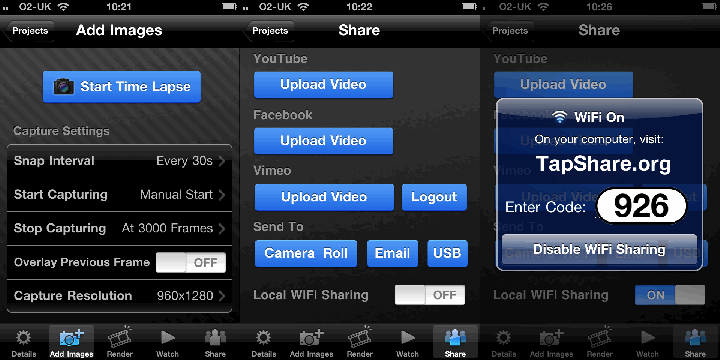
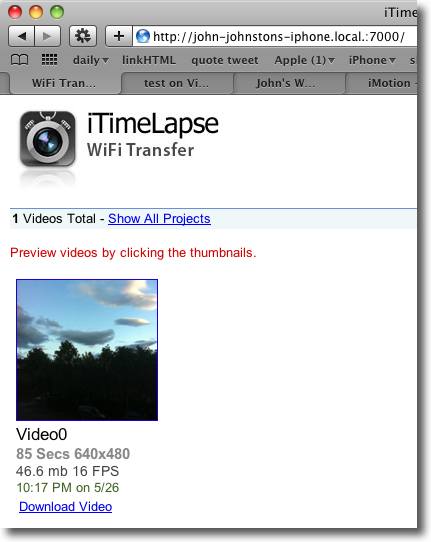
Wifi Photo Transfer (App Store) is a simple application that turns your iPhone or ipod touch into a web server which displays the photos on the device on a web browser on any computer (or iPad) on the same WiFi network:

Wifi Photo Transfer

The photos can easily be downloaded to the computers. The application show a single screen on the phone with an IP address that can be typed into your browser to see the photos. Even better with Safari you just click Bookmarks and then Bonjour where you will see your phone listed:

Bonjour

A click opens the webpage with out any tricky typing.

I imagine photos taken with a new camera equipped iPod being distributed to a class full of children without resort to cables or pen drives.

I mentioned The UK SoundMap in the previous post this mashup which adds Audioboo audio to a google map could be replicated for all sorts of sound recording in class. A map full of music recorded in classrooms around the world or some language swapping springs to mind.

I’ve also been using mappiness, the happiness mapping app to record how I am feeling when the app on my phone prompts me twice a day. This sort of collaborative data logging could be done through a google form on a touch.

The other stimlus for this post is the new ipod touch, this adds the long awaited still and video camera and in my mind turns the iPod touch into one of the most useful bits of tech you could have in a classroom.

A few possibilities:

  • A replacement of your camera and easy photo distribution. The low res (960×720) is not any sort of problem for classroom use when huge digital camera images can slow things down.
  • A replacement Flip (you can use Wifi Photo Transfer to download videos).
  • A video editor, I’ve tested ReelDirector (App Store) briefly and it seems as good a video editor as you would get for £2.39.
  • Air mouse, pass a touch around the class to control the computer connected to a projector for a Whiteboard substitute.
  • With the right software and a class set you have a response kit.
  • Nintendos lots of brain training type apps.
  • Many tasks that are normally carried out on desktops or laptops.

Comparing the £159 before vat price of iPods with the cost of a smartboard or a couple of laptops makes these a real option for expanding technology in the classroom.

An interesting crowd sourced data project UK Sound Map answers the question: ‘What does Britain sound like?’

All you do is record some sound with Audioboo and tag it uksm the boos are moderated and added to the The UK SoundMap. This, of course, reminds me of our EDUtalk project.

Discussing social media and this sort of thing with my daughter Christine we recorded a quick boo of the rather quiet traffic outside our flat.

Listen!

This could be a nice classroom activity for iPhone equipped teachers and I intend giving it a wee try next time I am working with a class, perhaps a playtime recording would be a good idea.