In this film, writer Kate Clanchy uses Edip Cansever's poem 'The Table', translated by Richard Tillinghast, to inspire pupils to create their own poems. The activity works well with both native speakers of English and pupils who have recently learnt English.
Given I want a nice gentle start for my class this session I thought we would play with Vedic Squares. I was reminded of these and their possibilities from a tweet I’d bookmarked from Blair Minchin.
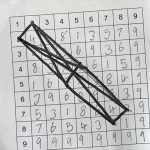
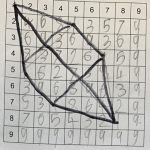
We started on Last Thursday making multiplication grids then vedic squares, making patterns by joining the same numbers with lines.
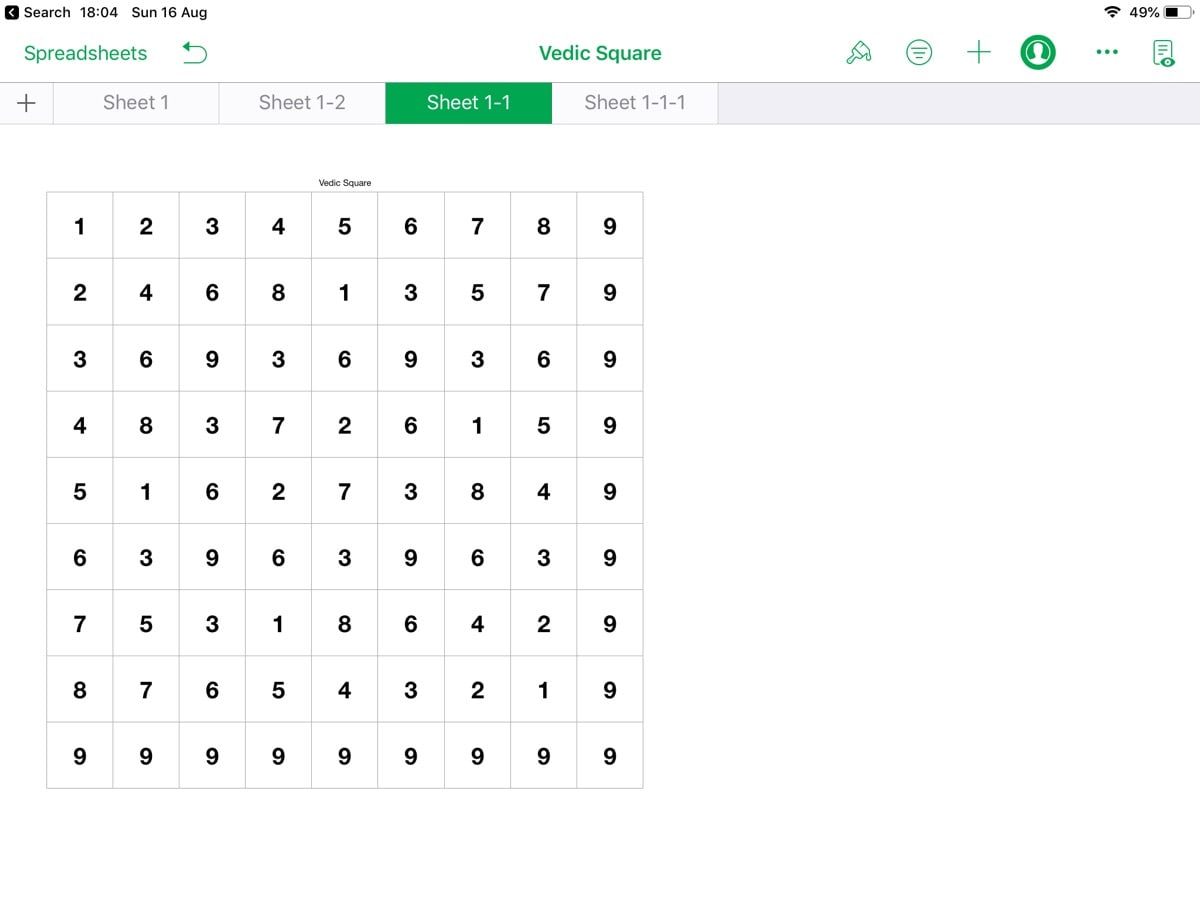
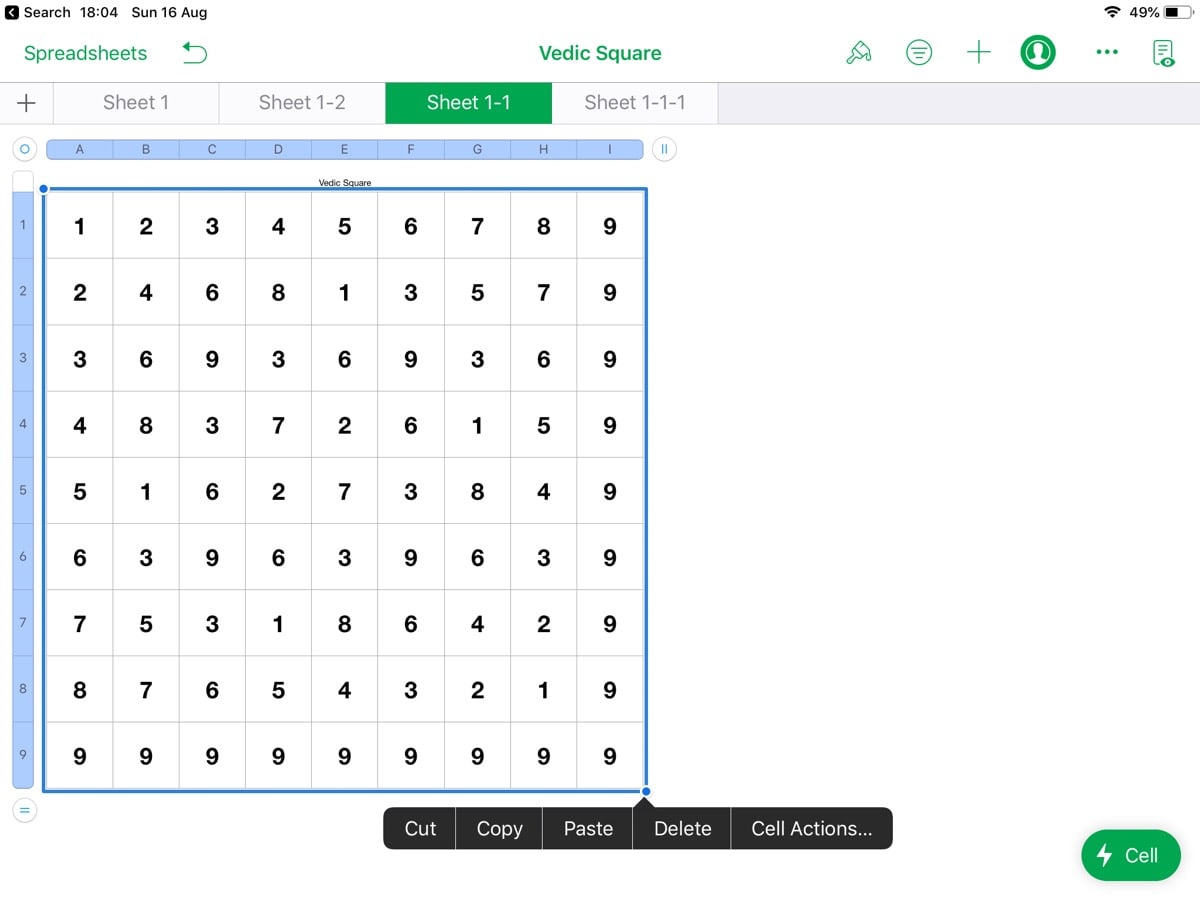
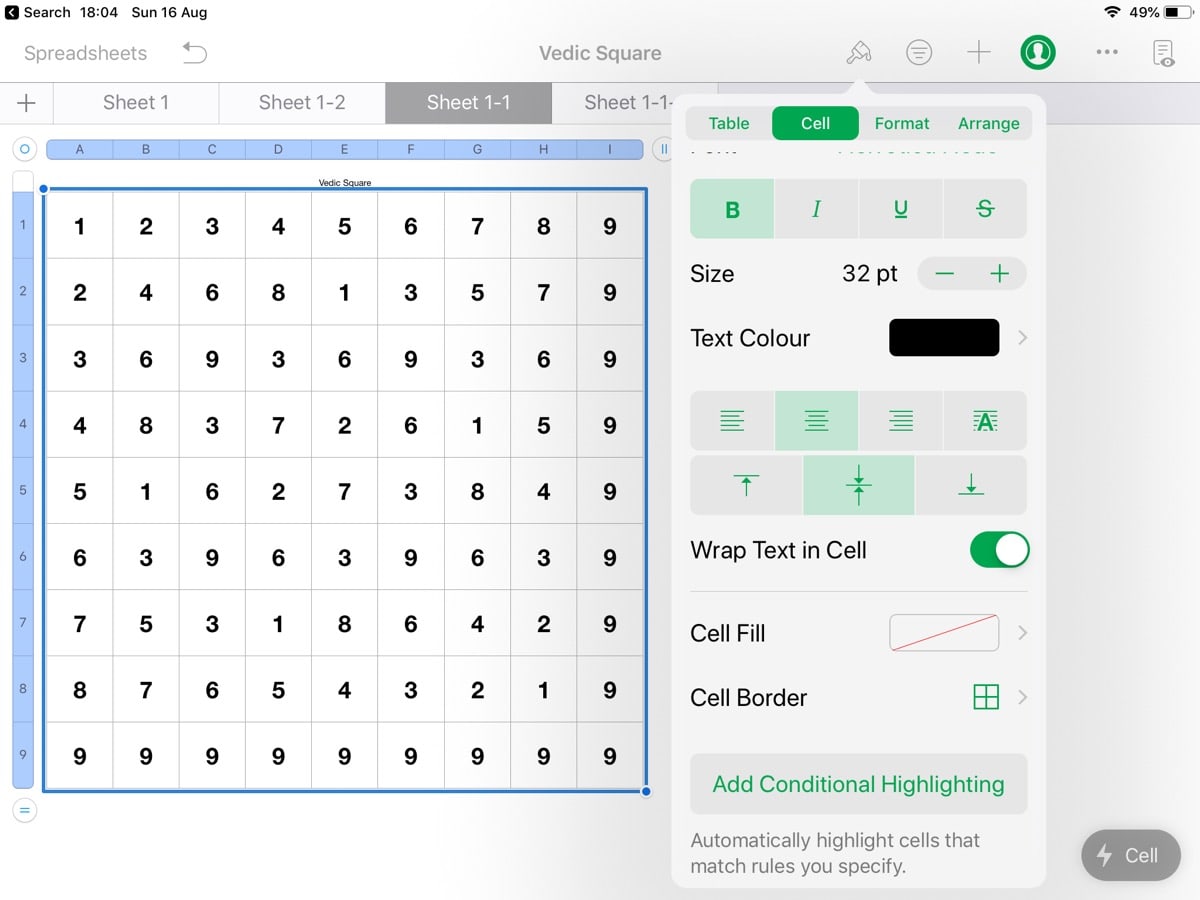
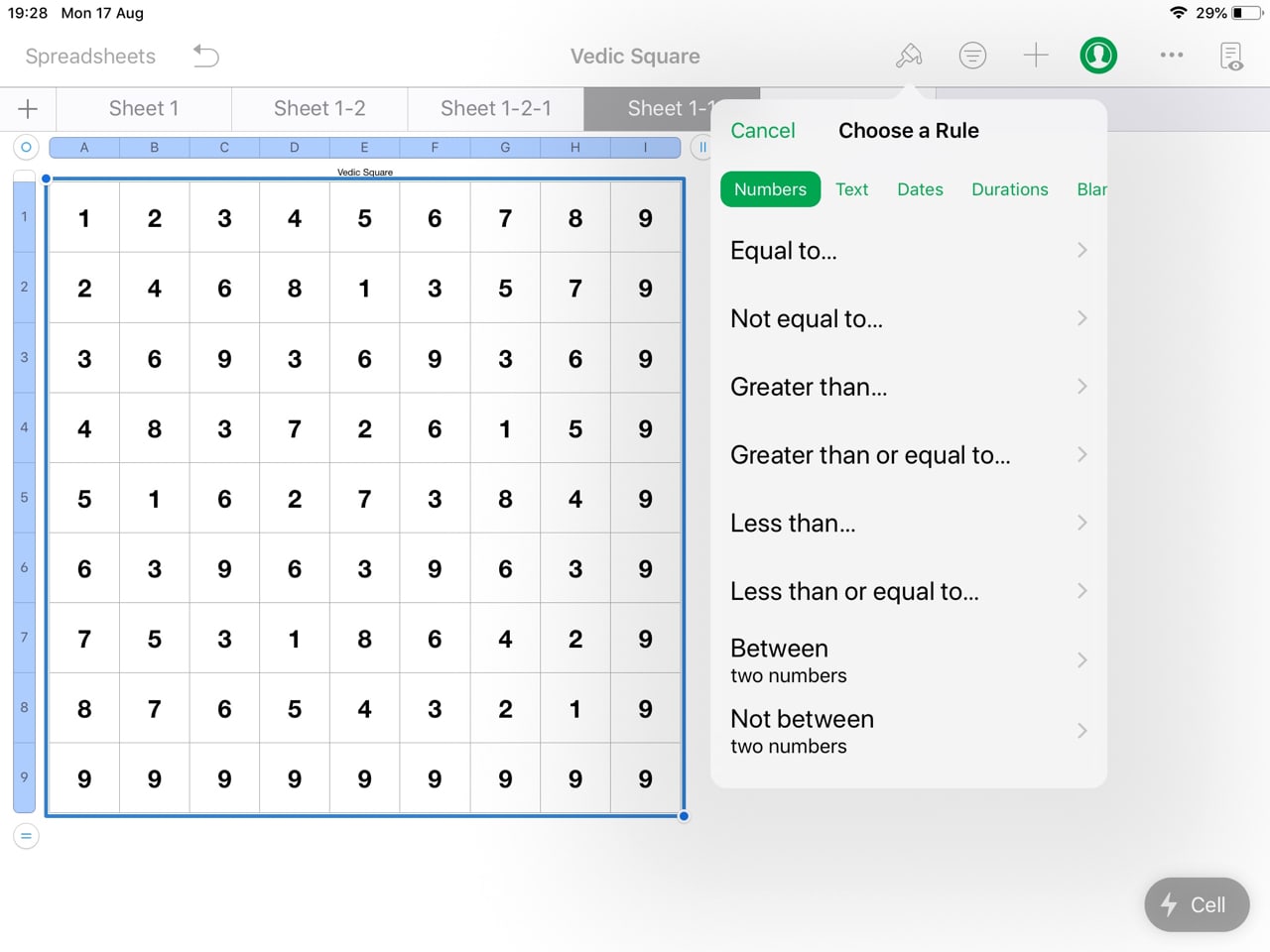
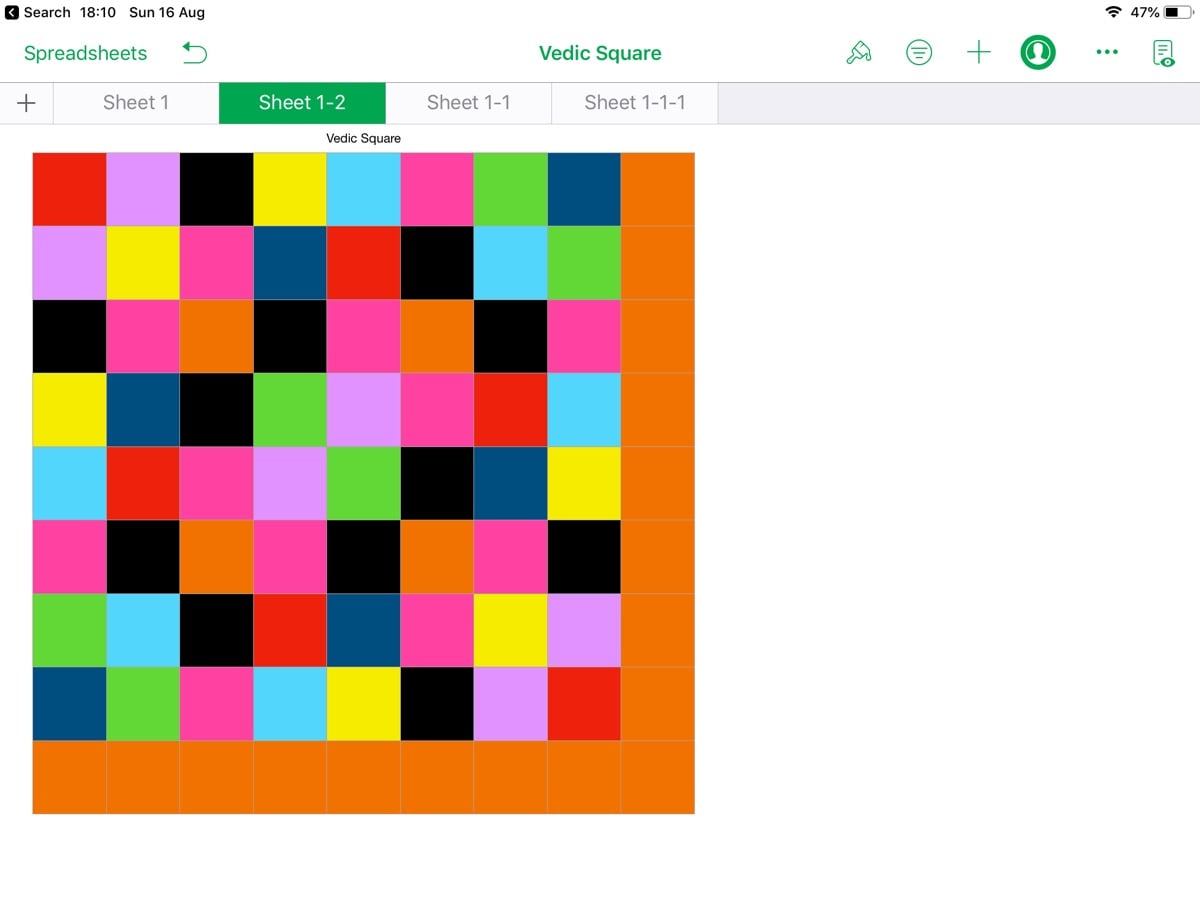
The next day we recreated the grids in Numbers. I then explained conditional highlighting so that the class could colour the grid. They were fascinated by both the process and the results. The Gallery below steps through the process.
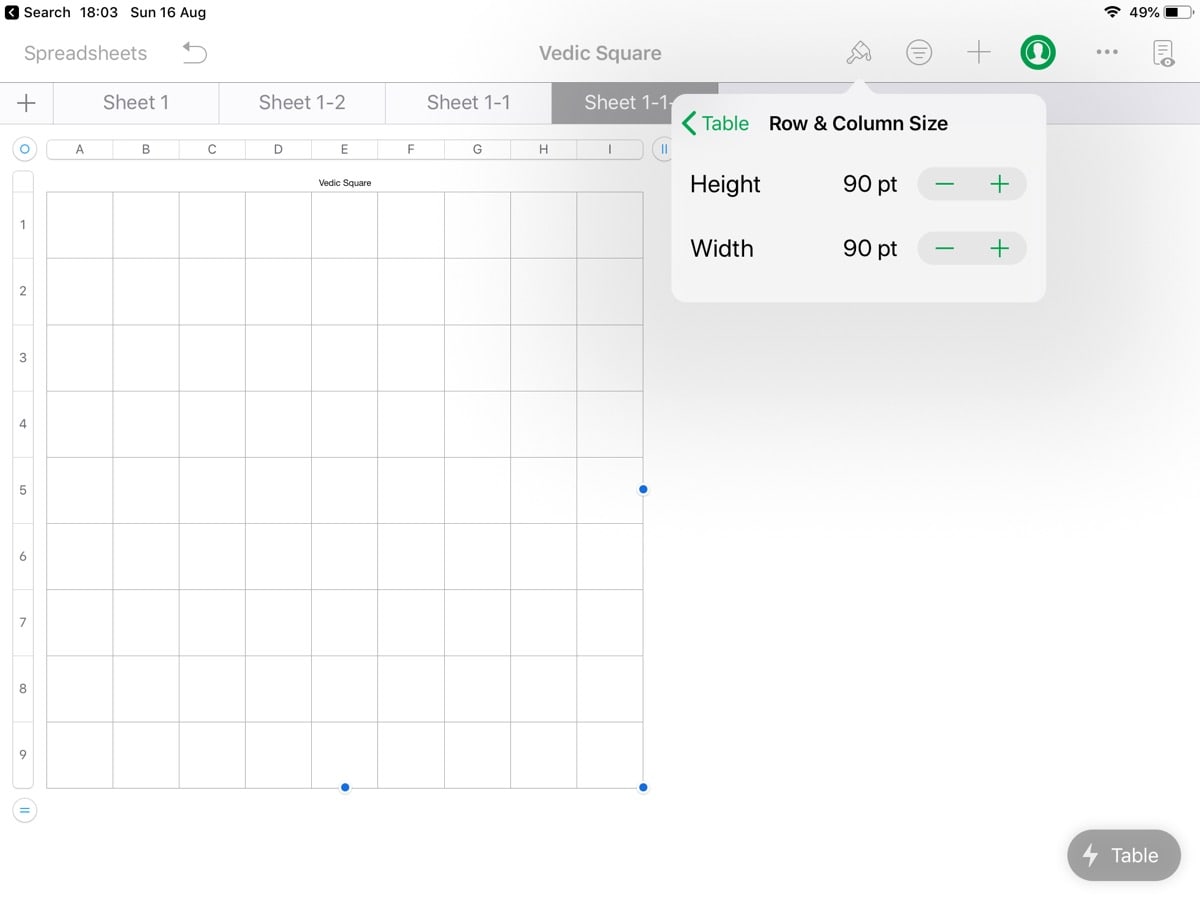
Select the table and set it to 9×9 cells
Set the cell size to a square
Fill in the Vedic Square
Select all the cells
Format – “Add Conditional Highlighting”
Choose Numbers and Then Equals to
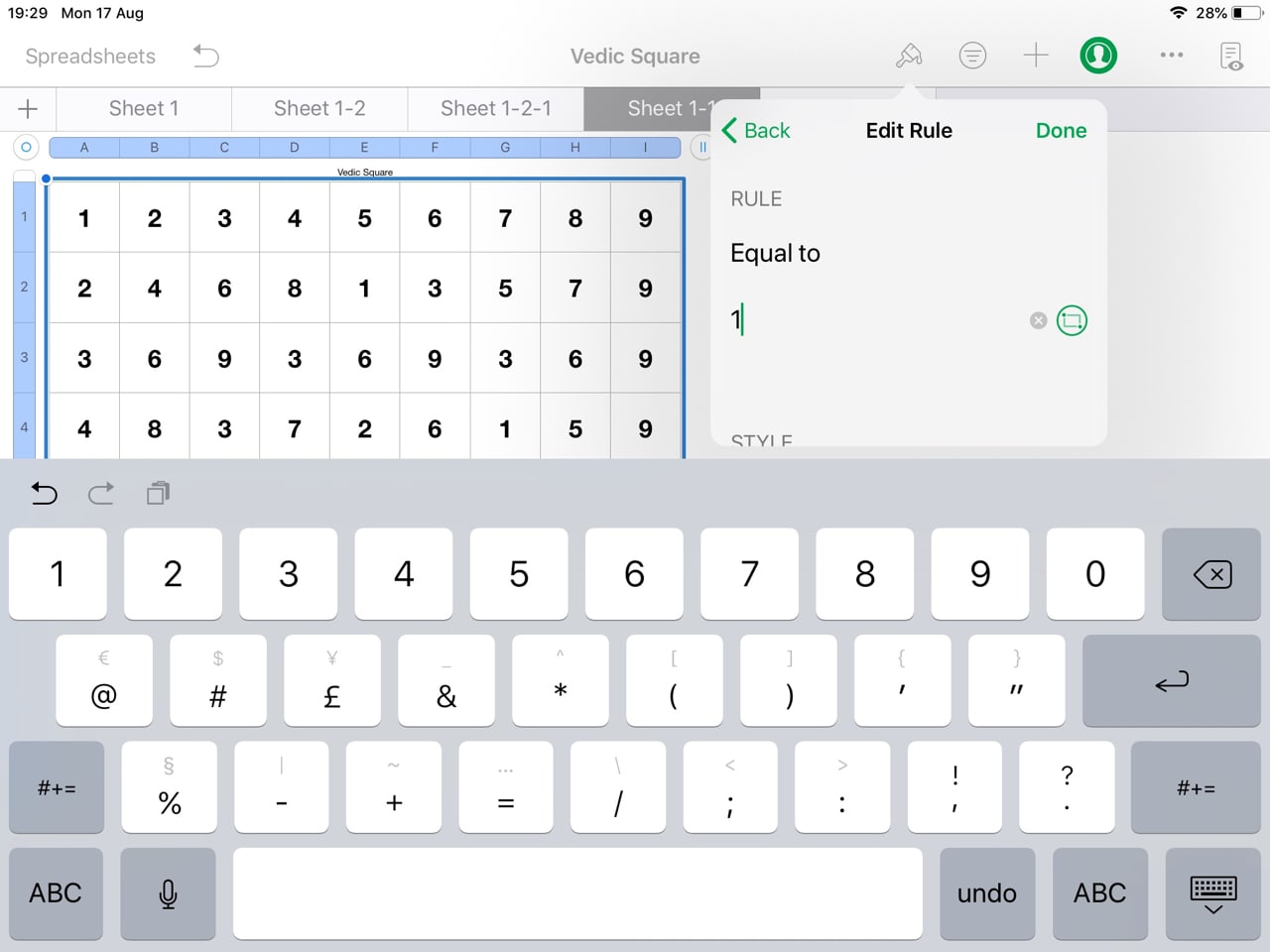
Fill in Equals to 1
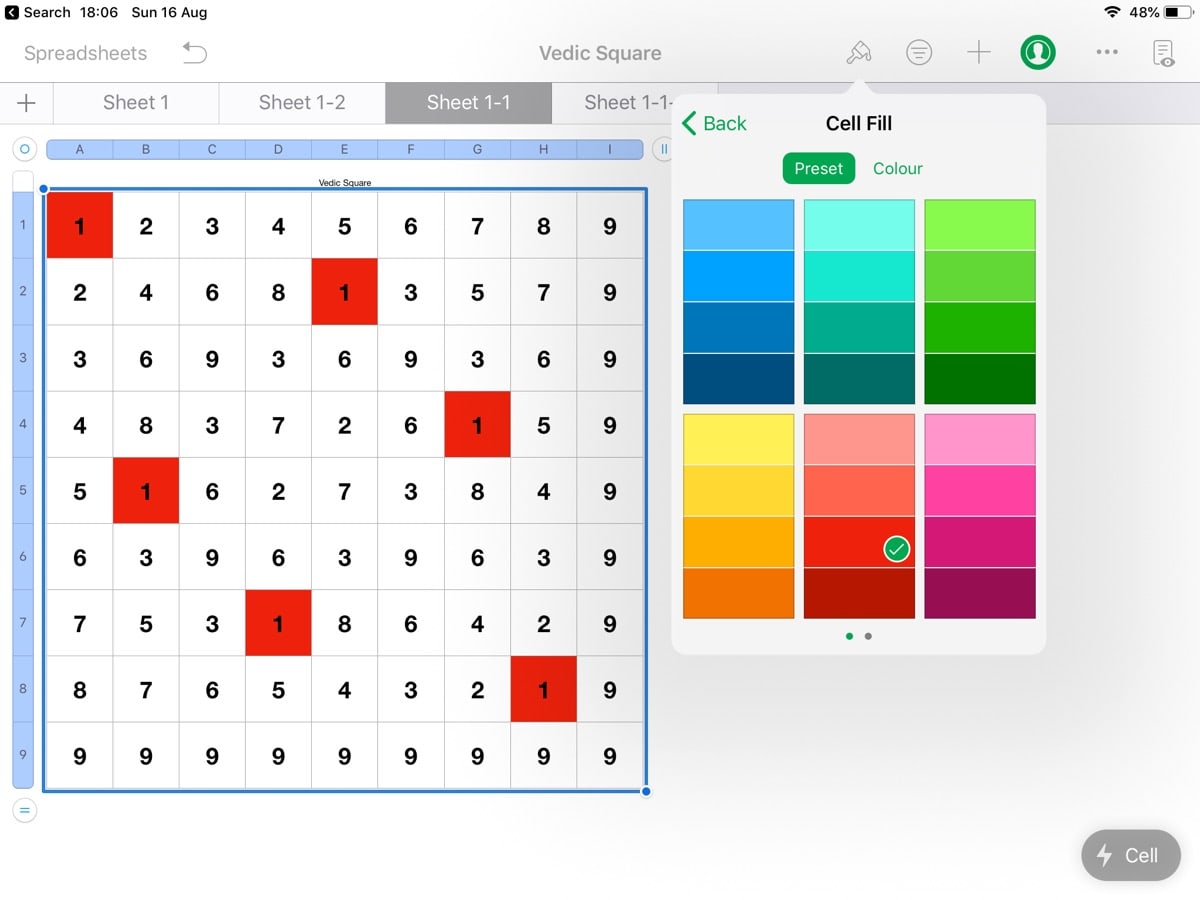
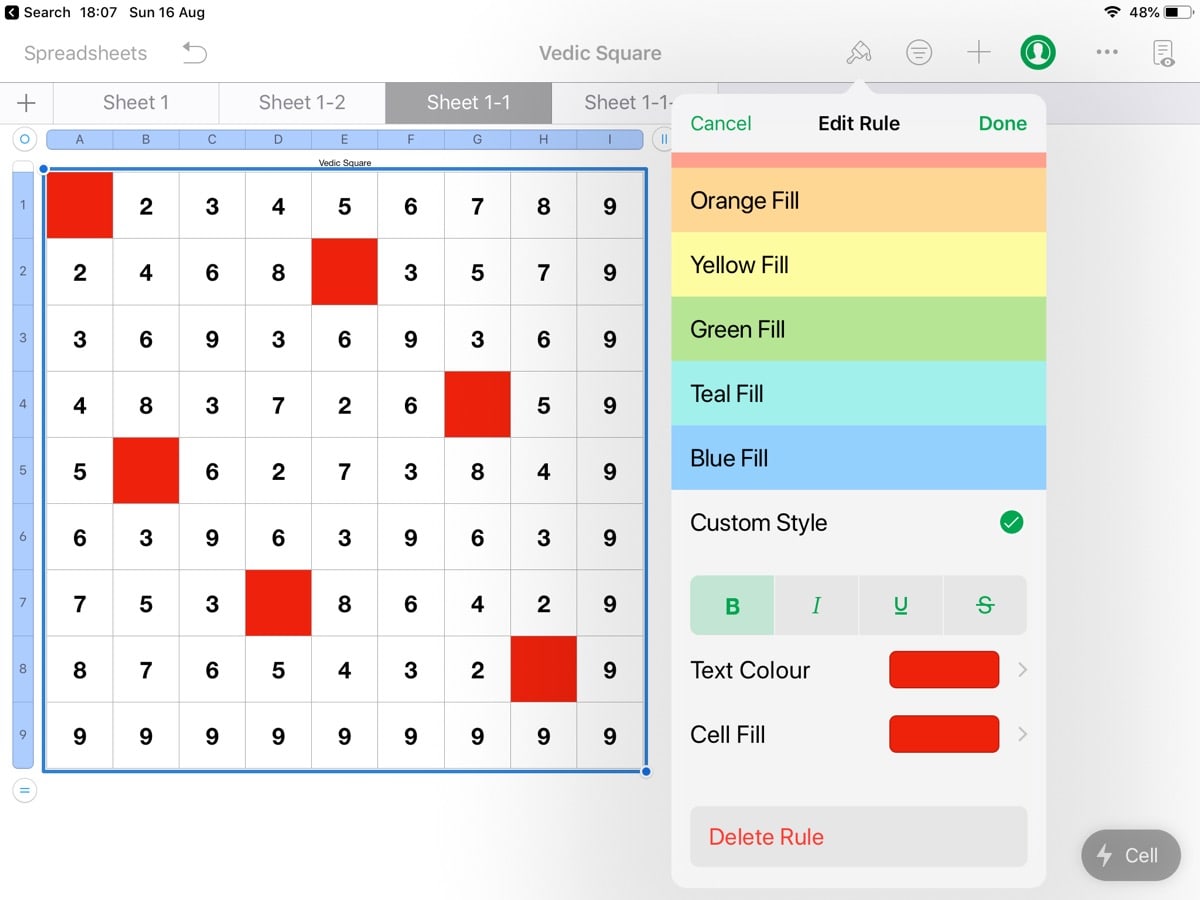
Scroll down to “custom Style” and set the cell fill to a colour
You can set the text colour to the same colour to hide it
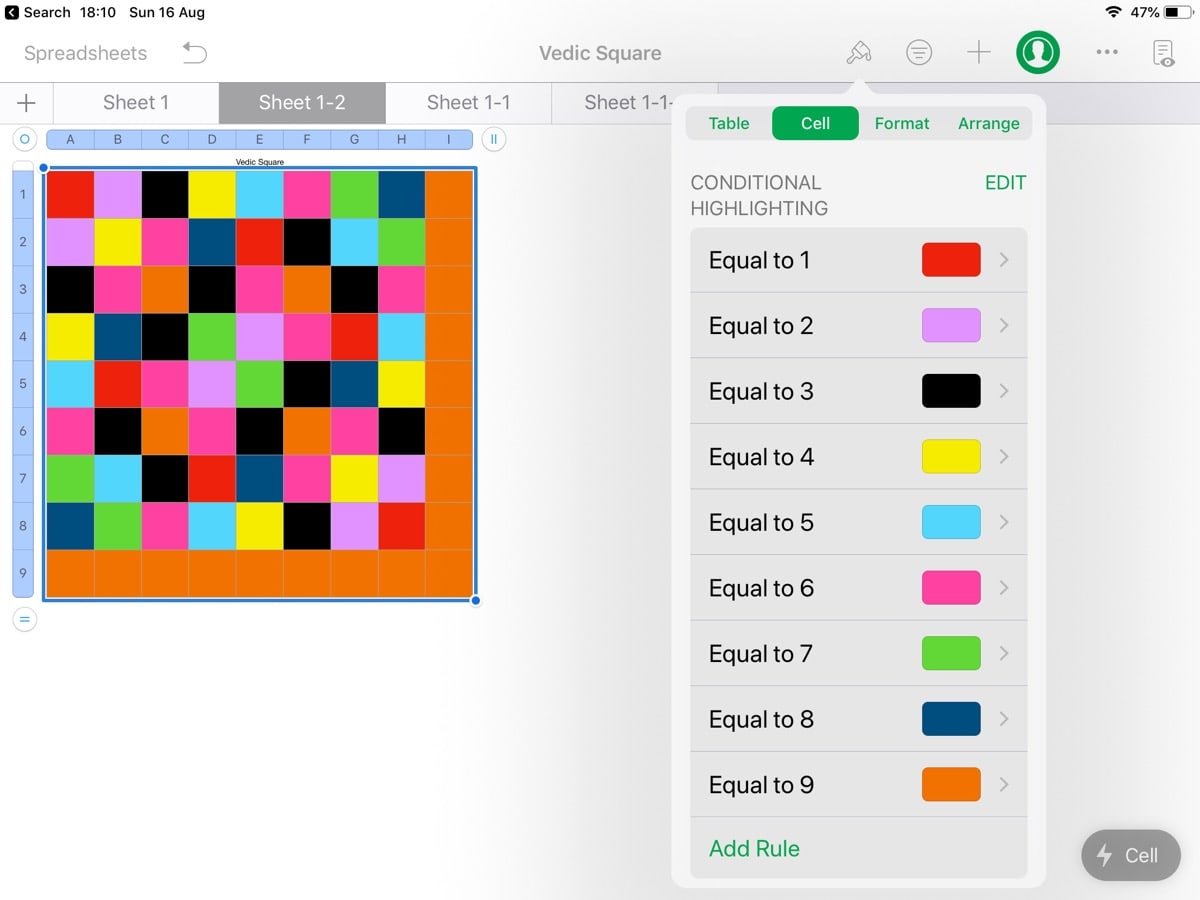
Add more rules making each number from 1- 9 a different colour
The result
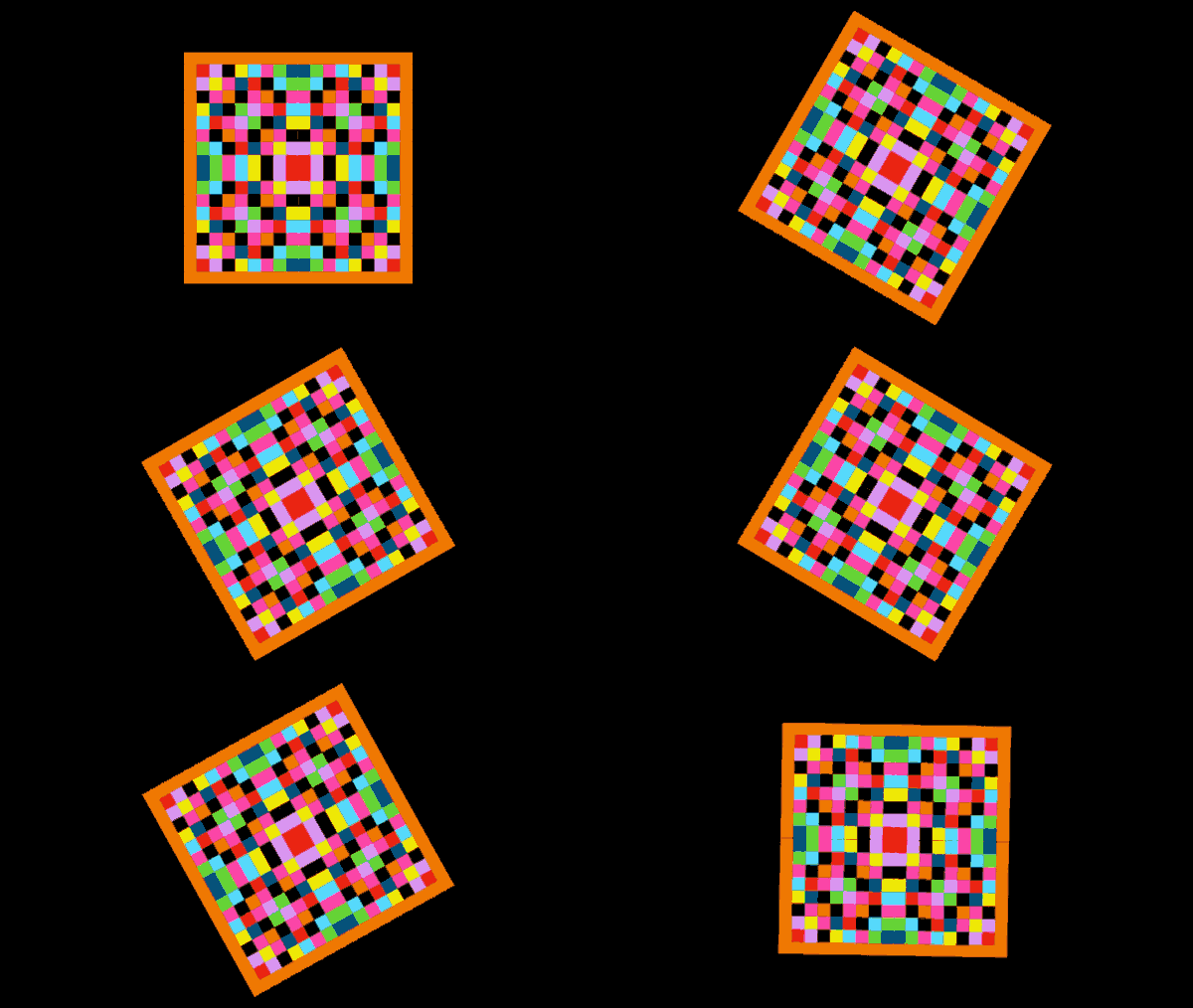
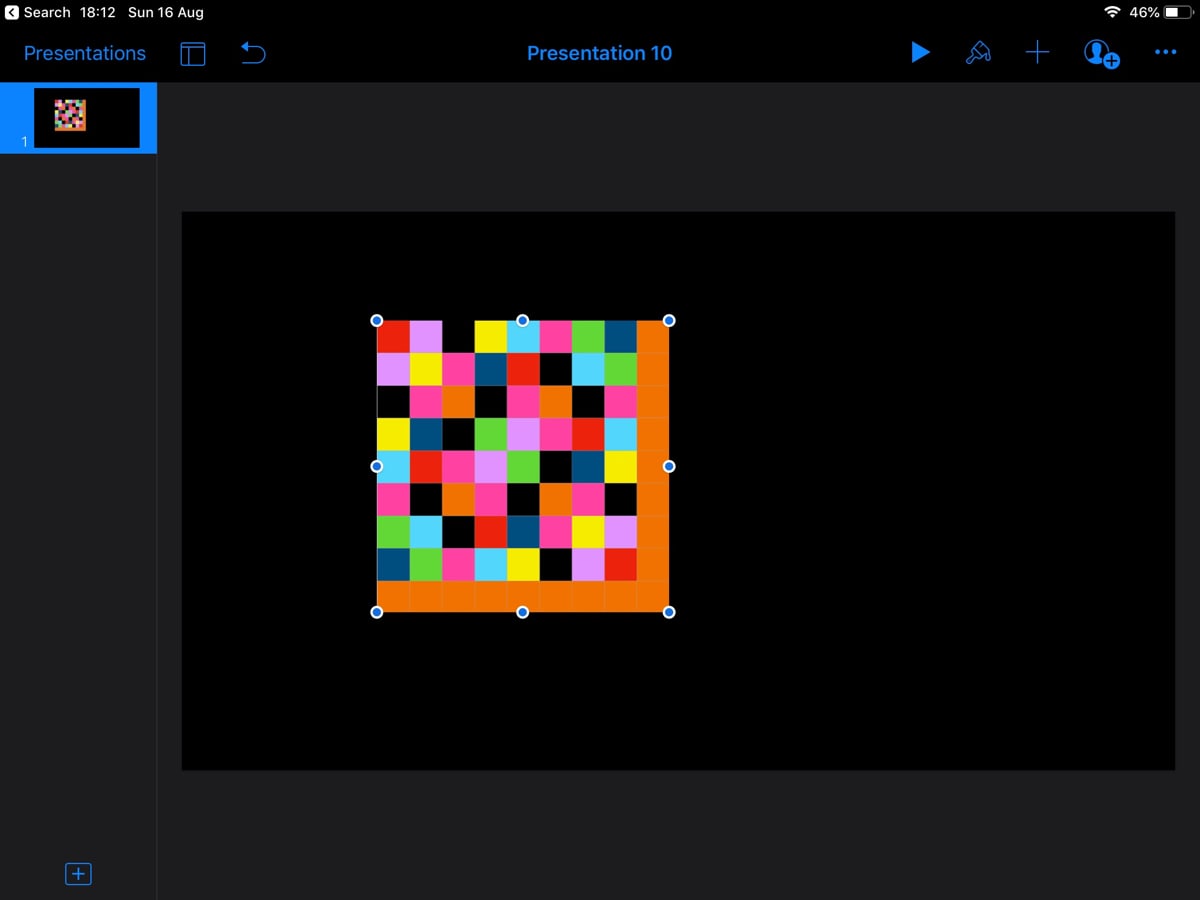
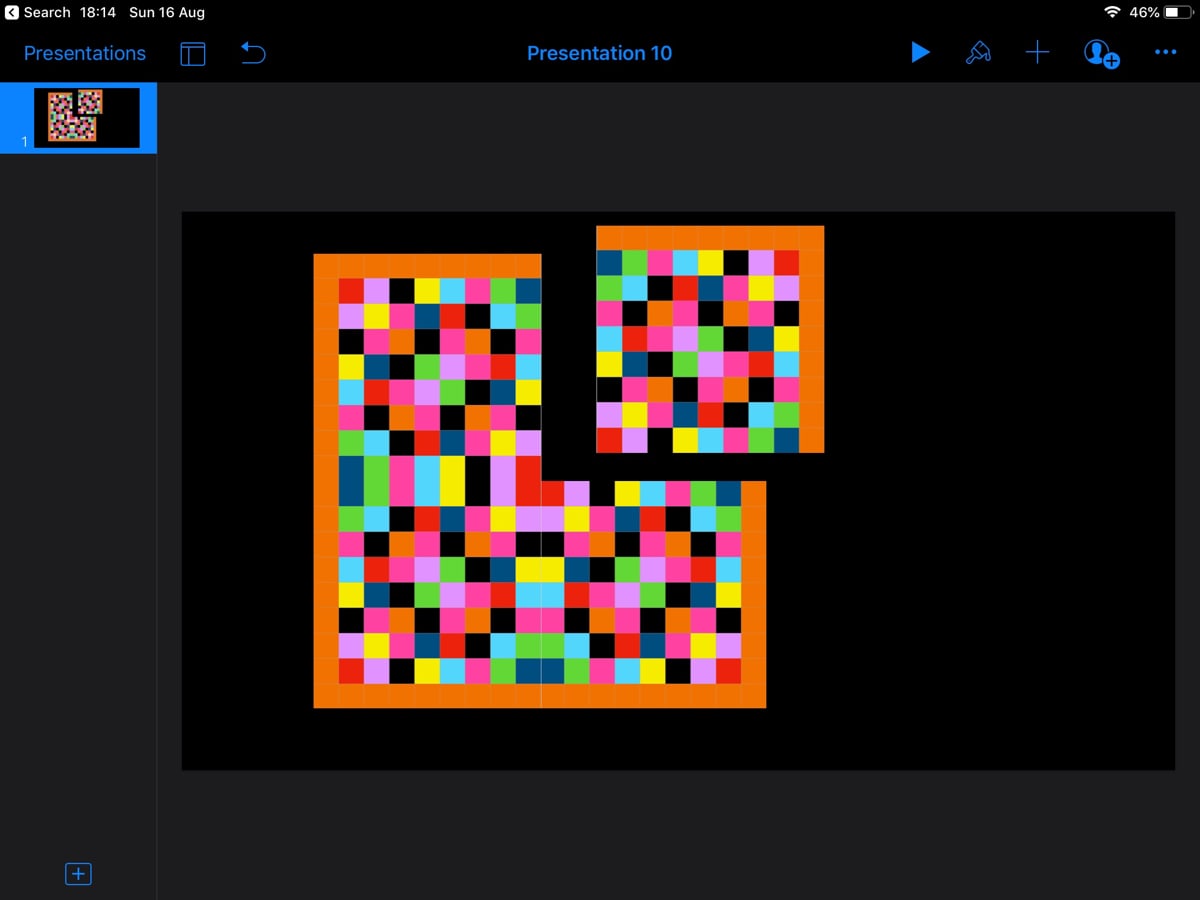
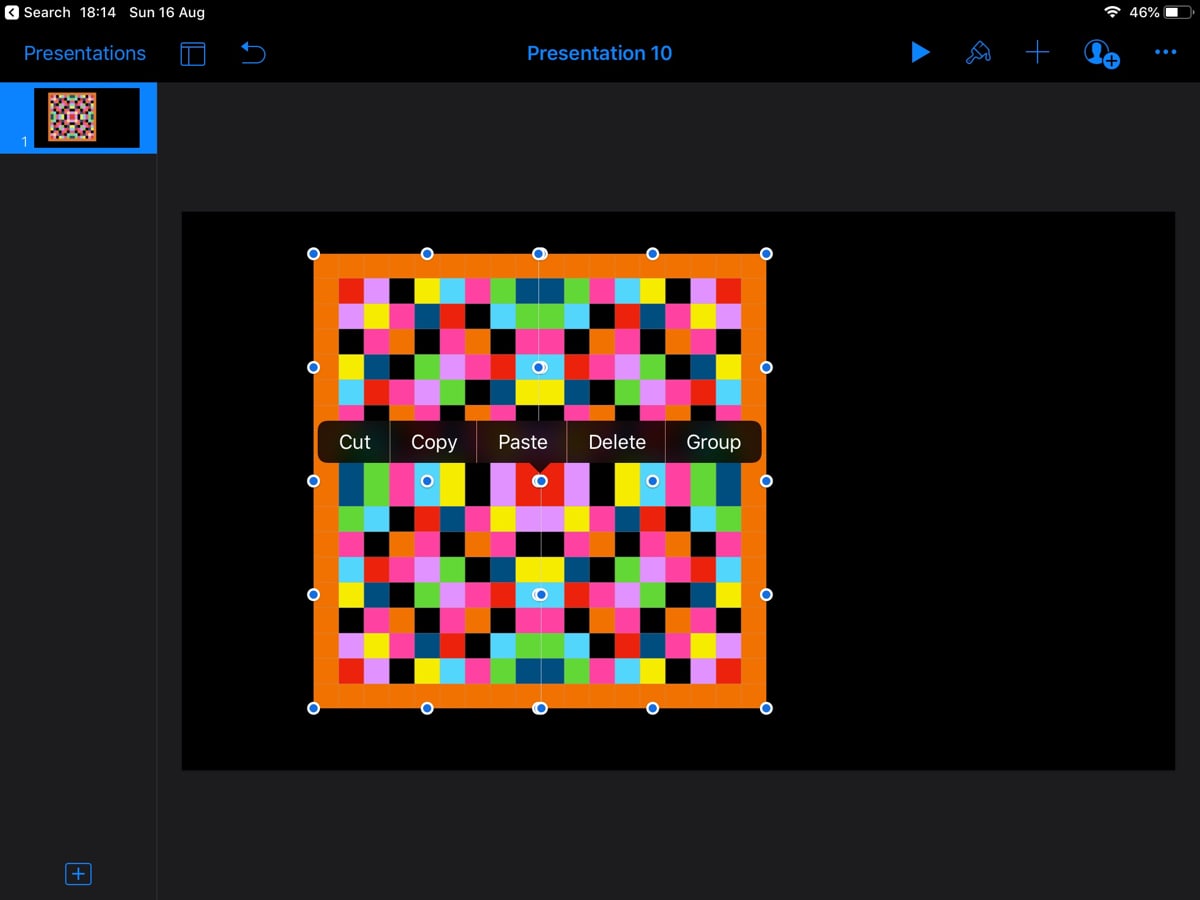
The next step was to screenshot the grids and place them in keynote to duplicate and create symmetrical patterns. At this point some of the class started animating their patterns to rotate madly in keynote. At that point gifs became obvious;-)
Here is the process in Keynote.
Paste Screenshot into Keynote
Duplicate & Rotate to make symetrical
Align graphics
Select and group
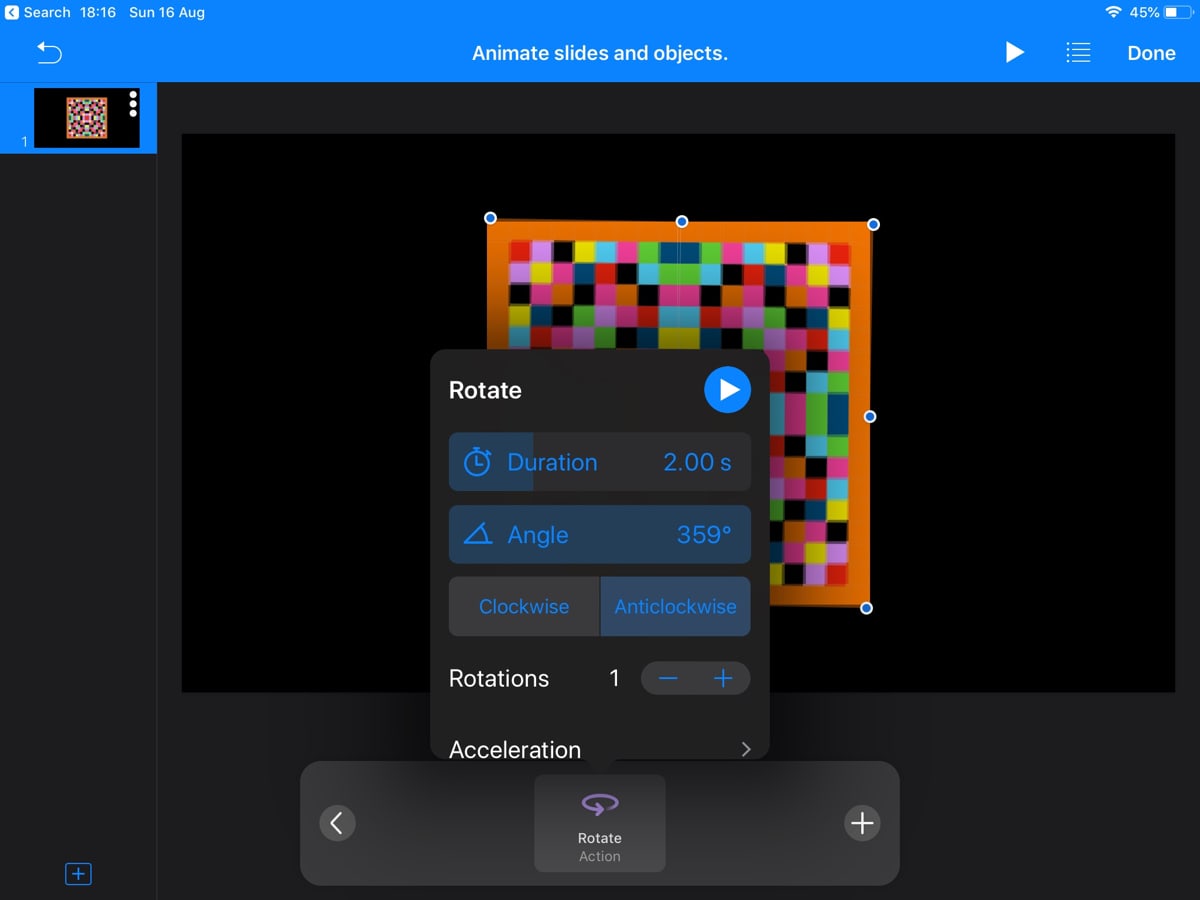
Animate, angle 359, rotations 1
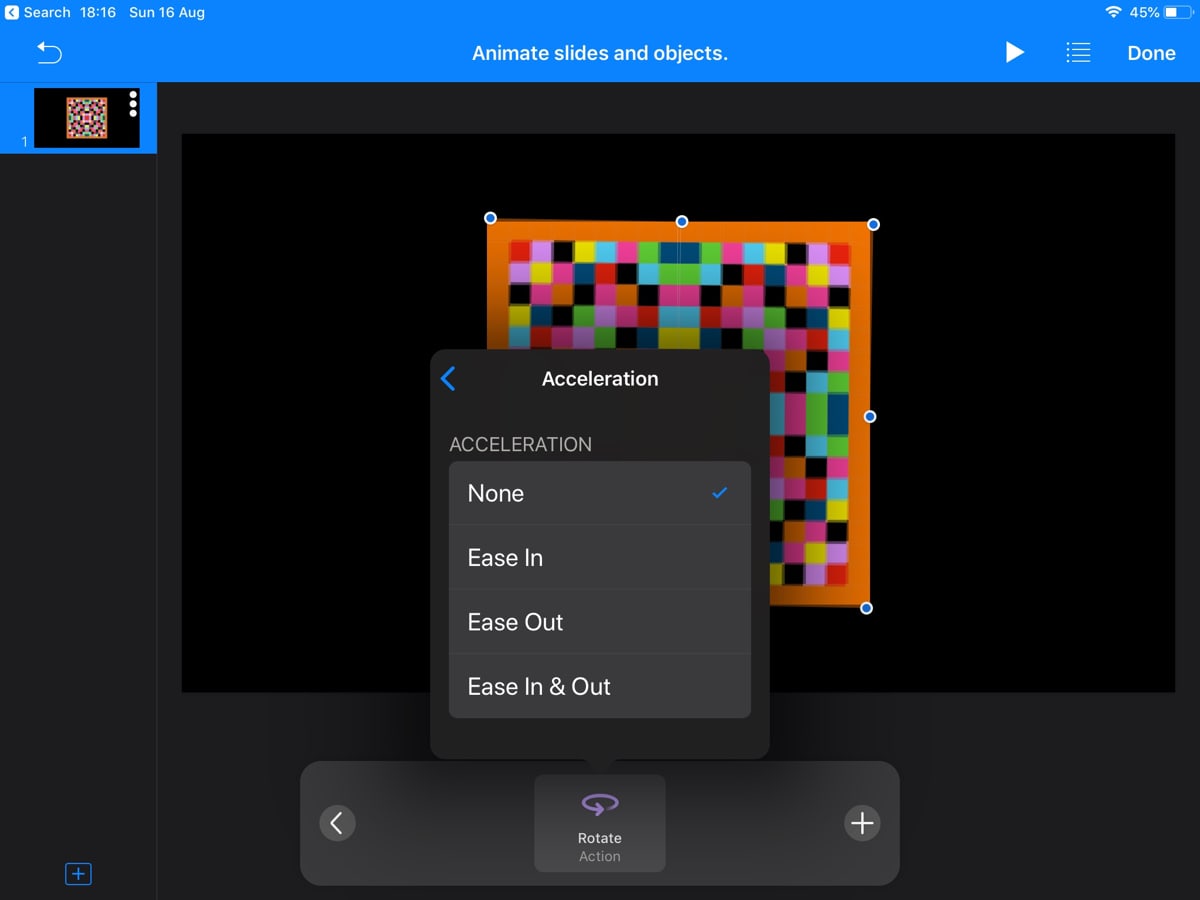
Acceleration set to None
For a gif purist like myself Keynote gifs are a bit off. Very big files indeed. This got a little better after I explained that they didn’t need 999 rotations for a gif, one would do. Getting rid of any easing in the rotation and any delay in the export gives a straightforward rotation.
A quick screencast of rotation settings and gif export:
I particularly enjoyed the excitement as the class saw the conditional highlighting in action and then that the animation step was suggested by the pupils. There is still a lot to explore around both the patterns and processes. I hope that the class will further explore both, opening up links to maths, R.E. and art.
Although we used iPad, Apple Numbers and Keynote I am sure you could do the same with Excel & PowerPoint.
Replied toa tweet by Sarah Clark @Sfm36 (twitter.com)
First week back...how’s was yours? Would love to hear others thoughts on their return to school
I am in a good place, my class all pupils I taught last year, gone from a 4-7 multi-composite to 6-7 will cut down planning & prep. Having emptied the room before summer means I can’t find the duct tape and am missing my cardboard mountain. Mask on when I move about the room.
Here's my #AnimateYourWorld exploration using the #VideoSensing blocks in @scratch. I wanted to bring my books to life! The blue square recognizes what book I'm reading (based on color of the cover) and populates my screen with some interactive characters. #ComputationalTinkering
You really should follow Ben. Reading his research strongly influenced the way I currently about EdTech. Quick adoption of new ‘free’ tools can be a dangerous path to tread. I have been guilty of this in the past. Beware of shiny digital buttons!
Always worth thinking about what “free” means. I think there is something in the idea of teachers exploring software, finding possibilities, testing & playing with pupils and evaluating. As opposed to using software designed for education by big tech.
Saving this here for following up after the summer break.
The concept had passed me by somehow until Mr Dorman from the @PedagogyTeamNLC introduced them to my class, which very much enjoyed by the children. I had planned on thinking about this a bit more, but other things happened.
I didn’t find the lack of video for pupils a problem during daily lockdown classes. This post goes over the reason why video might be a problem and lists some ideas for compensating.
also keeping in mind some people are voice shy, and some people have noisy home environments
Although from a higher ed perspective it all rings true from a primary perspective.
The Microsoft OneNote Teacher Academy is a learning path comprising four short courses introducing the use of OneNote in teaching for lesson planning, assessment and activities for learning
...
These are my notes taken as I followed the learning path, including the reflection questions and my responses.
I’d pretty much decided to use OneNote path next year. My Previous problems lead me to depend on AirDrop, Apple Classroom & Apple Notes in my 1-2-1 iPad classroom. Local was certainly more reliable but lockdown made me think again. Nick Hood, @cullaloe‘s extensive post give me third thoughts.