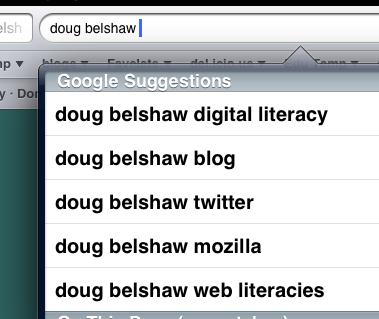
looking for doug
looking for doug

On Monday evening I joined Doug Belshaw’s etmooc session on Digital Literacies. It was an interesting session, Doug spoke mostly to his thesis What is ‘digital literacy’ and a lovely set of slides T3S1: Digital Literacies with Dr. Doug Belshaw. Doug has archived, video and audio on the Internet Archive. I’ve added my audio recording to the Unofficial ETMOOC RIPCast where I’c collected some of the sessions I’ve attended and some I’ve missed.

Doug took participants though some exercises in thinking about digital literacies working in a ether pad and in the blackboard session. I guess you needed a degree of digital literacy to keep up with it.

Like Doug I do not believe in the idea of a digital native but am fascinated by how folk learn to read and write (watch, create, listen to etc) using digital tech. I believe that I’ve a reasonable degree of web literacy .

This belief was challenged a bit as I watched folk start to define and redefine digital Literacies. It confirmed my suspicion that although I am somewhat digitally literate, I could not define what I mean by this. After the meet I still cannot. This reminds me of a quote, that I can’t quite recall or source, to the effect that a speaker of a language may not be able to make any true statement about that language.

Fun

One factor in, if not measuring digital literacy, is a indicator, is the ability to be able to have fun in the language. Make jokes, puns, poetry and be relaxed when using it.
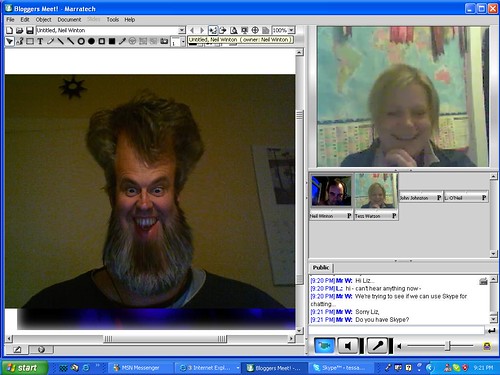
Playing with John on Marratech

I recall, a few years ago(2007), a few Scottish Educators had join in using using Marritech for the first time. We were all, for that time, experienced users of ICT in the classroom , none of us knew what we were doing. All you could hear were gales of laughter as we explored the tools, whiteboard slides and the like making a ton of mistakes.
This feeling of relaxed fun was quite different from the experience of watch many teaching professional using ict. I am not sure how we move folk into this experience other than by modelling it when possible.

Web Literacies

Towards the end of the session Doug explained his current work focuses on the more manageable task of creating a standard for web literacy. Learning/WebLiteracyStandard – MozillaWiki.

This is very interesting stuff, and although I am sure that the grid Doug has produced, see Mozilla Web Literacies White Paper (v0.8) – Google Drive could be argued with it provides a great structure for thinking around the subject.

All in all this episode of #ETMOOC has got me thinking far more than I’ve time to organise in a blog post. I’d love to see helping pupils become confident webmakers become part of mainstream education.

Woke up this morning to a barrage of tweets about Posterous turning off on April 30.

We use posterous for EDUtalk and I have a few other posterous blogs too.

This is not too unexpected, I bloged about it a couple of times, Posterous Worries and More Posterous Worries but it is still disappointing, who doesn’t like great stuff for free.

I’ve blogged enough about how good posterous is and the features that make it great for EDUtalk. I am going to make a list here of what is needed with some possible solutions and hopefully get some feedback.

  • Cost, posterous is free. I am not opposed to paying for stuff on the web, I pay for hosting here and elsewhere, the icecast part of Radio EDUtalk, flickr, pinboard and other stuff but we don’t want to pay too much for EDUtalk.
  • Space, last year at some point I downloaded everything from EDUtalk (There is a mac app for that) and it was well over 1GB then, there are >1000 posts. We need to move to a flexible hosting, or to use the Internet Archive for hosting our larger files.
  • Upload size, posterous allows upload of fairly large audio files through a browser. Other options may mean ftp, not a hugh problem but.
  • Media handling, folk can email in all sort of audio to edutalk and posterous deals with it and displays it nicely.
  • Open posting by email, I’ve not seen this else where, folk can email an audio file to EDUtalk and it is posted to the moderation queue, this makes for a very easy entry to podcasting, covering events by lots of folk easy, My favourite feature about posterous.
  • The Posterous API, recently broken, this allowed us easily to pull in audioBoos and ipadio phlogs. The MetaWeblogAPI or the FeedWordpress plugin (not sure how it handles attachments) would let us do this with WordPress.

From my knowledge and experience the simplest fit would be self hosted WordPress, ftp upload of Radio EDUtalk episodes (either to the sit or to the Internet Archive), forget the submission via email, or do this manually. Use the MetaWebLogAPI or FeedWordpress to bring in other content.

An Opportunity?

I’d like better, I’d love to keep all the features of EDUtalk and even get back the old phone in feature (that used to be handled by gabcast). I’ve also got some interest in using something else from the ubiquitous wordPress (ironic since I’ve spent a ton of time arguing for WP in Glow recently).

I wonder too how well the various WordPress posterous import solutions would handle our content, for example some of our ipadio and audioboos use the players from these sites, some use just a lonk that posterous turned into a posterous player and most recently we have been downloading and reposting the files to fix a feedburner/audioboo problem!

I’d love to hear some ideas of the best way to move this forward.

Update: just see this: Posthaven is the safe place for all your posts forever

When will Posthaven be able to do _______?

Everything you expected and liked about Posterous will eventually be in Posthaven. Things like post by email, multiple users, pages and links, full HTML theming, and the bookmarklet.

We’ll deploy the features and let you know as soon as they’re available.

from: Posthaven is the safe place for all your posts forever

I’ve reserved edutalk on www.posthaven.com for $5 as a possibility.

As part of etmooc we are encouraged to use a variety of Storytelling tools. I’ve spent a fair bit of time over the last couple of days animating gifs but though it was time to step out of my comfort zone.

I decided to choose something from 50+Ways – Tools A to Z @cogdogs wiki of online storytelling tools.

My problem was twofold, I need to decide what tool to use and what story to tell. Time for avoidance tactics, a bit of light coding, to come up with a way to choose a way.

I ended up with Which Way? a simple page that will give you a randomised choice from the 50 Ways list.

Still without a story I decided to use one of the tools to explain what I’ve done, a couple of click gave me VoiceThread. I am not sure if it ois the best tool for this particular job but it is quick and simple to use, a bunch of screen shots and a mic.

Sound the Alarm 1

I’ve been MIA from etmooc for the past week or so, busy time at work, edutalk and life in general have conspired. I’ve been glancing at g+ and reading a fraction of the posts but that is about it.

Daunted from doing much thinking I decided to fall back on animating gifs, one of the tasks in topic 2. I am happy messing about with gifs so this is a restful activity.

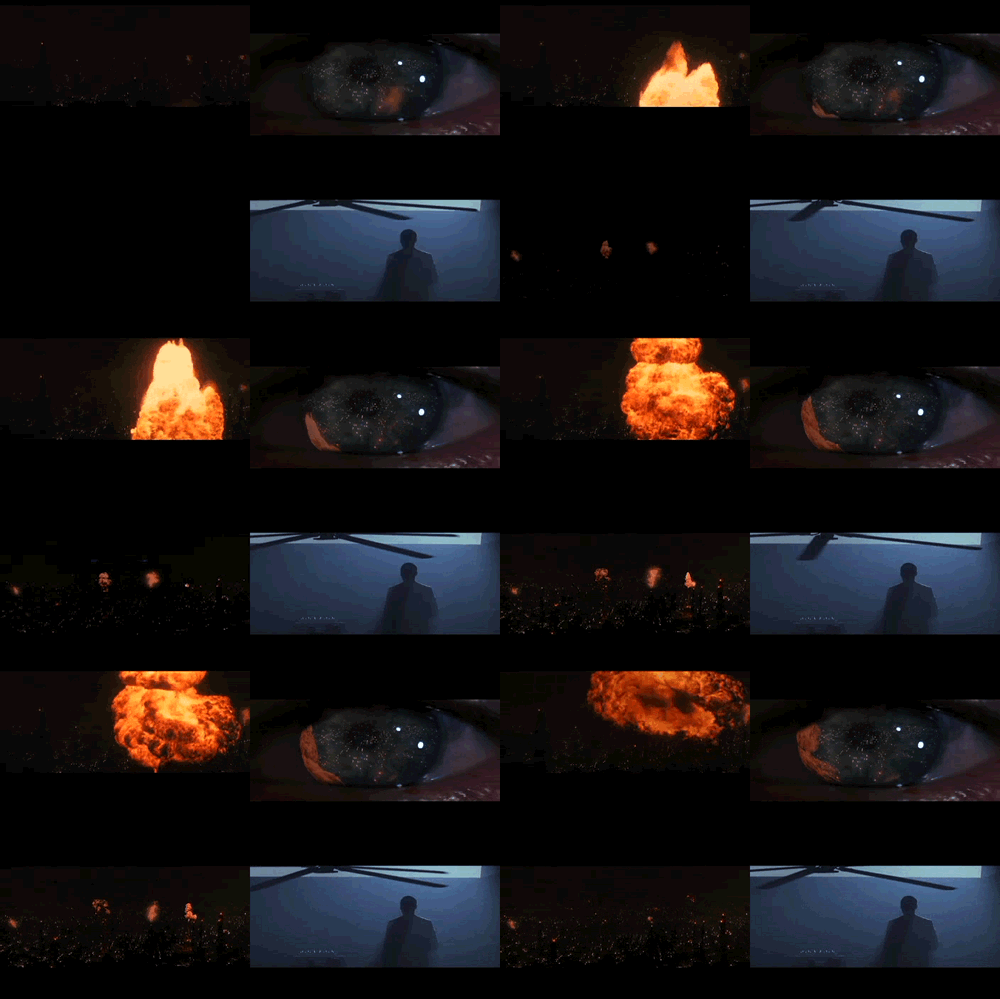
Falling back on an old favourite I downloaded a clip from youtube of the opening sequence of Blade Runner.

I quickly grabbed a few very short sections of 9 frames each. Once I looked at them I though they would combine nicely.

blade runner intro

I did this in FireWorks CS3. Fireworks allows you to import gifs quickly and place them on a image. You need to place them in the right place first click so I put on place holder graphics with the same dimensions of my gifs to make it easy to line them up.

This turned out quite well. Caught some of the mood of the opening scene perhaps. I would have been better making a better quality version of the fan gif to avoid the banding. The eye could have done without the extra fireball on the last clip but I like the way it almost mirrors the ‘real’ fireball on the left.

Open Source Edition of LiveCode by RunRev Ltd — Kickstarter

Reinventing HyperCard for the 21st Century. A free open source app creation platform for non-programmers and programmers alike.

I just backed this project on Kickstarter. It aims to take LiveCode open source. LiveCode is a x-platform clone of the old macheads favourite HyperCard.

HyperCard is the application that turned me into someone who disliked computers and regarded then an improved Banda machine (Banda, HyperCard, really showing my age) into an enthusiast. Folk with less tolerant spouses should step away from the likes of LiveCode.

I am not a current user of LiveCode, although I bough a license a year or so ago. I tend to use the mac only SuperCard. At one time I even made some educational shareware with HyperCard and then SuperCard. Didn’t make much money but had a lot of fun. Over the years I’ve knocked up tools to do various fun things (from Animating Gifs to logging kids onto glow), but the real strength of LiveCode may be in coding for pupils. RunRev, the company that produce LiveCode think so too:

We believe that computational thinking and programming is a key form of digital literacy and that enabling a new generation to write interactive software is critically important in today’s economy.

LiveCode is used in hundreds of schools around the world to teach programming in STEM (science, technology, engineering and math) classes. It is uniquely suited for students in the 13 to 18 age groups. Every school that has used LiveCode for more than a year has seen a doubling of uptake in advanced computer science classes for boys and girls as well as an increase in exam pass rates!

I would imagine that the easy entry to programming that LiveCode provides (going on my HyperCard and Supercard experience here) would help get pupils that would not normally be interested in programming started while providing a accelerated development path for the code friendly ones.

Anyway I thought it worth a punt. RunRev are based in Edinburgh so a local company.


A taster for the #EDUtakk recordings from the ACTS conference in Stirling 2 Feb 2013
Stirling, United Kingdom

This audio file was orginally posted to AudioBoo(m) with the mobile app. It has been downloaded and posted here since audioboom no longer supports free accounts.

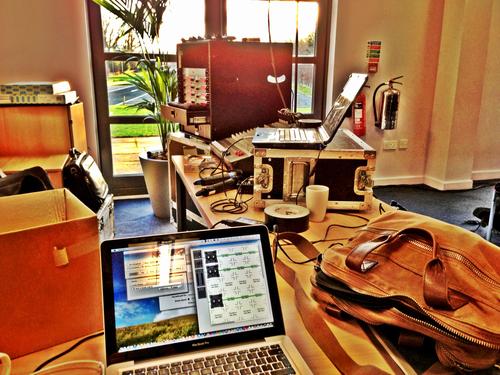
edutalk setup

Yesterday I was lucky enough to be invited to the Association of Chartered Teachers Scotland – conference.

A ton (scientifically measured) of teachers turned up to discuss education, on a beautiful Saturday, at the Stirling Management Centre.

As usual with these events the only problem is having to decide which sessions to go to.  

I broadcast and recorded both Keynotes, the first  Radio #EDUtalk Sir Tim Brighouse – is now on EDUtalk

There was a great buzz around the conference with a very positive feeling to the discussions. As well as recording the Keynotes and a couple of sessions I also grabbed a few folk for a chat about their particular interests and their impressions of the conference. It continues to delight me about how generous folk are if you ask them to share. There will some excellent listens on [Edutalk](http://edutalk.info/pages/radio-edutalk] over the next week or so as I get time to do some light editing.

The audio for the keynotes is better quality than my usual output due to the generosity of the professionals at the conference who not only gave me access to their audio but the necessary cable.

As a taste of what is to come here is a 25 second snippet of  David Cameron’s introduction to Sir Tim Brighouse’s keynote:

On Friday Professor Muffy Calder Chief Scientific Adviser for Scotland announced The ICT in Education Excellence Group completes its report on the requirements of a future Glow service the report can be downloaded from the Excellence Group Report page on The Scottish Government site. I’d recommend that anyone interested in using ict in Teaching and Learning read it.

First Thoughts Quotes

There is a lot of detail in the report covering many aspects of Glow Plus, here are some bits that have jumped out at me in the first read through or two:

While these documents refer to this service with the working title of “Glow Plus”, the Group proposes that a rebranding of the service – involving users – should be part of the implementation.

I’ve heard a lot of negativity for teachers about ‘glow’ some of the more clunky aspects of the initial implementation and the confusion over the transition to a new version have created some negativity. From talking to teachers where I work I’d guess the use of glow has dropped off considerably except for the use of e-portfolios. Rebranding might help, but a solid system will help even more.

The new service should be as open as possible, with only personal and procured content and services behind an authentication barrier.

Interesting to read Jaye about forcing teachers to use glow to access national 4 & five material. The more that is openly and easily available the more folk may use ICT and that is surly the point. I know some material must be behind paywalls, because we pay for it but not everything we logon to use needs to be behind a password.

Fearghal’s post Fearghal Kelly’s thoughts » Evaluating Glow Plus #ICTex questions this closed aspect of glow too.

The development of Glow Plus will necessarily be an iterative process and the Group recommends development using an agile development process with close involvement of users and other stakeholders.

I’ve blogged enough about the need for glow to be in perpetual beta to love the agile word here.

Teachers should be trusted to use their professional judgment about how ICT should be used.

Enough said.

To allow a power user or third-parties to develop integrated services a simple application programming interface (API) will enable support for applications to be integrated to the platform and feed the learning stream. As a result of integration, single sign-on will be achieved for that app. This API will also allow the limited release of user data based on authentication and attribute release/data exchange.

Some of the most interesting, most used, parts of glow have been the bits hacked by teachers and others rather than developers. Alex Duff’s bending wordpress into a usable e-portfolio despite the restrictions built into the glow implementation, Con Morris’s CPD groups that make the portal look nice and more importantly act like a web 2 site and Glow TV, developed by Pam Currie I believe, all show the power of users being able to develop what they need. An API and the open systems promised by the report could make the new glow a lot more open to this sort of development.

There is a lot more to the report than these quick takes, I recommend again, go and read it. I hope to think aloud a bit more about it here at a later date.

Meanwhile in the House of Love

While working as part of the ICTEX group Charlie Love has been developing Glew. Charlie is allegedly a computing teacher, which is hard to believe if you look at how Glew has developed. Glew is a prototype of what Glow Plus could be. It has been in steady, rapid and agile development for a year or so (guess). It pulls together a pile of open tools: wordpress, moodle, google apps, and more into an open but cohesive whole. It is the sort of Glow I’d want and when it is not a hint to Charlie is usually enough to get a new service added or bug sorted.

I am very keen to find out what Glew could be if it was under full time development and if Charlie had some assistance in developing the site.

A while back I said ‘I want a couple of things’:

  1. I don’t know what sort of technology I’ll want to learn and teach with in a few years. I want to be able to use new services and techniques as they arise.
  2. I also want to be able to alter and change these tools that some folk are excited about. Give me a wordpress blog, but one I can change, hack, repurpose add plugins and theme when needed, easily without fuss.

from: #EDUScotICT small things – transcript – John’s World Wide Wall Display

I still want these things and believe that the ICTEX’s vision and Charlie’s interpretation would give me these.

A New Dawn?

Beach Sunrise_120920223921 by bfaling Attribution-NonCommercial-ShareAlike License

Michael Russell,
The Cabinet Secretary for Education and Lifelong Learning reflects on the work of the ICT in Education Excellence Group

and my priority is not to lose momentum on this quality piece of work.

and

It is now important to consider the report and the feasibility of the recommendations therein and I am immediately establishing mechanisms to do that, including retaining the Excellence Group as a Reference Group to advise us going forward.

Seems we will need to wait a bit longer, I hope not too long. I feel that the Government missed a trick after the eduscotict / ICT Summit in 2011. From Mr Russell’s post it certainly sounds as if they will not this time.

Draft

I’ve been continuing to enjoy dipping into the #ETMOOC stream, beginning to feel a lot more relaxed about missing things.

A couple of days ago I followed a link by Tiago Santos to Basic Ingredients for Good Web Writing | Chapter Three. This is pretty straightforward stuff and as Tiago says good advice. I commented Advice that takes its own advice. I am cringing a bit thinking of my messy, discursive and rambling blog posts.

So I was much encouraged to listen to T1S2 – Sharing As Accountability w/ Dean Shareski one of the things Dean touched on was thinking of posting on a blog as drafting. Here is one of my favourite snippets:

drafting.mp3

A few quotes:

The mindset around the notion of publishing needs changed.

Comparing blogging to posting photos:

the expectation that some one could, if you gave them permission, download it and improve it.

and

Not publishing just sharing

Dean also touched on the idea that folk should filter what they write, agreeing with Stephen Downes in that it is the audience’s job to decide what to read. This chimes with a non edu post I read this morning The Unfollower – Matt Gemmell.

My own blogging is certainly rambling, both in posts and subjects. I would guess that many of my posts, typically the ones on AppleScript or JavaScript have an even smaller audience than most of my posts. I am going to follow Dean’s advice and keep posting them.

I am also going to try to improve my writing (after 8 years it is about time) by cutting down the rambling inside a post. So I am not going to go on in this post about some slightly connected google plus thoughts or how I bookmark audio.

Credits

I used etmooclogo by Adam Lark (remix from Alec Couros) and Dean Shareski talking with students at EdWeekSJSD by nashworld both under a Creative Commons — Attribution-NonCommercial-ShareAlike 2.0 Generic — CC BY-NC-SA 2.0 which allows remix.