
TL:DR: Cut to the puppies.

When I was working on Glow full-time Ian Stuart talked a lot about the Zone of proximal development . Wikipedia says that the ZPD is The zone of proximal development is an area of learning that occurs when a person is assisted by a teacher or peer with a skill set higher than that of the subject..

This week I’ve had a personal revelation about this zone.

Most of my personal learning over the past few has not been directly related to my profession. A lot has been in the sphere of computers and computing driven by fascination and fun. I frequently take a shallow dip into coding and web development. On of the areas I’ve occasionally tried to understand is Git and GitHub.

Git is a widely used source code management system for software development. It is a distributed revision control system with an emphasis on speed, data integrity, and support for distributed, non-linear workflows.

Quite a mouthful and well above my pay grade. My simple understanding is that git can be used to develop code (or writing) allowing one to experiment without breaking a working system. It can also be used to collaborate with others. It has some educational uses 1.

Git is also difficult, or I’ve found it so. I’ve dipped in and out several times over the last few years but taken away very little. I’ve used GitHub to download software and played about with both the command line and GUI application, but never got further than following instructions.

Over the last couple of weeks I’ve been dippping in and out of Ry’s Git Tutorial – RyPress this really makes sense, and I am making some slow progress but not quite in the zone.

Last week I read couple of posts on Alan’s blog Fork on the Range: Getting Over the Fear of GitHub Forking and Forking Your Way into the Flickr CC Attribution Helper. These offered the opportunity to fork a couple of Alan’s repos (fork = make copies), change some things and submit pull requests (pull request = offer Alan the chance to pull in your changes).

Both examples were very simple to join in with. Nether needed any coding skills. What they did do was offer the opportunity to see the collaborative functionality of gitHub in action. This was enough to take me into the zone.

A few years ago I got a badge: Try Git this feels quite different, a couple of comments from a known friend is on a different level. The step into the zone was serendipitous rather planned by the teacher in this case so I guess this might not be a great example of ZPD, but it feels like it.

Another piece fell into place on Thursday: #tdc1550 Oh No! We missed #NationalPuppyDay Do a Puppy Video 2 This had nothing to do with git, but I decided I could approach the challenge by making a website rather than making a video. I could host that website on GitHub and develop it with some version control to practise the stuff I’d been learning on Ry’s Git Tutorial.

The site: Puppies is pretty silly, but it took a while to put together. And it gave me an chance to repeatedly practise the git commands I’d been learning. I could also easily backtrack through the development:

johnj:puppies john$ git log --oneline
14ed184 Adding credit links for gif and sound
df2914a Fixing title on single.html
0a22006 more explaination & info
d63de49 linking to single.html
e7ffc2e Started on single gif sound combo
a57e6d7 simplfying the starting of audio, adding sound ids t oquery
d99dfc7 commenting out console logging
31adc22 Added # for loading and linking
7612182 fixing the position of mobile button
07678ae moving mobile button
c06acd0 adding button to start sounds on ios
ac233e6 Create README.md
bf7a3f6 added info button and text
2760bb5 add gitignore file
25ba5ab Adding example buttons
cd503e0 Adding a search box
403b1c9 fix credits on first sound
0a80883 Adding credits fro sounds
02b5e24 meta description
18dfa21 fixing height css properly
f0dbc3b fixing height
6d8084b Remving some cruft
8de4425 first commit

I can see that my spelling and typos could be improved. I’ve left them in place here, I don’t know how to fix them in the git log (more to learn).

I am not sure I would choose this process for a similar (or even a slightly more sensible task). Each time I wanted to update the live page I had to go through a dance of several commands. But if I ever got to to something in collaboration with other folk it would be invaluable.

What helped my learning, was two things: Alan’s teaching, arriving at the right time, encouraging me that this was worthwhile; The Daily Create challenge which gave me a playground and a small but friendly audience.

This is probably enough git learning for me for now (unless Alan issues more challenges) but I am in a much better place to move on if I need or want to.

This post got some commentary when cross posted to medium. (Manual webmention)

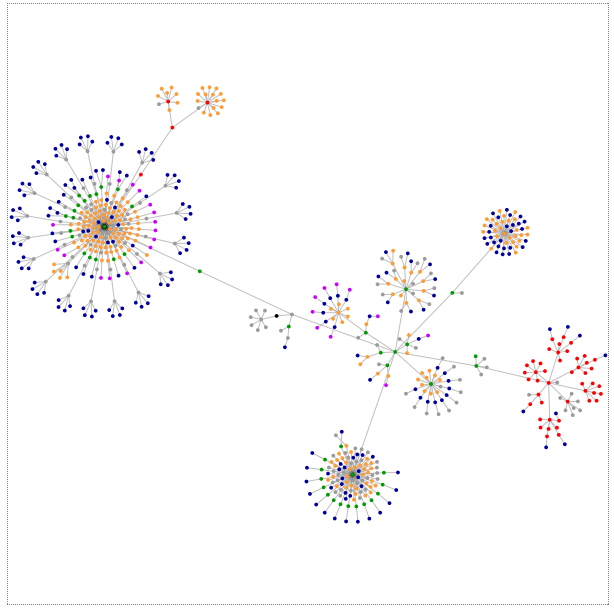
Featured image, one of my own that has zone for a tag on flickr. Filtered to mono as the colours were terrible.

1. For example:

Get started with Git in the classroom | Opensource.com or education/teachers: a place to share ideas around using GitHub for learning

2. The Daily Create provides a space for regular practice of spontaneous creativity through challenges published every day.
Each assignment should take no more than 15-20 minutes. There are no registrations, no prizes, just a community of people producing art daily. Developed as part of the ds106 open course on digital storytelling, TDC is open to anyone who wants a regular dose of creative exercises (and it more fun than jumping jacks, pushups, and P90X).

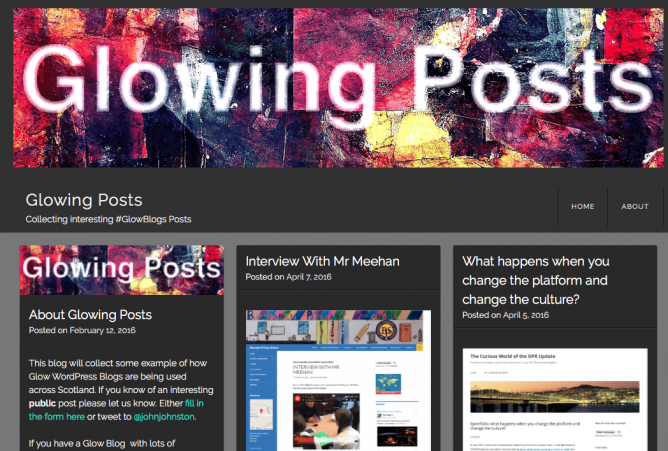
I’ve started a new blog Glowing Posts | Collecting interesting #GlowBlogs Posts.

The title says it all. The purpose of this new blog is to collect some examples of interesting ways that Glow Blogs are being used. I’ve found some good ones already.

The idea is to highlight posts rather than whole blogs. If you know of any you can let me know via a form on the site, twitter or any other way you can thing of.

I’ve got a few IFTTT recipes on the go. IFTT is a useful service from linking up and pushing information around online services.

In the last week or so I’ve seen a couple of posts about the service, received an email and had an interesting incident so though it worth a post.

First I read this:

Kin Lane mentioned that IFTTT, a service entirely built on APIs, doesn’t have an API. That bothered Kin and the more I thought about it it bothered me. So I figured I’d start disentangling myself from IFTTT.

from: Shifting out of IFTTT – Bionic Teaching

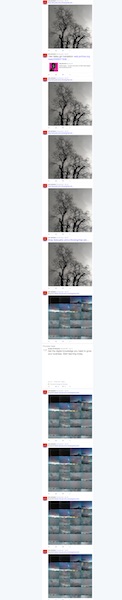
I then had the problem illustrated by the screenshot at the side of the post. I have a recipe that posts my instagram photos to a blog. The blog then tweets them out and another recipe posts the images on to Flickr. This seemed to go a bit off the wall posted multiple times for a couple of photos and therefore my twitter timeline was filled with repeats.

I would rather this did not happen.

Next this:

Imagine if your sewer pipe started demanding that you make major changes in your diet.

Now imagine that it got a lawyer and started asking you to sign things.

from: My Heroic and Lazy Stand Against IFTTT (Pinboard Blog).

Pinboard is one of my favourite online services. I got an email from IFTTT saying that they would no longer be supporting pinboard unless pinboard made changes to their service.

All this got me thinking that there might be a way to do this without IFTTT. Most of my recipes are for pinboard, but I though to start with something that might be simpler.

Photo Flow

A while back I blogged Make you own SPLOT about a flow powered by IFTTT from instagram to blog to flickr. I like the system, but wonderd if I could DIY without IFTTT.

A while back I’d made a page to grab my instagram photos so I thought I could reuse that to create an RSS feed and then pull that into the photo blog using the FeedWordPress plugin. It was not too hard.

The feed is produced with php file and basically is this( I’ve taken out some caching code):

echo '<?xml version="1.0" encoding="UTF-8" ?> <rss version="2.0" xmlns:atom="http://www.w3.org/2005/Atom"> <channel>  <title>Insta john</title>  <description>some instagrams</description>  <link>https://www.instagram.com/troutcolor/</link> <atom:link href="http://johnjohnston.info/oddsandends/instarss/" rel="self" type="application/rss+xml" />';    
$url="https://api.instagram.com/v1/users/7835090/media/recent/?client_id_=CLIENT-ID-HERE&count=2"
$json =file_get_contents($url);
$jsonA=json_decode($json, TRUE);
foreach ($jsonA['data'] as $post) {
 echo '<item>';
    echo '<title>'.($post['caption']['text']).'</title>';
    echo'<description><![CDATA[ <img src="'.($post['images']['standard_resolution']['url']).'"> from <a href="'.$post['link'].'">instagram</a> ]]> </description>';
    echo '<link>'.$post['link'].'</link> <guid>'.$post['link'].'</guid>  </item>';
}
echo ' </channel> </rss>';

I’d guess this is not the prettiest piece of code but it produces a short (2 items) RSS feed that FeedWordPress can use.

I’ve also installed the FeedWordPress Advanced FiltersPlugin after reading about it here: Field Botany WordPress Site Breakdown – Bionic Teaching. This allows me to copy the image onto the WordPress site as opposed to keeping it in instagram. It also lets me add it as the featured image which works well with the theme on that blog. Until I am sure it is all working I am posting the photos as pending review, but if it all looks good after a few more pictures I’ll flick the switch and let it run.

There may be trouble ahead

I had just grabbed the code from my old page, including the info needed to connect to instagram’s api which I had set up before. So I checked out the Instagram API page where I read:

Any app created before Nov 17, 2015 will continue to function until June 2016. After June 2016, the app will automatically be moved to Sandbox Mode if it wasn’t approved through the review process.

from: Instagram Developer Documentation

Which sort of sounds like the API will be for more professional sorts than myself. I guess I’ll find out in June.

The other news was that IFTTT has backtracked allowing users to continue to use pinboard recipes without asking pinboard change its system. Hello Pinboard Customers, From Linden Tibbets, the CEO of IFTTT a blog post by Kin Lane, has the details. The post also repeats the waring that IFTTT, by not having an API itself IFTTT might not be something to depend on.

All of this change reminds me of how shaky a foundation we are building our online worlds on. This makes IndieWeb idea even more attractive.

‘Points & grunt’ or ‘eloquently instruct’

A couple of weeks ago Oliver Quinlan was a guest on Radio EDUtalk. The thing that stuck in my mind the most from the episode was this idea. Oliver has now written a bit more about it on his blog.

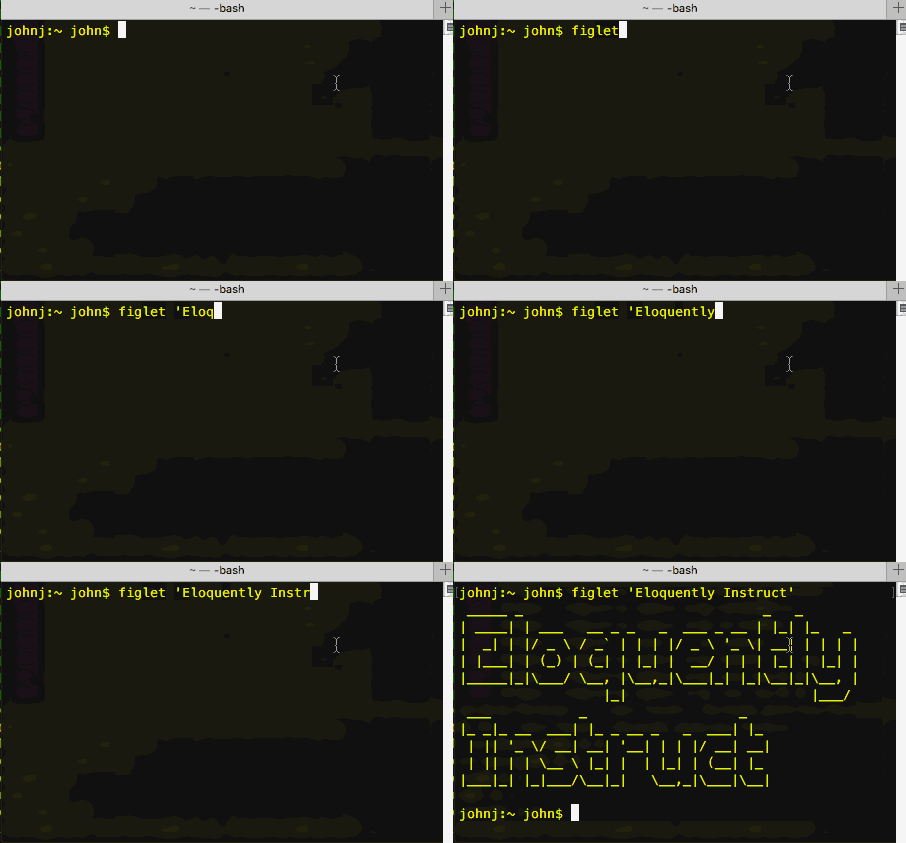
The command prompt allows you to use the power of language to interact with a computer. In comparison, clicking around in a  desktop environment is akin to pointing and grunting. Getting people to do things by pointing and grunting is OK at first, but as children we naturally put in the effort to learn how to move beyond this to get things done quicker, more precisely and more elegantly.

‘Points & grunt’ or ‘eloquently instruct’ – Language & computers – Oliver Quinlan

I’ve often struggled to explain, even to myself, why I enjoy using the terminal application. This is the best elevator pitch I’ve heard.

I am no command line expert, but I end up using it for small things or interesting experiments most days. I guess my first exposure was on the introduction of Mac OS X in 2001. Af first it was something to use occasionally for system settings that could not be done in other ways. Slowly over the last 15 (eek!) years I’ve used it a bit more and slowly learned. It is not something you need to be an expert to get use from. For example Batch Processing MP3 files is probably not eloquent but it saved me a huge amount of time.

For most of the time I’ve been using the terminal I though of it as a somewhat old fashioned process. It is now fairly obvious that it will be in use for some time yet. This week the news that Microsoft is bringing the Bash shell to Windows 10 brought that home.

It is worth mentioning that there is an amazing amount of information on using the command line on the web. I can’t remember when a search has failed to help me learn.

Elsewhere Oliver recommended Conquer the Command Line as a good resource to getting started. From the MagPi Magazine available as a free PDF.


Featured image: my own, grabbed with LICEcap.

Linked from several mac blogs and news sites is the HyperCard episode of Simple Beep (Simple Beep is a podcast looking back at the history of Apple and the Mac community).

HyperCard is a pice of software that certainly changed my life, turning me from someone who had no interest in computers at all to someone who spent 10 years typing HyperTalk. I’ve blogged about it occasionally. The podcast is great. And there are great set of links in the shownotes including:

This reminds me that you can Run a Hypercard stack on a modern Mac (A quick test and I am excited again) and that I have a Color Classic that I should boot up sometime.

The featured Image of this post is one of my, many times read, HyperCard Handbook.


Radio Edutalk will be at the Open Education Resources conference #oer16 in Edinburgh April 19th and 20th 2016. We will be broadcasting live conversations from the conference. You are invited to contribute audio to the Edutalk OER16 stream by tagging audio on audioboom #oer16 or mailing it to audio@edutalk.info
Glasgow, Glasgow City, Scotland

This audio file was orginally posted to AudioBoo(m) with the mobile app. It has been added here since audioboom no longer supports free accounts.

Strangely I saw this on Ewan’s instagram, it led me to a google form which looks like it is gathering reports of TeachMeet to a book that will be given away on a Creative Commons licence, with donations to a children’s charity encouraged.

How has TeachMeet changed your teaching or learning? What is the one memorable talk or conversation you had? What is the most profound change you’ve seen in your classroom? Tell us here, and be part of the TeachMeet 10th Birthday book!

from: TeachMeet’s 10! Tell your story

The main question is

How did TeachMeet make an impact in your world?

Tell your story. Be passionate. Who influenced you? Who did you meet? What was the result in your learning or teaching further down the road?

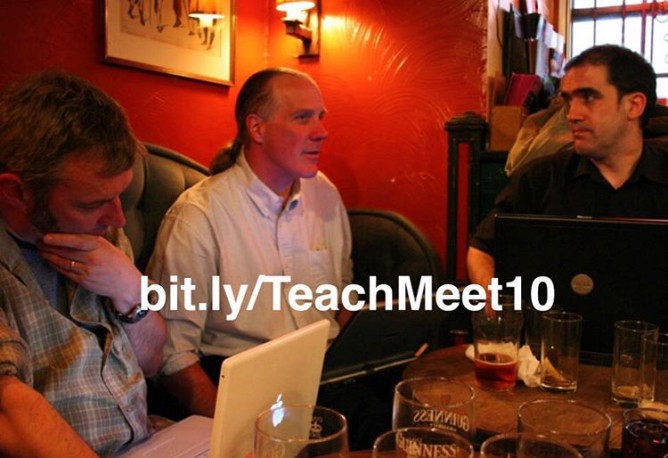
About 10 years ago I went to The ScotEdubBlogger Meetup that kicked off the TeachMeet movement. It has have a pretty big effect on my learning and life.

When TeachMeet started it seemed like something completely different and it chimed with ideas that I was starting to think about then and have been thinking about ever since.

To me TeachMeet had some interesting components. These might not be the same for other people and they are certainly out of step with the way that some TeachMeets have developed.

    1. TeachMeets were a reaction against conference sessions and keynotes where a Guru talked through a slide deck for an hour.
    2. The idea was that everyone who turned up was willing to talk if their name came out of the picker, for 7 or 2 minutes.
    3. There were no keynoters and no one came first or was guaranteed a spot.
    4. There was no PowerPoint, this is an oft broken rule, the spirit, IMO, is that you don’t read your way through some sets of slides.
    5. If you were not interested in the current speaker you were free to have a chat.
    6. The atmosphere was relaxed, a few drinks and nibbles.

Lead by Ewan, these ideas were developed, influenced by BarCamp.

The first few events, felt incredibly exciting. We talked like maniacs, posted photos, wrote blogs posts. There was a fairly strong tech bias, but the mantra ‘It is the teach not the tech’ was chanted.

The change it made in my classroom was not so much the ideas I gathered from others but the the idea the teachers could make decisions about how they did things and gave me confidence to follow my own ideas.

I felt they echoed the way blogging seemed to be developing. People expressing their own views, organising themselves from the bottom up, democratic, without hierarchy. There were influences from the OpenSource movement and the tech world too. Blogs posts, flickr photos links in delicious were tagged and could be aggregated.

For me it is mixed with ideas of sharing, creative commons, openness and fun. It fitted with my growing interest in Open technologies and OER.

If I was to condense what I have got from TeachMeet it would boil down to the idea of doing it for ourselves1, owning our own spaces and sharing freely.

On the back of this trip down memory lane comes the idea of rebootingTeachMeet in Scotland: TeachMeetScot from Fearghal Kelly. There is a lot of interest and interesting comments on that post and in a response by Robert: Teachmeet+ | Learning Stuff About Stuff.

I think TeachMeet is worth going on with. Not necessarily for immediate impact on the practice of the attendees but as Robert says:

Now maybe the point of Teachmeet is to embed the good practices in the classroom of the presenters themselves. This seems more likely. I think that might apply to me. If so, we should return to the principle that Teachmeets are for presenting, not for listening.

This speaks to the second bullet above. It also hints that we need to get away from old hands organising or running the meetings. TeachMeets were in part a reaction and need to continue to be just that.

In a follow up post Fearghal explains that he can’t organise TeachMeets himself. Perhaps those of use who have and could should step back a bit. Old hands could do the boring stuff 2, but hand over to a new set of not only presenters but the chairperson’s role too.

Maybe we could suggest that all of the audience were ready with at least a 2 minute presentation or idea, no slides or screen at all. I’d like that, but perhaps that should not be the point…

1. I alway hear Teachers Are Doin’ It for Themselves Eurythmics – Sisters Are Doin’ It for Themselves – YouTube 2. Set up google forms, sort out online stuff, source a projector…