From 2005 to 2008 I used podcasting as an activity in the classroom1. I found it a powerful tool for writing, talking and listening, collaboration and more. Back then podcasting was not the well known entity that is is now.

Back the I managed the podcast as a lunchtime club, volunteers form my class contributing. We did occasional whole class shows and even whole school projects.

While I was out the classroom I ran few courses on podcasting. I don’t think I managed to encourage much uptake. We did run a podcast server in North Lanarkshire for a while but it was used more for video than audio.

Last session I finally got around to podcasting with pupils again. This time I tried to exploit it a bit more and involve the whole class. The pupils wrote to local businesses and got sponsorship for the first 3 episodes. We organised it as an enterprise with different children taking on different roles including site & logo design.

The final one was made during lockdown. The children sending in recordings which were edited by a key workers child in school.

This year my class were keen to start again. My plan to begin at the start of term two got spoiled by covid and other unexpected events. Finally we got round to it in November. Given time constraints I decided to skip the sponsorship and deal with some of the scheduling myself. I gave the class a bit of time to write, a fairly free choice of what to write about and who to write with.
I helped with the occasional phrase but pretty much let it to them. We did work in parallel thinking and marking up text we were reading aloud.

They then recorded themselves over the next couple of weeks. A p7 pupil who had edited last session did so again this time with a p6 apprentice. Pupils created wee bits of music to link items. Another pupil posted Episode 5.

I feel it was a pretty successful exercise. The class were very engaged. I could see and hear the effort they put into writing and recording. I also heard an improvement in some children’s reading aloud.

I believe we covered a wide range of the experiences and outcomes, listed below4.

Workflow

  1. General discussion of content, pupils organise them selves into groups and groups divided into pairs & individuals
  2. Script written in notes on iPads
  3. Children recorded each other using the Voice Memos app, either from prints of the notes or using split screen.
  4. Audio AirDropped to the editor’s iPad
  5. Musical snippets recorded in GarageBand & AirDropped
  6. Edited in GarageBand

The only involvement I had in the editing was to level the voice track using The Levelator2 on a desktop and exporting the m4a to mp3 again on desktop. I am pretty sure m4a is a fine format for podcasts but I am a bit old fashioned.

we used an iRig mic this time

Last session on some episodes we split the editing into groups, with each section of the podcast editing their bit and the main editor putting these together. I plan to do that next term to increase the number of pupils with editing skills. We will probably formalise some more roles in groups too.

Benifits

Apart from the obvious: responsibility co-operation, working together, leadership, practical skills and problem solving involved I took a quick trawl through the CFE experiences and outcomes alongside the benchmarks. I’ve added a partial list below4.

Changes

It is a lot easier technically to make a podcast now than when I started. Glow Blogs are a good free podcast hosting solution for schools3. The idea of podcasting is mainstream now. It does seem a bit harder to get audience feed back than it is 15 or so years ago. As with class blogs, commenting from afar seems to have declined or moved to likes on Twitter. Back in Sandaig we had comments from around the world and made some connections that went far. This is, again in my opinion, a pity.

We are intending to try more podcasting next term, I appreciate that is a bit harder to fit in now with all the demands of the curriculum but I do think it is really worth the effort.

1. Radio Sandaig Archive.org link. I also produced hundreds of podcasts with David Noble over at Radio Edutalk for 10 years starting in 2009.

2.
The Levelator is one of my favourite pieces of software. Mac App Store, Wikipedia.

3. GlowCast has some information.

4. E&Os Benchmarks in italic from Curriculum for Excellence Benchmarks

I can use my voice, musical instruments and music technology to experiment with sounds, pitch, melody, rhythm, timbre and dynamics.
EXA 2-17a Uses voice, instruments and technology to create music

I am investigating different careers/occupations, ways of working, and learning and training paths. I am gaining experience that helps me recognise the relevance of my learning, skills and interests to my future life.
HWB 2-20a Identifies connections between skills and the world of work

I regularly select subject, purpose, format and resources to create texts of my choice.
LIT 1-01a / LIT 2-01a

I can recognise how the features of spoken language can help in communication, and I can use what I learn.
I can recognise different features of my own and others’ spoken language.
ENG 2-03a Recognises some techniques used to engage or influence the listener, for example, vocabulary, emphasis, tone and/or rhetorical questions.

When listening and talking with others for different purposes, I can:
share information, experiences and opinions; explain processes and ideas; identify issues raised and summarise main points or findings and clarify points by asking questions or by asking others to say more. LIT 2-09a
I am developing confidence when engaging with others within and beyond my place of learning. I can communicate in a clear, expressive way and I am learning to select and organise resources independently.
LIT 2-10a / LIT 3-10a Communicates clearly, audibly and with expression in different contexts. Plans and delivers an organised presentation/talk with relevant content and appropriate structure. Uses suitable vocabulary for purpose and audience. Selects and uses resources to support communication.

I can make notes, organise them under suitable headings and use them to understand information, develop my thinking, explore problems and create new texts, using my own words as appropriate. LIT 2-15a Makes and organises notes using own words, for the most part. Uses notes to create new texts that show understanding of the topic or issue.

I enjoy creating texts of my choice and I regularly select subject, purpose, format and resources to suit the needs of my audience. LIT 1-20a / LIT 2-20a Creates texts regularly for a range of purposes and audiences selecting appropriate genre, form, structure and style.

most of the Tools for Writing E&Os can be touch on

Throughout the writing process, I can check that my writing makes sense and meets its purpose. LIT 2-23a Writes most sentences in a grammatically accurate way.; Uses sentences of different lengths and types and varies sentence openings. Uses paragraphs to separate thoughts and ideas.; Writes in a fluent and legible way. Reviews and corrects writing to ensure it makes sense, is technically accurate and meets its purpose.

And lots of writing ones:

By considering the type of text I am creating, I can select ideas and relevant information, organise these in an appropriate way for my purpose and use suitable vocabulary for my audience. LIT 2-26a Organises information in a logical way. Selects relevant ideas and information. Uses appropriate vocabulary, including subject-specific vocabulary, to suit purpose and audience.

Since 2014 I’ve been making “movies” with my flickr photos for the year. I make them with a script which downloads the years photos puts them together into a movie and, use to, add music. The Music bit is broken (https) so I downloaded some manually.

This year pretty much stopped in October, then I got covid in November and have not been out much since.

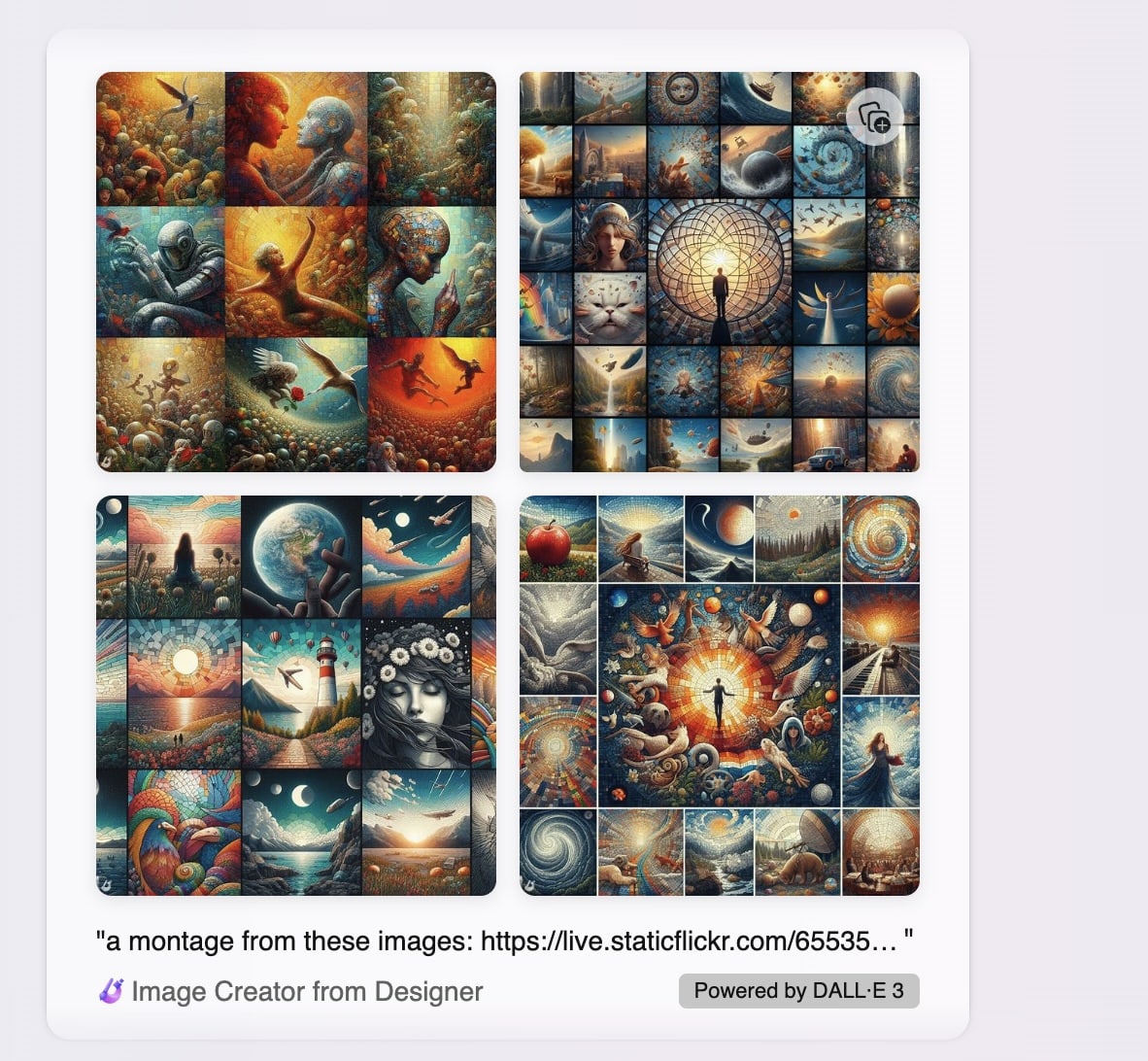
I also average the photos ( below) and montage them for the featured image. This year I made a version of the script to download wee square images for the montage (average & montage scripts here).

I enjoy both the process and watching my photos flickr by. I like the fact that I can easily tweek bit of the script or run the video creation again quickly to try out different speeds, music etc.

Screenshot of AgentScratch

AgentScratch | Anaylse Your Scratch Project

Agent Scratch is designed to assess children’s learning of CT skills from the Computational concepts perspective, which can also be defined as the programming constructs. This includes; sequences, loops, events, parallelism, conditionals, operators, variables and abstraction.

This looks really interesting. Pupils can upload a scratch files to do some assessment and analyse what concepts they have used. I’ll be interested to try this out.

I did notice that testing it with the recent COP 26 code along project (from @digilearnscot and @CodeClubScot) that most of the boxes were ticked. Although my class all used the techniques, I don’t think they have got them all yet. I’ll be interested to see how it goes. You can Select the specific programming constructs you would like to include in your analysis I suspect it might be best to dip our toes in one concept at a time.

I did my testing from an iPad, downloading the .sb3 files and then uploading to be analysed worked very well.

There are some Badges, not digital ones, that would be useful for e-Portfolios, or printing and making badges with.

Over the years I’ve often though that video is most useful as a tool for pupils to report on their learning and learn a little about making media. I have not changed my mind but recently I’ve found myself using it to share learning quickly myself quite often.

There are a couple of useful Apps I’ve been using to do this, both have, in my opinion advantages over iMovie and clips.

HyperLapse is one I’ve used for years now. It seems to be called ‘Hyperlapse from Instagram’ now. It is however free and can be used without having an instagram account. Its main purpose is to record speeded up videos. But the main feature I use it for is it smooths out hand held video with automatic stabilisation. This means you quickly move through the classroom videoing activity and get a fairly good result without editing.

Here is an example I posted to twitter today:

‎Snapthread is another handy choice. It quickly pulls together videos from ‘live photos’ on iOS. You can add music, titles and the like quickly. I’ve found it especially handy in impressing visitors who ask me to tweet photos of their work with my class. I can usually get a video up in just a few minutes. You just need to try and hold the camera still for a moment or two before of after clicking the button. 30 second videos free, but I was delighted to be able to pay for longer ones to support an independent developer.

Here is a Snapthread example:

I’d not claim any artistry or skill in making these videos but they only took a couple of minutes to create. The longest part was probably the upload to twitter.

I also upload these to our class blog. I’d much rather just use the blog but twitter is ubiquitous in Scottish education now:(

Every now and again I take a trawl through all the Local Authority Glow Blog home pages. It is interesting to see into all sorts of learning going on across Scotland. Here are a few that caught my eye:

Linked, in my mind at least, is outdoor learning, there is a fair bit of that going on too:


Mostly School and TiddlyWiki things.

Frank’s technique works. This is my second test.

The possibilities for using Drummer just opened up for me. The script looks as if it is going to open my eyes a bit. I’ve only really scripted posting to WordPress via XML-RPC using AppleScript. I am guess tags and categories could be handles in the same way Frank get the image and inlineImage attributes from items?

This could be delightful.

I’ve been messing about with Drummer for a while now. I alway enjoy when a new thing opens up a few rabbit holes. Drummer certainly does that.

Blogging in an outline is different. I’ve done a little before with Fargo. Then I mostly thought about using the outliners reorganisation affordances as the main idea. This time I am seeing more possibilities with the micro, one line posts narrating a day’s work. As I am on holiday this week and not busy I’ve managed a bit of this, not so much work as narrating my play. Back to school on Monday, so I’ll be doing less of that.

One rabbit hole than digging out how some things work in Drummer. Mostly by trying failing and trying again after changing one this. Obviously reading the docs would be better.

It is truly fascinating seeing a little of how Drummer is put together. Reading other users experiences and getting a glimpse into Dave’s mind.

The GitHub site, Issues · scripting/drummerSupport has some great questions and answers. The later provided not only by Dave but other folk. This is also a useful place to help in exploring drummer. The requests and problems found give a bit of insight in how other bloggers think and blog.

Amit Gawande produced a great summary post: Getting Started Blogging with Drummer. This clears a lot up and points to some other good information. I’ve tried to write these sorts of notes when on a new path. I often get dragged down by an error and into a confusing maze to fix that. The notes get skipped or bits missed out. Amit’s are exceptionally clear.

Jack Batty has some drummer notes, a lot of the questions have resonated with me.

Thursday’s rabbit hole was getting my drummer blog to appear on my own domain.

And that tunnel lead to some more raspberry pi thoughts. I though I might get river5 running again. This time on a separate pi, using my, slight, new found reverse proxy knowledge to get it going on river.johnj.info. And I did. Unfortunately, it is really slow. I guess because of the old pi. I also failed to install forever, which might make running things with any consistency. I might dig out a newer pi and try again. Hopefully slightly quicker than yesterday & today effort.

I’ve also been reading Testing HTTPS · Issue #78 · scripting/drummerSupport so made some progression that. I’ve added a cert to river.johnj.info, but I’ve not changed the templates in Old School yet.

Meanwhile I’ve been blogging a bit both to my ‘real’ blog and through Drummer. I cankt imagine at the moment giving up WordPress. I like the archives, search(sic), categorisation & tagging too much. I wonder if these features will come to Drummer is some way. One solution for me would be a way to post from Drummer to WordPress in the same way as you can tweet.

Currently I spend more time reading my blog as opposed to writing it. Nearly all via the On This Day page. I find this endlessly fascinating. Partly seeing old thoughts and how they have repeated and morphed. I also love seeming the seasonal changes reflected through my photos and observations.
Apart from being a new place to play and learn I and still seeing, for me, drummer as a possible place to build, pulling and gathering material that could end up here.

This post turned out to a set of rambles rather than coming to a coherent conclusion.

Screenshot Drummer and Blog

Scripting News: Sunday, October 10, 2021

Today is the 27th anniversary of this blog. To celebrate, I’m opening up Drummer to the world. I hope you love it as much as I do. ❤️

Dave Winer

Drummer is, as you would imagine a really interesting project. A quite different approach to blogging.

I’ve been lightly beta testing Drummer since 4th September. This is my Drummer blog: John’s tambourine.

I would not like to presume I can understand Drummer well enough to give anything like a complete description. These are some of the features that have interested me so far.

  • Drummer is an outliner, like Dave’s Little Outliner 2 and the Fargo system. You could use it for outlining in all sorts of ways.
  • Drummer can created a blog from an outline at post at the push of a button.
  • Drummer is a scripting system in an outliner.

Each of these elements give you a lot to think about. It has made me think about how I blog, and how I’d like to blog. It is an opinionated system. Coming from one of the internet elders you would expect no less.

If you are interested in blogging, microblogging and the like I’d recommend you have a look at Drummer. Certainly read: About Drummer