
The Village of Banton, where I teach, celebrates Halloween on the Friday before the 31. Which is nice ’cause you can have a Friday party. We had one yesterday afternoon, in the morning we did some halloween related work.
When I sat down at my desk yesterday morning I had a quick look at twitter. I’d been in a conversation over breakfast. I ended up having a quick scroll through Mr Morrison‘s timeline. I saw a couple of interesting micro:bits things:
https://twitter.com/SSERCDigital/status/1585251905428918272
and
Grade 4 students coding jack-o-lantern faces with micro:bits in the LLC this week.@StLeoCS @DCDSB_STEM @DurhamCatholic @microbit_edu #halloweenstem
Found the template here: https://t.co/3dp9wJm1uc pic.twitter.com/tesE0Kk1Yh
— MrsBintheLC (@MrsBintheLc) October 19, 2022
The first was to blow away a ghost. I couldn’t see instructions, but presumed it would be simple enough to figure out. The second was really simple, but linked to a blog post which had a nice wee pumpkin cardboard template that fitted a micro:bit.
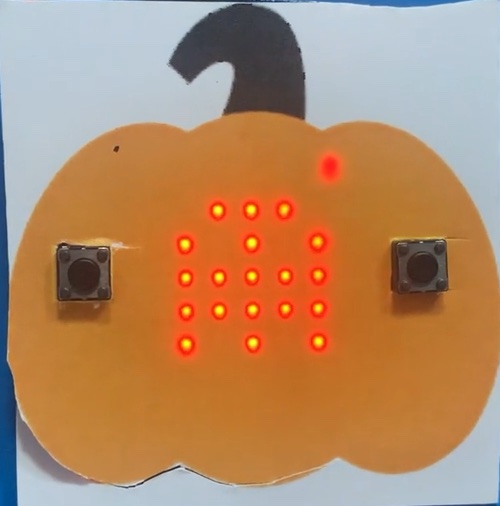
My class have done a varying amount of coding, so I though we could do this as a stepped challenge. The more experienced could help the other out.
I printed off the templates and cut out the holes for the micro:bit buttons. I’ve found that making a neat job of these is difficult, but helps keep the cardboard on the micro:bit. Quite glad I’ve got a small class.
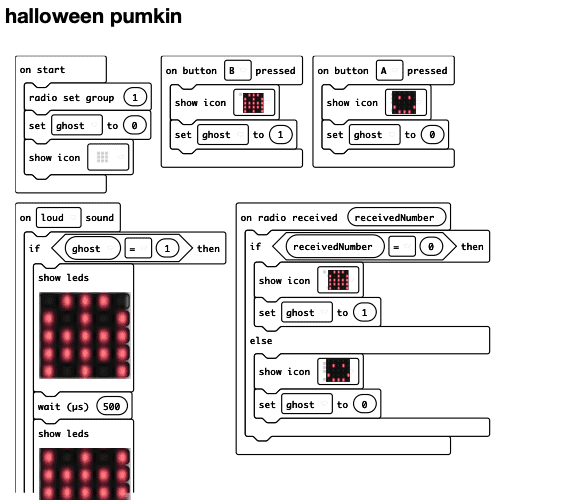
I then worked out and made the code to, add a face to the pumpkin with button A and a ghost with button B. Blowing on the micro:bit would blow (animate) the ghost off the screen.
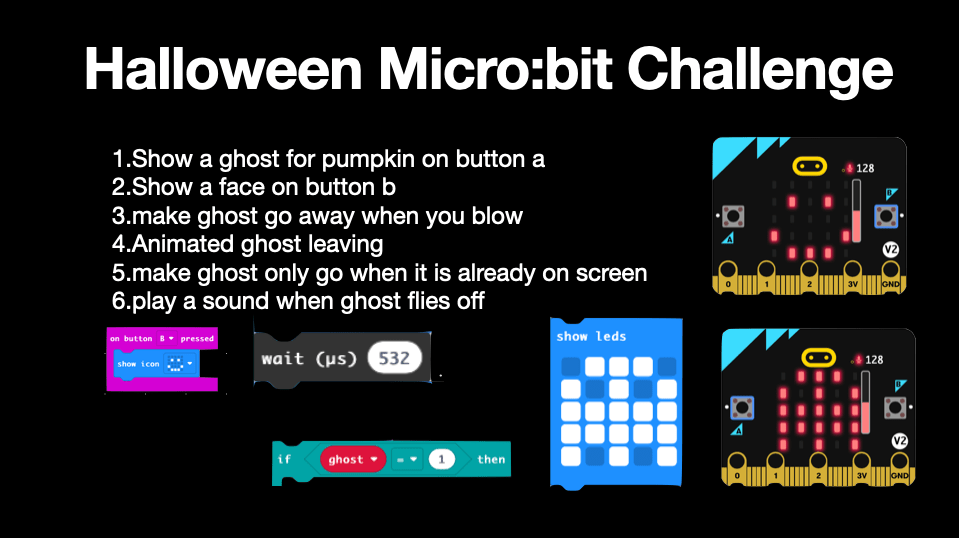
I made a quick slide with the challenge and pictures of a few useful blocks.
We started the lesson by being really quiet and watching me demo. The class is 1-2-1 iPads and we use the micro:bit editor, we have enough micro:bits for one each too.
My though was that the least experienced could manage 1, 2 & 3. I hoped the images of the blocks would remind the others of enough to get them started on the harder ones.
Most of the class managed the first couple of tasks straightaway. To my surprise quite a few asked to skip the third. The vanishing ghost was too tempting.
The next step, to animate the ghost away on a sound was managed by quite a few of the class. The tricky part was only showing the animation if the ghost was on the screen. A few, having seen the clues on the slide, created variables to test for at the start of sound block. We did need to stop a few times to figure out when and where to toggle the variable and how to test for it in the right place. Lots of useful mistakes were made.
By this point a few children had managed to solve the complete problem, adding some sounds to their animation. They could then help, (without using their fingers), their peers. A couple of the class didn’t manage to get the whole thing done, not getting a full understanding, but they all managed at least some of the challenge.
Given the class have done at least a couple of recent micro:bit lessons covering inputs and decisions the challenge approach worked well. Some had used code that was not particularly efficient. Some strange and unnecessary repeats. I am not really sure my own approach to the code was the best.
As everyone put the finishing touches, cutting out pumpkins and tweaking code I though we could finish with a quick demo of the radio feature. For this bit I did just put the code up on the board.
One child, remembering radio code from previous years volunteered to make the controller. We finished by testing and recording the radio controller, setting all the micro:bits to show a ghost via the controller and getting all the ghosts to fly off by shouting boo!
A few interesting points emerged
- This idea came to me though some tweets at around 8:00am I had to through some resources together before 9, scrap (recycle) some of the morning plans. The final section, using the radios, just came to me while teaching and extended the process by half an hour. I am sure this says something about my professionalism & planning.
- Working through the logic is hard. The children with more experience are beginning to be able to debug sometimes. Noticing typos (or bad values for variables, blocks avoid a lot of these problems) you have made or miss-ordering or putting blocks in slightly the wrong place is easy. I was listening to a WordPress lesson driving into work on Friday and noticed that the tutor, presumably prepped and a confident coder, still made mistakes like these.
- Somethings just didn’t work. Adding sound work if we used the play sound block with pre add sounds. Using the melody block or the block that plays sounds you write yourself tended to cause problems. All the code would stop working after a while. I am not sure if it is a bug or problem with the micro:bits or we just don’t know something.
- A couple of pupils had exactly the correct radio code but it just did not work exactly as expected. The code used an if else block to switch depending on if it received a 1 or something else. The micro:bits just executed the first choice every time. The pupils and their pals couldn’t see any problem with the code and neither could I.
- Most of the class wanted to get to the more dramatic bit of code quickly and asked to skip the simple animation of the face. Quite a few wanted to work in the code editor without testing their code until they got to the end. I was quite happy with the skipping bits but I did ask them to do quick tests as they went along.
- One pupil who had got into a bit a mixup with the code had made a nice change to the animation, the ghost going off the screen at an angle rather than straight up.
The micro:bit editor has a nice print feature, I used it to make the featured image for this post.