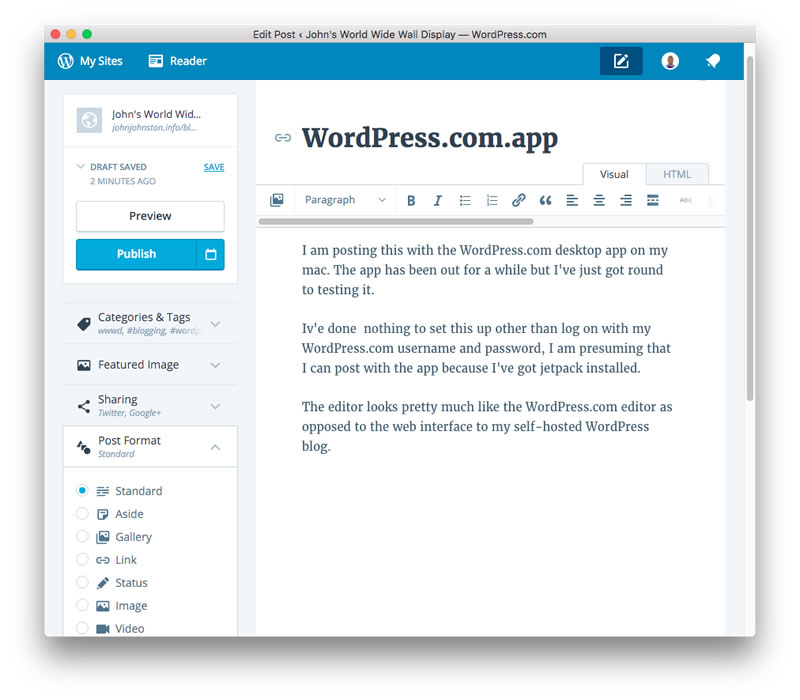
I am posting this with the WordPress.com desktop app on my mac. The app has been out for a while but I’ve just got round to testing it.

I’ve done  nothing to set this up other than log on with my WordPress.com username and password, I am presuming that I can post with the app because I’ve got jetpack installed.

The editor looks pretty much like the WordPress.com editor as opposed to the web interface to my self-hosted WordPress blog.

WordPress

The application feels a bit like a site specfic browser.

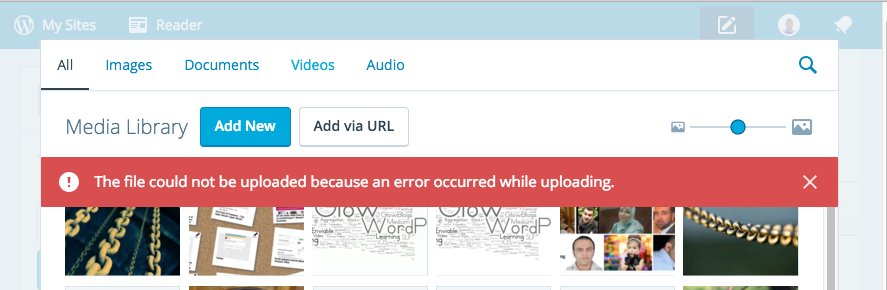
On my site I am having problems uploading images so will be switching to the browsers to finish this post off.

Screen Shot 2016-01-25 at 20.52.55

It does not give me access to things added to my editor by plugins. For example the post to medium plugin or the indie-web post kinds plugin.

I guess the writing ‘experience’ is a bit smoother than the browser. I am surprised that there is now distraction free mode for writing.

Hitting preview opened Safari but pointed to the post without &preview=true the first time I clicked Preview. The next time was fine.

There are a huge number of Revisions saved. I don’t know if this is a good thing.

An interesting editor but I think I’ll stick to writing posts locally with TextMate for now. This gives me local/dropbox backups and lots of shortcuts.

It is worth noting that this app will currently not work with Glow Blogs. I suspect that the WordPress.com connection would worry the security folk at Scot Gov.

From what I’ve read this app is part of major changes happening with WordPress and the Rest API hence the featured image!

Featured image credit: wordpress revolution | Flickr – Photo Sharing! CC BY NC by Tom Woodward.

#Autumn #autumnleaves

I’ve not really checked out the new features of WordPress 4.4 in any depth but this new feature looks interesting. Just pasting a url to another WordPress blog post into the editor creates an embedded ‘card’ with some details.

I could imagine this would make a nice way of linking to pupil or class blog posts in a school blog. Hopefully we will not wait too long before Glow Blogs get to WordPress version 4.4.

I’d have like it even more if the embed above had picked up the featured image for the post. Update, I think there is something unexpected going on with this post, either from the styles here or on the embedded post. looking at the source, there does seem to be an image in there! More investigation tomorrow. Update 2: the thumbnail shows up for me now!

There is a lot of it about, a lot of find out about. short term I don’t think this will have any effect on Glow Blogs, long term who know. Here are some things I’ve been reading.

Einburgh-WapuuOn Saturday I was talking about Glow Blogs at WordCamp Edinburgh 2015.

Here are my slides as pdf and shared on iCloud (I’ve never used iCloud in this way). The slides are pretty minimal. There should be video of my talk posted at some point.

It was an interesting day altogether, the worst thing about it was there were two sessions at a time so I missed half of it!

A mixture of WordPress developers and designers for the most part, a different audience for me. Of course I came away knowing how I could have made the presentation a bit better…

I also came away with a bunch of links, and ideas to think about.  As usual meeting folk from a different zone there were a lot of good things that could be taken into education, as usual it takes me a few days to start making these connections in my head.

The Edinburgh WordPress group have monthly meetups . Iif they had not been on Wednesdays, when I’ve had Edutalk commitments, I would have loved to get along to while I’ve been working in Edinburgh.

This post is just a quick note to log a problem and its solution. It only took a wee bit of googling but might help me or someone else at a later date. It only applies to self hosted WordPress blogs.

This evening I tried to log on to my blog only to be met with a blank screen. I tried my DS106 blog and that was fine so it didn’t look like the first google suggestion about php being out of memory. Next suggestion was .htaccess corruptions, so I opened fetch and had a look at the file, looked pretty much the same as I recall (note, keep better backups).

The third google suggestion pointed to plugins and suggested solutions 1. This is what I did:

Using using my ftp application (cyberduck) I edited the wp-config.php file. Changing:

define('WP_DEBUG', false); to true

Trying to load the page showed an error mentioning the medium plugin that had been updated earlier in the day. So I changed the name of the plugin folder (still in cyberduck) to medium-broken. This allowed me to log in. Checking the plugin page showed that there was another update for the plugin, crossing my fingers I updated and all was well, the renamed folder was removed and a new folder was in place.

  1. How to Fix the WordPress White Screen of Death

The talk will give a view of how blogging with WordPress fits well with Scottish education’s ‘Curriculum for excellence’. Some loose linkage of Community, Connections & Openness in software and education. How Glow blogs, a set of 32 multi-sites with a total of >160,000 blogs are used and are developing. Some notes of the ‘Product Owner’ role and working at large scale to fit the needs of stake holders from a wide range of ages and needs.

Source: Speakers | WordCamp Edinburgh


I am talking about Glow Blogs next week at  WordCamp Edinburgh not my usual audience of colleagues so wish me luck.

Urban Dictionary: wean.

I’ve read a lot of interesting things on Medium over the last couple of years. It seemed to start as an online space to write longer-than tweet posts, and evolved.

I’ve never written more than a few comments and one test post on Medium before this. I’ve been excited about blogging in a Domain of One’s Own and the ideas around that and those coming from the IndieWeb. A lot of the IndieWeb technology goes a wee bit over my head but I’ve installed a bunch of plugins here and thing about it a bit.

One of the IndieWeb ideas is POSSE Publish (on your) Own Site, Syndicate Elsewhere. This site auto posts links to twitter and G+ as do many blogs. I can now send posts to Medium too.

Medium now have an API and there is a Medium/WordPress plugin which allows you to push blog posts to Medium. There are also Medium IFTTT recipes that will do the same thing from other blogging systems. I’ve installed the plugin here.

I don’t suppose I’ll send posts to Medium often, it seems a little too writerly for me, but it is fun to play with and think about a further extension of blogging.

The WordPress plugin attaches the Medium account to your profile, so if you have more than one person posting to a blog they all could posse to different medium accounts. There are settings for copyright and for posting links to the posts in different spaces. The API does not allow you, as of now, to update posts on Medium from your blog. There is a Meta Box on the WordPress post editor to set the status of Medium posts as you go.

medium-settings


Technical note: I had a bit of trouble getting  plugin to work as it uses php short echo tags and I had to do a bit of find-and-replace in the plugin files. I am not sure if that will effect many folk.

I read about this first not in medium but my RSS reader, followed through to these interesting links:


Update, multiple  Also published on Medium lines appear at the top of this post, I do not know why?