
https://twitter.com/Y6MissHobson/status/1170728112562364417?s=20
This looks like a great idea, reminds me of 8 page zines which my class love making.

https://twitter.com/Y6MissHobson/status/1170728112562364417?s=20
This looks like a great idea, reminds me of 8 page zines which my class love making.
As I’ve mentioned before we use Apple Notes a lot in our class. If the class are writing, unless there is a need for formatting or layout, I often ask the pupils just to stick to notes.
Notes are easily AirDropped to me when I need to collect work and both pupils and myself can organise them in a fairly simple manner.
Occasionally I want to print the pupils work. Notes, reasonably enough, only lets you to print one note at a time. I wondered if there was AppleScript that would help. I found Export Apple Notes via AppleScript which exported a folder of notes to a new TextEdit document. I altered it to:
Not particularly pretty, I guess I could work on the styles a little.
You need to be in my lucky position of having a mac in your classroom. Mine uses the same account as my iPad which helps me organise thing a lot.
Here is the code, I suspect it could be improved. Even if you don’t use AppleScript is easy enough to run. Open the AppleScript editor, create a new script, paste the code below in and hit run. You will be asked to choose a folder and then name an html file. The file will be created and opened with your default browser.
You then can print.
| set htmltop to "<!doctype html> | |
| <html lang=\"en\"> | |
| <head> | |
| <meta charset=\"utf-8\"> | |
| <title>Notes Export</title> | |
| <style> | |
| @media print { | |
| hr { | |
| page-break-after: always; | |
| } | |
| } | |
| </style> | |
| </head> | |
| <body>" | |
| set htmlbottom to "</body> | |
| </html>" | |
| tell application "Notes" | |
| activate | |
| set x to (name of every folder whose name is not "Notes") | |
| set foldertoexport to (choose from list x) as string | |
| if folder foldertoexport exists then | |
| set output to "" | |
| repeat with aNote in notes in folder foldertoexport | |
| set noteText to "<!– ### Start Note ### –> | |
| " | |
| set noteText to noteText & ("<h1>" & name of aNote as string) & "</h1> | |
| " | |
| — set noteText to noteText & ("<p>Creation Date: " & creation date of aNote as string) & "</p>" | |
| — set noteText to noteText & ("<p>Modification Date: " & modification date of aNote as string) & "</p>" | |
| set noteText to (noteText & body of aNote as string) & "<hr> | |
| " | |
| set output to output & noteText | |
| end repeat | |
| set thehtml to htmltop & output & htmlbottom | |
| set theNewFile to choose file name default name foldertoexport & "-notes.html" | |
| set myFile to open for access theNewFile with write permission | |
| write thehtml to myFile as «class utf8» | |
| close access myFile | |
| else | |
| display dialog "not likly to happen" | |
| end if | |
| end tell | |
| tell application "Finder" to open theNewFile | |
What I quickly found out was that NOTHING has made a greater impact on my students than the short notes that I’ve been writing them.
Update September 2024 blog seems to have gone Archive.org Link
“Key tips on mobile film making, in #DIYFimSchool Part II - consider lighting and audio, and be prepared. Plus, use apps. Hat tip to @lee_ballantyne for sharing the full resource
The linked guide looks useful and simple enough for primary school: DIY Film School
Fraser ran the first whole-school 1:1 iPad deployment and the whole post has me thinking.
A couple of sections stood out for me:
When we started with iPad in 2010, I suppose I thought that we were heading into a new era in education with creativity at the forefront. Particularly, I thought that Scotland’s Curriculum for Excellence was going to usher that in. We were led to believe that all different kinds of assessment materials would be considered appropriate for submission to our exam board. None of that happened, and we seem to be moving away from that idea at a steady clip.
Are we moving away from creativity is Scotland? Just for exams or across the board? Are iPadds more suited to creativity than chromebooks.
And:
It seems to me that, for a school, the choice is whether you’re a GSuite school or an Office 365 school and everything flows from that decision. It’s quite difficult to transition from one productivity cloud to another and nobody will do that without a compelling reason. Google and Microsoft are matching each other blow-for-blow in cloud features, partly for each to make sure that the other never develops such a compelling advantage.
I wonder how Fraser choose between 0365 & GSuite?
Personally last session I’ve moved away from the cloud in class for pupil use. I found OneNotes and OneDrive to be a bit unreliable, lost pupils work and sometime time. I suspect this is due to our rather slow internet connection. I do depend on OneDrive and iCloud for taking work home. OneDrive is pretty much where I keep any curricular material now.
I now put up with the poorer organisation of Apple Notes and use Airdrop because it is some much faster and reliable than the cloud for me. Given there have been a huge number of updates to the O365 suite on iOS. I’ll kick the tyres again in the coming session.
I’d like to have the network that would speed things up and the opportunity to try GSuite. Although the cloud may be future, it is not yet evenly distributed.
It was gratifying to see Apple put serious effort into getting the desktop version of Google Docs working in iPadOS 13. However, it’s too little too late for us at this stage in our development. We might come back to iPad in years to come but, for the next four years at least, we’re going to see what GSuite and Chromebooks can do for us.
It is going to be fascinating reading the next chapter.
Not content with being an already great free service, Unsplash now has collections for education.
Not content with being an already great free service, Unsplash now has collections for education.
@matthewlang on micro.blog reminds me of unsplash, I must add to list of photo sources for my class.
“Now this is very interesting, and I don't think at all obvious. Reading challenging texts aloud, and at a fast pace, improved the reading comprehension of all students, but for the lowest achievers, the gains were almost twice as great: https://t.co/TxJ1MZPI4X.”
I’ve noticed I do this less and less as there seems to be more and more you have to do each day. Need to make more time for reading to class next session.
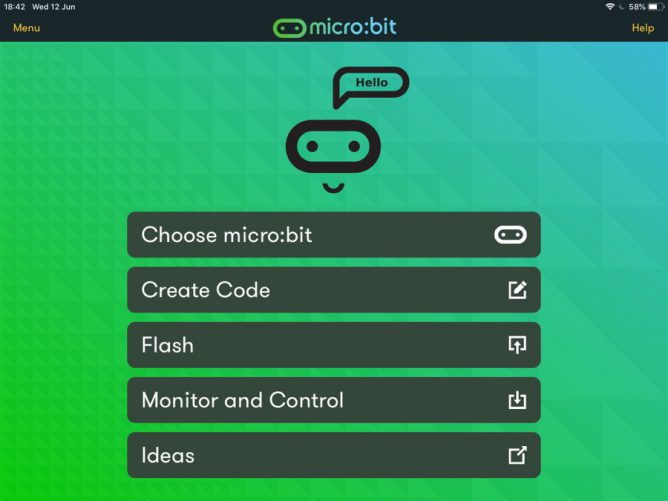
Since returning to the classroom I’ve been using micro:bits with my class of 8-11 year olds. We have had a deal of fun with them, some of this is on the class blog.
We normally use pc laptops and chrome to access the MakeCode editor. In the second year I tried using the iOS app but out of a class only one or two children managed to get their micro:bits connected. At the time I put this down to multiple micro:bits and iPads in close proximity.
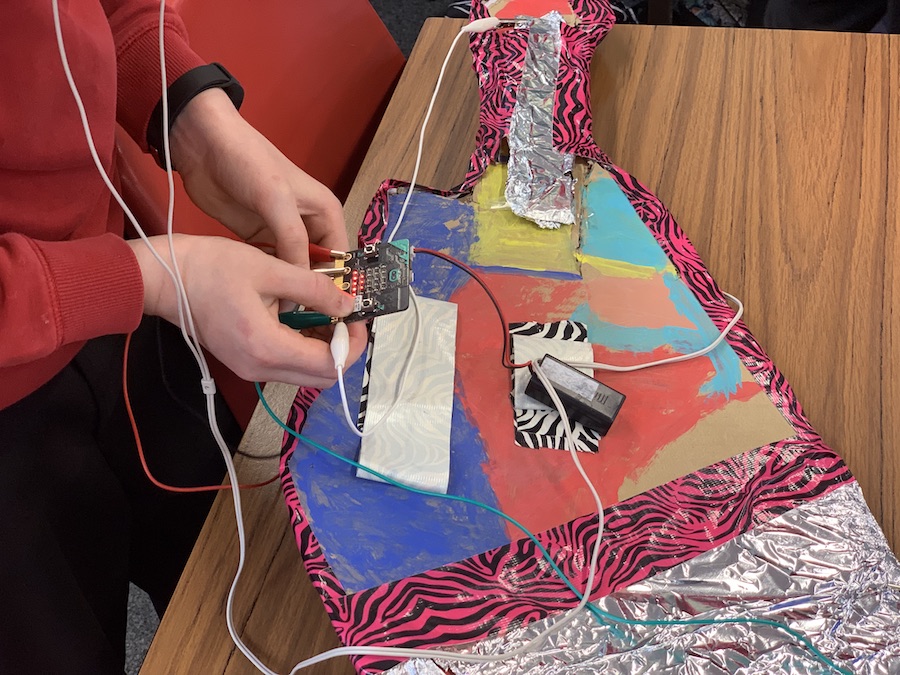
I have occasionally tested new versions of the app and the most recent one seemed a lot better. It displayed the webpage code editor in app and flashing seemed simpler. Today wanting to move our micro:bit guitar project on when the PCs were in use elsewhere in the school I decided to give the app another run. I am very glad I did. Everything about the app seemed to be better. I think that coding and flashing to the micro:bit for an iPad is simpler than using a pc. We had no problems in getting code written and flashed to the micro:bits.
I’d highly recommend the app if you have both iPads and micro:bits in your classroom.
I’d also recommend the Microsoft MakeCode Guitar project. I’ve been working with a mixed age group class and the mix of tech and ‘art’ fits very well. Some of the younger children are getting their first experience with coding and the art and construction can keep them motivated when the coding concepts get tough.
A test of snapthread which has been updated to version 2. When I tried the 1.8.1 version I rather liked it. It was then an app to stitch live photos into wee videos on iOS. Version 2 adds a lot more features. I still like it.
This video should not be used to judge the quality of the output, I used CloudConvert to squash the 38MB 1440 × 1080 mp4 down to 4.5MB 1.
My class used the free version, limited to 30 seconds of video, last session a bit, we had a few crashes, but I think it is a promising app. Ease of use, limited time of the free version and lack of stickers, for now 2, are useful for the classroom. My class use iMovie and Clips too, but sometimes we might not want the greater complexity of iMovie or the wacky possibilities of clips.
Unfortunately CloudConvert doesn’t work for me on the school network, I’ve tried a few apps that convert and squash video but no really found a good one for pupils to use. I would like my pupils to be able to do that, to save space on their blogs and to speed up uploading. I am not sure on the official line on posting to silos in North Lanarkshire. Social media, especially twitter, is very popular. That is staff rather than pupil posting, I’d like my pupils to be involved in the uploading of video to their e-Portfolios and the class blog without my interference.
For Glow Blogs, I’d also like the app to change the file type to mp4 or m4v as .MOV files, that are apples favourite, don’t play nicely with all browsers. We made a change to standard WordPress functionality to accept .MOV files as video, but some browsers don’t play them. Strangely, just editing the file extension, from .MOV to .m4v works, at least for Chrome. I can’t find a way to change extensions on iOS but I’ve tested on the desktop.
FWIIW Snapthread’s videos are .MP4 when exported to the camera roll, so only need squashed for my needs.
I’ve watched this with my class several times now and a few more myself as prep. It is a lovely animation and a really good film to discuss the elements of film. Especially sound and music. Crows and a Raven, what is not to like! I’d highly recommend it if you are looking for a short, 5 minute, film to watch in upper primary during literacy lessons.