Glasgow, Glasgow City, Scotland
This audio file was orginally posted to AudioBoo(m) with the mobile app. It has been downloaded and posted here since audioboom no longer supports free accounts.
Glasgow, Glasgow City, Scotland
This audio file was orginally posted to AudioBoo(m) with the mobile app. It has been downloaded and posted here since audioboom no longer supports free accounts.
I’ve blogged a bit before about adapting glow to show video and audio. I’ve found another way to do it using the TopUp Javascript library and jQuery
Here is a screencast to show how it works:
This goes in an xml webpart in glow:
Here is what is going on:
Line 1 includes the jQuery Library hosted by google.
We then have a simple script using the library.
Line 3 setting jQuery to noConflict, this means that we use jQuery for our main function name rather than the $ shortcut. I am not sure if I need to do this but it fixed some early experiments.
Line 5, this is where we use jQuery, we use it to add a css class of top_up to any link that links to an m4v file.
Line 9 add the TopUp javascript library from gettopup.com. This is enough to make m4v videos play in a popup window but in the last bit of the script we just ajust some settings.

Yesterday saw the launch of blogs in Glow. A much requested feature from the beginning it is great to see Glow getting into a web 2 world at last. To set up your blog you need to have creating a blog allowed by your ASM, after that you just add a Blog webpart to a glow page and click create. You can create a private blog, one that can only be viewed by glow users and an open blog, I know which one I’d go for![]()
Alan Hamilton has published a table explaining how glow users roles map to the blog’s role: Glow Blogs | #learnerham. I think I’d go for giving any pupils as much permission as I could. At Sandaig Primary the children always blogged with admin rights and they never put a foot wrong.
Yesterday I set up a quick test blog just to see how thing work, I managed to get in first and spent a while trying things out. It is, on first impression, a pretty standard WordPress set up and I managed to change my theme, add stuff to the sidebar and make a couple of posts. I had a bit of trouble posting an image as there seems to be a wee bug in the system, I’d guess this will be easy to fix.
The blog both integrates into glow, with a version (without media) of the Quick Press area in the glow webpart:

this could be handy if you wanted a text only blog, but I am more interested in the fact that with a public blog you can log into the blog admin directly using your glow login through the magic of Shibboleth.
To celebrate day two of glow blogging I though I’d make a couple of feature requests.

I’ll not be lobbying for lots of extra themes, though other folk might, the one I’m using, K2, has a fair amount of customisation available and I don’t think the limited number of theme is that important.
Especially if done in full public view there are some potential difficulties. I personally feel that the advantages hugely outweigh these, but I also feel it pays to tread carefully. I always used to repeatedly stress to my pupils there responsibilities in publishing to the world. I likened it to a school trip, explaining that blogging was like going out into the world as a school representative. In the same way as I expected excellent behaviour on a trip I expected excellent behaviour on the blog.
Teachers too have their responsibilities, we need to try to get he best out of blogging, introducing it in a structured way. Three years ago I blogged: Starting Blogging in the Classroom and think that is still a reasonable approach.
Ever since I started pupils blogging I have felt that it is a wonderful classroom activity and I hope that the glow blogs will lead to an explosion of classroom blogging across Scotland.
I am also hoping that these blogs will be listed on ScotEduBlogs making that an even more powerful resource.
Twittering Haiku in the Garden at Night, after Chikanobu by Mike Licht, NotionsCapital.com
Attribution License
For quite a while now there has been a fair amount of discussion about how twitter is becoming the main conduit for web 2 type teachers to keep in touch and that blogging is on its way out.
I was interested to hear a couple of views about this on the edonis project podcast recently. Jaye Richards wondered if twitter was just a little too positive, not having space for critical discussion. Robert Jones talked about how it was hard to interest teachers in twitter if they did not already have an online network of some sort.
Although I tweet with a fair degree of enthusiasm I do sometime worry that it twitter takes something away from blogging. I’ve noticed a decrease in comments here and elsewhere and a decrease in my commenting beyond a quick tweet. For example my previous post here is sitting with no comments but several tweets.
Yesterday I read a few posts that convinced me that blogging is alive and well. I though I’d link to them here:
Margaret Vass posted Learning, Teaching and ICT » A Secondment Whirlwind Tour – 2 Years in 2 Minutes. Margaret’s blog is a constant source of inspiration for me and this post has me thinking hard about my professional role. She also points to some of the work she has done on ePortfolios and the main points she has learnt, one What about the pupils?: Comments should go beyond “I think I did OK” or ” I think I have more to learn.” is perhaps relevant to the blogs versus twitter theme.
Mr Mallon, posted some Good Advice from Rolf which he recorded on a trip to CERN. Particle physicist Rolf Landau gives advice to the many Scottish young people who are about to take up Physics. I’ve not listened to the 59 minute recording yet, but what a wonderful example of the way blogging can provide resources to pupils.
Meanwhile in the English Department Mr W asks What Texts D’you Teach? he is in the market for new texts for his English Department and would appreciate any suggestions. He is collecting them on a google spreadsheet through a form Neil already has a good number of suggestions.
I found all the above on the ScotsEduBlogs front page, but saw the next linked from twitter.
S1 adventures in posterous on Kenny O’Donnell’s blog. Kenny gives a rundown of some of the ways S1 in his school have been using posterous. There are some great examples of students work linked. I was particularly interested in the students not only persisted, but experimented with their blogs because it required nothing more than sending their work from e-mail and the suggestions about e-portfolios.
I could of course linked to lots of other great blog posts from around Scotland this week, but I think these give a flavour of the the valuable information and conversation going on. As much as I love twitter posts like the above linger in my mind for longer hopefully helping me in all sorts of ways.
This brief unscientific survey shows the great value of blogs and I’d suggest that the odd visit to ScotsEduBlogs will always interest and inspire at least as much as watching the twitter stream.
107of365[NTR23] by ntr23
Attribution-NonCommercial-ShareAlike License
For the last couple of days I’ve been testing an iPad. In many ways a compelling device. I’ve not used it enough to come to any real conclusions but though it worth noting some thoughts.
I am using the iPad to write this post & the first thing I noticed is the easy and straightforward typing and the relative difficulty of typing tags such as <:p&rt; to get to a < you need to hit the number keypad and then the symbols one, switching back to letters and then numbers if you need a /.
At first play the things that the iPad seems best at are viewing and reading tasks, for me email, rss, browsing and quick googles. I may change my mind on that one if I get iMovie or keynote. I would love to see GarageBand for the iPad, it would be great with a touch interface. It seems faster to check mail by grabbing the iPad than it is to move to the computer.. The speed that the iPad opens and launches apps is very impressive. I spend a fair bit of time reading RSS and google reader works well. I’ve used the iPhone version of netnewswire but as the iPad version is a bit more expensive than I am used to paying for apps I’ve not got that one. Instead i am using google reader and FeeddlerRRS which is a free reader for iPad FeeddlerRRS uses your google read account too and it seems to work well. I’ve probably read more of my feeds in the last couple of days than the previous week. It is easier to read whole articles on the ipad compared to a phone where I would typically star or bookmark for later consumption. It is also easier to jump to the post and leave a comment. I don’t think FeeddlerRRS works offline though which was an advantage of NetNewsWire on the iPhone. I could load my iPhone and read feeds on the train without worrying about s connection.
Somethings will take a bit of getting used to. I started this post in Pivot’s mobile interface:
b
This is pretty nice but I rsn into problems when I ‘minimised’ the page:
I was thinking of this as equivalent to tabs but found when I swapped back to the pivot page after copying a Flickr embed code that the page reloaded and lost my text! I’ve switched to Notes to prevent this happening again and started using another note to hold snippets:
I am also using Flickr to post images rather than uploading them here with TextMate.
I am using 2 free apps PhotoPad to edit pics and the iPhone darkslide app to upload to Flickr. I think in the longer term I’d want a more efficient blogging app or I’d use Mail to post to posterous if I was doing a lot of iPad bloggIng.
I’d be interested in trying out some of the HTML apps if they were iphone priced rather than the slightly more expensive iPad ones. I am not sure I’ll be editing much HTML on the iPad.
What is impressive is the easy to use interfaces with all of these apps. I’ve not had to look of help or instructions on any of them. Things just work. The device is surprisingly delightful: the smooth way menus appear or say TweetDeck flips over to display a webpages link in a tweet is lovely.
I am very interested in seeing how ipads would fit into a classroom and compare use with the iPod Touch. I imagine they would be a powerful shared device, sitting in the middle of a group to be grabbed and passed around better for collaborative work that the Touch.
I am looking forward to testing the iPad in as many ways as I can think of over the next wee while and seeing the possibilities develop.

A while ago I blogged about adding some functionality to glow: Glow Kludges, in a fairly crude way. This technique for embedding players for audio and video content into glow semi- automatically has proved useful to several teachers and classes and in a few groups I’ve created.
I’ve managed to refine some of this a bit recently for both audio (mp3) files and some video formats, this is one of the improved techniques.
Again the idea is to replace a link to an mp3 files in a glow document library with an embedded Flash player. This avoids users having different behaviours when clicking on a link to an mp3 depending on their operating system, browser and settings
We use 2 JavaScript libraries jQuery and the jQuery SWFObject Plugin and a small fragment of code, links to the libraries (jQuery is hosted by google and can be loaded from there, I’ve uploaded jQuery SWFObject to some glow webhosting space) and the Dewplayer Flash mp3 player.
The links to the libraries and code are put in a glow xml webpart:
//first link to the 2 libraries
<script type = "text/javascript"src = "http://ajax.googleapis.com/ajax/libs/jquery/1.4.2/jquery.min.js" > </script>
<script type = "text/javascript"src = "http://publicwebsites1.glowscotland.org.uk/jjjs/jquery.swfobject.min.js" > </script>
<span style="color:#0080FF">// now replace links to mp3s with flash player</span>
<script type = "text/javascript "charset = "utf - 8 " >
$(document).ready(
function() {
// href$=.mp3 is the selector finds all links to mp3 files
$('a[href$=.mp3]').each(function() {
audio_file = $(this).attr('href');
$(this).flash(
{
// dewplayer.swf is the flash document hosted in a glow webhosting site
swf: 'http://publicwebsites1.glowscotland.org.uk/jjjs/dewplayer.swf',
// these arguments will be passed into the flash document
flashvars: {
mp3: audio_file,
},
height: 20,
width: 200,
}
);
//we need to stop the link to the file working
this.onclick = function() {
return false;
};
}
);
});
</script>
Basically with the above snippet of code in an xml webpart any links to mp3 files on a page will be converted into a flash player. The xml webpart can be hidden by setting its titlebar to none. When pupils upload mp3 files into a document library on a page the flash players will be embedded.
jQuery is an extremely powerful javascript library that is easy to use by folk like me with very limited JavaScript knowledge and very useful for adding functionality to glow.
By the By anyone interested in altering glows appearance should check out the Consolarium group, Charlie Love has sorted out how to apply a custom theme to the pages there and posted an explanation and resources on his blog.

photo by Mr Ush Some rights reserved
TeachMeet is entering its fifth year and the unconference for teachers, by teachers has helped hundreds – maybe thousands, in fact – to try out something new, alter the way they already teach and learn, join a community of innovative educators or completely transform their way of working.
The hope was that the model would spread. It has, but as those who have created and helped pull TeachMeet together over the past four years, we want to see it spread further, deeper and with increasing quality of input from practitioners. This post outlines how we think we might manage this. This is the beginnings of a conversation with those who care about TeachMeet. Add your views in the form of any blog post or comment or tweet – tag it #tmfuture
What are the goals of TeachMeet?
TeachMeet was originally designed to:
Over the years, these ‘rules’ have altered, leading to some great innovations, others less so. The answer to “What is a TeachMeet?” has become a myriad of meanings, some pretty far off the original goals. We need to help and support people to organise, run and contribute to events that build on previous ones. We need to make TeachMeet as accessible to newbies as it was in 2005. We need TeachMeet to once more find its focus.
Supporting the “infectiousness” of TeachMeets
Organising TeachMeets should not be easy. Taking part in them should be. But more support is needed for organisers:
A means to make TeachMeet more sustainable, easier to use for sponsors and organisers, and have the ability to do something spectacular
TeachMeet is owned by the community that shape it – but there needs to be a body to manage sponsorship and sponsors, and provide support for new organisers so that they maintain the TeachMeet goals. We assume that if someone is organising a ‘TeachMeet’ they would like to emulate the success of those popular early TeachMeets, and better-supported national conference ones (e.g. SLF and BETT).
What would support look like? (is this for new organisers of events? support from the TeachMeet body?)
But, above all, TeachMeet is reaching a point of saturation in the UK – things are going really well in terms of enthusing teachers about their own learning. We have a great opportunity to carry over a small proportion of the sponsorship and contributions towards creating a TeachMeet culture in countries where teacher professional development in this way is still blocked by barriers physical, financial or cultural. This is just one idea, harboured for a long time but unable to realise in the current setup.
This body can take the form of
As we take things forward we invite you to contribute your ideas and thoughts to make things work smoothly. We want you to comment, probe and make your own suggestions before the end of June, using the tag #tmfuture
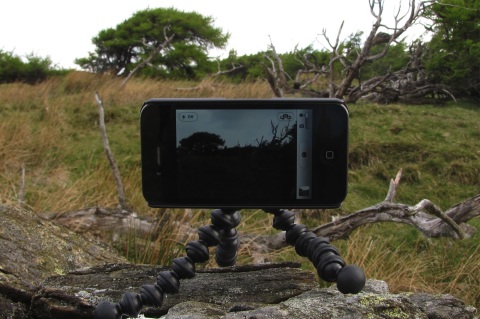
I used a aGent v5 Webcam with a £1 tripod from a pound shop to make a cheap visualiser. DIY Visualiser First try at recording some ipod touch screen action: iPod Maths Maps, I hope to repeat this with a vocal explanation. The Webcam is 5mp and the images look really good. The ipod was shot at half size and there is a bit of reflection.
I spent a wee bit of time working on some goole maps stuff in glow: Google Maps api (glow login required) and have a fairly simple map creator working in safari and firefox, not Internet Explorer though.
Recent delicious bookmarks:

As a bit of a google maps enthusiast I love Tom Barrett’s Maths Maps ideas. It looks to me like a nice way to show some ‘real’ application of maths in an engaging way.
I am still supporting/interfering with an ipod touch project (site gone but not forgotten on the Internet archive). This gave me the excuse a few weekends ago to spend some time messing about with the jQTouch — jQuery plugin which simplifies developing webpages for mobile devices. I am experimenting with building some sort of base site/web app for the touch.
One of the nice things about the iPod Touch is that you can add webpages as ‘applications’ to your home screen. Apple provide a way which jQTouch supports of giving a webpage an icon the idea with the site I am working on, the iPod Playground, is that it should provide an easy way to present links etc to the children this avoids typing long urls into the touch, the webpage could be edited
A couple of weeks ago I went over to Glencairn to give the maps a try out. The task I gave the pupils was presented on one of the ‘pages’ of a jQTouch page. Based on one of Tom’s shape problems, the children visited the Jardin du Luxembourg and collected screenshots of different 2D shapes, these were then built into Comics with Comic Touch. We encouraged the children to work in pairs to collect shapes, one child to keep the instructions open the other to click on the link to the map. Then bump the images from the image gatherer to the one with the instructions on his/her screen. The lesson seemed to go pretty well the children accessing the maps, taking pictures and creating comics with out a problem.
I am hoping to get the children to try a Street View problem soon. The Slides from flickr show some of the screens of the jQTouch webpage and a couple of street view images on the touch.
The jQtouch setup is very easy to work with, everything in a ‘site’ is really one page, jQtouch provides a nice standard interface, navigation and animation for that navigation.
It took me a while to figure out how to link to the maps so that I dropped a pin where I wanted it and that pin would have a name on it using the Name and the location in the query seems to work:
Street View Shapes 1

You need to have a pin on the map to get street view to work. On the iPod touch or iPhone you click on the Wee Orange Guy to switch to street view. As an aside I think street view on a browser uses flash, obviously not on the iPod but it is a very smooth experience.
Apple provide quite a few nice tricks to help web app development. You can set an icon for your webpage, so that if folk add it to their home screen it looks like a ‘real’ app. You can also set a splash screen image which will show until the page has loaded when opened as a web app. I have a wee problem with the Flickr Lunes site I blogged about recently if I set: to run in full screen users cannot hold on an image to copy it to their photos, pretty much killing the functionality of the app, so I have had to lose the splash screen. I’ve been working on an ipod/phone version of my A flickr CC search toy called Flickr Search and Stamp this just lets you stamp a flickr photo with attribution. Like Flickr Lunes it only find photos you are allowed to alter so should keep you on the right side of the copyright fairy.