I am continuing to use ExifTool by Phil Harvey for geotagging photos. Is is a wonderful application that has many more features that the basic use I am making of it. Once installed it is simple to use even if you do not usually use commandLine stuff. A quick example using a mac:

  1. Photos in a folder on my desktop called ‘kilsyth hills’
  2. gpx track on the desktop
  3. Open the Terminal application (found in the Utilities folder)
  4. In the terminal you type: exiftool -geotag into the terminal, then drag the gpx track file onto the terminal window, followed by the folder of images, you end up with something like this:
    exiftool -geotag /Users/johnjohn/Desktop/Lecket-hill.gpx /Users/johnjohn/Desktop/kilsyth hills
    in the terminal window, all you need to do is hit return and the application runs through the photos and calculates the gps location of each from the time taken and the gpx track.

If then import the images into iPhoto you can click the info icon on a photos thumbnail to see something like this:
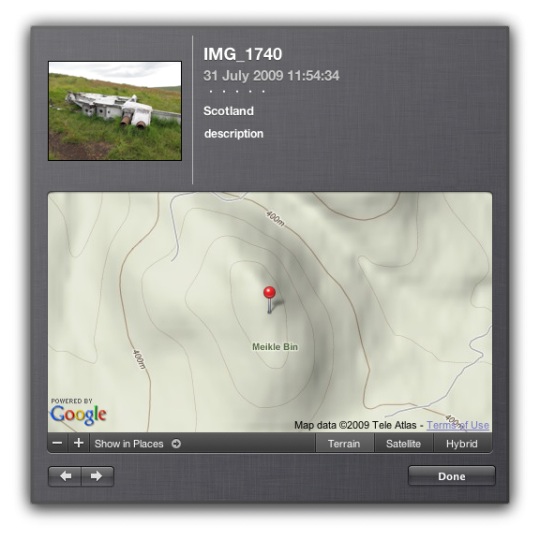
iphoto_geo

And this info will put the photos on the map if you upload them to flickr.

The application came in handy today when I was mapping yesterday’s walk

I am continuing to mess about with this stuff. The last walk I mapped and tweeted brought a ton of great geo information from Geography teacher Kenny73 who blogs at Odblog one post: Odblog: Cellspin in the field covers using cell phone gps and everytrail to produce maps like Ben Vane at EveryTrail and school grounds. The iPhone app I use for creating gpx tracks, trails is integrated with everytrail. This is a simpler way of creating map/gpx/photo mashups than mine but I’ll continue with mine for fun and a bit of flexibility (I can add sounds and video etc to maps). Some sort of everytails system would be easier to to use with a class.

Finally on the geo front I heard about the Eye-Fi Share Wireless 2GB SD Card has been added to the UK amazon store. It went out of stock almost immediately but its features include geotagging of photos! I am not sure if it used gps satellites for this of info about wireless networks to figure out the location, but if it is the former it will stay at the top of my wish list.

Update 02.08.09 On the ADE list David Baugh let me know The eye-fi explore uses triangulation of wireless access points and
mobile towers.
not so useful for walks away from mobile and wifi coverage then.

twitterbird128

A while back I posted a quote from the guardian The long tail of blogging is dying which put forward the idea that a lot of blogs were going away as twitter and other easy stuff took over. Commenting was on the way out as tweeting a link or quick comment requires little work.

I think that is what is happening to me, it has been 4 weeks since I posted here, in that time I’ve made half a dozen or so posts to John’s posterous (very easily done) and at least 100 tweets.
In that time I’ve had ideas for about half a dozen blog posts, this being one. While it is easy to blog in my head, getting it into a fashion other will be able to read it take time, other things are easier.

Twitter seems to me to be affecting two aspects of blogging, commenting and reading.

Commenting

Twitter certainly seems to be cutting down on the comments generally, I’ve notice a wee drop here (from few to fewer;-), and this quote from Jeff Utecht via Graham Wegner:

Because of Twitters live constant scrolling feed, we also talked about how the “life span” of a blog post is shrinking. I use to get comments on a blog post lasting weeks. Now I post a blog, it gets a comment or maybe two in a the first 10 minutes, gets retweeted for about 20 minutes and then it’s old news.

is a little worrying blog posts have always been in danger of being forgotten due to there date stamp, but 20 minutes is quite a short life span.

Graham Wegner’s Post explains how he is not too worried about this, happy in his own place (and quotes a nice cartoon), much struck a chord with me and started me thinking about my own blog/tweet mix.

I’ve noted over the last year or so, posts that attract a fair number of tweets and no comments. These tweets, like comments can add value to a post, but are now lost or at least disconnected from the original post. I’ve not seen a good tool to aggregate tweets and add them to a blog post.
Posterous has quite a nice facility in its comment system, you can tweet the comment, but it would be nice to see the opposite, the creating of comments by tweets.

My own commenting has shrunk and I am now making a more of an effort to comment rather that just think/tweet about it.

Reading

I do much of my blog reading via NetNewsWire which helps me keep up with quite a few blogs and store various posts (like the one quoted above) for later though and re-reading. I when I changed jobs I had even more time on the train to keep up with my feeds, but I am now driving most of the time and starting to rely more on twitter for posts to read. This can lead to missing many valuable things, if something is tweeted and not blogged it can disappear very quickly indeed, especially as we seem to be following more and more folk.

Today I read a blog post Catch Up Post – Part 2 – #weather_me « The H-Blog pointing to weather tweets in UK. which looks like a fantastic resource for discussing weather in the classroom. Following links to the developers blog I found a thank you to many twitter users for feedback and suggestions. I estimate I know about half of these but had missed all the tweeting that must have gone on a month ago. I also had not added the blog to NetNewsWire, I’ve done so now. The blog is also one of the Scottish EduBlogs not listed, as far as I see, on ScotEduBlogs.
I’ve had the same experience many times, finding a link from tweet by someone who is not usually awake at the same time as me and following the trail. This makes me wonder how much more I miss.

Of course twitter is in a lot of ways useful easy and fun, from the now 14 posts here tagged twitter I’ve had a lot of value from twitter and its API, but I am wondering how to make the best of both worlds.

A Plan

  • Check my feed reader more often.
  • Add blogs to my reader when I find them from twitter.
  • Comment more, if appropriate invite bloggers to add their blogs to ScotEduBlogs.
  • Add my delicious Network‘s RSS feed to newsnetwire.
  • Use TweetDeck‘s filter feature to filter out links from various columns especially favourite tweets which I use for bookmarking.
  • Work out a better system for following the comments of posts I am interested on.

I suppose there are now teachers whose first contact with Web 2 is twitter rather than blogging, this gives me a strange sensation, and makes me wonder what is next?

Twitter image Mirjami Manninen from smashingmagazine.

Bogle

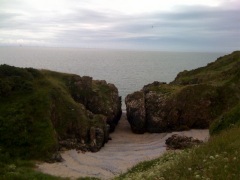
I am just back from a weeks holiday. While I was away I had just about no connectivity. I had packed my laptop and iphone, but there was not internet access I could find and I had to walk about a mile to a nearby cliff top to get a mobile signal!

I gave up on following RSS, twitter and getting email and left the laptop shut. I did do a bit of photo blogging from my phone to my posterous account, and this worked very well.

The new iphone software allows you to mail up to 5 photos instead of just one, posterous makes pretty galleries of sets of photos. The mail app on the iphone allows you to create mails and then will send them later whenever you get a signal, this turns out to be a great feature in comparison with other iphone blogging applications.

The results are on John’s posterous, photos from my camera rather than iPhone were uploaded to flickr when I got back.

Enviablestuff

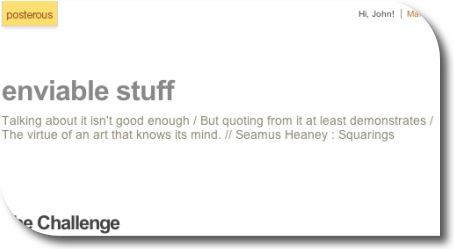
I’ve set up yet another blog, I know I don’t really write enough on this one to justify all the others, but I was looking for an easy way to tweet quotes. I was also looking for a way to use one of my favourite quotations:

Talking about it isn’t good enough
But quoting from it at least demonstrates
The virtue of an art that knows its mind.
Seamus Heaney : Squarings

Setting up a second posterous blog took about 30 seconds, most of which was finding the quote for the subtitle;-).

I can now use the Posterous Bookmarklet to post a quote and tweet it: example.

I like saving quotations, but sometime I don’t want to use delicious, instapaper, evernote or any other of the myriad of services I’ve signed up for.

Posterous is continuing to evolve into a more compelling tool all the time and will hopefully be a good fit for sharing and storing quotations.

Back in the day, I enjoyed getting children to create pop art style pictures with Flash a 2004 example:

The children brought in photos as guide layers and traced them. Flash is rather a complex app for children, but we managed to have a fair bit of fun with it over the years. I’ve a set of instructions Cartoon your face with flash in pdf format for flash 5 (or maybe mx?) produced a while back.

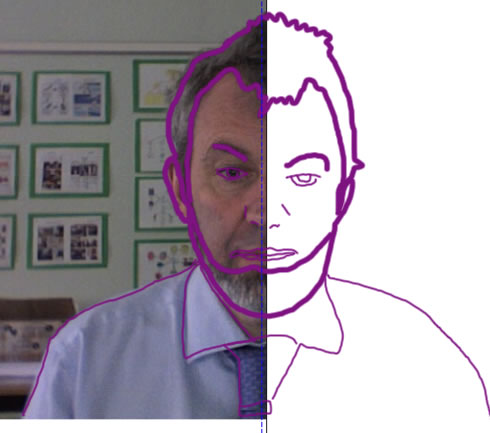
Recently I’ve discovered an easier way to achieve the same thing, I’ve been out in a couple of classrooms team teaching using the smartboard, and this is a nice way to get children drawing on the board:

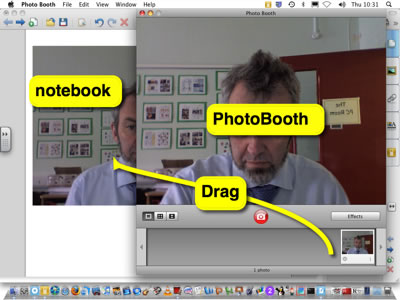
1. Get a photo onto the board
This can be done pretty quickly with Photo Booth on a mac, just drag a picture onto smart notebook:

Drag_smart_pb

Or you could take photos with a digital camera and import them, or use a webcam or get a photo of someone famous from the web etc.

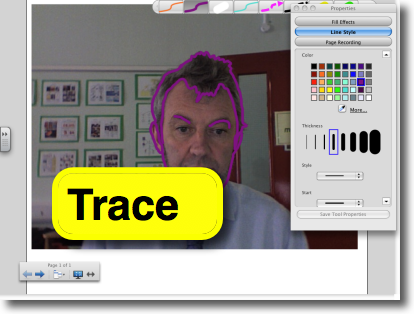
2. Trace the photo

Trace

3. Hide/remove the photo

Half_smart_pop

4 Copy the image and paste into another application for editing.

Edit_elsewhere

This is quite a lot of fun and an easy way to get pupils using the pens.

I’ve added this to the wonderful Forty Interesting Ways (and tips) to use your Interactive Whiteboard – Google Docs where there a lot of great ideas for using iwb.

Animation Imovie

Last week I was lucky to be involved with an interesting project. LTS had organised a GlowMeet where Oscar Stringer would teach stop motion animation to primary classrooms around Scotland.

Oscar worked with a group of children at Newmains Primary the lesson was video conferenced via Marratech. The conference was watched by classes from around Scotland some of whom joined in with the lesson.

I was working with Oscar’s groups classmates next door. I was also nice to see Stuart Oliphant, the lts video conferencing expert, who helped Sandaig out many times.

There were a few North Lanarkshire schools watching the show and taking part. It is an interesting way to learn from an expert and one worth doing again. The children in several classes made successful animations which have been posted on the North Lanarkshire ICT & Technical Services website.

Oscar did an excellent job of explaining the basics of animation, he has a wealth of experience and tons of practical tips. I noticed that the children I was working with, once they had started found it difficult to stop and watch the screen and I sometimes was too busy ‘helping’ to stop the children to listen. If this style of learning practical tasks via video conferencing becomes more common we may have to experiment with different ways of timing and delivering instruction. I’ll be interested to see video of the second animation workshop on Friday June 5th, unfortunately I’ll be busy as will the Newmains p6 but I hope to be able to revisit them when they view the recording of the 2nd animation GlowMeet which is aiming to improve their skills.

I am also looking forward to seeing animations from around Scotland on the glow site and being able to replay Oscar’s class.

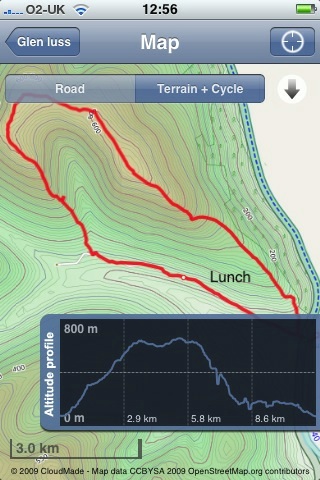
Since my last walk map post I’ve made a bit of progress. I am now using Trails an iPhone app that:

allows you to record, import and export tracks onto your iPhone.

Trailsscreen

Trails is really nice, it records and show position and altitude. It also allows you to cache map tiles when you have a good connection to use later on a walk.
You can zoom in quite close and it has already been handy in finding out I was going the wrong way in the mist.

Trails allows you to email a track in both kml and gpx format. Clicking the kml file opens the trail in GoogleEarth.

I’ve been using GPSPhotoLinker a free app to add geotags to photos using the gpx track from Trails. Once you have dome that they will be mapped by flickr.

I’ve then been using .SuperCard to read the data from the photos and the gpx track and produce an xml file and set of resized photos. The xml files can be used with the google maps api to show the track and photos on a google map.

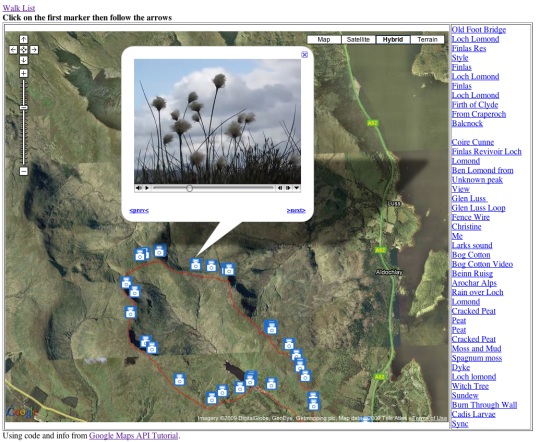
I’ve started to put together some webpages to list and show the maps: Mapped Walks.

Walklist tn

The idea is to end up with a SuperCard project that cuts out some of the steps, it would take in photos and gpx file and upload resized photos and xml file to the web. I just need a bit of time to write and test the scripts.

I have managed to add an mp3 player to some of the google bubbles on one map that plays sound recorded on my phone. The aim is to have pictures, audio video and text. The maps now also have links in the bubbles that take you from one to the next in the correct order, I think this could be come an interesting way to tell a story that travels through space and time.