Mediocre Failures | Disappointed Idealist A really powerful post on meeting all children’s needs rather than aiming at passing tests. As it has garnered >600 comments in 4 days I guess it strikes a few nerves. The 4 capacities never looked so good. As I tweeted, if you only read one education blog post…
Contributions and Connections. What Bonnie Stewart (@bonstewart) found out about how influence and credibility circulate in academic Twitter. It feels pretty much relevant to the other two sectors too. Teachers lack the training in judging relevance and importance of their colleagues that in a central part of academia but still conversation is what counts.
A couple of posts about things slipping of the web: Where do you go for community?Preserving the Past. I am always interested in this. I recently adding some indieWeb plugins to this site to try and address the roll yr own vs community problem. The Roll Your Own is important in in addressing the preservation one. (posterous to wordpress for edutalk.info)
It is quite a very process which allows you to get good looking results quickly. Macworld points out some limitations that struck me immediately.
It’s dead-simple, but also quite limited. You can choose from a handful of themes to change the whole look of the story, but can’t adjust individual fonts or formats, or even add a link within a larger block of text. (You can, however, place links as standalone buttons.) You can change image formats so they appear full screen, inline, or as a scrolling “window,” but you can’t add borders or freely move images around. Video isn’t supported at all.
What we gain
I guess slate is part of the same move to allowing producers to concentrate on the content while the ‘professionals’ provide the design.
Like Medium you cannot argue with the results from a clean readable point of view.
We can publish text and pictures easily on a blog. I am sure we can find a theme or two with typography that is as good, but I suspect it might be hard to find such elegant handling of images.
What we lose
I am not a professional writer or photographer, neither am I a designer or coder (obviously;-)).
I publish ‘stuff’, sometime approaching stories, because it is fun and I want to explore the potential of these activities for learning. I have different degrees of interest in all aspects of the process, I think I can learn from each.
I’ve been thinking about the tension between ease of use and creativity for a while. For learners we will sometimes want them to concentrate on one particular aspect of the work. I can’t be the only teacher who sometimes asked pupils to leave font and style changes till the story was finished. At other times we will want them to get fully involved in messy learning.
We also lose some control of the data when we publish to silo sites. I am pretty sure that Medium and Adobe will be around a lot longer than Posterous, but I still like backups.
Alternatives
Just as I am writing this I remember an earlier experiment A Walk to Loch Oss using Odyssey.js
The odyssey.js library is being developed to help journalists, bloggers, and other people on the web publish stories that combine narratives with maps and map interactions. The library is open source and freely available to use in your projects. It is initially being built to work with most modern browsers
from: odyssey.js README on GitHub. Odyssey.js adds maps to the mix but might be an interesting alternative to Slate that allows you more control and ownership. I am sure there are others out there.
update
After I posted this I kept thinking about the ‘own your own’ argument and decided to have a wee go at replicating the story myself.
A bit of googling for CSS hints and a couple of JavaScript libraries and I have The Devil’s Pulpit 2, handcrafted.
It is nowhere near as slick as the Adobe version(surprise) and so far does not look good on mobile.
It was a lot of fun to play with but I noticed a lack of attention to the actual story in my process.
I guess the best thing about tools like slate is the way they get out of your way and let you focus on content. I just like some of the fussing and futzing that goes with more basic solutions sometimes.
Over in the day job, most of my energy is spent on Glow Blog. I am also acting as ‘product owner’ for Glow Wikiis too. The went live with little fanfare in January and have been ticking along ever since.
We are now about to offer some support in using the wikis to interested teachers and classes. This support will take two different tacks, one aimed at individual staff and the other at classes.
The support will be online, through Glow Meet, documentation and some wiki tasks.
The Staff support will consist of a Glow Meet going over the basic of wikis and some practise in wiki editing supported, if needed, by the meet.
The class support will be for classes with an idea of what they want to do. A wiki will be set up and the pupils initially introduced in the same way as the staff. Ongoing dialog with the class will be kept up in their wikis discussion.
You can read more on a page the main Glow Wiki: Wiki Warm Ups where there is a link to register interest, help decide dates etc.
I feel wikis are Glows secret weapon, their simplicity and ease of use offering an quick way into online collaboration, collective publishing and more.
We probably need to give more thought and discussion as to why you would use a wiki as opposed to a blog, OneNote or a SharePoint group and I hope to think aloud about that here soon.
I gave periscope a quick test yesterday afternoon. In a break in the rain I headed to The Whangie for a quick walk. When I got to the Whangie itself I had I blob of 3G on my phone so without much hope I fired up periscope.
I was quite surprised that I seemed to connect and started walking and talking. I could not really see the screen due to lack of reading glasses and s rain speckled screen but I think a few people connected.
After nearly four minutes I finished. He app seemed to be trying to upload the video? Given the poor connectivity I was not surprised that it failed. The video was saved to my camera roll though.
Later reviewing the video I see that I made the mistake of assuming periscope would do landscape videos. The video look like a misty day in minecraft, I guess quality is decided by connection?
I’ve watched a few other streams and the quality has been a lot better than mine. It is quite strange watching random streams as folk try to figure out what is going on. I did see a broadcast of a ‘sporting’ event from quite nearby as swimmers in wetsuits tackled the Maryhill canal locks.
Educationally, what is this good for? Perhaps live links beamed back into classrooms from field trips or broadcasting egg incubators out to pupils at home after school.
The app is optimised for iOS 7.1 or later and iPhone 5 and up which I guess rules out my old iPhone 4 for experimenting with.
Why use it rather than other streaming apps, ease of use first and perhaps the low bandwidth requirements.
it is seldom about technology designers’ a priori plans for a technology, and more about users’ unexpected practices with it. That, to me, is the most fascinating and useful basis of research inquiry.
I love ‘unexpected practices’ it is why we need flexible technology in Learning and Teaching.
My favourite use for word when I was teaching primary 6 was as a poor man’s vector editor, Sandaig Otters » Seeing Stars, and I’ve often been surprised by how pupils and teachers bend unsuitable software to their needs.
Last week I attended the WordPress Big Media & Enterprise Meetup in London.
I was asked down to talk about Glow Blogs. Given this was a meet up of pretty serious WordPress developers I was reasonably nervous about talking to them. I decided that I’d give an overview of Glow Blogs through the lens of a look at the parallels between of the benefits of publishing in the open by pupils and teacher and open source software.
My point was that the benefits of sharing collaboration and serendipity are applicable to blogging in education and developing open source software.
Apart from anything else this makes me realize that the number of physical tics I have when speaking means I should stick to podcasting.
I was fortunate to be speaking first, which left me able to listen to the other presentations in a more relaxed frame of mind. In each one of them I found ideas that would fit in well with the Glow program.
These presentations are beginning to find their way onto the WordPress VIP News
WordPress on the inside: bringing humanity to the corporate intranet
Steph Gray & Luke Oatham, Helpful Technology talked about WordPress On The Inside – how the UK government is deploying WordPress as an intranet platform
My main take out from this was how powerful and simple WordPress can be for providing information. Steph and Luke talked of how they hard replace a Sharepoint intranet with WordPress, one of the most interesting benefits was reducing the amount of time that people spent on the site. Rather a different aim from most sites! The site they spoke about was designed to help people:
Work out how to do something
Find a person
Find a document
Perhaps having a chat along the way
At the moment Glow blogs are used for school web sites, class blogs, e-portfolios, information portals and more, but this presentation points to other uses I’d not even considered if we can develop the service further.
–
Snakes In A Plugin
Duncan Stuart is Head of Products at dxw presented on Snakes In A Plugin – WordPress plugin security. He started by getting the room on their feet and then sitting down if they did not have various security procedures in place. Glow was one of the last ones standing, speaking to the formality of the testing that we do on the program.
Duncan then demoed hacking a WordPress site though what appeared to be a regular comment notification email.
@DGMStuart steal all my happiness showing how to hack WordPress
Scary stuff but I am somewhat reassured by the Scottish Government development and testing team. I’ve often moane about the time taken for testing and security, this talk clearly demonstrated how valuable this is.
ShortCake
Matt Haines-Young, Human Made: ‘Making WordPress shortcodes a piece of cake’ (link to video to follow)
ShortCake is a plugin that allows developers to develop further plugins to allow users to insert Content Blocks into their posts in the same sort of way they insert media. Dialogs to enter content without codes and WYSIWYG editing in the post editor after it is inserted.
This supports the kind of thing that users have been requesting for Glow Blogs and a much nicer experience for bloggers. Given that we still need to develop the process for getting plugin and enhancement requests and implementing them I am not sure how we would do this, but on a brighter note there was some discussion of this becoming part of the core WordPress system. We would then have access to it when we upgrade WordPress in Glow.
The Tab
Jack Rivlin & George Marangos-Gilks, of The Tab: ‘User generated plus: blending professional journalism with a disparate network of voluntary contributors’ (again link to video to follow)
The Tab is a bit like your student paper – except better. We cover the news students care about, in a style they actually want to read.
The Tab is actually quite like a red top, not only in it colour scheme. What is interesting is the system, based on WordPress, allows a mix of professional and amateur content. This was a great demo of the power of WordPress to bring content together and present it. students from across the UK contribute to this huge online student mag.
Off to the Pub
In a TeachMeet fashion everyone headed over to a nearby bar and I had some fascinating chats. This reinforced my feeling that we can do a lot more with GlowBlogs, there are endless exciting possibilities.
I was also impressed by the amount of effort some WordPress developers put into giving things away for free. This extends way past source code to education projects of all sizes. I spoke to someone planning a huge project to educate prospective journalists through blogging in school and college, the idea being that the WordPress editor would be custolmised to help the students write balanced and well researched pieces.
If you are interested in Educational blogging I’d recommend the videos linked above, not because they are directly aimed at education but because they point to and hint of endless opportunities for different ways to use blogging in education.
About 20 years ago at an education conference one of the speakers said: “To be literate is to fully inhabit a culture”. At first it felt a little affected or a bit too “luvvie” for my liking. Over time however I have repented. I find it useful rather than struggling with new words like “learnacy”.
I really like this idea of literacy covering the whole of a culture. It seems to hint at avoiding any worrying about the word digital and accepting that it takes it place in a range of areas we can be literate in. We can escape the worry about being too luvvie by considering the range and Types_of_cultures.
We ruled out using the mobile app for Glow reflecting security concerns from the technical team. I hope the mobile web follows some of the same design.
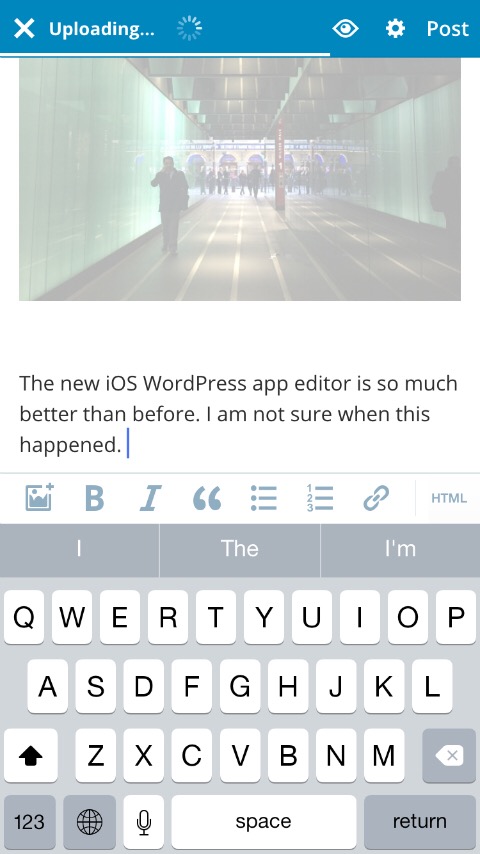
This post is, of course, completely constructed in the mobile app.
Like anyone with any sense I read Alan Levine’s blog religiously. It has given me more ideas to think about and play around with than any other site on the Internet.
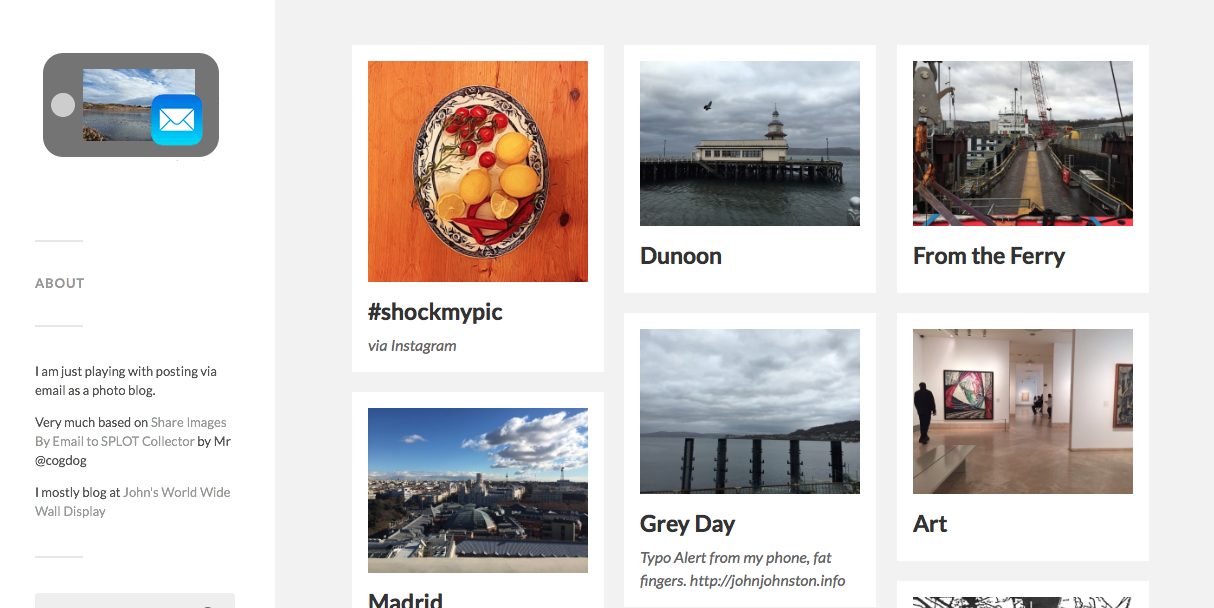
I was very interested in this, as I’d loved posterous until it was abandoned. One of the main things I liked about posterous was the posting by email facility. This allowed me to publish photos from my phone even with a terrible connection. I first noticed this on holiday in Galloway when I didn’t see a signal all week. I did keep my posterous updated with photos because the mail app on my phone magically seemed to be able to find a signal when I was asleep and send the photos over. I’d got it in the back of my mind to replicate this behavior with WordPress sometime, Alan’s post gave me the details of how to and the impetus to do it.
I’ve already got a reclaimhosting account for quickly setting up things to play with. It took me a quick 5 minutes to install wordPress, set the theme to the one Alan recommended (Fukasawa by Anders Norén), add the Jetpac plugin to handle mail, another plugin (Auto Thumbnailer) to automatically use images as featured images and add a css tweak. All following Alan’s instructions.
This had me covered for the main features of posterous, post via email and handling images in a pretty way.
As I wanted to post multiple images I also turned on the ‘Tiled Galleries’ and Image Galley Carousel provided by Jetpac and tweaked the CSS
a bit more for that. Another couple of minutes.
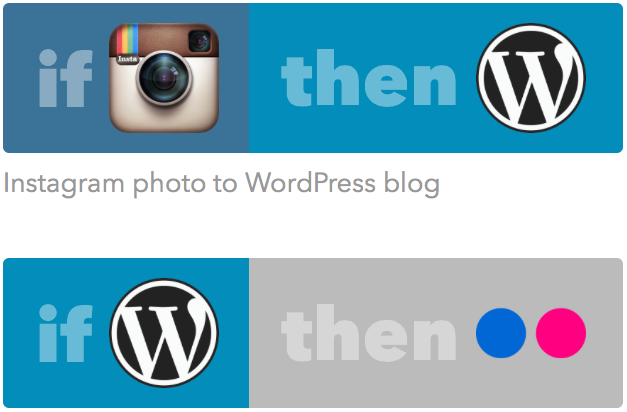
The system seems to be working just the way I wanted and yesterday I added a couple more features. Posterous had an interesting feature that allowed you to automatically forward whatever you posted to other services. I had a quick search for a WordPress plugin to do this but ended up at ifttt.com. There I found: Post WordPress Featured Image to Flickr. This just deals with the first image, but a quick test proves it works. I’ll probably explore posting all the images later.
While I was on ifttt I also notice Instagram photo to WordPress blog so have thrown this into my mix. I can now post to Instagram, have that picture added to the blog and also sent on its way to flickr.
Apart for the sheer fun of doing this, it also fit in quite well with the POSSIE, own your own space agenda.
Over the years I’ve been very keen on Creative Commons and using CC material in blog posts by pupils.
Pupils (and adults too) find attribution difficult.
Back in around 2008-2009 I made A flickr CC search toy aimed at pupils, to help them attribute. Later I added a feature that stamped the image with the attribution, which hopefully was easier than embed code. Later again, in 2010 I made FlickrStampr the same sort of search but squarely aimed at users of iPod Touches. At the time I believed that iPod Touches would be big in schools (Lot of ipodtouch posts here).
Both of these webpages were knocked up fairly quickly and had various modifications over the years. A couple of years back I made the iPod size one a bit more responsive so that it displayed a little better on an iPad or computer. I’ve now taken this and worked on it a bit more with the intention of replacing both of the above pages.
Earlier this year Jo Badgepointed me towards Photos For Class which is a very similar beast, except that it is built by professionals. I wonder if I inspired them?
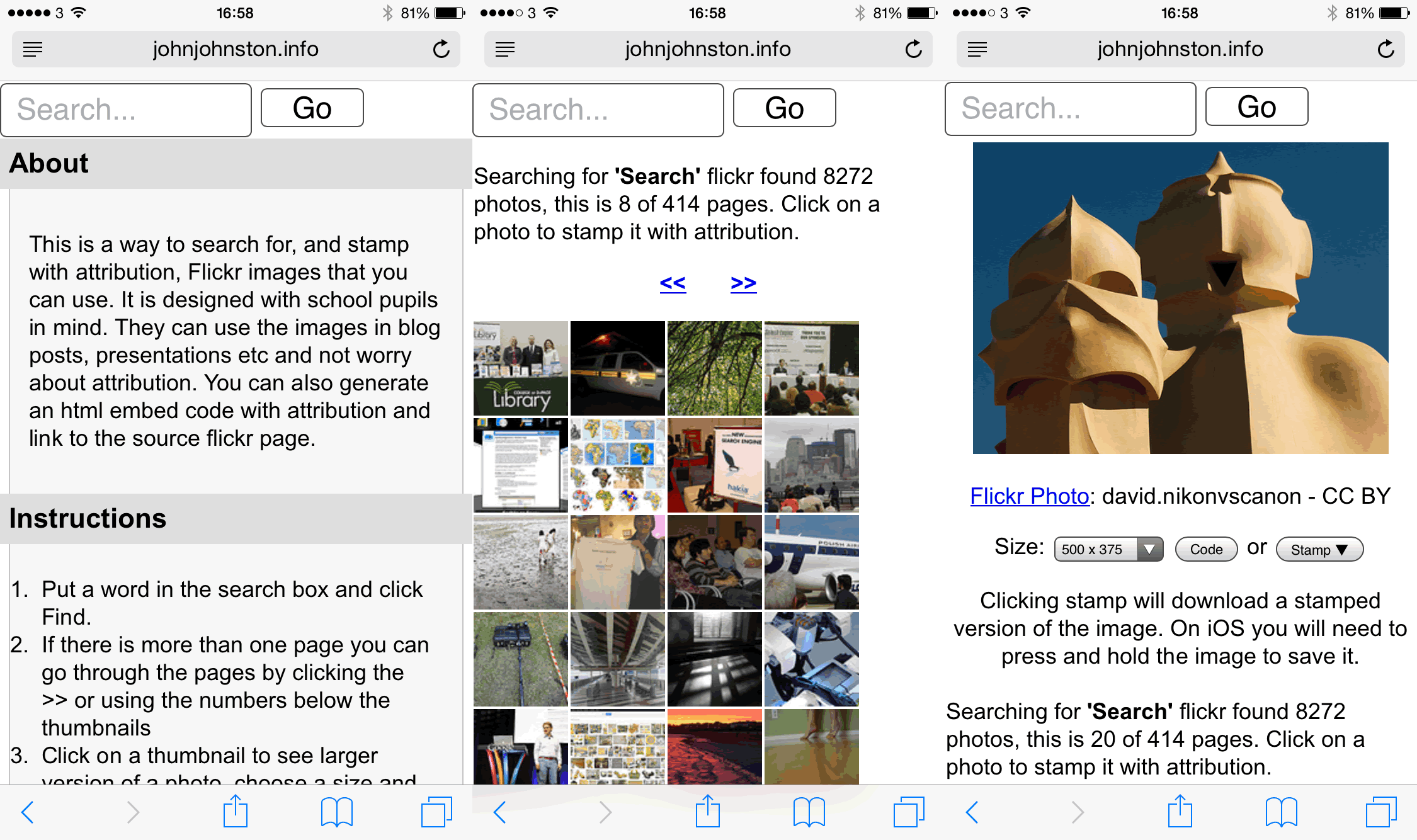
So over the last couple of weeks I’ve been updating a new version: FlickrCC Stampr combining and improving (I hope) the two pages.
This new one will search flickr for cc images and then give you a stamped version or embed code. If this new page works out I’ll redirect the old pages to is soon.
I got boost to my interest in this playing with Alan’s flickr attribution helper: Now Three Flavors of Flickr CC Attribution Helper. I found out how to and added the code that gets all available sizes from flickr and lets you embed or stamp any particular size.
If you have an interest in this sort of thing, please give FlickrCC Stampr a try. I’d be interested in any feedback.