On Thursday I attended the Always on (them): Digital and Social Media use in Education event at the University of the West of Scotland. This was organised by Professor David McGillivary.

I only stayed for the morning as I had to get back to run a twilight course. Very disappointed to have to leave early as the morning set up some great questions for discussion in the afternoon. I was speaking just before lunch and as I listened to other speakers I had to update my talk on the sly.

I recorded the audio for all morning speakers for edutalk, I’ve now posted them with a DigitalUWS tag.

In my presentations I briefly described my own history of blogging and podcasting at Sandaig, Glow Blogs and ended with some questions. Preparing for the talk allowed me to think sound some ideas that have been buzzing in my mind for a while. I hope to tease them out in a few subsequent posts or microcasts.

My rather rough slides at: Always On

Audio, from Edutalk:

And the questions I ended with:

ARE THESE IMPORTANT QUESTIONS?

  • Are we getting the best out of Social Media?
  • Should pupils be more involved in posting?
  • Do we read others productions or are we using SM as a broadcast?
  • Are we aware of the costs & implications of using free commercial software?
  • Do we need to teach, copyright, ownership, where is my stuff?
  • Long form via short form, where is your attention at?
    Media, 140 chars vs Video vs Audio vs Long Form?
  • As professionals do we have enough understand the tools and their affordances?
  • Do we know any more about Internet Princes than youngsters?

I think these are important questions and the answers to some are simple but others are very complex indeed.

I referred and pointed to a post I read on the way to the event:
Stereotype Threat and Police Recruitment | Hapgood
Where it said:

We get hung up on “ease-of-use” in software, as if that was the only dimension to judge it. But social software architectures must be judged not on ease of use, but on the communities and behaviors they create, from the invite email to the labels on the buttons. If one sentence can make this much difference, imagine what damage your UI choices might be doing to your community.

I believe we need to think a lot more about the software we use and the effect it has on communication and on us. Hopefully I’ll think a bit more about this in some subsequent posts/microcasts.

If you didn’t make the event I’d recommend listening to the audio and the Twitter stream #DigitalUWS has some good stuff too.

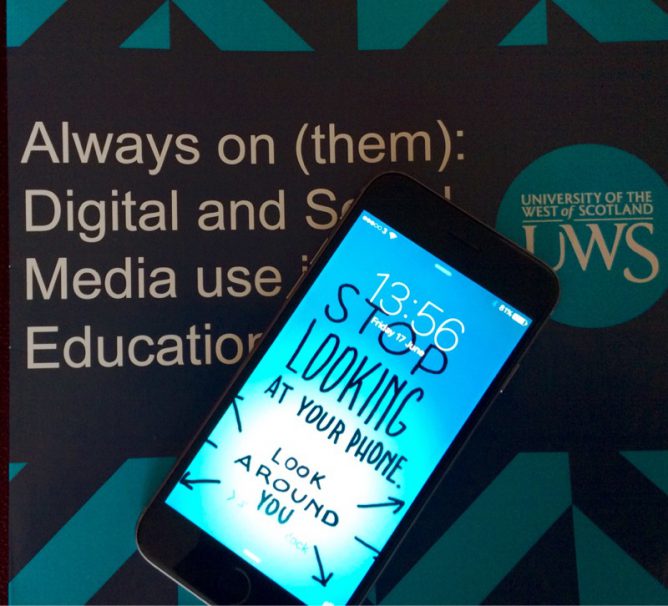
Featured image, my own photo, I though my lock screen image is relevant to some of the things I was trying to talk about.

Alan asked, Call / Plea / Beg for Responses: What If Creative Commons Certifications? for some feedback on Creative Commons. He is working on a project to educate folk about Creative Commons.

Here are the Questions:

  • Who are you? Introduce yourself, first name fine, where in the world you live, what kind of work you do.
  • What role does Creative Commons play in the things you do? This could be related to work/teaching, but also in terms of media sharing for content created. Or it could be “none”.
  • What would it mean to you to have a Creative Commons certification? What would you do with it, how would it play into the things you do. What is its value? And like in Bill’s video, that answer might be “nothing”.
  • What might it look like to earn a certification? Imagine, project a vision for what it would take for you to get a Creative Commons certification, how/where is it done (in person, workshop, course, online)? How long does it take? What kinds of things are you doing to earn it?

Alan suggested spending around 5 minutes recording. I spend a little more and my recording was shorter. I’ve taken a oblique shot at answering the questions, having a wee bit of fun. Here is my video:


On reflecting I should have spent a bit more time on this, but hopefully folk will get the idea. I like creative commons, publish using that license and consume a fair amount of cc material.

Some of the audio is a bit muffled, the video in the first section is poor, but I like the “poem” and the idea. The major faux-paux is the badges in the 3rd section, which is a public domain image, not one with a CC license.

Here is the text of the second section:

Creative Commons how do I love you, let me count the ways:

I love how you decorate my blog posts,
How you provide me with a grist for my mash ups,
You allow me to share and be shared,
Give me hope for a world that is less greedy.
You articulate freedom,
Win by losing,
Hint at the richness that the digital may provide,
You alliterate a connection to the best of the past, level the creative field,
And enrich the world.

Hopefully the hints at the levellers (not the band), and the commons on both of which my knowledge is slight and romantically tinged.

The Third and Forth Questions I try and combine:

These next two questions I though I’d tackle together.
I don’t have many certificates. I’ve passed the odd exam, got a degree but these have never really driven me to learn.
I’ve had a look at open badges and earned a few mostly tyre kicking.

What does drive me to some extent is approval from peers and betters. I like being involved in a community. I learn slowly in bursts and revisit things. I’ve learnt a bit about creative commons over the years, mostly by using and making and doing.

So rather than earn a certificate I might like to be loosely joined to a community with room for practise, play and learning. I would probably like a sticker or a t-shirt, I would not want a test.

My main though around creative commons is about sharing resources to be used creatively. I love to play with media and make things, Creative Commons is one of the things that really help. I don’t have any great claims for their worth, but I learn by doing. As a final aside I read this in the Observer today:

We’re creating more and more, this is the interesting thing, if you track the number of songs being written every year, there are millions and millions. We’re on a curve where basically everybody in the world will have written a book or a song or made a video, on average. Most of this is going to have a very small audience but that’s fine. Who cares? I think it’s OK that most of it is crap.

from: Digital prophet Kevin Kelly: I’ve learned a lot from Spielberg | Books | The Guardian

How nice if CC helps us move to a world where creating is not limited to the chosen few.

There are a thousand thoughts lying within a man that he does not know till he takes up the pen to write.


William Makepeace Thackeray from: The_History_of_Henry_Esmond- William Makepeace Thackeray – Wikiquote

This is my 1000th post on this blog. Just over a year since I marked 10 Years Blogging here on John’s World Wide Wall Display.

The main benefit from blogging these 1000 posts has been the thinking that goes into them and their unpublished siblings. The main beneficiary of my blogging has been me (I see my stats). Even without many readers it is worth it.

Thinking about this post has given me the chance to think about where and what I post. This blog would be bigger if I had not hived off my DS106 blog where I’ve over 200 posts. I move them when I though it might make this blog a little strange. If I could figure out how not to break links I would now recombine them.

I am becoming more and more interested in the indieweb concept of publishing all of your content to your own space and pushing that out to silos. I’ll be thinking about all the other places I post content soon.

The second greatest thing about blogging is reading other blogs.

Serendipitously 1 I read this:

Other than writing a daily blog (a practice that’s free, and priceless), reading more blogs is one of the best ways to become smarter, more effective and more engaged in what’s going on. The last great online bargain.

Here’s the thing: Google doesn’t want you to read blogs. They shut down their RSS reader and they’re dumping many blog subscriptions into the gmail promo folder, where they languish unread.

And Facebook doesn’t want you to read blogs either. They have cut back the organic sharing some blogs benefitted from so that those bloggers will pay to ‘boost’ their traffic to what it used to be.

BUT!

RSS still works. It’s still free. It’s still unfiltered, uncensored and spam-free.

from: Seth’s Blog: Read more blogs

One of the most enduring features of my blogging years has been the reading of other blogs via RSS 2. I’d suggest that if you are interested in using the Internet to read, RSS is a great thing to learn about.

The post linked above shows one way, but there are many other services and app that will help you read, news and blogs from across the Internet. Currently I uses inoreader.com and Feeddler RSS Reader Pro 2 (iOS), to read blogs.

Featured image credit: thoughts are just water drops by Benjamin Balázs on Flickr kindly shared in the Public Domain. I though this on was interesting given my recent interest in the accidental allure of blended images.

1. one of my favourite words: searching here serendipitous 7 & serendipity 12 posts

2. I like to write about RSS too. Currently I’ve mentioned RSS in 161 posts

TeachMeet Connect

This move from Susan Ward looks like continuing the re-boot of TeachMeet in Scotland.

On Wednesday 21st September, we are launching TeachMeet Connect, a series of TeachMeets happening across Scotland on the same day, where teachers will get together and share what they do. Coinciding with the Scottish Learning Festival, this will be a celebration of all the good things happening in classrooms across Scotland and a chance to explore how TeachMeets can support professional development.

Whether you’ve been to loads of TeachMeets before or this will be your first, this is your chance to get connected to other teachers in Scotland who want to share too. We’d love you to get involved and hold a TeachMeet Connect of your own. There’s loads of info here about how to set up and run a TeachMeet and it’s entirely up to you how fancy you go- you could promote your event and have people sign up to come along and share, or you could just arrange a coffee with half a dozen colleagues where everyone talks about something that’s worked for them.

from: TeachMeet Connect – TeachMeet Scotland

On the TeachMeet front it was good to read David, for a bit of nostalgia: EdCompBlog: TeachMeet – What’s in a name?, I got the name wrong the first time round, but I don’t think I am wrong in thinking that this new blossoming of TeachMeet in Scotland is going to be great.

The featured image a the top of this post Great Gallery of Evolution a public domain photo from Joe deSousa on flickr.

When we talk personalization, we tend to talk about targeting. You learn a certain set of things, you get tested, the personalization software finds knowledge gaps and runs you through the set of canned explanations that you need.

And

While not entirely useless, this conception doesn’t fit the bulk of my experience as either a teacher or a learner. In my experience, students often have very similar skill gaps, but the remedy for each student may be radically different.

from We Have Personalization Backwards

I though this was a brilliant post. To me it reinforces that the best online learning involves contact with real people in real ways (still #ds106). I’ve stuck with online learning when there is more conversation than automation. This may change if the ‘real personalisation’ comes to online systems.

Last night I went along to TeachMeet Glasgow.

As Athole wrote:

Why unplugged? We want everyone to be prepared with something to share. And not to worry too much about the tech and their PPT slides.

from: TeachMeet Glasgow (unplugged) – TeachMeet Scotland

He referenced the original ScotEduBloggers meetup (the grandparent of TeachMeet) as a indication of casualness and said:

However, clearly with a better balance of men, women and youth!

More about the idea behind on Athole’s post: TeachMeet Glasgow (unplugged) in six steps which I’ve read a few time now and enjoyed each read:

We may be talking about ‘the tech’ but can we challenge ourselves not to hide in front of our PPT slides, tablets and media? The face to face interaction bit is crucial.

Also, we need more people to take up the mantle of organising informal teacher events, whether they be TeachMeets, Pedagoos or something else. These can be in pubs, coffee shops, schools or someone’s living room. I’m not sure the example of large chat show style events with TV production values are really within everyone’s grasp.

But that’s just my opinion. There really are no rules.

As Radio Edutalk was busy I borrowed the #DS106 Radio airwaves to broadcast live. Seemed to get a few listeners. I’ve not tried to do anything with the audio as the piano and bar buzz was quite loud.

I made a quick #tmglasgow (with images, tweets) Storify that doesn’t give a complete picture (I removed the swimsuit girls that hopped onto the hashtag).

As was pointed out at the meet, I am old enough to have been at the first TM (grey headed even then). I’ve disliked some of the directions that TM has gone, this one felt that it was on a great path. There was a quite a few folk I’ve met at TMs over the years but there were many I had not. A lot of these ‘newcommers’ brought a buzz of younger energy in the room. Athole managed not only to unplug TM but to give it a bit of a reboot too.

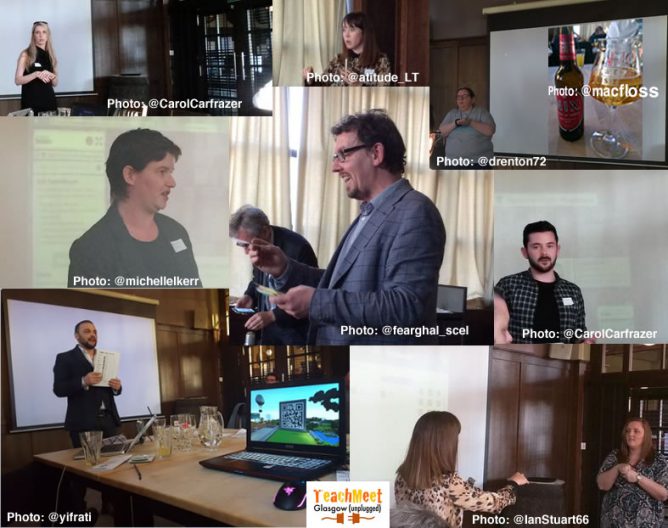
The Featured image on this post is a montage of some of the photos tweeted during the event. Since twitter does not support licenses I am assuming I can use them. I’ve credited each to the account that posted it…

I am going along to TeachMeet Glasgowthis evening. I’ll be giving a two minute nano presentation. Not because I know a lot about the topic but because I think it is one that we should be thinking more about.

Given two minutes I’ll not be doing more than saying I think this is important and pointing to some resources.

Open education resources and practises are becoming increasingly discussed in tertiary education. Many of the same concers apply to primary and secondary education too.

Open education can expand access to education, widen participation, create new opportunities for the next generation of teachers and learners and prepare them to become fully engaged digital citizens. In addition, open education can promote knowledge transfer while at the same time enhancing quality and sustainability, supporting social inclusion, and creating a culture of inter-institutional collaboration and sharing.

Scottish Open Education Declaration

OEPScotland | Opening Educational Practices in Scotland
Creative Commons

A lot of micro:bits from the BBC arrived in the centre where I work, ready to be distributed to North Lanarkshire schools. I’ve taken the opportunity to break one out and have a wee play.

The devices are aimed at secondary so outside my wheelhouse, but I could not resist a wee play.

The microbic works by creating code for it on a computer and flashing it to the device via USB (you can also use bluetooth from a mobile app). There are several different ways to create code. You can do in in the browser with severe different editors, Code Kingdom’s JavaScript, The Microsoft Block Editor, Microsoft Touch Develop or Python. I’ve had a quick try of most of these. You can also use the MU python editor that runs on Windows, OSX, Linux and Raspberry Pi.

Although I don’t really know any python I’ve found that the MU editor the most reliable. The browser based ones have been occasionally flaky, causing me to switch browsers a few times. I also like to have anything stored locally (the browser editor stores in local storage, but that means you need to either get an account sorted out or use the same browser on the same box all the time.)

There are already a nice set of resource building up, I found the Raspberry Pi and micro:bit Playground both useful.

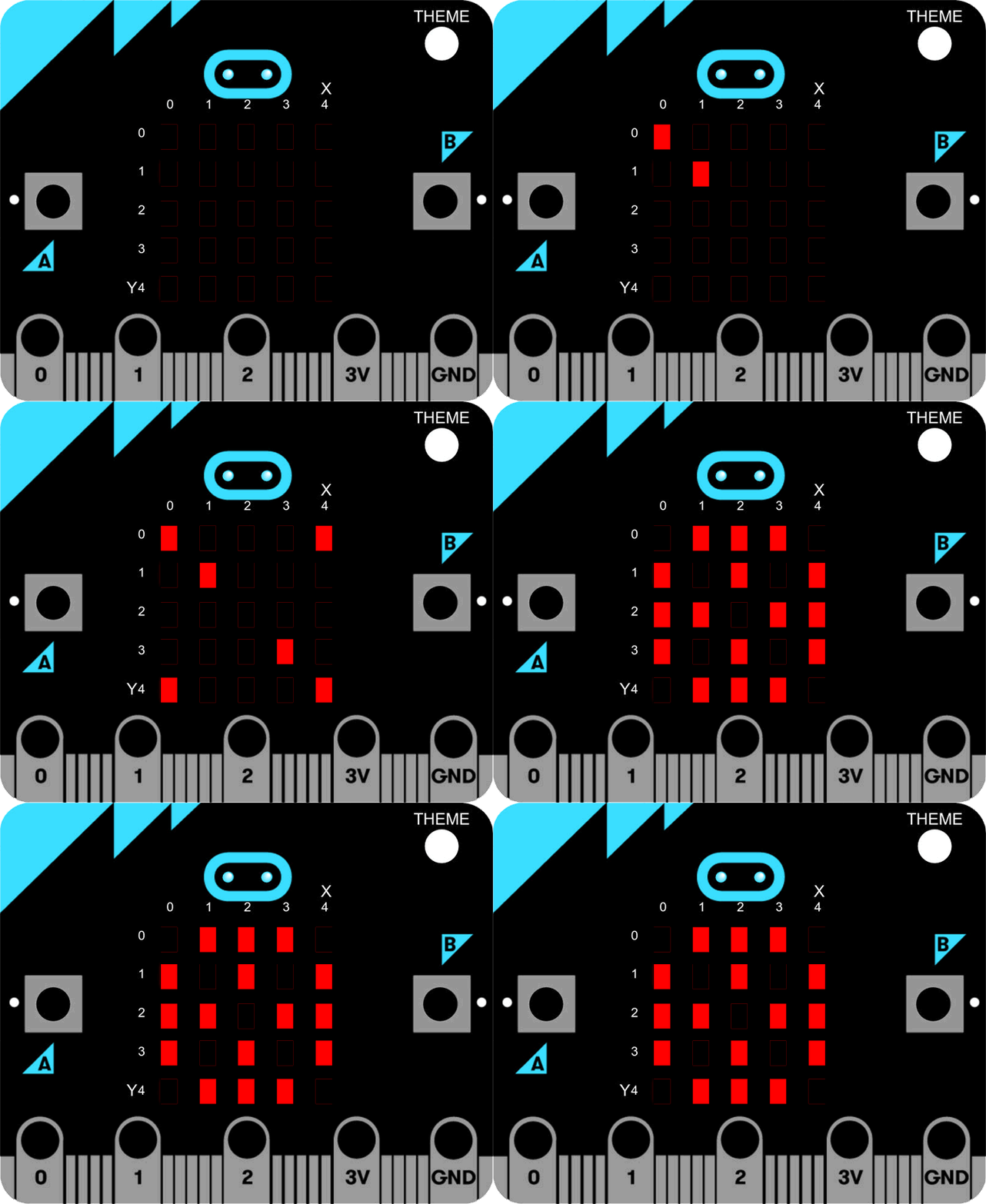
When I was looking at the Tilty Game from the micro:bit Playground I though I might be able to make a ‘paint’ editor. This is the result. (click to start the movie, I’ve just found you can use a gif as a poster frame)

The code allows you to draw on the microbes LEDs, the left and right buttons move the cursor in a horizontal and vertical  directions and a double press toggle the lights.

And here is the code, I used hilite.me to make it look nicer. Not exactly rocket science. I expect there are better ways of doing this.

from microbit import *

Matrix = [[0 for x in range(5)] for x in range(5)]

#set initial position
x = 2
y = 2

def printmatrix():
    for x in range(5):
        for y in range(5):
            if (Matrix[x][y]):
                display.set_pixel(x, y, 6)
            else:
                display.set_pixel(x, y, 0)
    return;
            
#show cursor
display.set_pixel(x, y, 9)
 
while True:
    if button_a.is_pressed() and button_b.is_pressed():
        if (Matrix[x][y]==0):
            Matrix[x][y]=1
        else:
            Matrix[x][y]=0
        printmatrix()
        sleep(1000)
        continue
                 
    elif button_a.is_pressed():
        x = x + 1
        if (x>4):
            x=0
        printmatrix()
        display.set_pixel(x, y, 9)
    elif button_b.is_pressed():
        y = y + 1
        if (y>4):
            y=0
        printmatrix()
        display.set_pixel(x, y, 9)
    sleep(200)

The idea is we store a matrix of which lights are on. The ones turned on are shown by the printmatrix function. They are displayed at a brightness of 6 to distinguish them from the cursor, which is full beam.

The cursor is moved with the left and right buttons. it loops (I wonder if it would be better to bounce it?) Clicking the left and right buttons toggles the light on or of in the matrix. The reset button clears the screen.

I had quite a lot of fun getting this to work, the formatting of the script caught me out a few times. I wonder, if I was smarter, could I take the same approach and make a noughts and crosses app?

Featured image on this post a gif made from BBC micro:bit by Gareth Halfacree used under a Creative Commons — Attribution-ShareAlike 2.0 Generic — CC BY-SA 2.0 License.