
Source: P6 Bring Your Own Device « Williamston Primary School
I enjoyed reading this post and comment thread. Seems a very positive report on BYOD from West Lothian. Nice to see it on a Glow Blog too.
Source: P6 Bring Your Own Device « Williamston Primary School
I enjoyed reading this post and comment thread. Seems a very positive report on BYOD from West Lothian. Nice to see it on a Glow Blog too.

From my Pinboard
Join in with our survey from 4 January-12 February 2016. Count birds with your class and tell us what you see. We’ll send you a free ID poster!
Looks like this could be a nice classroom/plaground activity to start the year with.
So here’s the concept: you can put the intelligence of a large artificial intelligence like IBM’s Watson into characters or objects that inhabit a virtual world like Minecraft. This is not theory; this 4-part tutorial provides detailed instructions on how to do exactly that.
Quite mindblowing!
Featured image, public domain: Minimalist Chain | Flickr – Photo Sharing!
There is a lot of it about, a lot of find out about. short term I don’t think this will have any effect on Glow Blogs, long term who know. Here are some things I’ve been reading.
What if WordPress.com helped you…
… update your pages and respond to comments from a desktop app?
…manage all your WordPress blogs and sites in one spot, on any device?
… spend less time on administration and uploading and more time creating?
With core WordPress on the server and Calypso as a client I think we have a good chance to bring another 25% of the web onto open source, making the web a more open place, and people’s lives more free.
You could for example write a Calypso-like front end for your website (Calypso is an admin interface) and that’d mean that a user visiting your website would never see a PHP-powered page. WordPress would just be silently chugging along in the background handling the REST API requests and storing all of your data.
from a comment by Alex Mills
But this is also a rebuttal to anyone who thinks that everything should sit on your own server. With this change, WordPress is now, at least in part, a centralized service – albeit one where you get to choose where your data is stored.
It’s the opposite of the classical content management service model, where the data is managed by a central server, and the interfaces sit wherever you want. It takes a bit to wrap your mind around.

Whether explicitly stated or not, this is precisely what I see many folks advocating for with our students and educators alike. Telling kids to be careful and thoughtful in what they share is important. Telling them to be calculating and strategic is dangerous. It might be a good thing to consider if you’re selling soap but not if you’re a human being. I see people applying these principles being applied to the way they interact online. The things they share are strategic. They share content and ideas they know will get a lot of views/likes/retweets rather than things that are simply interesting to them. They are careful to maintain the desired reputation of their brand. The schedule their posts and content to get the most traffic and interaction. None of these things are inherently bad but when this criteria drives you, I think you’ve crossed the line from human to brand.
Source: If I Ever Think of Myself as a Brand, Slap Me | Ideas and Thoughts
Love this post from Dean Sharski, I think this is how I’ve subconsciously chosen to pay attention to folk. The more machine like they are the less likely I am to pay attention.
Hence my recent tweet:
@missmcintyre15 thanks for the follow, be warned I don’t just tweet education, some gifs photos and other nonsenses mixed in 🙂
— john johnston (@johnjohnston) November 16, 2015
I don’t particularly want to have professional twitter account. I do think about what I share and I don’t think I’ve ever posted anything that would scare the horses, but a fair proportion of my online life is nonsense. Some of this eventually feeds into my life as an educator but some might appear quite strange sometimes. I tend to post different things different places, this blog steers clear of ds106 related things, gifs go to tumblr but everything ends up on twitter in a messy stream.
Featured image: Tiger Brand on Flickr No known copyright restrictions.

@johnjohnston the fluttering hither and thither, a veritable moth, enjoying itself to the full of its bent. moth pic.twitter.com/OiWvLRYn2R
— moth generator (@mothgenerator) November 15, 2015
One of my favourite blog post series, Tom Woodward‘s Weekly Web Harvest had a good haul this week including a link to this delightful twitter bot, moth generator (@mothgenerator). I took a few hours to get my moth but worth the wait.
The bot generates a moth image from the text you tweet it.

Some gems from my Pinboard this week
We are doing DS106 with a wide open theme of Western Stories– not West like the Western Hemisphere, but West like the Wild Wild West. It’s your standard Cowboy tales, and then not.
Another round of DS106, if you want to learn lots about digital storytelling, blogging learning on line I cannot recommend DS106 enough. A constant inspiration. Anyone can join in.
Calling all GIF-makers, creatives, history nuts, and animators! GIF IT UP is a challenge coordinated by DigitalNZ and the Digital Public Library of America to find the best GIFs created from copyright-free heritage material.
There is a section for New Zealand school students. I’ve often though that making gifs would be a great way of learning some graphics in school. There are a lot of possible skills to cover and I imagine motivation would be high.
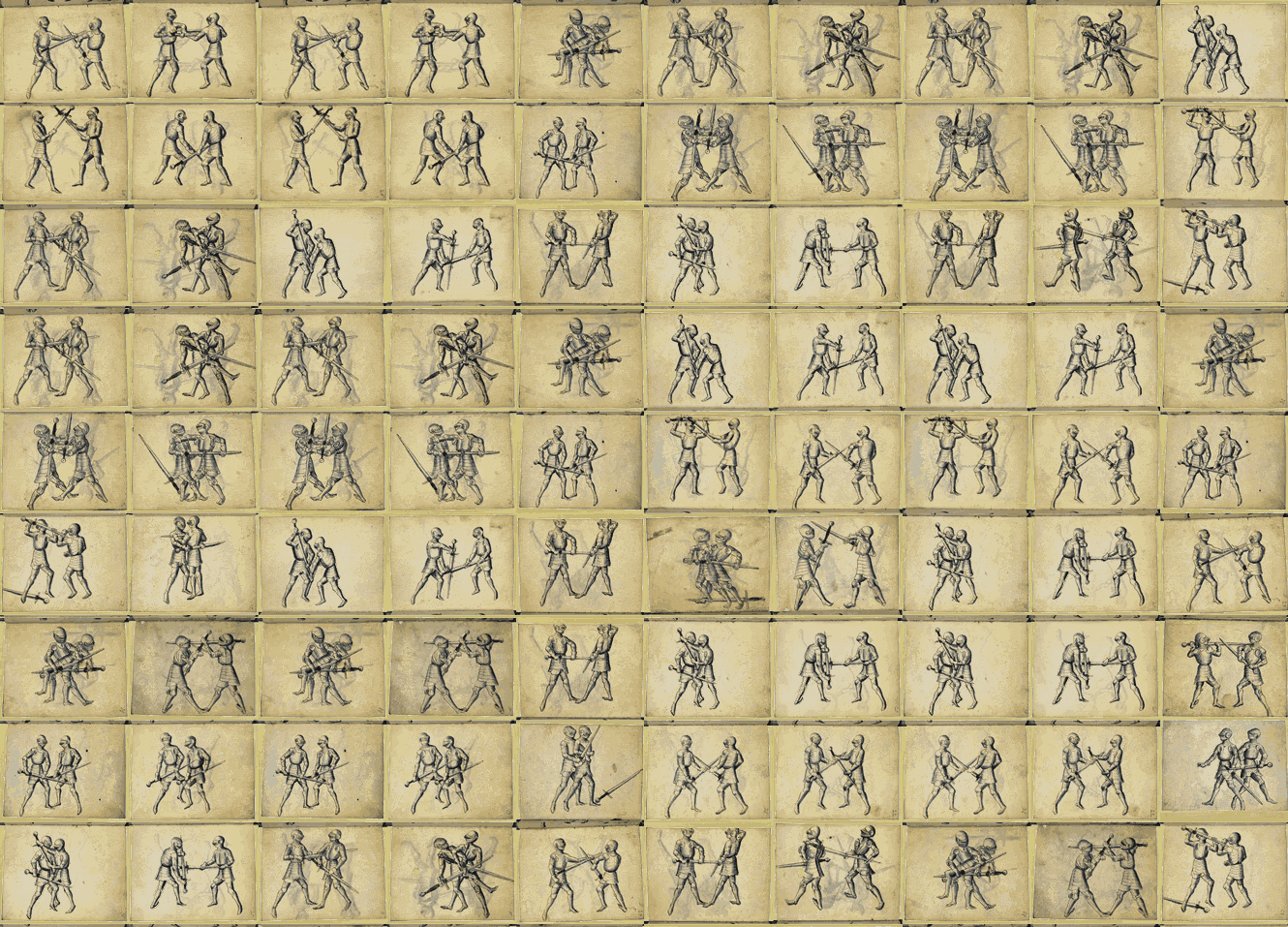
Featured image, my own gif, Source, public domain: Book on Swordsmanship and Wrestling. found on europeana

If you want your kids to have a solid computer science education, encourage them to go build something cool. Not by typing in pedantic command words in a programming environment, but by learning just enough about how that peculiar little blocky world inside their computer works to discover what they and their friends can make with it together.
We shouldn’t be teaching kids “computer science.” Instead, we should provide them plenty of structured opportunities to play with hardware and software. There’s a whole world waiting to be unlocked.
from: Jeff Atwood: Learning to code is overrated – NY Daily News
The article stems from the news that all New York City pupils will be coding in 10 years. English education is away ahead of them: National curriculum in England: computing programmes of study – GOV.UK
The counter argument is that there are a lot of coding jobs in Scotland waiting for applicants:
Scotland’s tech sector is booming and our employment partners have existing vacancies just waiting to be filled by CodeClan graduates. Learn with CodeClan and become part of shaping the future of the digital world.
from: Home | Digital Skills Academy Scotland | CodeClan
and
Digital tech sector ‘to see strong growth in Scotland’.
This links very much to the views expressed by Charlie Love on Radio #EDUtalk: we have a lack of these skills in Scotland.
I do wonder how we can gear up for typing in pedantic command words in a programming environment with our current decline in computer science teaching. Should we go down the same road as England or would it be better to take Jeff Atwood’s advice? Is there a happy medium?
Image my own from a brief encounter with processing.

It is National Poetry Day. When I was in class I always wanted to do something for this, but only occasionally remembered. Although I don’t have a way with words I like working with poetry in the class. I also occasionally like twitter haiku and the like.
I read Tom Woodward’s blog regularly and yesterday I noticed Fridge Poetry – Google Sheets as Database in my RSS reader. Given that I’ve messed about with fridges before 1, I took a look: Google Sheets – Fridge Poetry.
The really interesting thing 2 about this is that Tom has set it up so that it is easy to make another fridge with different sets of words. He even has a link on his post to create a copy of the google spreadsheet to make your own copy (you need a google account, a low entry bar). The sheet itself has the instructions.
Here is one with a selection of words from Scotland small? by Hugh MacDiarmid.
How do you save something like this? Take a screenshot.
What I really love about this idea, besides the sharing of how to do it, it the easy way it can be extended and used with a different set of words.

Saw this on DaringFireball.
DirectLinks – Canisbos is a Safari extension. Really useful for copying links from Google Search results. Update 6 Sep 2021: extension is gone, se DF for details, link now to archive. Ironic that the link goes to spam sites now.
Normally when you try and copy a link from a google search you get this sort of thing:
https://www.google.co.uk/url?sa=t&rct=j&q=&esrc=s&source=web&cd=2&cad=rja&uact=8&ved=0CCwQFjABahUKEwjq9YnOtOPHAhXxS9sKHUQDB-k&url=https%3A%2F%2Fen.wikipedia.org%2Fwiki%2FFolktale&usg=AFQjCNHDEzwkM43l294OJ6AptxA7_Gg1pw&sig2=Lnf3ewVtFjbDOa7bl3SosA
As google wraps the link so that they can count clicks. Installing the DirectLinks extension means if I copy the same link I get:
https://en.wikipedia.org/wiki/Folktale
Which is a lot more useful. A quick google finds ways of doing this in Firefox and chrome too. I’ve not tested those.