The questions are at the end feel free to skip down there if you know anything about gps.

I spent quite a while over a year ago messing with the google maps api. eventually I made an interface for creating maps, uploading photos and placing them on the map. This gave me a lot of fun, but I found it too time consuming for children to use.
The earlier this year Google My Maps came out which was a lot neater than my effort, and I’ve used it a few times, mostly pasting in the links flickr provides to add photos.
Cort-ma-Law from Lecket hill This week I stared another one with a few photos from a walk.
I was a bit frustrated about placing the photos on the map as I found it hard to figure out where place where in the rather featureless Campsies.

Flickr map Sorry

I switched to using flickr own maps but found them it a bit slow (that might be my aging mac).
I found it even more difficult to get the photos placed with any accuracy on flickr maps, although the interface for adding and looking at the photos is very slick, especially when you grab a bunch of pictures and throw them on a single spot.
Perhaps I just do not go far enough so need to much detail on a map to make my walk look like a walk rather than a spot.

All this made me think about my previous experiments, especially as there was an article in macuser about using the flickr and google maps apis combined. I had just finished using phpflickr to make a community gallery so though this might be quite quick.

Unfortunately the macuser article relies on a flickr api flickr.photos.geo.getLocation which depends on you having placed the photo on the flickr map (I was beginning to go round in circles).

Then I remembered Adam Burt‘s Applescript for getting geo tags from Google Earth ready for pasting into flickr. Adam does amazing things with blogs, google Earth/maps and geoblogging.
The appleScript copies to the clipboard geo tags of the location showing on google earth at that time.
It is much easier to figure out where you are on google earth, it has a smoother gui than google maps and a better resolution (of where I was at least). so I geotagged a bunch of photos, grabbed a new google maps API key and got busy.

Flickr googlemap mashup

Of course at that time I didn’t know about flickr.photos.geo.getLocation depending on flickr maps.And I didn’t know a tag geo:lon=-4.704382114809 would be returned from the API as machine_tags=”geo:lon=4704382114809 geo:lat=56258859999999″ ie without the minus sign or point so I spent a fair bit of time staring at a blank map, as the google maps API didn’t understand what I was sending to it. Anyway to cut a very long afternoon short, I delved deeper than I had been before into the data returned from flickr.photos.getInfo and finally clunked together a couple of files, the first uses phpflickr to grab the info from flickr and store it in a file, the second pulls that info using the google maps api and create a map.
I did try pulling the information and creating the map all at once, but that took too long. The data from flickr obviously does not need to be updated very often so that job was hived off, speeding up the maps creation. The unfinished product is here: John’s Flickr Map Mashup.

This is just scratching the surface of what could be done, it would be better maybe to create different maps for different days or for particular tags. if all of my tagged photos go on the same map it might eventually be too crowded and need some pagination.

Help wanted: I’d like to know a bit more about geo tagging and perhaps GPS:

  1. Would it be possible to get data from a GPS device and add it to the EXIF data of a photo before uploading it?
  2. Does Flickr undersatand embeded gps data?
  3. Is there a cheap enough GPS device that would work with a mac?

I am thinking of a work flow that includes the tagging of photos before uploading, maybe in iphoto with AppleScript or a SuperCard project, I think I’ve done some EXIF data extracting so imagine that adding can’t be that much harder.

Any ideas that do not involve a lot of expense gratefully received.

It looks like a pile of the ScotEdubloggers are holidaying on facebook.

I was invited a few weeks ago and joined up.
Compared to bebo and myspace the interface is pretty calm. I’ve messed about with a few tools and gained a few friends but I have not been convinced.

I was planning to blog something about this, but serendipitously in this morning guardian I saw Jack Scofield’s article: If Facebook is just this year’s version of AOL, is that bad? which linked to Facebook is the new AOL (kottke.org) which I followed to Facebook vs. AOL, redux (kottke.org).
Kottle pretty much sums up my feelings:

As it happens, we already have a platform on which anyone can communicate and collaborate with anyone else, individuals and companies can develop applications which can interoperate with one another through open and freely available tools, protocols, and interfaces. It’s called the internet and it’s more compelling than AOL was in 1994 and Facebook in 2007

and

If you’re not a Facebook user, you can’t do anything with the site…nearly everything published by their users is private.

The bit about blogs and Web 2.0 I really like is the fact that most of them produce rss, which is the basis of the Small Pieces Loosely Joined argument. (I am guessing as I’ve never read the book, but the title sounds cool).

Facebook seems fine, fun etc but it misses the serendipity and easy linking and mashing of data. From my, admittedly very limited experience, it seems you can pull information into facebook but not get too much out.

With more open tools it is easy to gather, mix and redistribute information, blogs, wiki updates, podcasts, flickr, del.icio.us etc. can all be mashed with existing tools or a bit of scripting. Facebook seems exclusive rather than inclusive, closed rather than open. I am happy to vist but I would not want to live there.

Or am I missing something?

facebook rss blogging web2.0

Yesterday I went to Glasgow’s Concluding Masterclass Conference. As usual with these meetings I really enjoyed meeting and chatting to other ict enthusiasts from Glasgow schools. As far as I know few Glasgow teachers have joined the edu blog world so I often know more about other athorities than I do about my own! I am not implying that glasgow don’t send out information or share practise but more that if it dosen’t have an rss feed I often miss it;-)
It is sad to think this will be the last time for this gathering.
Neil McDonald who led the Glasgow Masterclass team and Glasgow’s ICT programs announced that he is leaving the authority. Between Masterclass and Neil I have had a great deal of support over the last few years and will certainly miss both. Neil has always made it easy for masterclassers to put together a proposal for funding with the minimum of form filling and always answered overlong emails from me promptly even when I imagine he had more important things on his laden plate.

At the conference in the morning we heard reports of various interesting projects, my pal Marlyn Ross is supporting a team of cross sector E-Specialists Teachers, which sound like it is having a serious impact. One of her specialists D. McAleer (sorry I can’t recall the first name, David?) gave a wonderful talk about how he is a smartboard convert, taking us through his progress and finishing with a biology lesson. His presentation was funny and informative and I guess his classes are great fun.
We also heard about Shawlands Learning community Digital imaging project, again cross sector working with pre 5 to primary and primary to secondary transitions, the secondary pupils making a dvd to help primary pupils moving into secondary and primary 6 pupils working with pre five children in creative ways. Input from video professional seems to have helped. Jacque Crooks and a pile of confident children from the Shawlands Learning community presented.
We also heard of the Lourdes Mothership project and interesting online community including pupil produced radio and content and after school online help from staff. Unfortunatly it looks like the url works from within the Glasgow network only at the moment as I’d love to take a closer look.

Before lunch Mari Dougan of LTS gave a review of Masterclass and and update on glow (I just noticed that glow is the first hit for glow – Google Search).

After lunch various folk were presenting about their Masterclass projects, unfortunately I didn’t get to see any of them as I was presenting about Web 2.0 at Sandaig.

Hopefully I got across the main thrust of my argument. that blogging etc. is just a wee extension of normal classroom practise, display, assemblies, production of class newspapers ect. has always been at the heart of primary teaching, we just have a bigger wall display now.

As well as show some of the fun we have had blogging and podcasting over the last few years I talked about my approach to blogging and pointed to ScotEdublogs as a good place to start thinking about blogging. In a nutshell, I think you should start by reading blogs for a while, go on to commenting and then start whole class blogging, suing that to set the tone and expectations. From there the possibilities are endless.

It looks like I am going to be expanding on this theme at The Scottish Learning Festival (SETT) this year: Audience, Purpose and Conversation: the World Wide Display Wall. Now masterclass has closed I needed an excuse to get to SETT especially as there will be another edition of Teachmeet, presenting was the only surefire way I could think of.

Note: it is not all over for Masterclass the community lives online and is open to all

technorati tags: masterclass scotlearnfest07 blogging classroom glasgow masterclass glowscotland

New DellRecently the Glasgow Primary network/managed service has been taken over by Dell.
During the Easter Holidays Spring Break Dell took over the network from Mitel. It has been a bit of a bumpy ride with various unseen problems popping up making teaching with ict quite difficult since then. The plan was to switch over the network with the original hardware and then to roll out new kit.

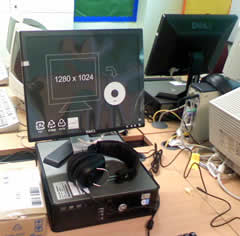
This week we were asked to pilot a few of the new machines, three desktops and a couple of laptops arrived yesterday and I’ve been encouraging the children to pound on them as hard as they can. Compared to our old pcs these seem amazing, you can’t see the screen redraw when you switch windows;-) They are running xp rather than windows 2000 and seem like quite zippy boxes. The biggest benefit is going to be the size of the screen, a huge difference to the 15 inch monitors we have been running at 800 x 600. This will make lots web apps a lot more usable.
We are still seeing some issues with old and new machines but there is light at the end of the tunnel.

At the same time as getting the pilot pcs we were switched to a different internet filter. I first noticed when I saw that blogs by my wee guys read on edublogs.org and blogspot.com were blocked. Happily an email to the Dell service desk has sorted this out very quickly and hopefully we should be doing some serious commenting tomorrow.

In anticipation of the new big screens I got the children to set there monitors to 1024 pixels wide and have a wee play with ToonDoo today. It looks like a really nice web application for making strip cartoons. You can see some results on the Primary 6 sj blogs. One of my favourites is Steven’s chaos of A Turkey a surreal way of sending an environmental message!
Unfortunately ToonDoo seemed to lock up towards the end of the lesson when lots of children were trying to save their ‘toons. I am not sure if this is due to lots of folk signed on with the same login or just bad luck.

If we can sort that out, I think Toondoo will be a really useful application for classroom use.

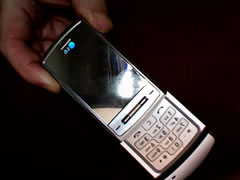
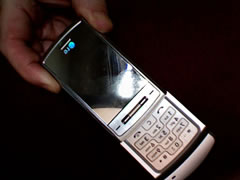
A while back we got a free LG shine from The LG Shine bloggers relations programme. This was really useful on our recent trip to the Netherlands where we posted photos regularly to the Sandaig’s Netherlands Moblog, we are also starting a wee classroom experement: Sandaig MoBlog which needs some work.


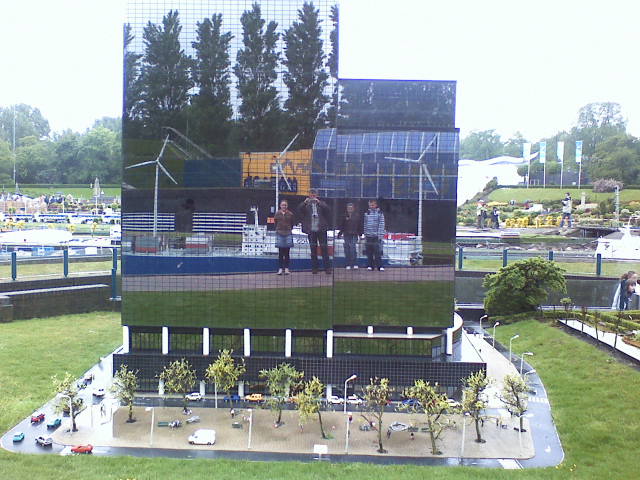
Anyway I’ve entered the Born to Shine Competition to try an win another phone. All we need to is to get more comments on the Born to Shine Competition – blog entry than other entries and we will be on our way to a class set of phones.

You can see the full size full size photo and if you have a minute please pop over to the entry and give us a hand.

We got back from our Netherlands 2007 trip this morning after a rather tiring drive through the night.

I think we made a pretty good fist of blogging the trip and I am beginning to think about what went right and what didn’t work so well with the way we handled the blogging, I might have better thoughts once I’ve had a good night’s sleep.

The main focus of the blog was communication with the parent and it certainly hit that nail on the head. The reaction from the parents and from the children when I read the comments on the buss proved that.

But I am starting to think of other possibilities:

The trip was not really designed for the children to do written work, our timetable is packed and I was relying on volunteers to try posts during the bus journey. This meant not every child was posting and the posts were pretty much the first thing that the bloggers thought of.

It might be possible to build in some whole group reflection time where diaries and blogs would be kept uptodate, but we would not want it to feel like school.

Maybe we could have a blog/pod team organised on a room basis and give them a wee bit of time each day (maybe they could stay up a little later then they would not miss out other things).

An internet connection in the hotel would have been good, I posted shivering in the dusk from the town square with a t-mobile pay as you go wifi one evening, a cosy cafe was better the next night and I am afraid I had to shelter in Macdonalds on a third.

The Netherlands Moblog was a good idea, but unfortunately my kludge to get it working left no facility for comments, this could be a really good tool.

I made the firsts UK post and the last one via a bluetooth mobile, this worked very well and didn’t cost too much. I posted one quick post, one small photo and about 6 words, from the Netherlands and it cost about £4! I’d like to investigate getting a dutch sim for another time.

I lost my MP3 recorder on the first day, but even then it was apparent that the children really need time to think and rehearse even informal podcasts. Again time would need to be made for this if it was to include all the children.

We had another tech disaster when a card in a camera with a load of great pictures and video got corrupt. Very disappointing.

Overall I am quite pleased with how the web 2 aspect of the trip turned out (other aspects were good too) but it is really another scratch in the surface suggesting lots of ways to do it better.

Now all I’ve got to do is read a weeks worth of email I think I’ll leave my fed reader for tomorrow.

A while ago I mentioned that I had received a LG Shine phone from the LG Shine blogger relations programme. I’ve started to investigate/play around to see if it can be of use in my teaching.
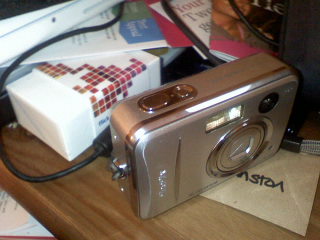
As someone who doesn’t usually use a mobile phone much I am not in a position to review the phone and compare it to others. I can say it seems pretty straightforward to use for a newbie.

The camera seems to work well except for the lag between clicking the shutter and taking a picture. The picture quality looks ok to me too, here is a random picture of my desk using the macro facility and the unusual flash (the mirror just lights up). I’ve had a few children take photos and they had no problem.
I’ve only tried the video camera briefly and have no complaints. I’ve also used the voice recorder the quality does not sound as good as my iRiver and i guess it would be best for one voice rather than a conversation. The file format is amr, I guess that would be best converted befor sending it to the web.

I listened to the latest Booruch podcast on the way home from work today and it sounded good. Flicking through audio, image and other files is quite easy with the scroll wheel.

It was straightforward to set up bluetooth with a macbook and dell latitude transferring file is simple via this or USB.

Email was again was easy to set up sending and receiving is pretty simple. It is also easy to send an image file via email.

What I am really interested in is using the phone to send stuff to the website/ blogs. I’ve tried a few approaches:

Pivot has a moblog functionality, which I managed to get working last November, but I have completely failed to do so this time arround.

As a workaround it is easy to post photos to Flickr, but that is of limited use as we cannot use flickr in school. I have been experimenting with pulling the images from flickr to the sandaig site: Sandaig MoBlog. One of my class posted a photo easily, you can tell which one is hers because it has got a long description, my texting is not up to it yet. I am not sure if this is a great idea in the long term.

The other thing I’ve been testing (see the last few posts) is BlogMailr a service that provides an email to blog solution. So far I’ve not managed to get this working, the html is a bit mangled. I am not sure why, but I had the same problem posting to wordpress so I don’t think it is a pivot metaWebLog problem.

So as soon as I can I am going to try and let the class loose with the phone, both as a tool to play with and as a way to start discussing the use of mobile phones. I’ve started collecting some links tagged with “mobile” on del.icio.us, if you know of any others let me know (tag them for:troutcolor if you have a moment).

I’d also like to know of any other free mobile to blog solutions out there.

After messing around with pivot’s moblog settings for a while I eventually gave up. I know it worked in the past so I think I’ve probably just messed the config files about so badly that I’ll need to up load another one.

I decided to try another tack. I set up a flickr account for the school/phone and an email address to post photos to flickr.

Flickr is blocked by websense in Glasgow schools, so I used the Flickr API and phpFlickr to pull the photos from Flickr: Photos from sandaigprimary and download them to the sandaig site. The photos are then shown of a web page: Sandaig MoBlog. The page is pretty crude at the moment but I think I can add some features as we go along( pagination, sorting by tag, maybe HaloScan commenting ).

A couple of children in my class posted a photo today and managed to add a description pretty quickly, unfortunately I had not set permissions on the server correctly and we go a page full of very odd characters. I think I’ve fixed it now that I am home and will try a relaunch of moblogging next week.

I had put my own sim card in the phone but it looks like my virgin payg account is not the cheapest way to send email. I talked to someone in the T-Mobile shop and bough a payg sim from them. According to the salesperson, data cost so much per kb but it is capped at £1 a day. I though this would work out well as we will mostly use the phone on school trips and should be able to fire off a bunch of photos for a pound a trip.

I also asked about emailing from abroad, but this seems a lot more expensive, I wonder if I could buy a sim card in holland to fire off photos for the week we were there, if anyone knows anything about mobile provides in Holland please let me know.


Ewan sent me an early heads up about ScotEdupedia

ScotEdupedia offers everyone the opportunity to share their knowledge and expertise by adding to an existing article or creating a new article on an aspect of Scottish education.

LTS have taken the unusual step of providing an empty shell for users to fill up.

The wiki looks pretty sweet: friendly and approachable, hopefully it will fill up steadily.