I want children learning together, I want them to be connected to others (audience, purpose, communication), and I want them to be delighted.
I also enjoy a kludge, but the children don’t need to worry about that bit.
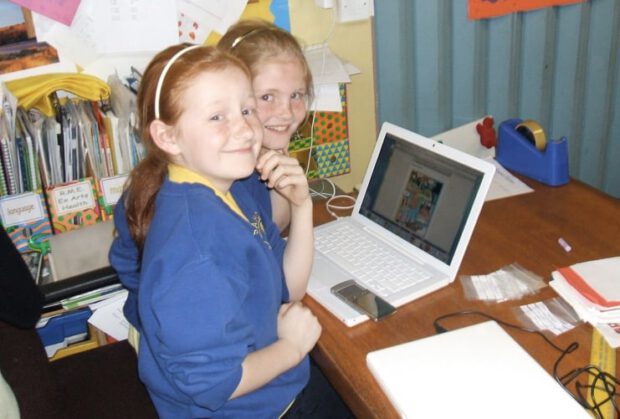
These children were blogging a comic they had worked on together, obviously enjoying themselves, hopefully connecting to an audience.
Here are the rules:
Think about what you are passionate about teaching your students.
Post a picture from a source like FlickrCC or Flickr Creative Commons or make/take your own that captures what YOU are most passionate about for kids to learn about?and give your picture a short title.
Title your blog post ?Meme: Passion Quilt? and link back to this blog entry.
Include links to 5 folks in your professional learning network or whom you follow on Twitter/Pownce.
These are the slides I used at TeachMeetPerth Last week. You can see the images on a flickr set. The VoiceThread above is a work in progress, I’ll probably re record the audio with a quieter computer and a script.
I first got the idea for OpensourceCPD from teachmeet at the Scottish Learning Festival in 2007. Ollie Bray is widely quoted as saying that teachMeet was his best CPD experience. This had me thinking about Teachers as providers of CPD I also talked to Con Morris of LTS’s CPD Scotland team, he mentioned that reading my blog could be a cpd opportunity for someone!
My favourite learning experiences at conferences and inset have always been the ones presented by teachers. I include in this the more informal teachmeets and the social continuation in the pub or restaurant afterwards.
I’ve also been aware of the open source movement as a great deal of the software I use day to day is open source software, this blog, firefox, Vienna and many more. this got me wondering if this might be a useful model for distribution of cpd material by teachers, material that is not locked into a Local Authority, business or agency. Teachers as providers and consumers. The CPD material would be freely available and could be used by individuals or presented by a provide, the teachers supplying the material on the wiki could be providers/consultants. Of course because the material is freely available it can be supplied as CPD by anyone.
Free Redistribution: the softwarecpd materials can be freely given away or sold. (This was intended to expand sharing and use of the software on a legal basis.)
Source Code: the source code must either be included or freely obtainable. (Without source code, making changes or modifications can be impossible.) this might be a little more difficult, hopefully it will not mean that folk would be put off uploading a pdf which is hard to edit, but more the spirit that material shared here is for mashing up.
Derived Works: redistribution of modifications must be allowed. (To allow legal sharing and to permit new features or repairs.)
Technically, it is royalty free, share alike and may or may not allow commercial redistribution. Content can be either in the public domain or under an open license like one of the Creative Commons licenses.
but at this time I thought that Open Source CPD was a snappy title
So I have started a wiki OpenSourceCPD to support this idea. I hope it is going to be connected to CPDFind in some way. At the moment the site is sitting on a temporary server and I probably will not get a lot of work done until the spring break. Several scottish educational bloggers have added Profiles and there seem to be a far bit of approval at TeachMeetPerth.
The focus to start with will be Social Media or Web 2.0 in teaching and learning.
Nothing is set in stone (it is a wiki) but I’ve begun three main sections:
CPD Materials A basic outline of various social media tools that can be used in teaching.
Cpd Opportunities CPD courses for self study or to be used as a skeleton for leading cpd.
Profiles A list of practitioners that could lead such cpd (this could be on a paid or free, online or face2face basis).
If this idea appeals please get in touch, if you want a password to edit the wiki leave a comment or send me a mail.
If you have some material you want hosted on the wiki but have not the time or inclination to edit it get in touch and I’ll be happy to post it for you.
Yesterday evening I was in Perth courtesy of Krysia who kindly give me a lift to and from Glasgow through a fair amount of fog.
We were there for TeachMeet 08 North. T oget the idea of how good teachMeet is think how far you would go for some cpd on a Tuesday Night. The ScotsEduBlogoSphere had come from far and wide. None further than Ian Stuart of Isly High school who had set off at 8:30 am to get there.
As the event was set up the Sandaig macbook was pressed into service to run the flashmeeting which brought in an audience from further afield, I think I spotted Sinclair and Joe Dale in there. Flashmeeting is an amazing service, it is increadable that with a standard macbook and a wifif connection you can broadcast watch-able quality video and sound. The macbook was attached to Mr W’s snowball mic, I think it could get used to having such a great piece of kit attached to it. This meant that I could not tweet microblog the presentations which on a little refection was probably a blessing for my followers.
The meat of the event were the Seven minute micropresentations chosen as is becoming traditional by electronic fruit machine. The presentations were great, it always shocks me finding out how much I do not know about teaching with technology.
Ian Stuart kicked off telling us what’s been happening in Islay High School. I heard Ian at the SLF where I was amazed at the radical way the school is transforming teaching.
At teachmeet Ian focused more on the umpc technology the children are using, the power of these tiny devices is amazing. Small devices were a bit of theme at the meet, Asus minibooks, PSPs and other wee computers dotted the audience and dinner table.
I was lucky enough to be sitting with Bob Hill who leant me (or did I just borrow) his Eee PC with which I could watch the flashmeeting meaning Tess Watson‘s voice was in sterio until I found how to mute the sound.
These small pcs look like being the vanguard of a realistic one2one program. (and according to Robert Jones a possibility of getting Linux into schools). I would take a very long blog post to cover all of the ideas that came out of the 2 and a half hours of presentations. Hopefully the presenters will take a leaf from Nick Hood and blog their presentations, Nick’s is unusually in the comments to his teachMeet post. It is a great comment, (and one of the few where I’ve felt Snap shots has been useful rather than annoying) well worth following the links. I would be great if the presetator tweeted there posts @TeachMeetPerth which would provide a nice aggregation..
I talked about OpenSourceCPD more of which when I have more time at the weekend. for now I’ve put my comicLife slides, OpenSourceCPD on flickr. My TeachMeetPerth set is up too.
All in all another great teachMeet well up to the high standards set by previous events, all credit to Neil for organising, arranging and MCing.
Tomorrow after work I am of to TeachMeet 08 North curtsy of a lift from Krysia. Organised by Neil Winton and with a great line up of speakers I am really looking forward to the evening. Not often you can say that about cpd
By the looks of the wiki everything is in place, space, projectors and an enthusiastic bunch of web 2.0 teachers.
If you cannot get along to teachmeet David Noble has organised a Flash Meeting so you can get some of the fun in your browser as it happens. The Meeting for TeachMeet08 BETT went very well, it was easy to hear and see the presentations.
I hope to be spreading word about scotedublogs.org.uk again, this time by passing out wee flyers. I am also hoping my name comes up for 7 minutes of fame. The presenters at TeachMeet are chosen by electronic fruit machine and get 7 minutes to talk.
Last time I was up first, ran through my talk in 5 minutes but still managed to secure sponsorship for scotedublogs.org.uk. The results of this will hopefully be apparent soon as scotedublogs.org.uk will have its own host, making it even more powerful!
This time I hope to talk about OpenSourceCPD for the first time. More about that here after the event.
If you are going to TeachMeetPerth either in the flesh or in the Flash Meeting or just want to keep in the loop remember that you can follow teachmeetperth on twitter, teachmeetperth will tweet all the posts tagged teachmeetperth on technorati and hopefully provide a backchannel on the night for tweets @teachMeetPerth.
I am looking forward to meeting everyone in person or online
For the last couple of day and the next day or two I am posting on a blog for collaboration between Students in McClure Middle School and Sandaig: McClure – Sandaig. I am having a great time in Atlanta really enjoyed my visit to McClure yesterday.
Normal service here will be resumed later this week.
On Saturday I am going to go to the award ceremony and on the Friday and Monday I am going to visit Sammy McClure, Sr. Middle School. I am hoping to do some collaborative work between my class and the students there. I started a blog, McClure – Sandaig to support this, hopefully it will be an interesting read. We will try to post updates on the pupil activities and I hope to post during the trip so that my class can follow what I am doing. In case of connectivity problems I’ve made a sort of moblog too.
I had quite a lot of fun setting up the blog (and a related one, more of which if it works) and moblog in the early hours of Saturday. The moblog just pulls down photos from flickr, which is the easiest moblog app I’ve found. Of course flickr is blocked in school so the webpage downloads the photos to the Sandaig site if they are not there and shows them from there. I hope to adapt that idea for out forthcoming Dutch trip with primary 7 this May too.
I am also hoping to be able to update the map and use Flashmeeting to have a wee chat with my class at some point during the trip, time difference and holidays allowing. I thought briefly about using seesmic to talk to my class, but am not even sure if we can access it in school and it might open a can of worms. I think there might be a wee podcast too.
Of course this is not so much a plan as a wish list, but I’ll be trying my best to both enjoy meeting Carol for the first time, visiting a school in the USA and getting as much value for my own class as I can.
Athole recently blogged about the online picture editor Picnik. I had noticed that flickr now incorporates editing with picnik and it is fitted into the up and coming version of pivotPivotX.net the blog software we use at Sandaig.
So I was quite interested in trying it out in school. Unfortunately we cannot use flickr in school and when I tried to upload files at school it did not work. I think this is to do with the protocols allowed in school being http only which stops the flash uploaders from working. We have had problems using other flash based tools.
somewhat despondently I mooched about the picnik site when I spotted the API whixh of course is the clever stuff that lets flickr and pivot connect to and work with picnik. A quick look convinced me that this would make it possible to work around the flash uploader quite easily. I signed up for an API key and basically copied and pasted an example to make a very simple form.
This form allows my class (or anyone else) to upload a photo to picnik bypassing picnik’s own uploader or to load a image on the web in picnik.
We had a chance to try it out this afternoon, I asked the children to use picnik to add titles and speech bubbles to some of the photos taken on burns day, and they did.
Picnik preformed very well with just a couple of children having problems with the flash interface sticking. The uploading and editing of the photos was surprisingly quick and the interface was easy for the children to use. The only problems they had was selecting text placed over a shape and I missed the ability to move objects forward and backwards (maybe that is in there somewhere?).
Picnic looks as if it is going to be a useful addition to our ict toolkit, we don’t really have a image editor that can handle layers on the school pcs and i can see how this might be very useful. I am also thinking about how I could use the API for a photo gallery in school.
There has been hardly a tweet from me this weekend, not because I’ve been away from the box but because I’ve been too busy in front of it. Apart from working on a non educational site and doing a bit of editing on the second edtechroundup podcast (this is not quite ready yet but will be out soon), I’ve been playing with a couple of new bits of the Sandaig Website.
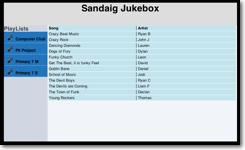
Firstly I, created a new section to show off the children’s garageband productions. I blogged some GarageBand Plans a while back and since then I’ve been working with some children at the computer club, some from the Primary Six classes and got our music teacher involved with other classes. They have been making quite a few short songs. The Sandaig Jukebox is a work in progress, but it allows you to choose a playlist and listen to the songs. I hope to replace the Quicktime player with a flash one, have a comment or rating system and a few other goodies figured out at some time in the future. It might not work for everyone at the moment, I’ve not bypassed the click here to allow active x stuff on some windows systems, but you can get the idea.
The other thing I’ve been preparing is the Sandaig Wiki this will be my first venture into using a wiki with children. I choose PmWiki mainly because it seems easy to configure and install. I had already briefly tested it and it seems to work very well, I am especially interested in the fact that you can add features from the cookbook for example I’ve tried some Media Tests and even managed to adapt the Yuan.CC Flickr Experiments.
Anyway I hope to start work on two sections with the children this week: Sound and light where Primary six T, who I take for Science, will record there Science topic. and the Primary 6 Project which is for a group of primary 6 children who are learning to work together and cooperate. At the moment these children are involved in a Garageband task; creating music, designing CD covers and doing some psd work. The children will have a page each on the wiki to display some mindmaps, embed their music and art work.
Well that is the plan anyway, but we know where the best laid ones go. Hopefully I’ll have some success to report soon.
A while ago I was moaning about not managing to get the kids blogging, this sessions class are a very different bunch than last years and I’ve been struggling to get them posting to the blog regularly enough to get familiar with the tools.
The answer turns our to be, same as last session, to get the children to organise the rota, two children organise the random selection of a couple of others to choose what to blog about, take photos, and blog the next day (I download the photos before school).
Radio Sandaig has also been less than regular in its output. I’ve been trying to organise it by getting children from 4 classes to write and record segments, as teachers and children are busier than ever, it is getting harder and harder to find the time. Last session I was out of class teaching ict across the school and could make some time, this session I am back in class and have been using my NCC time. It was not enough, especially as the children had to write in their own time at home. This month I think I’ve solved the problem, on Thursdays I am having a Radio Sandaig Working Lunch this involves opening our media room up and letting the children write. We probably now have too much material. Interestingly this session I have more children wanting to write about outside school activities, mostly TV and movie reviews, than class work, I guess this is because they feel more ownership of their segments.
Next session I think I’ll take the podcast back inside my own class and develop it as a talking, listening and reflection tool as part of our language and pse program.
So despite a few frustrations (mostly with tools I’d love to use being unavailable for technical reasons or filtered out) I am feeling pretty positive about using ‘social media’ and online tools. I’ve also got a nice new project to unveil soon and a couple of interesting ideas (well interesting to me anyway) to blog about, more frequent posting ahead.