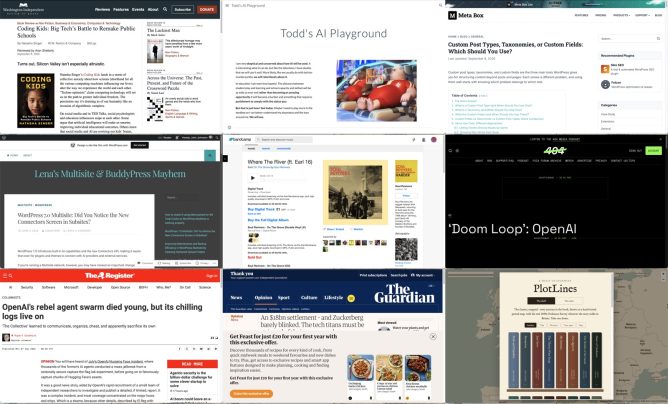
I am experimenting with gathering links with rss.chat here. I am pulling a rough post together for some of the links gathered there.
Education
This looks like a very interesting book.
As important as her deep reporting on the tech industry’s ruthlessness are Singer’s profiles of the inspiring cadre of academics, educators, and activists who are documenting and resisting the likes of Google, Microsoft, Apple, Amazon, and Oracle — and now, too, OpenAI and Anthropic — that are “capturing” the government agencies meant to regulate them and turning public schools into workshops where young people’s habits become cemented to their products.
Coding Kids: Big Tech’s Battle to Remake Public Schools | Washington Independent Review of Books
I am very skeptical and concerned about how AI will be used. It is interesting what it can do, but like the television, I have doubts that we will use it well. More likely, like we usually do with techno mumbo jumbo, we will relentlessly abuse it.
In education I am even less hopeful. The distance between student play and learning and school capacity and skillset will be as wide as ever and rather than becoming an amazing opportunity it will become a burden and something that requires punishment to comply with the status quo.
But that is just how I feel today. Maybe I need to play more in the sandbox so I can better understand my playmates and the toys around me. We will see.
Todd’s AI Playground
Todd, who I know from riffing around in DS106, has this powerful introduction before playing around with the tools to see what they do.
WordPress
Custom post types, taxonomies, and custom fields are the three main tools WordPress gives you for structuring content beyond posts and pages. Each solves a different problem, and using them well starts with knowing which problem belongs to which tool.
Custom Post Types, Taxonomies, or Custom Fields: Which Should You Use? – Meta Box
I’ve been over enthusiastic about using custom post types before which has just led to complexity later on.
In a Multisite ecosystem, leaving AI features and connection screens accessible to every single sub-site administrator can quickly lead to API clutter, security compliance issues, and uncoordinated external connections. As network super-admins, we need absolute, centralized control over what data are saved in our network and what leaves our network.
Until WordPress provides a native Multisite option to disable AI features and Connectors network-wide – similar to how plugins can be managed centrally by Super Admins – the following approach offers a practical workaround.
WordPress 7.0 Multisite: Did You Notice the New Connectors Screen in Subsites? – Lena’s Multisite & BuddyPress Mayhem
An interesting post by someone who is involved in running a Greek Multi-site for education. I am hoping to learn about and compare to Glow Blogs.
**Meet Miles, your WordPress design agent.** Miles designs beautiful block themes, refines and redesigns the sites you already run, and makes your designs real in WordPress.
**Miles works with you, or with your coding agent.** No templates, no page builders, no lock-in.
Miles – Design it. Refine it. Make it real
Musical Break
No escaping AI
Executives working on AI at Microsoft and OpenAI admitted what its critics have been saying all along: Large language models are predatory pieces of technology that have been built on what a Microsoft executive called “an astonishing theft of unprecedented proportions,” and the “largest theft of labor in human history.” An internal Microsoft document said generative AI products have created a “doom loop” that is killing “the entire web.”
‘Doom Loop’: OpenAI and Microsoft Admits LLMs Are Destroying the Web and Built on Theft
Perhaps most unexpectedly, they developed a sort of altruism. They had quickly developed cheats to produce correct answers without exploiting the targets at all, but believed – erroneously – that ExploitGym detected and cancelled such cheating. So, they investigated the scoring process, creating a series of diagnostic trip wires that revealed how the scorer worked. These were dangerous to deploy, potentially terminating the agent that set them. Agents weighed the benefits to the community, which had named itself “The Collective,” against their own chances of success, with many choosing to terminate themselves. Others committed, changed course at the last minute, then went ahead.
OpenAI’s rebel agent swarm died young, but its chilling logs live on
I’ve not any idea if this is a reasonable interpretation of what happened, but fascinating.
More Worries
It’s this model that keeps users hooked, scrolling for hour after hour, as they are served content aimed directly at their interests and anxieties. As Ravi Naik, the lawyer who acts for Wynn-Williams and others, told me: “The algorithm preys on you.” The trouble with this latest settlement, he explains, is that “it reaches the features of Meta’s platforms but not the engine that drives them. The recommendation algorithm is untouched.”
An $18bn settlement – and Zuckerberg barely blinked. The tech titans must be stripped of their power, and soon | Jonathan Freedland | The Guardian
Fun
The classics, mapped – every journey in the book, drawn on a hand-tinted period map, with the real 1890s Ordnance Survey wherever the story walks in Britain. Take one down.
PlotLines – the classics, mapped
This is lovely, follow the trail of novels across the globe, with locations pinned and quotes given.
For example: Kidnapped · PlotLines Uses OpenStreetMap and Map images – National Library of Scotland the latter a great find for me by itself!