Last week Adobe announced that they would stop supporting Flash in 2020.

Although in the age of mobile and tablets Flash content has become less important there still is a lot of educational material, especially games, that uses Flash.

Back at the end of the last century I used flash to make resources for teaching I even used this old one and this one in class this year.

I also used Flash to teach animation in class. Although Flash is expensive at the time I used it you could get cheap education copies and the software was less complicated.

Sandaig Primary School: Computer Club (on the Internet archive) still has some of the work we did.

I’ve just had a trip down memory lane, Littlefish Flash lists some of the things I did with Flash and also links to a pile of worksheets I made for my pupils.

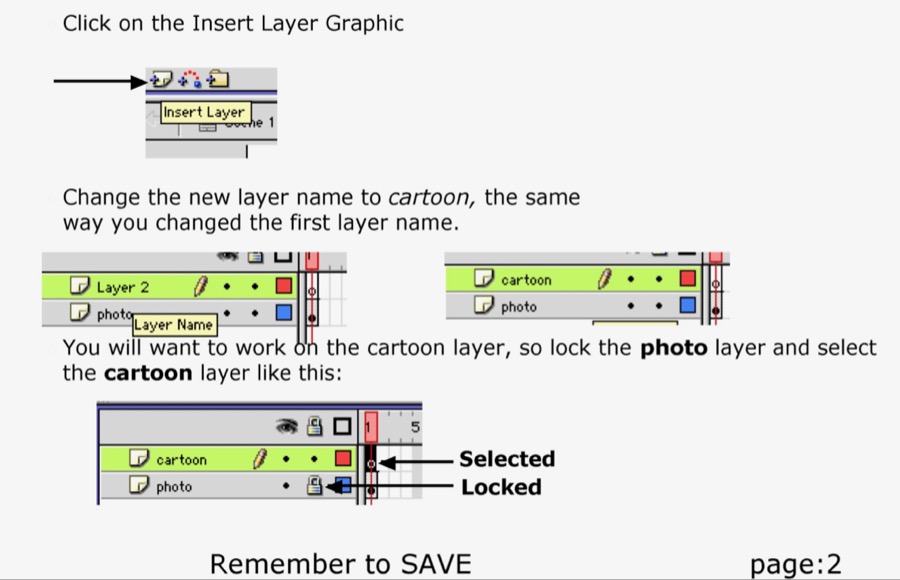
Looking back I remember how exciting, for me, to be able to learn and teach about layers, frames, bitmap and vector graphics.

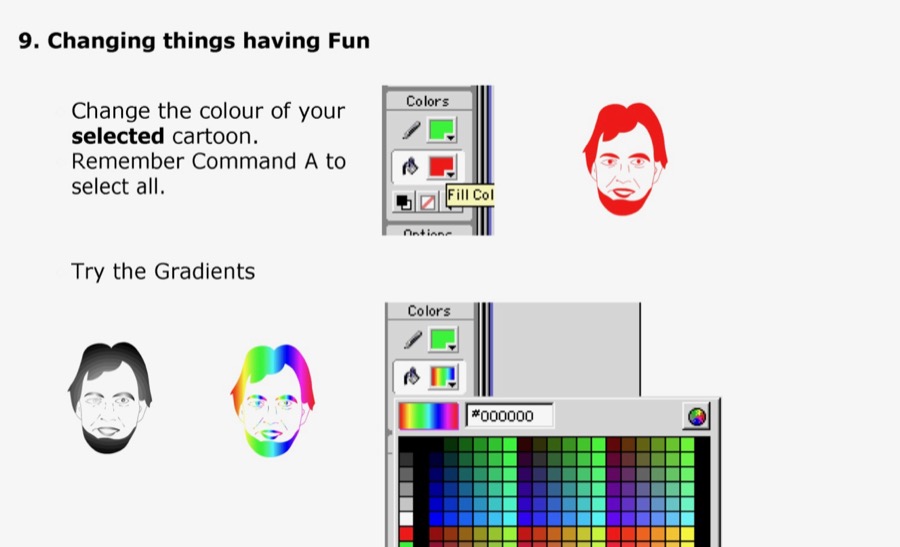
One of the introductory exercises we did was to use flash to trace our faces. The same technique was popular with my class using iPad apps this year.

I’ve read a lot online about the problems with Flash over the last few years. It uses too much energy for mobile and has regular security problems. Despite this and the fact it was priced out of my classroom when Adobe bought it I am a little sad that old flash content will either vanish or be hard to view in just a few years.

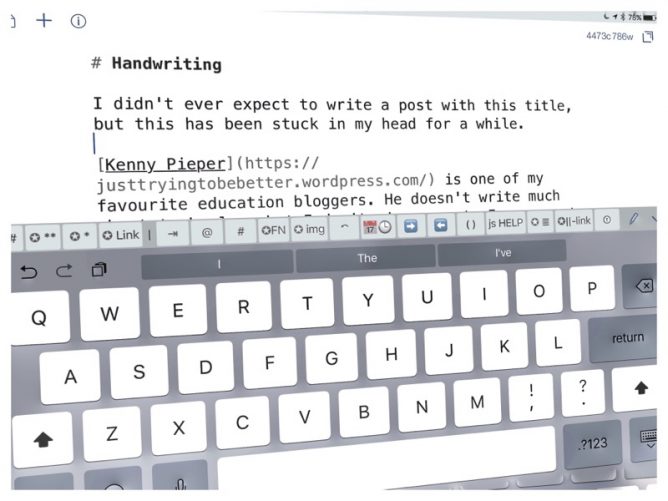
I didn’t ever expect to write a post with this title, but this has been stuck in my head for a while, I started writing it a few weeks ago.

Kenny Pieper is one of my favourite education bloggers. He doesn’t write much about technology but I don’t miss a post (his Book is a good read too).

In a recent post he writes about using google docs with his class and this bit brought me to a halt:

I would never use it with younger kids; they need to write accurately with pen or pencil before they should move on to more focused tools but for seniors it works really well.

From: What’s Up, Docs? Digital Technology in English.

I’ve recently finished my first year in a classroom in nearly a decade. A lot had changed! One of the thing that changed in my classroom is the children each had use of an iPad. I’ve blogged a bit about some of the technical aspects of the experience but not about some of the decisions made about when to use technology and any benefits. At the start of the year I didn’t introduce the iPads straightaway, but established jotters as normal. We discussed the importance of keeping using the jotters and over the year came to some sort of balance. I’d estimate about 1:2 iPad to handwriting ratio. Given that the primary sevens would be going to a new school next session where they would not have 1–2–1 devices I did not want to put them at any disadvantage.

It was a small class and only the older children, the primary sixes and sevens, did a lot of daily writing on the iPads. I’ve not got any statistics or real findings. I do feel that writing digitally has help with some of the processes of writing. In particular the ability and willingness to revise written work. Correcting ones own writing is a lot easier on a device and gives a more pleasing result in the main. Reorganising writing is easier too. Moving paragraphs around, or just creating paragraphs out of a block of text is a lot easier.

That should make improving writing easier? I hope so.

Kenny writes about his own experience of finding examples of his handwriting from the past.

I found a little piece of my own history when I came across the old notebook. Wouldn’t it be a shame if that same opportunity were to be denied to future generations?

From: What’s the point of handwriting?

Which was obviously an enjoyable experience for him. My own history with handwriting has been different.

All the way through school (and university) I got reminded that I would lose marks for my handwriting writing. I can’t recall ever feeling pleased with it.

Left handed, primary seven lessons with pen and ink were a smear. Even with a left handed fountain pen.

At sixteen, taking a shotgun licence form to the local police station my printed ‘signature’ provoked a ‘call that a signature son’, I’ve signed a scrawl ever since.

A gap of nearly 10 years between university and Jordanhill did nothing to improve the situation.

My first permanent head teacher gently suggested I practice writing on the board and at home. This I did for a few minutes at home (copied out the Tao Te Ching), and when I arrived in school. This improved my classroom writing enough to get by. Making Banda worksheets was an extended torture for me. Usually making a mistake right at the end.

When the same head suggested I improve my non-existent ICT skills by taking home a computer for the summer break I was not too keen, but I went along with it. I discover ClarisWorks and the ease of editing. I was much more interested now.

I write a lot. I’d not argue that I am a good writer, but I love blogging, as a way of sharing but more as a way of thinking.

The main difference between my blog and the few journals I’ve kept (I’ve found old travel ones) is that I can read the blog. I can search it too and find what I half-recall.

I don’t know if digital writing is better or worse for pupils literacy. I’ve read various bits of research but nothing conclusive. I certainly feel digital helps me and perhaps some learners.

Update: while this post has been maturing in drafts I read: Can’t Trust It: Typing vs Handwriting archive.org link which indicates that the water is muddy.

I just spent Saturday and half of Sunday at WordCamp Edinburgh 2017. This is only my third WordCamp, but I though it might be worth typing up a few impressions.

The camp was very nicely organised, ran to time, had good food, the venue was great. Minimal friction for attendees.

The vibe was quite like a TeachMeet although most of the presentations were an hour long and a bit more formal. I guess Wordcamp like TM has its roots in Bar Camp? Compared to a TeachMeet the sponsored were more visible and more part of the community. This felt fine as I guess most of the attendees were professional working alongside the sponsors. (I am not a fan of the over sponsorship of TeachMeets)

The talks were very varied, some technical, some business related. All the ones I went to were informative and enjoyable. There seemed to be a strong strand about using WordPress for the good, democracy and social change.

Social Good

Two of the keynotes were to do with this idea of social good. The opening one on day one was by Leah Lockhart, who talked about helping community groups and local politicians to communicate. I felt there were a lot in common with eduction. Schools have embraced online communication in the same sort of way, veering towards twitter ( probably less Facebook that community groups) as an easy way to get messages out. In the same way they lose control of their information and its organisation. Leah spoke of the way WordPress could give you a better long term result.

Leah also explained that it is hard for community groups to be able to design how their information gets out. I think we are at the point where WordPress is easy enough to use the difficulty comes in using it in a strategic way that maximises its potential. I’ve got a fair bit of experience in helping schools use WordPress in a practical sense and there is plenty of online help for that. There is a gap to be filled in the preparation and planning. If this is solved for community groups it might be easy to repurpose the information and processes for education.

Bridget Hamilton spoke of Using WordPress to create social change. Her story of her site Verbal Remedy was inspirational. A blog provide effective communication without much in the way of backing.

Technical

I went to a few of the more technical talks.

Mark Wilkinson spoke of ‘a deep understanding of actions and filters’. Since I mess around with code in WordPress at a very basic level this was a really useful talk for me. It was just pitched at the right level. I’ve used these with only a basic understanding. I think Mark got me to the point I could being to understand things a lot better the next time I dip in. Mark’s Slides

Tom Nowell spoke about the WordPress Rest API for beginners, he meant beginners with the API not generally. I held on by the skin of my teeth. Luckily I follow Tom Woodward and had played with the API in a much simpler way than either Tom documented. Yesterday I added a wee bit to my homepage to pull in the last status from my blog! Tom’s Slides

Twitter vs Blogs

Franz Vitulli talked about aspects of the pull between Social media and blogging it was good to hear another view of the area I’ve been reading and thinking about from an indieweb point of view.

Progressive Enhancement

Ben Usher Smith gave this talk, at first I thought it was a bit out of my wheelhouse, but it became apparent that the process of progressive enhancement can be applied to any sort of enterprise. I hope to be more aware of this when planning for my class next session. Ben’s post Progressive enhancement — More than just works without JavaScript on medium.

Even More…

I went to a few other talks all of which I enjoyed. Even the ones I though I was choosing almost at random had something interesting to them. Often it was in thinking about how the ideas or principles fitted into my world.

I took notes during the talks using Little Outliner 2, this meant I could publish as I went along: Notes from #wcedin. I am really liking using an outliner for this process, although I don’t think an iPad was as good as a laptop would have been. There are a few different links and thoughts there.

After I got back I feed the twitter hash tag into Tags, Martin Hawksey’s tool. This gives me TAGSExplorer: Interactive archive of twitter conversations from a Google Spreadsheet for #wcedin .

I probably missed a few opportunities to talk to folk, I found myself feeling a bit less social than I do in my TeachMeet comfort zone. But the atmosphere was very relaxed and inclusive. I’d recommend educators with an interest in blogging to join in if there is a Wordcamp near them.

It is a about three months since I started using the miro.blog app it has been really interesting, to me, to use this blog in a slightly different way. I’ve certainly not come to any earth shattering conclusions but am enjoying using the ‘service’ thinking about all sorts of associated things.

I’ve categorised 132 posts as micro here, compared to a handful of standard posts. These posts would have been things I posted to Twitter or Instagram in the past. Now they go to micro.blog/johnjohnston and Twitter.

twitter replacement

Not quite. I’ve posted more things straight to twitter. I’ve enjoyed the 280 character limit on micro.blog but still have used Twitter directly for posting education related things, joining in the #30daytdc ds106 tweetfest in July and replying to tweets. The stuff I’ve sent through micro.blog has been more general internet stuff and thoughts about microblogging/indieweb. I didn’t think about this too much just went with what felt right.

Instagram replacement

The Micro.blog app is a nice simple photo sharer. The fact that the image is posted on your own blog first gives a nice warm indieweb feeling. I’ve still posted the odd picture to instagram mainly for the other nice warm feeling that comes from likes. I get a lot more likes on Instagram than I do on photos posted here and to twitter even though I’ve a much bigger following on Twitter than Instagram.
I flirted briefly with Youowngram and a WordPress plugin before that but I’ve not settled on some way of incorporating Instagram into a workflow.

micro.blog community

I’ve enjoyed a bit of interaction on micro.blog itself and the associated slack channel. It is fascinating watching quite a small group of folk figuring out how this new service, or perhaps layer on existing services works for them.

indieweb

I’ve dabbled in indieweb principles for a while on this blog. The theme I use is build for it and I’ve a bunch of plugins that help connect this blog with other services. Using micro.blog has brought me into contact with a lot more indieweb folk and helped my understanding of how things could work. Again it is nice to see others exploring and thinking this out loud.

A useful resource I’ve found is Chris Aldrich’s Opml list of indieweb RSS feeds. I’ve subscribed to this in Inoreader and added as a tab on my River5 setup not only have I seen some familiar faces from the ds106 universe I am getting to read lots of great content about this stuff.

Colin Walker’s blog Social Thoughts is another great resource (part of the indieweb opml too). Colin has been narrating in great detail both technical and philosophical ideas surrounding microblogging and he has a great Microcast too.

I am beginning to see how conversations can cross domains and belong to participants rather than the silos they take place in.

Still tweekin’

I am still trying to more fully understand how this all works and how best to organise things here. I do think it is still fairly complicated to set up a blog following all of the indieweb principles. It also looks like it is getting simpler all the time. The indieweb WordPress plugins are getting regularly updated and the future looks bright.

The whole microblogging experience is leading me to re-thinking my approach to social media, podcasting and blogging and I am really enjoying the process.

I’ve also enjoyed the minor geeky things I’ve been playing with, posting to microblog from drafts on iOS using the workflow app and using AppleScript from a mac. Not big or interesting to many other folk but it is how I get my fun.


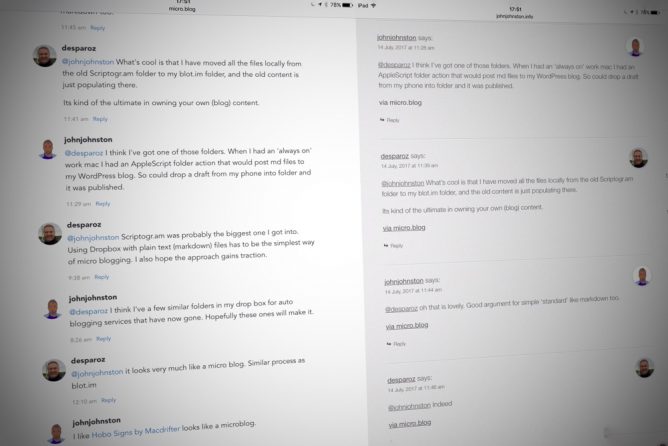
The featured image on this post is of a conversation from this morning that took place on microblog and reflected in the comments here.