Back in March I had a wee shot of periscope. Since then I’ve sen a few notifications pop up on my screen, but not often had the chance to watch. Often they are fairly trivial, folk at the zoo or watching traffic or just testing the app.

Today I saw this tweet:

And hit the link. Turned out it was a presentation at ‎UPEI Multidisciplinary Graduate Research Conference from a Workshop by Dr. Bonnie Stewart 1 on Becoming a Networked Scholar. Dr. Bonnie Stewart on Becoming a Networked Scholar. I watch the first 45 minutes of the broadcast from a couple of different rooms at home. A very engaging presentation on social media in Higher Education, much in my opinion directly transferable to PL in primary and secondary education. For a short while you can see the video at: Bonnie Stewart on Periscope, but I don’t think that will be around for long. After I tweeted out the fact I was watching some one asked me about the quality:

In the age of mobile we take for granted tons of things, but we now have amazing power to communicate in our pockets. For her tweets it appears Bonnie joined periscope just before she started broadcasting. It certainly didn’t take any technical expertise on my part to watch.

As I tweeted, the audio and indeed the video was very clear and synchronised. The Screenshot is slightly blurrier than average. The projector screen was not to clear, but the whole thing was very watchable. NB. bonnie’s slides are up here: Becoming a Networked Scholar.

I was supposed to be going to the post office but delayed as long as possible, I am pretty sure that the stream would hold up on 3 or 4g but unfortunately the audio is cut off when the lock screen is on. That might be an improvement for periscope or my audio bias showing.

This has certainly given me the idea that you can broadcast with periscope with a deal of confidence and make a good fist of it without a lot of prep. I guess if you wanted someone could screen capture the video. Looks like it might be a useful TeachMeet tool, classroom use would have to be though about carefully, but it could certainly be used to bring video into a classroom simply. With more and more primary classes using twitter it doesn’t seem much of a jump to use a teacher’s phone to project onto a screen or, network allowing, to watch on a desktop.

1. Bonnie and her students were central to one of my favourite Raido #EDUtalk broadcasts, Radio #EDUtalk 06-03-2014: #ed473 ‘Considering networked communications for educators’ | EDUtalk

The previous post was an attempt to get the advanced Kanban open badge. This one follows up with an answer to the question posed in the P2PU Badges Project to my application and as wee thought about badge systems.

The feedback was questioning why I decided not to use the ‘Work in Progress’ system to limit the number of tasks in the doing section. I’ve already described the board I set up was to be used for Radio Edutalk. I’d had changed to do,doing and done for possible guests,shows and broadcasts.

I didn’t want to limit the doing(shows) section as that number will reflect the shows that are ready to go. A long list there is not a sign of doing too much but one of being prepared well in advance.

The feedback section in p2p is not that great. There is nowhere to enter answers to the question there. Hence this post and some blue sky thought. I wonder if a badge could send a trackback or something like it to a blog post, with feedback and /or a badge?

Maybe something trackback like (at least to my eyes) such as a Webmention (more:Webmention – IndieWebCamp).

So ideally (or in my imagination), the badge page has a URL. I write blog post in response giving evidence as to why I should get the badge. The badge pages gets pinged, creates my ‘project’ lets an approver/expert know. This person reviews the work and adds feedback to the project page and/or awards the badge. This action pings my blog post, adding the feedback/badge as a comment. Responding to the comment could answer feedback etc.

I am typing this pretty much from ignorance of the current badge scene perhaps this is already on some cards somewhere or already been rejected as a daft idea?

Thanks to Doug Belshaw who provide the opportunity to play with badges again.

ShowsTrello

While I enjoy a geeky lifehack blog post as well as the next person I rarely take the advice. My inbox is pretty messy, I have no consistent way of organising files and I keep notes in text files in several different places (mostly dropbox), links in pinboard.in and that is about it. No GTD here I am afraid.

I have been watching the technical guys at work use kanban boards on the wall for a while now so was interested in Doug’s recent posts on Trello 1. Combined with a rainy day and the opportunity to just run through an open badges experience I though I’d give it a go.

Trello

Trello is certainly easy to set up. I though I’d have a we shot at organising Edutalk episodes. We had been doing this with Google Sheets, but that seemed to be getting a bit complex.

Trello is a free web-based project management application originally made by Fog Creek Software in 2011, that spun out to be its own company in 2014 2

It basically lets you organise lists of cards and move them from one board to another. For the 101 badge Doug suggested Create a new board with (at least) three lists: To do, Doing, and Done.

I changed this to Possible Guests, Shows, Broadcast.

The card have names of the guests, notes, a check list (contact, agreed, set date etc). labels etc. When the date is agreed I set a due date and drag card to the Show Column. The fact it has a due date adds it to a calendar and I subscribe to that with my mac/phone calendar app.

Badges

This got me the Kanban 101 badge, thanks Doug. That let me work through the P2PU badges process, which is pretty straightforward.

  1. You go to the Kanban 101 badge page.
  2. Click submit a project for this badge and away you go. (you do need an account for P2PU but I seem to have picked one of those up before)
  3. Claiming the badge only requires a screenshot and a few lines of text.
  4. Once you submit you get an email and then another one when your submission is approved. Visiting the page allows you to add this to your mozilla backpack (I got one of those a while back)

This process feels pretty smooth, the only problem I came across was sending the badge to my backpack. I had a problem doing that until i went and signed on to backpack before submitting as opposed to as I went along.

Another Badge?

Doug has also made an Advanced Kanban Badge so I though I’d give that a go too.

The Criteria:

  1. Add a ‘Work In Progress’ (WIP) limit to the ‘Doing’ list
  2. Define and use labels effectively
  3. Add attachments and due dates to cards
  4. Collaborate with others

My Effort:

  1. I didn’t add a WIP limit to my doing (shows list) as it does not need one.
  2. I had already added labels, for Wednesday/Tuesday the days we do shows and red one for ‘Agreed’ to indicate if guests have agreed to be on a show.
  3. Due dates are added when a card become a show to produce the calendar as describe above. I’ve tested out attachments and that might be useful going forward, it is pretty easy.
  4. I’ve invited my partner in EDUtalk to the board.

Given I’ve not exactly met the criteria I though I might try something else to see if that would get me a badge.

I’ve made a few customisations to the board, adding an icon and changing the background colour so I though I might change the background of the lists. There are no preferences for that.

I use an extension for Safari that allows you to test out CSS which got me what I wanted. I then need to use these styles when the board loads. I searched Safari extensions but didn’t find what I needed, but I did notice I had an unactivated extension stylish so activated that.3

Here is the styles I am using:


.list:nth-child(1) {
    background: #ccffcc;
}
.list:nth-child(2) {
    background: #ffcccc;
}
.list:nth-child(3) {
    background: #ff00ff;
}
.list:nth-child(4) {
    background: #ffffcc;
}
body{
 zoom:90%
}

The final style just zooms the page out a wee bit letting me see the whole board on my macbook. It looks like there a pile of styles available for Trello at userstyles.org these might be better than mine;-)

This gives me the screenshot at the start of this post. The final advice on the Advance kanban badge is:

Evidence may be provided via a screencast, a series of screenshots, and/or a blog post.

Hopefully this will do it.

I wonder if this will make any difference to my organisation, I am hoping it may given kanban/trello seems to be an extremely simple system and the trello site is quite usable without recourse to any help.

This is a pretty random time to look back, but I was browsing through some old posts here looking for a link and came across this from 22nd December 2013, before I was started my secondment to the Glow Team. I’ve changed the unordered list to an ordered one so that I can score myself.

I hope that glow will both continue to supply WordPress blogs and to make them much more powerful. I’ve no idea if I will be in a position to influence this, but this is what I would like:

  1. The MetawebLogAPI to be activated, this allows posting to blogs from mobile applications.
  2. More plugins, especially FeedWordPress that would allow a teacher to ‘collect’ their pupils blogs or anyone to create a space were others could easily contribute from their own blog.
  3. Access to editing the code, either through the web interface of via ftp (I guess this might be the hardest one to pull off).
  4. More themes (there are only about 6 in glow) would not do any harm.

One way to do this, would be for glow to supply web hosting, these spaces, like cheap web-hosting all over the internet, could allow one click installs of WordPress (and lots of other software). I explored this in a recent post here: Glow should be at the trailing edge? but have not really got an idea if this is possible from either a cost or execution point of view? I hope to find out soon if this is a possibility or a pipe dream.

from: EDUtalk, learning to love WordPress

We do continue to provide WordPress blogs and in my opinion a better service. The upgraded version of WordPress and much easier setup of a blog as the two major benefits.

As for the List:

  1. I failed at the first, right from the get go the developers, security advisers and technical experts told me the MetaWebLogAPI was not an option for Glow Blogs. It would not work with the RM login and other options did not seem to fit the bill. Since I’d being going on about this for years. It is a big disappointment to me. It is mitigated somewhat by the improving mobile interface of WordPress which will only get better as long as Glow keeps up with WordPress in a timely fashion (as planned).
  2. More plugins, especially FeedWordPress, we didn’t get FWP but we have a syndication plugin that does much of the same thing. I am not sure I’ve convinced many folk to use it or explained it properly, but the potential is there. There are not a host of other plugins that have been added, but there are a few. Jetpack in particular, even in the cutdown version running on Glow, is very useful.
  3. Access to editing the code, a pipe dream on a multi-site that values security and performance. We do have access to editing CSS via the Jetpack plugin. This is useful and probably usable by more folk.
  4. More themes, we gained TwentyTwelve, TwentyThirteen, TwentyFourteen when we upgraded to WP 4. Later we got TwentyFifteen, Yoko and P2. We will be losing Spectrum News and Suffusion in the future. There are a few more to be added when we have the resource to do so.

If I was being generous I’d give myself 5 out of 10 for this list, a could do better C.

I’ve probably got a bit of a better idea in the amount of work involved in doing something as simple as adding a theme or a plugin. I’d like it if there was a way for Glow users to submit requests and these to be evaluated in a reasonable time frame.

We have managed to upgrade WordPress itself and were a bit unlucky that 2 security upgraded had to be applied in a very short space of time recently. The notion of keeping reasonably up to date is firmly in place. We should get a lot of good things just by doing that.

The final post, provision of space for hosting your own blog, seems a bit starry eyed, but as I notice earlier today the idea is getting some traction. I don’t expect we would see this any time soon, but I still think it is worth thinking about.

I’ve another 141 days until the end of my secondment, in light of progress so far this is what I’d like to see before then:

  1. The improved e-portfolio system out of the door
  2. A few new themes and the odd plugin added.
  3. Upgrade WordPress if appropriate
  4. Make cast iron the expectations for continual improvement

I’ll mark myself on these in December.

More important I hope I see an increase in the use of blogs by pupils that actively impacts their learning.

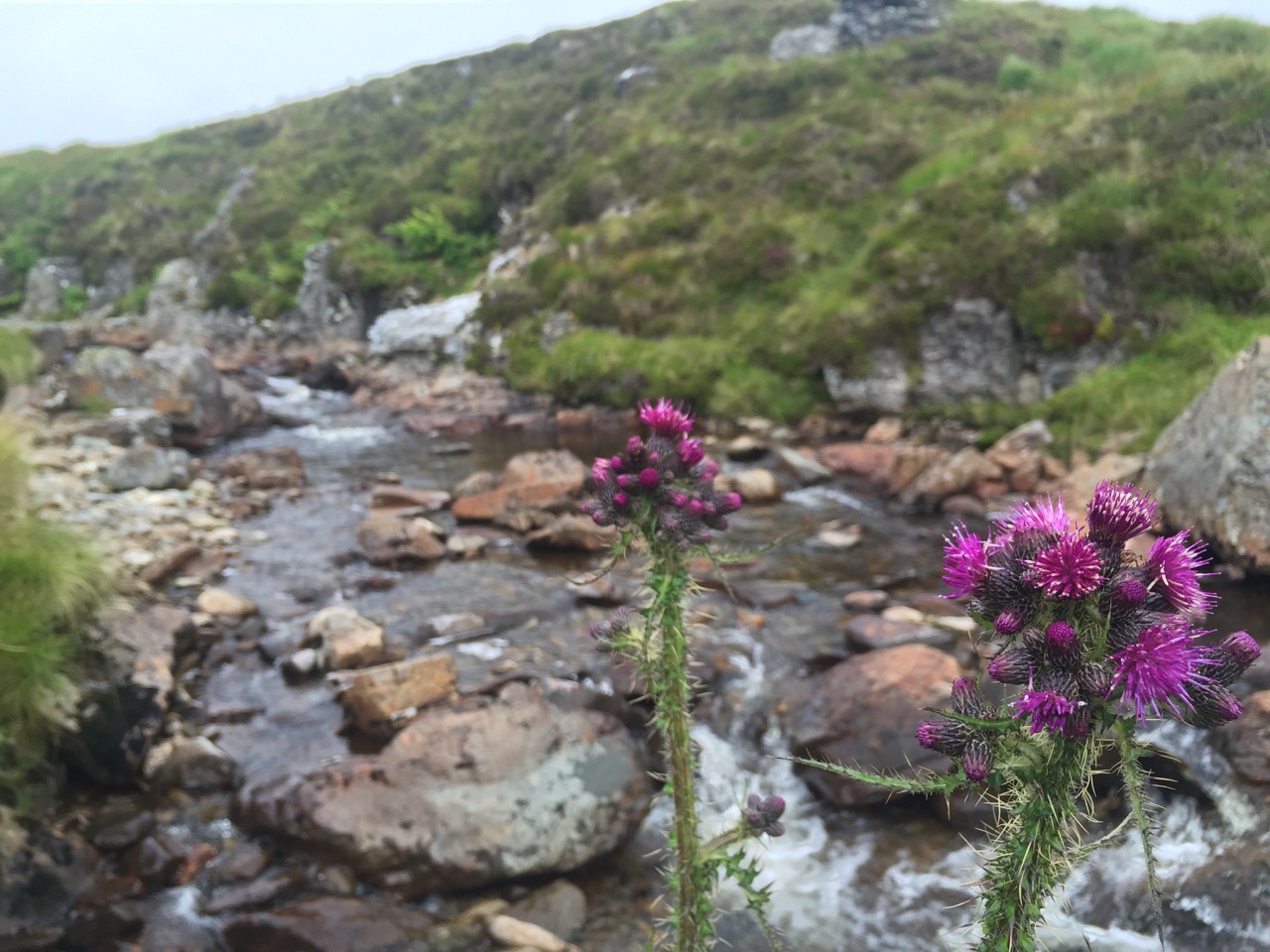
The photo at the top is one that is averaged from several I took, I guess a C is average.

Pano from Beinn Bhreac

Here are a great series of articles that I came across this morning. I’d recommend everyone interested in the Internet and education to read them.

For someone who reads a lot online I do not dip into TES often. So I was excited to find:
Jim Knight: ‘Let’s give all students their own domain name – and watch the digital learning that follows’ today.

Ironically I got it via Jim Groom’s post:
Domains and the Cost of Innovation. I do read Jim’s blog religiously.

Jim Knight’s article is based on another wonderful post by Audrey Watters> Audrey writes about the work of Jim Groom and others at the University of Mary Washington: The Web We Need to Give Students.

I’ve been muttering and mumbling about this idea for a good while now, based on reading about the UMW project and taking part in DS106. I really hope that the TES article gives the idea some legs and it can get some traction in the UK and more importantly, to me, in Scotland.

Before I started working on the Glow team, I included it in a post, Glow should be at the trailing edge?. I don’t think the idea has ever been given serious consideration at the right level. It certainly goes is a slightly different direction than Glow is going but it is still worth considering.

Replied to Futzopublicus is my Dackolupatoni (CogDogBlog)
This was in fact a fabulous part of my presentation, and opportunity to show the time honored DS106 tradition of messing up (aka “futzing”) in public- Futzopublicus. So do be a favor, see how we can change the distribution of sand grains, use “Futzopublicus” online now.

So do be a favor, see how we can change the distribution of sand grains, use “Futzopublicus” online now.

from: Futzopublicus is my Dackolupatoni

Nice lesson from Alan Levine, about the web and how it works, of  a URL being a living thing.

Just joining in to see how this ripples, but it would be an interesting lesson with a class:

  1. Who can find a word that is not searchable?
  2. How fast can we make it searchable?

Untitled


Update 10 minutes after posting:

Screen Shot 2015-06-21 at 22.46.40

Last evening I noticed on twitter:

And jumped in without thinking too much.

Rich (@richardtape) was providing drop in support on a Google Hangout. Rich works at University of British Columbia which is, of course, organizing the Teaching with WordPress course I am trying to follow.

I had, for a short while, the floor to myself. Unfortunately I made poor use of the time, my teacup was too full. Rich was extremely patient and told me the answer to my problem several times, I just didn’t notice. Hopefully I’ve learned a lesson for the next time I have a similar opportunity (hoping against experience here).

The problem is the one described in the previous post. To display a question/assignment/challenge post along with responses to that post. Christina solved it with the loop shortcode plugin. We do not have that plugin on GlowBlogs.

Five Thirty am Enlightenment

After mulling over the problem in bed this morning I suddenly listened to Rich again. He had repeatedly told me the best way to do this would be RSS but I had focused on plugins and facilities we do not have (yet?) in GlowBlogs.

So the way I would solve this in Glow blogs would be to use RSS widgets, to pull in responses. These responses would be on the same blog as the questions (but could be pulled in with the syndication plugin, or on another blog that does the aggregation). The widget would only be displayed on the post with the question as it would have a unique category. The responses would have a unique category or tag.

Here is a quick example: Challenge 2 Red.

On that post you can see the challenge (show something red). In the sidebar there is a widget showing a list of posts tagged red. This only shows up on the challenge page. I’ve added some information to the post to give more details.

There are a couple of drawbacks to this method.

  1. It is a bit fiddly for the person setting up the challenge. They need to create a widget per challenge and a category per challenge.
  2. The RSS update is not immediate. A WordPress query would be better.

I would be interested in using it for something like the bootcamp and see how it goes.

In
I made discussions on WordPress! Christina describe how she organised some flipped learning and the student responses with the help of a plugin that list/shows posts with a shortcode.
I love this sort of approach.
I’ve been thinking through how to do this on a multisite such as GlowBlogs where you cannot easily install plugins.

I was hoping that sticky posts might do it but without plugins sticky posts don’t stick to the top of a category. The best way I can think of so far would be to have the question post link to a category and the answers go in that category (these could be syndicated in) the category description could give a summary of the ‘question’. I’d be interested in any ideas around this.

I guess if there was just 1 stimulus a week then that post could be sticky until the next week. Responses would be below. This would not give a nice archive.
Of course you have the responses as comments perhaps on a p2 themed blog but I guess we want to give the pupils/participants more ownership of their content and give them the chance to have more control of their response content.

I was going to post this as a comment on Christina’s post but thought I might see how trackbacks work out.

image

I am trying to get back into Teaching with WordPress after a weeks holiday with little Internet. Given I am using my long train commute to do this there are many points on my journey where I have no internet connection. This should not be a problem as I have a plan.

I have subscribed to the aggregated course RSS feed. I sync FeeddlerPro over breakfast. Then on the train I can read posts and compose comments in Drafts. I can post these when I’ve a connection or when I get home.

The problem comes when someone has their blog set to show summaries of their posts in their feed. Just when my interest is caught my connection dies!

I know that some folk want eyeballs on their site rather than my RSS reader. Other folk many not have thought about it. If you are in the latter camp you might want to change your settings.

Settings – Reading – For each article in a feed show: full text.