My article for @TESScotland
on #ACEs #ACEAwareNation #HopefulChildhoods https://t.co/r63Aykz6t2— Gary Walsh (@PeopleValues) November 11, 2018
Interesting article and twitter thread. Really difficult stuff. Many sides.
My article for @TESScotland
on #ACEs #ACEAwareNation #HopefulChildhoods https://t.co/r63Aykz6t2— Gary Walsh (@PeopleValues) November 11, 2018
Interesting article and twitter thread. Really difficult stuff. Many sides.

Why we’re changing Flickr free accounts | Flickr Blog
Beginning January 8, 2019, Free accounts will be limited to 1,000 photos and videos. If you need unlimited storage, you’ll need to upgrade to Flickr Pro.
I got my mail from Flickr today explaining the changes. I’ve a pro account so it will not affect my photos at all.
I’ll be more interested in how it affects search. I often use Flickr photos to illustrate blog post, presentations and in my classroom.
I also encourage my pupils to use cc licensed images. It is hard for 8-11 year olds to attribute but the flick API allows me to help them with FlickrCC Stampr.
I wonder if the search will be less useful. There was some chat about keeping CC Images. I do hope so.
Update thanks to ronguest and jemostrom in the comments:
Photos that were Creative Commons licensed before our announcement are also safe. We won’t be deleting anything that was uploaded with a CC license before November 1, 2018. Even if you had more than 1,000 photos or videos with a CC license. However, if you do have more than 1,000 photos or videos uploaded, you’ll be unable to upload additional photos after January 8, 2019, unless you upgrade to a Pro account.
from: The Commons: The Past Is 100% Part of Our Future | Flickr Blog
That sound better:-)
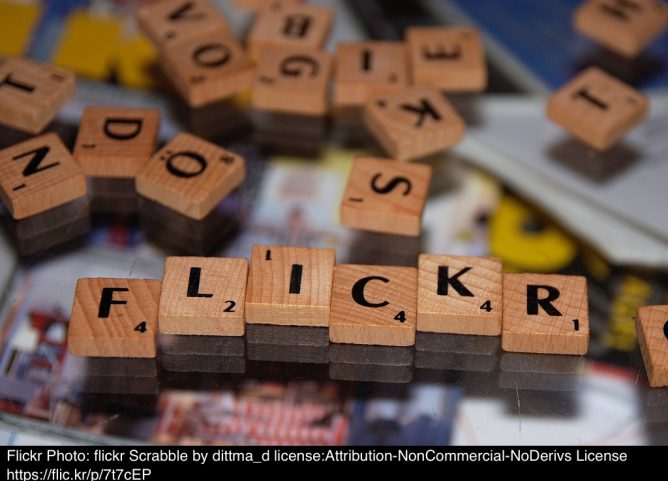
Featured image for this post: flickr Scrabble by Dirk Dittmar used under a Attribution-NonCommercial-NoDerivs 2.0 license. Stamped with the tool mentioned above.

“Our S2 elective created pull up nets! They loved them! @STEMglasgow #STEM #STEMGlasgow https://t.co/sQSBS4BQ68”
Our S2 elective created pull up nets! They loved them! @STEMglasgow #STEM #STEMGlasgow pic.twitter.com/sQSBS4BQ68
— STEM @ Whitehill (@WhitehillSTEM) November 2, 2018
This looks like a lot of fun.
Event #51: “Build a Community with WordPress and Social Media”, by Luna Carmona
Luna started by giving Mark Z of FB as a good model for communication. Someone to be trusted! I guess this indicated I was not the target audience;-)
I did enjoy the talk. Luna covered the way she had used social media to support building a community around Achieve More Scotland. This is a small but valuable organisation. In a couple of years they have greatly increased online engagement.
Takeaways:
There are lessons for online educational communities here.
There wasn’t much specific WordPress information I wonder if some IndieWeb tech could help?

Some links I’ve put on my virtual pinboard recently. Ready for the new term?
has over 1,150 Project Ideas in all areas of science
The Free Universal Construction Kit: a matrix of nearly 80 adapter bricks that enable complete interoperability between ten* popular children’s construction toys. By allowing any piece to join to any other, the Kit encourages totally new forms of intercourse between otherwise closed systems—enabling radically hybrid constructive play, the creation of previously impossible designs, and ultimately, more creative opportunities for kids.
This looks as if it could be very useful for schools.
"Batteries in parallel and in series. 3D visualization of energy, voltage, and the flow of electric current in a circuit." https://t.co/PXURXHEdm6
Never seen circuit electricity presented quite like this. Interesting #Physics— Ian Guest (@IaninSheffield) October 5, 2018
Our Forest, Our Future helps teachers and pupils to explore the interdependence of people and forests and the vital role forests play in sustaining our environment – in the past, the present and hopefully the future.

Daring Fireball: Sometimes It’s Better to Just Start Over With iCloud Photo Library Syncing
Next, I wanted to delete every single photo and video from my iPhone. To my knowledge there is no easy way to do this on the iPhone itself. (There are a lot of tasks like this that are easy on the Mac thanks to Edit → Select All that are painfully tedious on iOS.) I connected the iPhone to my Mac with a Lightning cable and used Image Capture to delete all photos and videos from my phone. Image Capture just treats the iPhone like a regular camera. Image Capture crashed three times during this process (I’m still running MacOS High Sierra 10.13.6, for what it’s worth), but after the fourth run the iPhone had no photos or videos lefp.
I just deleted all the photos from a school iPad yesterday by selecting a couple and the dragging to select the rest. Worked with ~3000 photos but a bit clunky. I’ll use Image Capture in future. It’s an application I don’t remember very often.
In a 1-2-1 iPad class I do get a lot of benefit from having a mac in school. There a several things that can be solved with a quick airdrop to the mac and back. Given the iPads and mac are of similar vintage (2012).
I’ll edit a note on the mac, it syncs to the iPad (instantaneously it feels like) and I can Airdrop to class or group via classroom app. Now the Classroom app is available for the mac I need to think about upgrading the ageing mac to Mojave. I think it is new enough but spinning hard disk and skimpy ram might be a problem?
Radio EDUtalk is shaping up for the rest of the year. If you would like to be a guest, please get in touch.
Radio #EDUtalk 05-19-2018 Loose Learners Ep 12: Taking a Break. @mdvfunes and I talked about her 3 month break from twitter. I talked a bit about micro.blog.