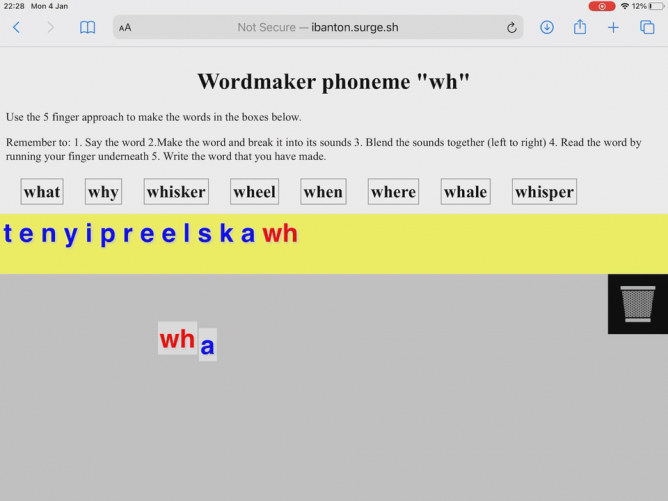
During the last lockdown I made a wee webpage to use instead of a whiteboard and magnetic letters for phonics. It might be useful to someone else: Word Makers. Made with iPads in mind. It presents a list of  words and you can drag letters around. Here is a 30 second screencast (silent).

The words are from NLC lists.

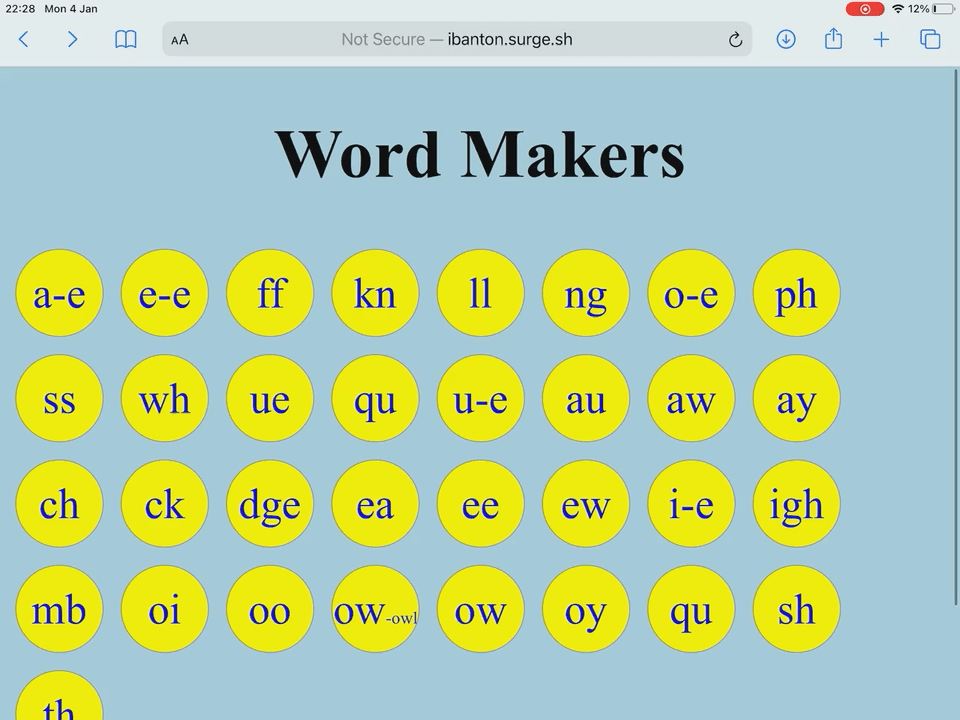
There is a table of contents:

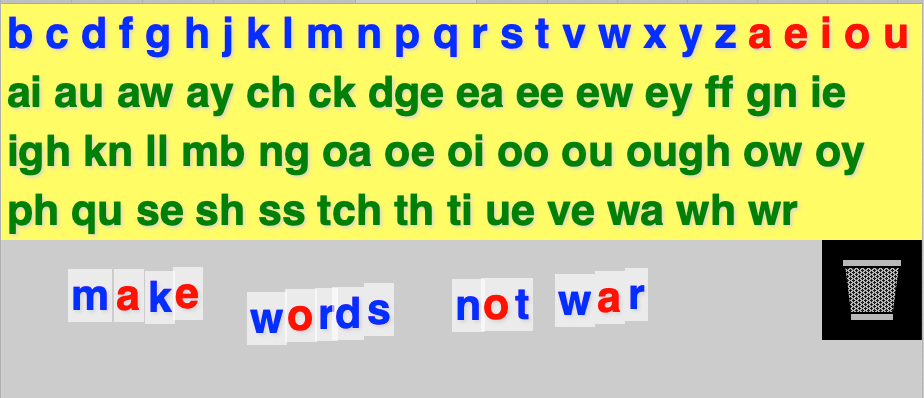
and a general board:

Doubtless a few bugs but someone might find it useful.

Bookmarked Among Us in the Classroom | #AmongUsEDU by Carrie (carriebaughcum.com)
Please note: I know there are a TON of game mechanics in Among Us. I am only sharing the ones that I thought would work for my students, my classroom, during COVID (6 feet apart and no sharing materials ), and with students in person and remote

Looks interesting. My class are pretty interested in this game and play their own version in the playground.

I’ve been asked about this sort of thing a few times now and not had an answer. It came to me on Friday, but I couldn’t test it at lunchtime as we had no internet in school.

I’ve played around with the idea this weekend and it works. Of course it could be a lot prettier.

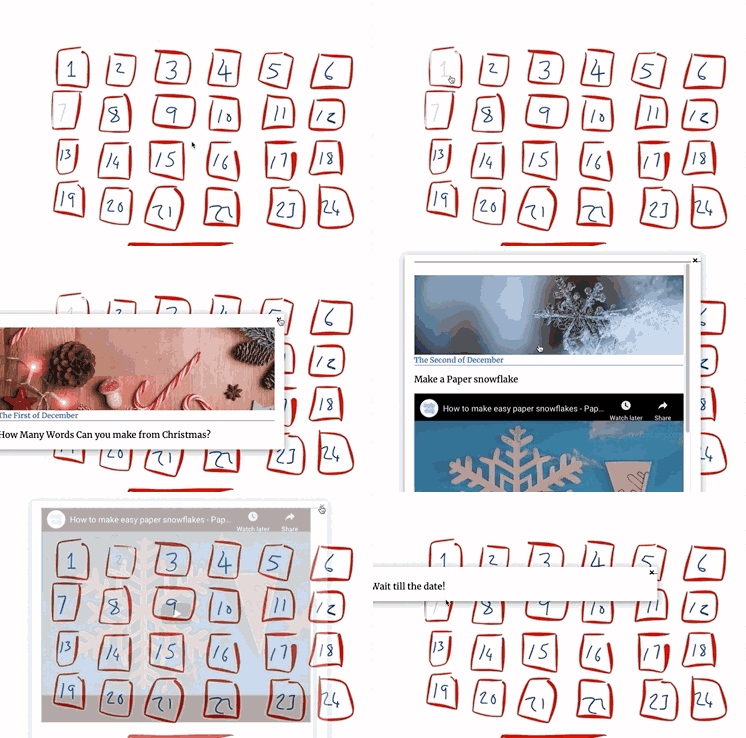
Basically I’ve set up an Advent Calendar where you can click on doors to revel information. You can only see the content that has been published and the info is qued up in Scheduled posts (pages in this case).

Using the Draw Attention and my favourite Display Posts plugins. Here is the Demo: Advent Calendar – An Example Glow Blog for Christmas

Here is a gif.

Bookmarked Cash for Questions (pathwaystoinclusion.blogspot.com)
Bribing children is so tempting. What they want, especially when they're young, is sometimes so cheap, so easy to acquire, that the temptati...

Found via @dgilmour.

50 years ago, Edward Deci gave different groups of students a Soma cube puzzle to solve. Some were paid to take part, others weren’t. When he announced that the time was up, the students that were paid to work on the task just put the cube down and walked away.

David’s tweet also lead to

Comments on ClassDojo controversy and Killer Apps for the Classroom? by Ben Williamson

I’ve never been a great one for points and the like in class, mostly due to my inability to be consistent enough in their use and unexamined distaste.

There are echos in the Doing Data Differently project. I’ve been listening to some of the colloquium videos and finding them though provoking.

Wednesday evening I hurried home after school to join the zoom meeting for the launch of the Virtual exhibition Doing Data Differently.

In the current climate, discussions about data in schools are usually linked to pupil attainment, data are represented using charts and graphs, and teachers rarely initiate data collection themselves or use it for their own purposes. The widespread use of attainment data in schools has been widely criticised for its impact on the curriculum, on teaching and learning, and on teacher and pupil wellbeing.

I’d heard of the project from Ian Guest, @IaninSheffield, an academic working on the project and an online pal. Ian did interesting work on teachers use of twitter. We talked to him about this and many other things on Radio EduTalk. Ian took a rather individual approach to gathering data during his phd.

The virtual launch was a great taster for the Doing Data Differently site or exhibition. If the idea of data in education is unattractive this will change your mind. The recording of data was done on postcards in very creative ways. A quick scroll down the Metaphors, for example, collection gives you different view of “data”.

I was particularly interested in was the amount of discussion and excitement generated by the postcards. One mention returning to change something in her class immediately. Perhaps I heard someone saying that the project vaccinated them against data. An interesting idea.

I felt that these postcards gathered more complex, subtle, less easily simplified data. This could be approached conversationally as opposed to mathematically.

The project is continued in a colloquium on vimeo. I’ve listened to the first, thanks huffduffer, Data harms and inequalities and queued up a couple more. The first was an interesting discussion of data misuse, bias, and bad algorithms. I am guessing that the videos are more academic than the postcards and should compliment thinking about data use in education in the round.

There is a lot more for me to read and think about on the site. It is facinating seeing an unusual view of other teachers practise.

This is harder than it used to be.

We have just added our class podcast to iTunes I though it might be worth noting the steps.

The RSS feed from Glow Blogs is not optimised for podcasts so I used Feedburner to create one. You need a google account to set up on Feedburner. Once you have done that you add your RSS feed from your blog to Feedburner and tick the podcast box.

An important setting is to have an image for the podcast art.
You need to upload a square image bigger than 1400 by 1400 pixels for iTunes. Remember to change the maximum size in Settings-> Media as by default Glow Blogs resizes image bigger than 1200 pixels. Then add the URL for that image to Feedburner.

You end up with a url for your podcast feed, ours is:

http://feeds.feedburner.com/BantonBiggiesPodcast

you then submit that at the apple iTunes Connect site. You need an Apple ID for that. It is pretty straightforward. You can check the feed and submit it.

Feedburner is showing its age and is missing some of the tags that Apple likes but it still works. Feedburner was taken over by google a while back and I hope it does not go the way of Google Reader. I don’t know of another free service like it?

My classes podcast is approaching episode 1 and we are having a deal of fun working on it.

I started a podcast in my previous school in 2005 which produced episode fairly regularly until 2008 when I moved to a development officer post in North Lanarkshire.

I found podcasting to really worthwhile, fun and motivating. It involved children in all sorts of learning and created many opportunities.

I’ve also produced a fair number of podcast over at EduTalk and play with microcasting  here.

I spent a fair bit of time in my development post trying to encourage the practise. Ironically I had more luck with video podcasting and for a while we had a Mac server running podcast producer which could server audio and video podcasts.

When I started work on Glow I was particularity keen to promote podcasting using Glow Blogs but didn’t see a lot of uptake.

Since returning to class in 2016 I’ve had podcasting in the back of my mind, we have, I think, posted the odd bit of audio to our class blog but until now now made a big deal of podcasting.

This session I decided to get it into our plans covering in particular:

By experiencing the setting up and running of a business, I can collaborate in making choices relating to the different roles and responsibilities and have evaluated its success.
SOC 2-22a

We are going to produce a multi-episode podcast and look for sponsorship to make it into a business.

There are an amazing number of opportunities in making a podcast for pupils including: writing, recording and editing, making a website, graphics production, finding sponsorship and publicity. We have already ticked of many of the skills that we audit in our learning.

I’ve also been learning a bit about GarageBand and how it has changed since the last time I used it. Exploring software with pupils is a great way for them to learn. My needs for podcasting for Edutalk were met by a wee bit of audacity and the levelator, not complex, but pupils are a bit more ambitious. I am also stepping out of my mac comfort zone and using the pupils iPads for the whole thing, or at least they are. They  are organising things in Teams (to include an isolating graphic person last week) and using the pupils iPads. GarageBand for recording, notes for writing, Teams for working together, brushes, sketches & keynote for graphics, numbers for organisation. Personally I would be using a different set of apps on a mac for these tasks. Moving to the pupils devices gives them control and puts me in an advisory role.

So far we have organised teams for different roles, made a start on a blog, graphics, scriptwriting. Our first bit of publicity has gone out and I cooped my daughter into a Skype visit to talk about her job as a tv producer (and her experience of working on a podcast).

We have started recording episode zero and I hope that will be published on the new podcast site next week. It is good to be back podcasting in class.

Meet the new BBC micro:bit | micro:bit

Now with speaker and microphone!
Same great features, easier ways to use sound and touch to get creative in the classroom

More features, including easy ways to take AI and ML into the classroom, will be released throughout 2021. Watch this space.

More details:
Working together on the latest BBC micro:bit

I’ve been using micro:bits for a few years now and these look like great additions, especially the sound in and out.

Given we have a good number in school already I doubt we will get new ones so having a bit of latest kit envy.

The illustrations on the page make the boards look gigantic.

Reposted https://twitter.com/IaninSheffield/status/1315385032576565248?s=20 by Ian Guest (Twitter)
DOING DATA DIFFERENTLY We're launching the virtual exhibition from this research project between 16:30 & 17:30 on Wed 11th Nov. online. Of interest to colleagues (esp. sr. leaders) interested in literacy in primary schools Registration (free) http://bit.ly/DDDExhibitionLaunch… - join us!

I’ve registered. Really interesting way of gathering information about primary teaching.