
sub_0010

Update August 7, 2015, I managed to delete my example sway by accident on my phone! While swiping to delete another sway the interface hung, I swiped twice and lost both! There is no undelete/undo! Another reason for just blogging I guess.

After testing Slate a while back I though I’d try out Microsoft Sway. I downloaded the app to my phone on the bus and made this while traveling home on bus and train.

Sway feels much like Adobe Slate, I used the same words and pictures to test Slate on my iPad a few posts ago: Chalking my First Slate.

Both Apps produce stylish, responsive webpages with nice fonts, full width images and slick galleries created from blocks of content.

Both host everything for you at no cost. Neither lets you download the work locally.

I am ‘reviewing’ them for a position of using them once. Given Sway is beta and I only used the iPhone app I take everything here with a pinch of salt.

While Slate was iPad only ,the iOS version of Sway is for the iPhone. Sway in the browser seems to be more of a web producer fitting in with your MS office account apps.

I’ve also installed Sway on an iPad and it just scales the interface to fit the screen, it seems to work just as well there as on the phone.

I was surprised to find how pleasant Sway was to use on a phone. The interface made it easy to add the content blocks.

The browser version of Sway allows video and access to photos from Flickr, OneDrive, Youtube and more. Slate give access to Lightroom, Creative Cloud and DropBox. The Sway iPhone app only gives access to your camera roll at the moment.

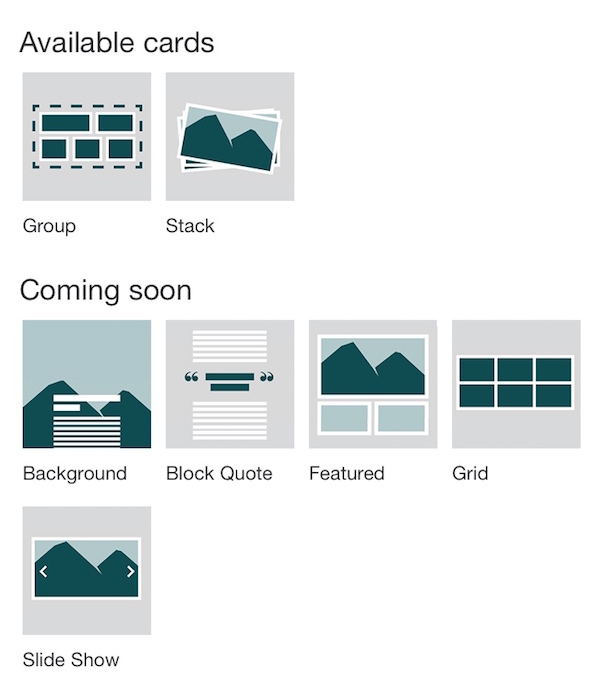
Sway is in preview and the iPhone app indicates that there are more content block (called cards) in the works. Currently you can add Headers (image and text), photos text and More. The more turns out to be ‘cards’ currently groups and stacks of images, more are coming:

sway-comingsoon

Sway on Glow?

When I posted my sway on twitter, I got a reply from someone from Microsoft. I had the chance to ask if Sway would be usable with a edu O365 account:

Sway would make a nice presentation tool for use in Glow.

I’ve got a few negative feelings about all of these services.

Firstly the lack of control of the data you publish to them. I’ve watched a few web services disappear. I generally like to at least have an export option. I’d love one of these tools to give you the opportunity to publish to your own space or download copies. That said it seems unlikely any of these companies are going out of business soon.

I also wonder if all of these highly polished presentation tools take away some creativity. Making anything with technology gives a range of choices about how near the metal you get with your tools. If we were trying to teach learners about presentation there are limitations.

Effortless design

Sway’s built-in design engine takes the hassle out of formatting your various pieces of content by integrating them into a cohesive layout. From there, you can easily adjust the design to create a look and feel that reflects your unique style.

from: Office Sway – Create and share amazing stories, presentations, and more

Some might think that the hassle is part of the fun or learning?

I am quite likely wrong about this. I’ve be saying it for a while. I though the same about iMovie trailers, too easy to learn with. But I’ve seen some nice examples of learning using iMovie trailers.

There is also this problem

Is the Medium the Message?

Both Sway and Slate remind me of medium, I’ve put the same text and images on medium as a comparison.

I also created a home knitted version The Devils Pulpit. This is somewhat less polished, but fun to do.

All three applications are easy to pick up an use. They do not allow much customisation of the layout. Sway having more choices medium the least.

Sway and Slate both offer embed codes, Slate’s is limited to a clickable splash screen that takes you to adobe’s site. Sway’s embed is, in my opinion, much nicer.

For the words and images I was using I prefer Slate’s presentation a little. I like the ‘letterbox’ background images that scroll a lot. I did manage to get these working to some extent (no mobile) on my hand knitted attempt.

Medium is more focused on writing than Sway or Slate.

Medium is the only one that offers something in the way of guidance and suggestions as to what to read. I’ve enjoyed quite a lot of writing on medium through my daily email.

Both Sway and Slate are particularly nice ways to publish when you want your images to be as important as your words. Given Sway has an iPhone app it would be a good choice for using on the move (and on the bus). Sway would be a great tool for producing good looking reports from school trips. For myself I’ll probably stick to blog posts and hand knitted solutions where the fun is in the making.

Starlings

The new Syndication plugin gives Glow Blogs the ability to bring content in from other sources aggregating content into one space.

For example a School site could aggregate several department or class blogs. This gives the classes/departments a degree of autonomy and control. Schools could decide to only pull in posts with a particular category or tag onto the mothership site.

I’ve been a big fan of aggregation of information ever since I started blogging. Blogs provide a stream of their posts as RSS. This can be used to keep on top of a lot of content through an RSS reader and RSS can be used to distribute information. For example you can show posts from one blog on the sidebar of another with the RSS widget.

Going further than that usually takes a bit more work and either a plugin, specialised software or a workaround. For example on the Blogging Bootcamp I am pulling in links from over 50 blogs through one aggregate RSS feed. The aggregation is being done by an external site inoreader. The only option was to display this in the blog sidebar. I hope to be able to do similar projects from now on with the syndication plugin and displaying posts.

The Syndication Plugin

In phase 2.2 of the Glow Blogs project we added the syndication plugin. This is a simplified version of a more complex plugin being developed by Automattic. The plugin allows you to add RSS feeds so that their posts appear on the syndicating blog. Once you have activated the plugin you can create a group, add sites to it via their RSS feeds and pull that content onto your blog where it is published. Importantly you can set it so that the source link for the post is the original blog and commentators will be redirected there, you do not need to steal the content.

This is what we do on ScotEduBlogs where over 100 blogs are aggregated for easy reading. Until now it would not  be possible to do this in Glow.

It is also how the best, in my opinion, course on the internet is run DS106.. There the course activities are posted and participants responses, published on their own sites are pulled in. the syndication plugin will give us a chance to do this inside Glow Blogs.

I’ve started a guide to using the plugin on the Glow Help Blog (Syndication Plugin | Glow Blog Help) and am starting to use the plugin for a couple of projects (#ShareOurLearning | Gathering Learning from around Scotland).