

My first attempt at a ds106 assignment. I was reading Alan Levine’s post Building the No English Words Translation Tool about a new DS106 assignment Make The Untranslatable Understood the task is:
Use the Random Words with No English Translation tool to generate a word that could be better understood with a photo or image. Find a creative commons image or make your own, and include the word somehow in the image (using a desktop photo editor or web tool like Aviary or PicNIk). Then share it with someone and ask if it makes sense.
I click through a few and then got sidetracked (more about that later).
Today I reloaded the tool and Uitwaaien popped up.
“Literally, this Dutch word means to walk in the wind, but in the more figurative (and commonly used) sense, it means to take a brief break in the countryside to clear one’s head.”
I slightly disremembered this, thinking of head in the clouds which reminded me of the cover of On Having No Head: Zen and the Rediscovery of the Obvious by Douglas Harding. This lead me to this (click for larger versions):
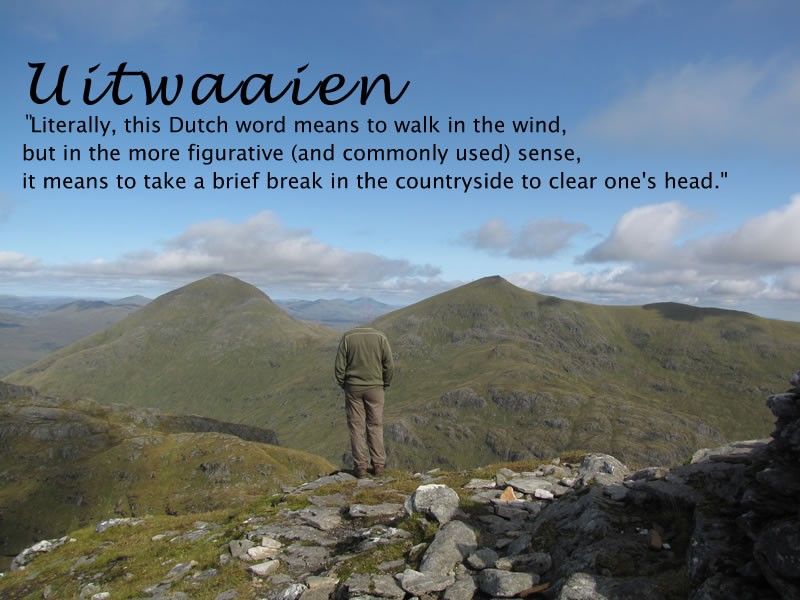
and this:

Checking images for the cover of On Having No Head it seems that my memory was faulty again, not quite how I remembered it. Not to worry.
One of the resions I am joining in with ds106 is to learn how to photoshop, having a fairly unused copy on my work laptop, but here I went for my comfort zome of fireworks 8 (the last one with a really good edu discount). I mostly use fireworks for cropping and maybe dropping the odd shadow but Feathered selections and transparent gradients in Fireworks 3 go me on the right track
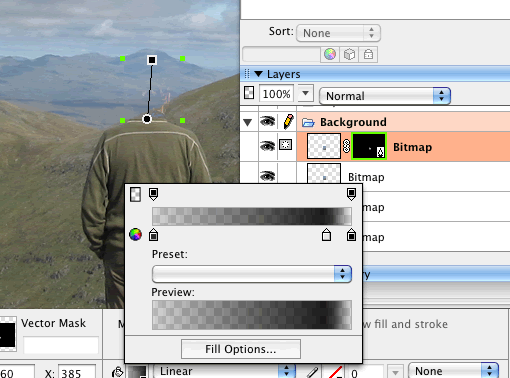
I faded the head a wee bit too much but I know how to do it now. I had 2 photos ofthe same place one with me in it one without (Credit to my daughter Christine). I tool my head area out of the photo without me and cropped it to a wee rect round my head as a layer on the photo of me. I then masked the layer with a graident as per instructuions.
Before August 2014 I used disqus for comments, so this form shows up on older posts.
blog comments powered by Disqus