

Your Browser Becomes Your WordPress – WordPress News
With my.WordPress.net, WordPress runs entirely and persistently in your browser. There’s no sign-up, no hosting plan, and no domain decision standing between you and getting started.
My WordPress is an interesting development. It allows you to have a totally private WordPress site in your browser. You could use this to test, develop or just play around with WordPress. It also looks like it could be used for developing an app just for yourself, or perhaps to export & share. There are a couple (via plugins) than can easily be installed, including an RSS ‘reader’. Everything is stored in the browser, limited to 100mb. I was surprised as I thought local storage was much smaller than that? I wonder where it is stored.
There seems to be ways to back up or transfer to a live site.
The obvious frustration might be if you make something useful it will be only on one device/browser but that might be balanced by the privacy.
It only takes a few seconds to set up the site and it feels fast.
It seems to emulates MySQL using SQLite
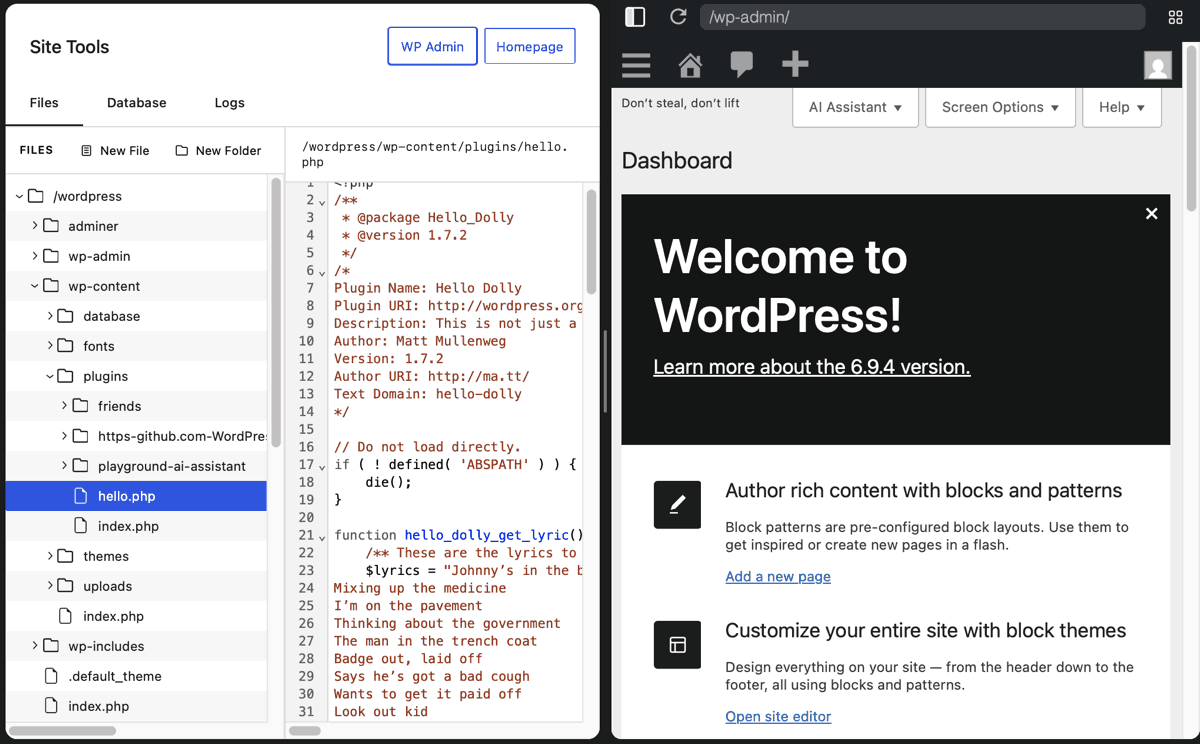
Looks like I have access to all the files. I tested this by adding a shortcode to the functions.php and it just worked!
I could also edit the Hello Dolly plugin, replacing the lyrics with the ones from Subterranean Homesick
RSS
One of the Apps you can install is an RSS reader. This is the Friends plugin. I have briefly tried this before, but I think this is an opportunity to give it good test. I easily added a feed or tow. It did not work with scripting.com, I presume due to it being severed via http not https?
AI
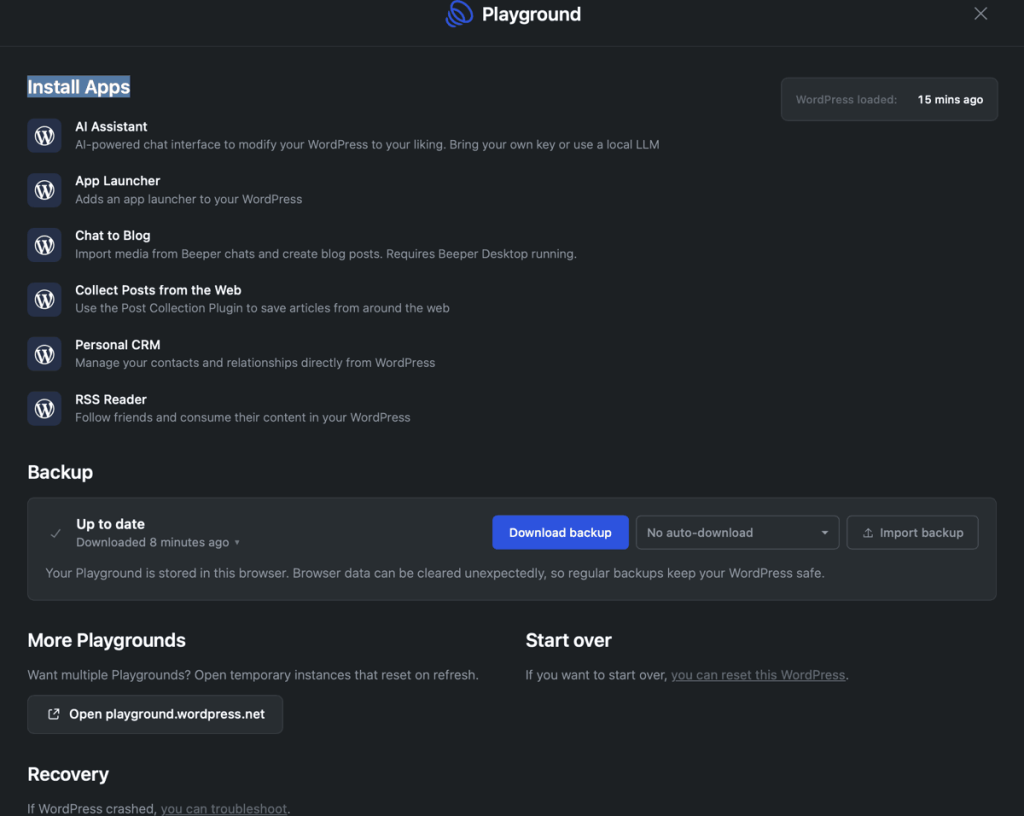
Another suggested ‘apps’ is AI which allows you to connect to an AI if you have a key. I do not pay for any AI so do not have a key. By chance I installed Ollama yesterday, a local AI, I am not sure what I am doing just following Miguel Guhlin’s notes.
I spent quite a lot of time messing about with this and failing, I think because Safari is so uptight about mixed content. I did get it working in Firefox, but running into this problem means I can’t do anything yet.
So I think I’ll leave the AI assistant alone for the moment and play with other things.
Other Things & Thinks
I am slowly thinking about how I could use this in a useful, or fun way.
- Trying things out that I do not want to risk on a ‘real’ site and don’t want to set up a whole WordPress for.
- Learning, especially quick tests & tries, themes, snippets, css etc.
- ‘Apps’ that look interesting, but I don’t want to be public.
- AI integration with WordPress. I’ve been experimenting with Telex a bit, wondering it will be incorporated in this.
I am sure there are more. The limits, at the moment, seem to be one site per device/browser. For little things this could be easily worked around using the offer:
Want multiple Playgrounds? Open temporary instances that reset on refresh.
More…
According to Matt Mullenweg there is a lot more in the works
my.wordpress.net has soft-launched.
Next up, we’re going to add peer-to-peer sync, version control integration, and cloud publishing so other people can access it.
and
Today, everyone gets a phone number and email when they grow up. That will expand in the future, everyone will have a domain and a WordPress. A part of the internet that you own.